Latest Posts
This blog is a personal study log, not a representation of full knowledge or mastery of any subject mentioned. It should be read as a shared notebook of annotations and reflections, without the intention of being exhaustive, systematic, or following a strict logic. The articles were generated with the assistance of generative AI / large language models (LLMs). The ideas, themes, and prompts were suggested and curated by the blog author. The AI served as a tool for writing and structuring, while the final selection of topics, examples, and interpretations reflects the author’s own perspective.
-
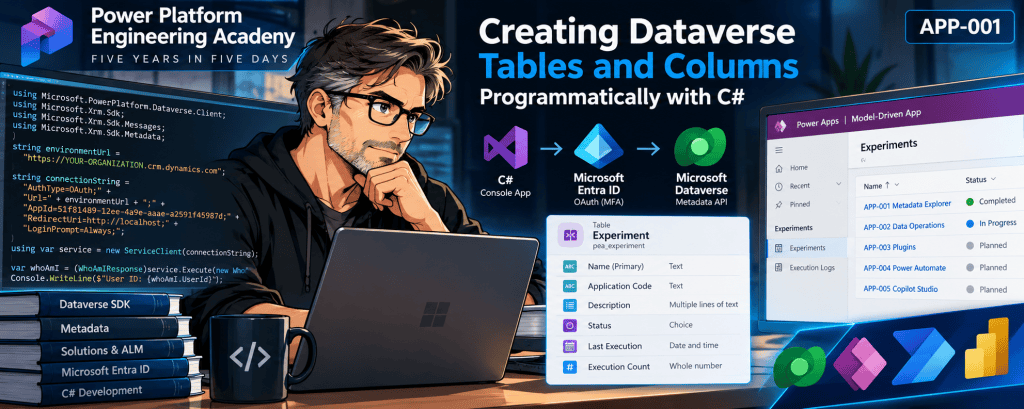
Creating Microsoft Dataverse Tables and Columns Programmatically with C# and the SDK
Creating Microsoft Dataverse Tables and Columns Programmatically with C# and the SDK Power Platform Engineering Academy | APP-001 — Dataverse Metadata Explorer Technical focus: C#, Dataverse SDK, metadata operations, Microsoft Entra ID authentication, solution-aware customization, and schema deployment. 1. Introduction… Continue reading
-
Understanding Dataverse Solutions, Publishers, and Application Lifecycle Management (ALM)
Model-driven Lab 01 — IT Service Desk Part 01: Understanding Dataverse Solutions, Publishers, and Application Lifecycle Management (ALM) 1. Introduction Microsoft Power Apps Model-driven applications provide a structured and metadata-driven approach to developing enterprise business applications using Microsoft Dataverse as… Continue reading

-
Prompt Engineering for Microsoft Copilot
Prompt Engineering for Microsoft Copilot and Copilot Studio The Foundation of Reliable Enterprise AI Agents Understanding Instructions, Context, Grounding, Orchestration, Security, and Effective AI Interaction Design 1. Introduction Prompt Engineering has become one of the foundational disciplines in modern generative… Continue reading
-
Microsoft Dataverse: A Comprehensive Technical Guide for Power Platform, Dynamics 365, SQL Server, and SharePoint Professionals
Microsoft Dataverse: A Comprehensive Technical Guide for Power Platform, Dynamics 365, SQL Server, and SharePoint Professionals Technical Article | Microsoft Power Platform | Dataverse | Dynamics 365 | Enterprise Architecture 1. Introduction Microsoft Dataverse is a cloud-based enterprise data platform… Continue reading

-
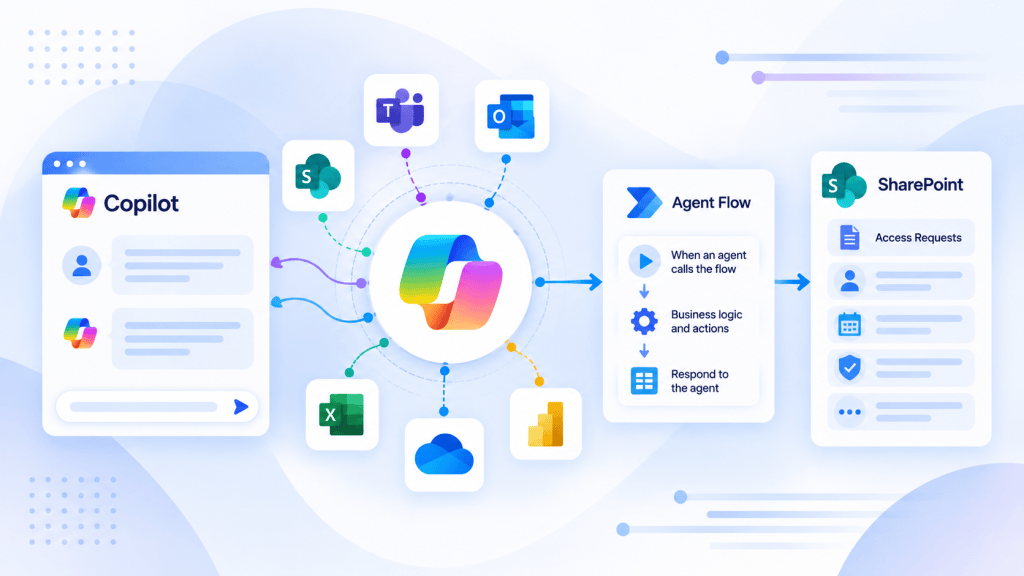
Article 25/50 — Event Triggers and Event-Driven Agents in Microsoft Copilot Studio
Article 25/50 — Event Triggers and Event-Driven Agents in Microsoft Copilot Studio Microsoft Copilot Studio | Event-Driven Architecture | SharePoint Online | Power Automate | Autonomous Agents | Runtime Identity | Enterprise Governance 1. Introduction Traditional conversational AI Agents are… Continue reading
-
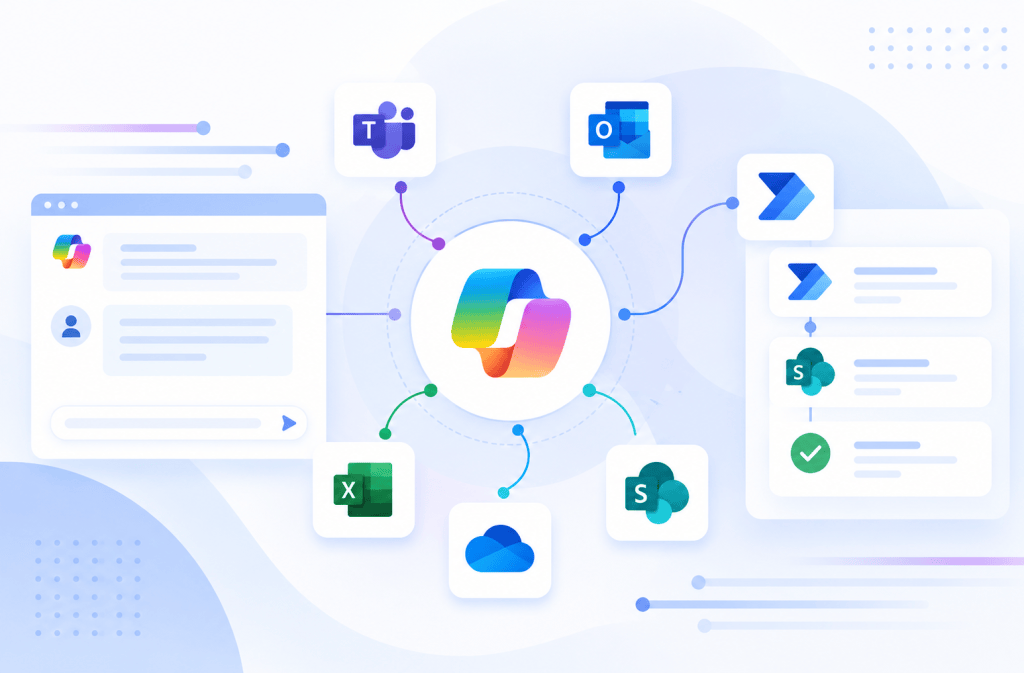
Article 24/50 — DLP and Governance for Enterprise AI Agents in Microsoft Copilot Studio
Article 24/50 — DLP and Governance for Enterprise AI Agents in Microsoft Copilot Studio Microsoft Copilot Studio | Power Platform Governance | Data Loss Prevention | SharePoint Online | Microsoft Entra ID | Enterprise Architecture 1. Introduction Building an AI… Continue reading

-
Article 23/50 — Least Privilege and Runtime Identity in Microsoft Copilot Studio
Article 23/50 — Least Privilege and Runtime Identity in Microsoft Copilot Studio Enterprise AI Agent Security | Microsoft Entra ID | Zero Trust | SharePoint Online | Power Automate | Microsoft Graph | Identity Governance 1. Introduction The security of… Continue reading
-
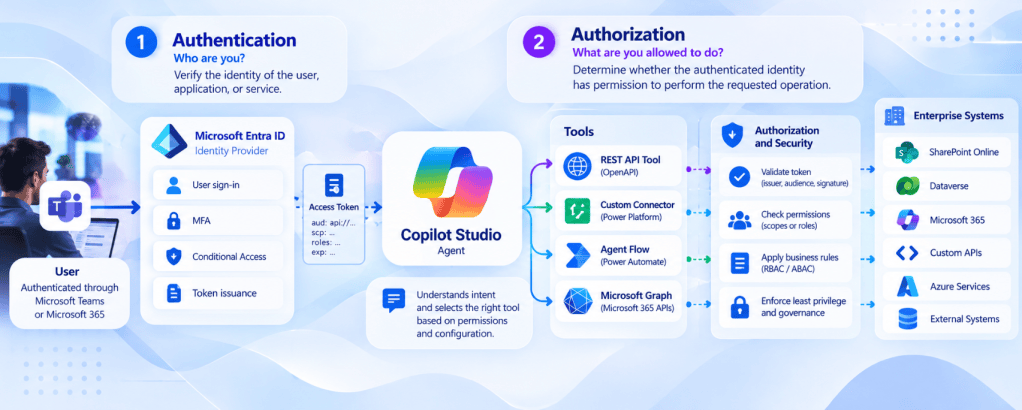
Article 21/50 — Authentication vs Authorization in Enterprise AI Agents
Article 21/50 — Authentication vs Authorization in Enterprise AI Agents Microsoft Copilot Studio | Microsoft Entra ID | SharePoint Online | Power Automate | Microsoft Graph | Enterprise Security Architecture 1. Introduction One of the most important challenges in enterprise… Continue reading

-
When an AI Agent executes a Tool, whose identity and permissions are actually being used?
Article 22/50 — User-Provided vs Maker-Provided Credentials in Microsoft Copilot Studio Enterprise AI Agents | Runtime Identity | Connection Security | SharePoint Online | Power Automate | Microsoft Entra ID | Governance 1. Introduction One of the most consequential architectural… Continue reading
-
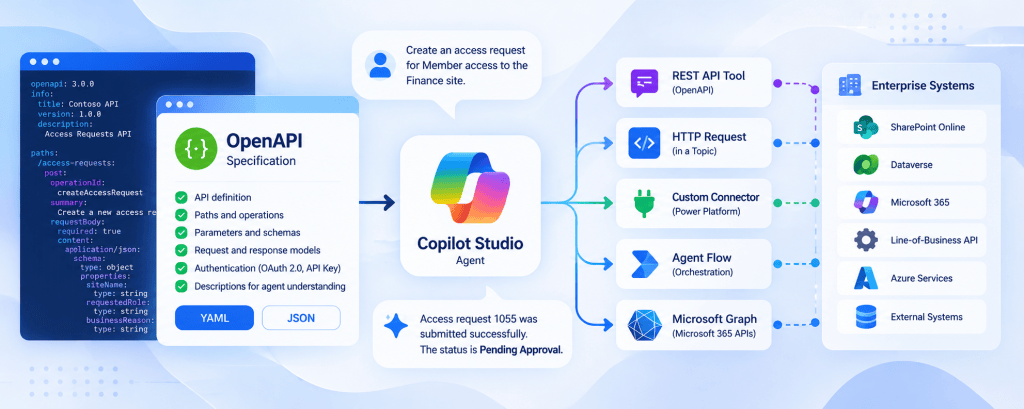
Article 20/50 — OpenAPI and API-Driven Agent Architecture in Microsoft Copilot Studio
Article 20/50 — OpenAPI and API-Driven Agent Architecture in Microsoft Copilot Studio Building enterprise AI Agents requires more than connecting a language model to an external API. A reliable architecture must define how Agents discover capabilities, exchange structured data, authenticate… Continue reading
-
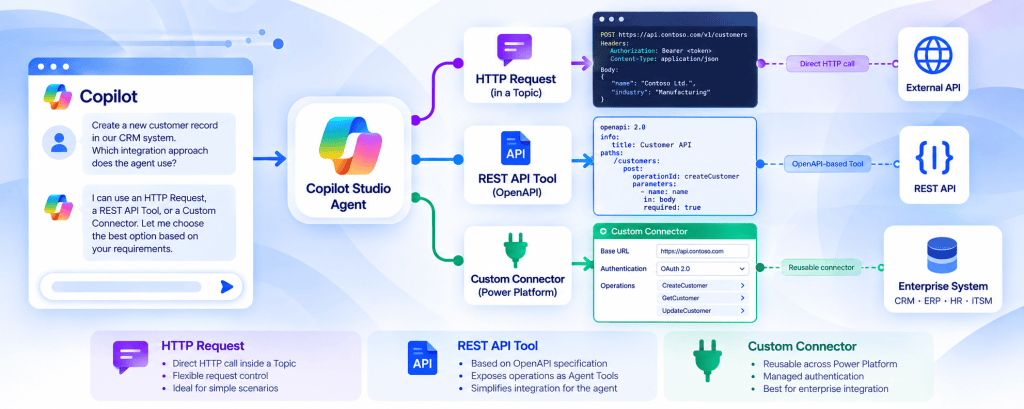
Article 19/50 — HTTP Request vs REST API Tool vs Custom Connector
Article 19/50 — HTTP Request vs REST API Tool vs Custom Connector in Microsoft Copilot Studio Enterprise AI Agents: Integration Architecture, API Contracts, Security, Governance, and Technology Selection 1. Introduction Integrating Microsoft Copilot Studio with external enterprise systems is one… Continue reading
-
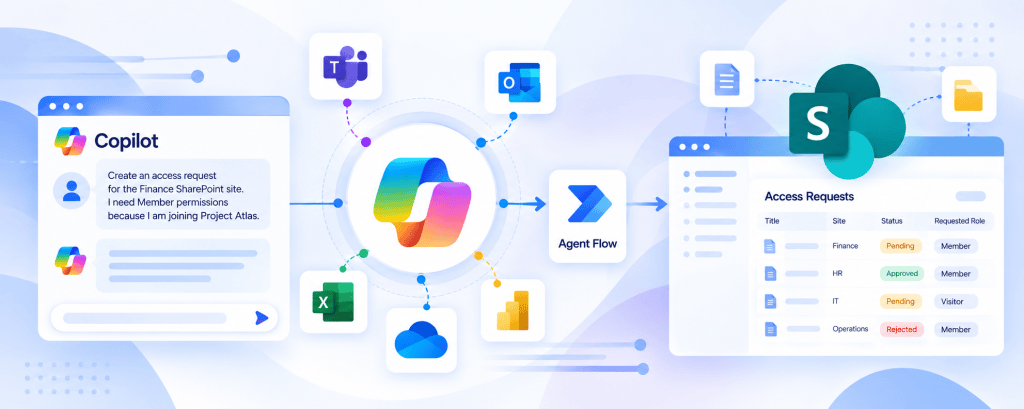
Article #18/50 — Calling REST APIs from Microsoft Copilot Studio
Article #18/50 — Calling REST APIs from Microsoft Copilot Studio A knowledge-based Agent can explain policies, summarize documents, and answer questions using approved information sources. However, many enterprise scenarios require something different: accessing live information or executing business operations through… Continue reading
-
Copilot Studio and Power Automate: Designing Inputs, Outputs, and Contracts Between Agents and Flows
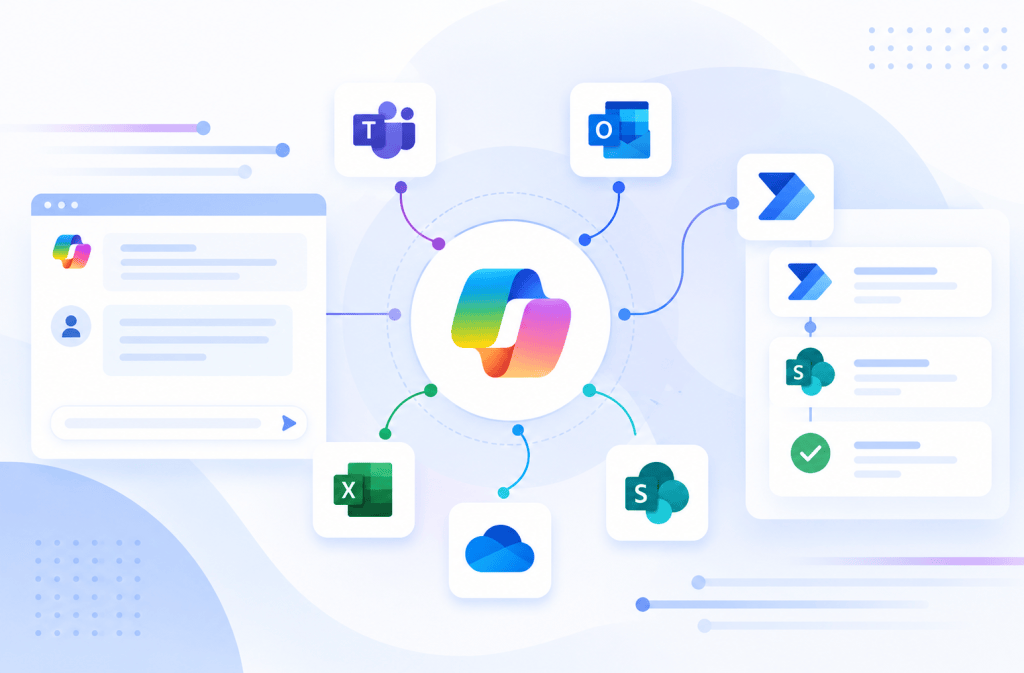
Copilot Studio and Power Automate: Designing Inputs, Outputs, and Contracts Between Agents and Flows Introduction Connecting Microsoft Copilot Studio to Power Automate is often described very simply: Agent calls Flow. Technically, that is correct. Architecturally, however, something much more important… Continue reading
-
Practical Build Walkthrough: Create a SharePoint Request from a Copilot Studio Agent
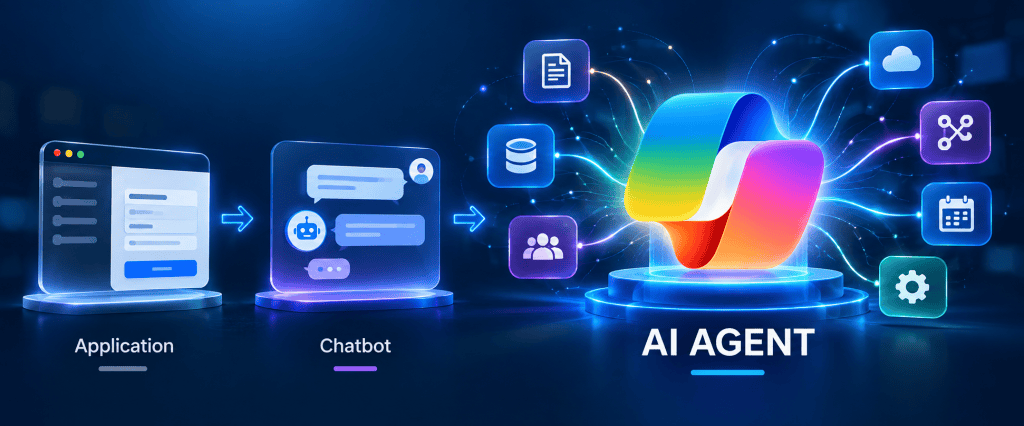
Practical Build Walkthrough: Create a SharePoint Request from a Copilot Studio Agent The architecture discussed so far becomes much easier to understand when implemented as a small end-to-end solution. In this walkthrough, we will build an atomic enterprise Agent capability:… Continue reading
-
Tools Architecture in Microsoft Copilot Studio: Designing Executable Capabilities for Enterprise Agents
Tools Architecture in Microsoft Copilot Studio: Designing Executable Capabilities for Enterprise Agents Introduction In the previous article, we established one of the most important distinctions in Microsoft Copilot Studio architecture: That model is intentionally simple. Now we need to open… Continue reading

-
Knowledge vs Tools vs Actions in Microsoft Copilot Studio: Choosing the Right Capability
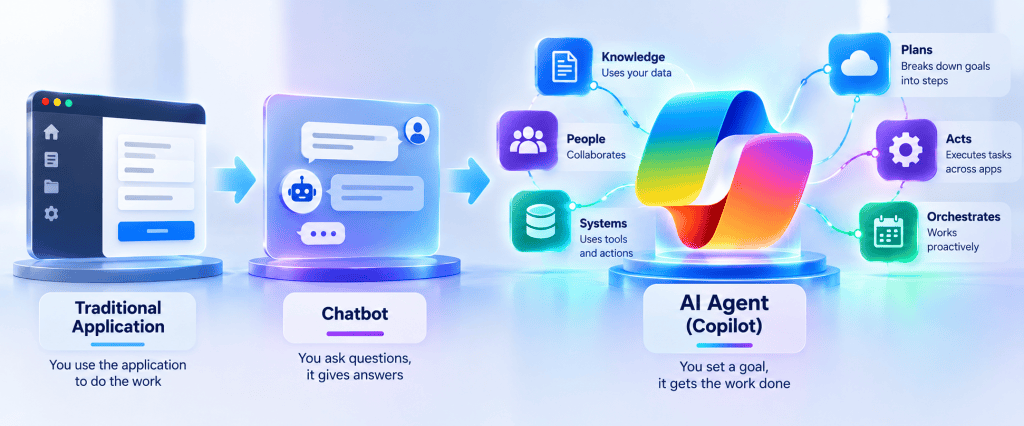
Article 13 of 50 Knowledge vs Tools vs Actions in Microsoft Copilot Studio: Choosing the Right Capability Introduction One of the most important architectural decisions when designing an Agent in Microsoft Copilot Studio is determining what kind of capability the… Continue reading
-
Custom Prompts in Microsoft Copilot Studio: Using AI Inside Deterministic Processes
Custom Prompts in Microsoft Copilot Studio: Using AI Inside Deterministic Processes Introduction In the previous articles, we established two major architectural paths inside Microsoft Copilot Studio. The first is the generative knowledge path: The second is the deterministic process path:… Continue reading
-
Topics in Microsoft Copilot Studio: When Deterministic Conversation Beats Generative AI
Topics in Microsoft Copilot Studio: When Deterministic Conversation Beats Generative AI Introduction In the previous articles in this series, we focused heavily on the generative side of Microsoft Copilot Studio: This architecture is extremely powerful when users ask unpredictable questions… Continue reading
-
Microsoft Power Platform — Technical Architecture, Components and Enterprise Use Cases
Microsoft Power Platform — Technical Architecture, Components and Enterprise Use Cases 1. Introduction Microsoft Power Platform is Microsoft’s low-code platform for building business applications, automating processes, analyzing data, creating external business websites, and developing AI-powered agents. From an architectural perspective,… Continue reading

-
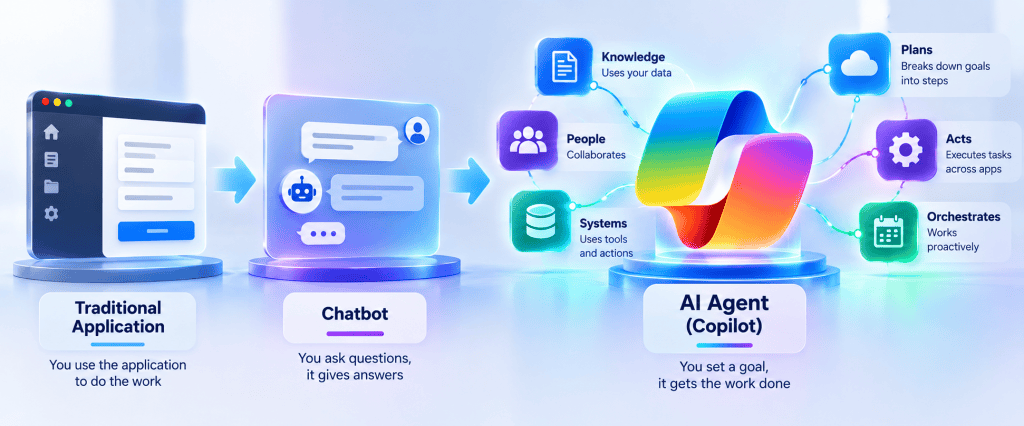
Building Enterprise AI Agents with Microsoft Copilot Studio: The Story Behind This 50-Article Technical Series
Building Enterprise AI Agents with Microsoft Copilot Studio: The Story Behind This 50-Article Technical Series Introduction This series was not created as a collection of isolated Microsoft Copilot Studio tutorials. It started with a much broader objective: Understand how enterprise… Continue reading
-
Generative Answers in Microsoft Copilot Studio: Controlling AI-Generated Responses
Generative Answers in Microsoft Copilot Studio: Controlling AI-Generated Responses Introduction In the previous articles, we built the Knowledge pipeline: We can now focus on the part that users actually see: the Generative Answer. This is where Microsoft Copilot Studio becomes… Continue reading
-
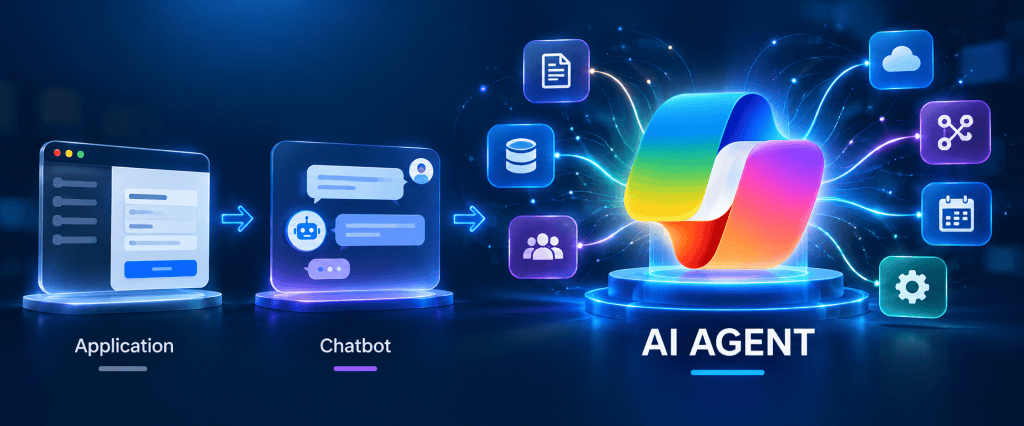
Grounding in Microsoft Copilot Studio: How Retrieved Evidence Controls Generative Answers
Grounding in Microsoft Copilot Studio: How Retrieved Evidence Controls Generative Answers Introduction In the previous articles, we separated four concepts that are often treated as if they were the same: We established that Knowledge represents the information available to an… Continue reading
-
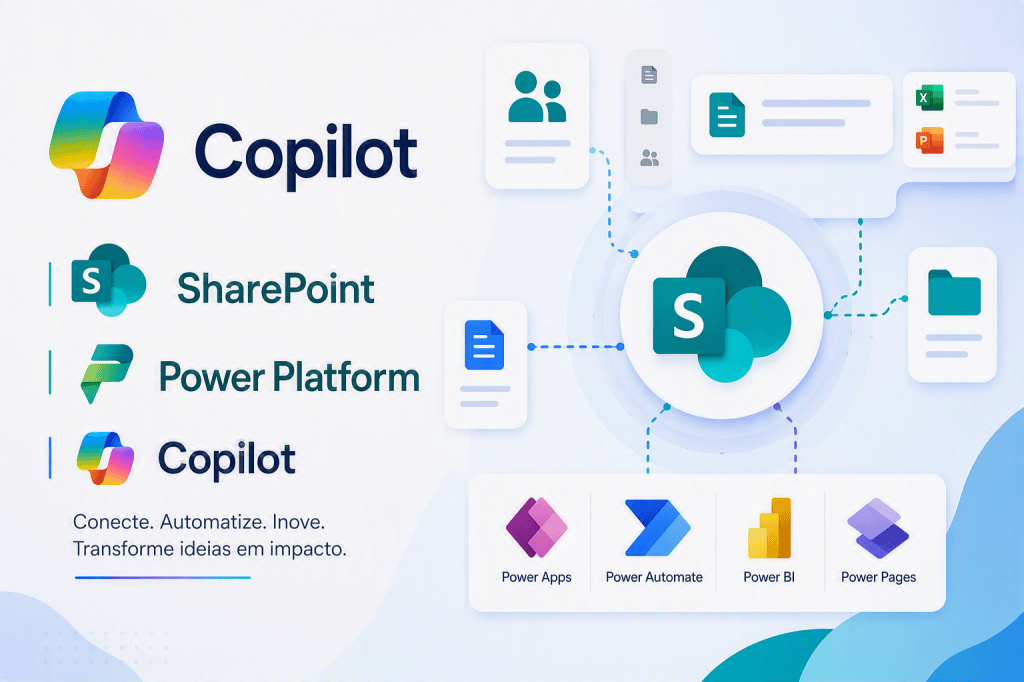
Retrieval in Microsoft Copilot Studio: How an Agent Finds Relevant Information
Retrieval in Microsoft Copilot Studio: How an Agent Finds Relevant Information Introduction In the previous article, we established the fundamental pipeline: Now we need to isolate one of the most important—and frequently misunderstood—parts of this architecture: Retrieval. Adding a Knowledge… Continue reading
-
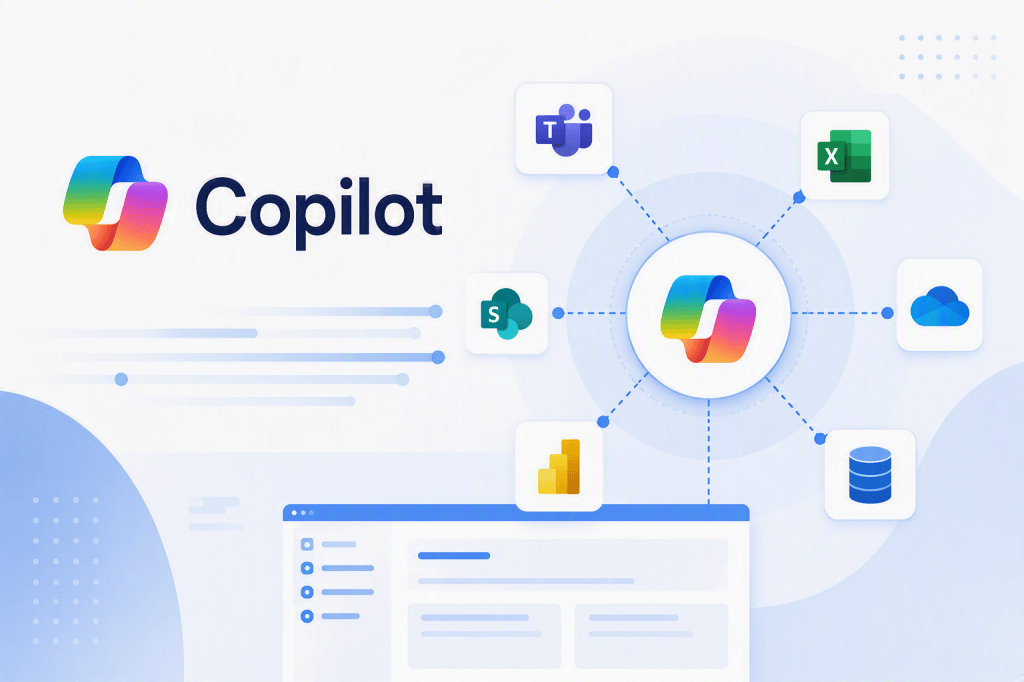
Knowledge Sources in Microsoft Copilot Studio: Designing Enterprise Knowledge for AI Agents
Knowledge Sources in Microsoft Copilot Studio: Designing Enterprise Knowledge for AI Agents Introduction After defining how an Agent should behave through Instructions, the next architectural question is: Where does the Agent obtain the information required to answer the user? This… Continue reading
-
Instructions in Microsoft Copilot Studio: Designing Agent Behavior, Boundaries, and Responsibilities
Instructions in Microsoft Copilot Studio: Designing Agent Behavior, Boundaries, and Responsibilities Introduction One of the first things we configure when creating an Agent in Microsoft Copilot Studio is its Instructions. At first, Instructions may appear to be nothing more than… Continue reading
-
Microsoft Copilot Studio Architecture: How an Agent Actually Works
Microsoft Copilot Studio Architecture: How an Agent Actually Works Introduction After understanding the difference between an AI Agent, a traditional chatbot, and a traditional application, the next step is to look inside a Microsoft Copilot Studio Agent. When a user… Continue reading
-
What Is an AI Agent? Agent vs Chatbot vs Traditional Application
At first glance, an AI Agent can look similar to a chatbot. Both can receive natural-language input and return conversational responses. However, from an architectural perspective, they represent very different approaches. What Is an AI Agent? Agent vs Chatbot vs… Continue reading
-
From Zero to Microsoft Certified AI Agent Builder Associate: My Practical Copilot Studio Study Roadmap
For an experienced Microsoft 365, SharePoint, Power Platform, or software developer, the first temptation is often to approach Copilot Studio as another application development environment: identify the UI components, learn the APIs, connect some services, write some logic, and build… Continue reading
-
Working with REST APIs, HTTP Status Codes and JSON in Power Automate
Working with REST APIs, HTTP Status Codes and JSON in Power Automate Introduction Power Automate is usually presented as a low-code automation platform based on connectors. However, many enterprise integrations eventually require direct communication with REST APIs. This is where… Continue reading

-
Error Handling in Power Automate: Try, Catch, Finally, Scopes, Retry Policies and Logging
Error Handling in Power Automate: Try, Catch, Finally, Scopes, Retry Policies and Logging Introduction Error handling is one of the most important differences between a Power Automate flow created as a quick automation and a workflow designed to operate reliably… Continue reading

-
Understanding the Main Microsoft Agent Development Models
Understanding the Main Microsoft Agent Development Models Copilot Studio, Declarative Agents, SharePoint Copilot Apps, SPFx and SharePoint Agents Introduction The Microsoft Copilot ecosystem can initially appear confusing because the word Agent is used in several products and development models. Two… Continue reading

-
Building Microsoft 365 Copilot Apps from Zero
Building Microsoft 365 Copilot Apps from Zero Guia técnico e prático para compreender e construir Declarative Agents com Microsoft 365 Agents Toolkit, evoluindo de um Agent mínimo para Knowledge, SharePoint, Actions e uma arquitetura corporativa governada. Microsoft 365 Copilot extensibility… Continue reading
-
Building Microsoft 365 Copilot Apps from Zero
Building Microsoft 365 Copilot Apps from Zero A Complete Step-by-Step Developer Guide Based on Microsoft Learn Introduction Microsoft 365 Copilot introduces a new application model into the Microsoft 365 ecosystem. For many years, Microsoft 365 developers have built solutions using… Continue reading
-
Exploratory AI Architecture for Pharmaceutical Product Development and Stability Sample Knowledge Management
Exploratory AI Architecture for Pharmaceutical Product Development and Stability Sample Knowledge Management Using Microsoft Copilot Studio, SharePoint Metadata, Microsoft Purview, Power Platform, Outlook and Microsoft Teams as a Conceptual Citizen Development Architecture Important Disclaimer This article is a technology exploration… Continue reading

-
Connecting Microsoft Copilot Studio, SharePoint, Power Platform and Autodesk to Transform Field Experience into Organizational Knowledge
AI-Assisted Communities of Practice for Infrastructure, Construction, Quality and Maintenance Connecting Microsoft Copilot Studio, SharePoint, Power Platform and Autodesk to Transform Field Experience into Organizational Knowledge Introduction Infrastructure and construction organizations accumulate enormous amounts of technical knowledge during the lifecycle… Continue reading

-
AI-Assisted Maintenance Innovation Funnel for Oil & Gas
AI-Assisted Maintenance Innovation Funnel for Oil & Gas Using Microsoft Copilot Studio, SharePoint, Power Apps and Power Automate to Connect Maintenance Knowledge, Real Worker Questions, Improvement Ideas and Quality Assurance Introduction Maintenance in an Oil & Gas organization is an… Continue reading

-
AI-Assisted Quality Management in Manufacturing with Microsoft Copilot Studio, Power Apps, SharePoint and Power Automate
AI-Assisted Quality Management in Manufacturing with Microsoft Copilot Studio, Power Apps, SharePoint and Power Automate Building a Citizen Developer Architecture for Quality Data Capture, Knowledge, Non-Conformance Management and Enterprise System Integration Introduction Manufacturing quality is an interesting environment for Citizen… Continue reading

-
AI-Driven Employee Onboarding with Microsoft Copilot Studio, SharePoint and a Living FAQ
AI-Driven Employee Onboarding with Microsoft Copilot Studio, SharePoint and a Living FAQ Using Real Employee Questions to Continuously Improve the Corporate Onboarding Experience Introduction Employee onboarding is an excellent scenario for understanding how Microsoft Copilot Studio, SharePoint Online, Power Automate… Continue reading
-
Using Microsoft Copilot Studio, SharePoint and Generative AI to Discover What Users Actually Need to Know
From FAQ Chatbot to Knowledge Intelligence Using Microsoft Copilot Studio, SharePoint and Generative AI to Discover What Users Actually Need to Know Introduction A traditional FAQ begins with answers. Someone inside an organization identifies subjects that appear important, creates a… Continue reading
-
Building a Living FAQ with Microsoft Copilot Studio, SharePoint and Generative AI
Building a Living FAQ with Microsoft Copilot Studio, SharePoint and Generative AI Transforming Real User Questions into Governed Organizational Knowledge Introduction One of the most interesting uses of Microsoft Copilot Studio is not simply answering questions. A more valuable architecture… Continue reading
-
Part 3 — Heft, Build Rig, Webpack and the Complete Build Pipeline
SPFx Toolchain Internals Part 3 — Heft, Build Rig, Webpack and the Complete Build Pipeline 1. Introduction In the previous article, we stopped at a very specific architectural boundary. Node.js had been selected according to the SharePoint Framework compatibility requirements.… Continue reading

-
SPFx Toolchain Internals
Part 2 — Node.js, npm and the Dependency Graph SPFx Toolchain Internals Part 2 — Node.js, npm and the Dependency Graph 1. Introduction A SharePoint Framework project may appear to be a relatively small collection of TypeScript, React components, configuration… Continue reading
-
Architecture of the Modern SharePoint Framework Build System
SPFx Toolchain Internals Part 1 — Architecture of the Modern SharePoint Framework Build System 1. Introduction The SharePoint Framework toolchain is the complete engineering environment responsible for transforming human-authored source code into a browser-executable Microsoft 365 component and, eventually, into… Continue reading

-
SharePoint Framework (SPFx)
Technical Architecture, Runtime Model, Extensibility, Security, Integration, and Enterprise Engineering SharePoint Framework (SPFx) Technical Architecture, Runtime Model, Extensibility, Security, Integration, and Enterprise Engineering 1. Introduction The SharePoint Framework (SPFx) is Microsoft’s client-side extensibility model for building custom experiences that execute… Continue reading
-
Introdução Técnica ao SharePoint Framework — SPFx
Introdução Técnica ao SharePoint Framework — SPFx 1. Introdução O SharePoint Framework (SPFx) é o principal modelo de desenvolvimento client-side utilizado para criar extensões e experiências personalizadas integradas ao SharePoint e a outras superfícies do Microsoft 365. Mais do que… Continue reading
-
Building a SharePoint Copilot App with SPFx
Building a SharePoint Copilot App with SPFx A Step-by-Step Technical Guide to Copilot Components, Declarative Agents, Tools, Properties, Testing and Deployment SharePoint Framework is moving beyond the traditional model of Web Parts and Extensions. With SharePoint Copilot Apps, currently in… Continue reading
-
SPFx + Microsoft Copilot
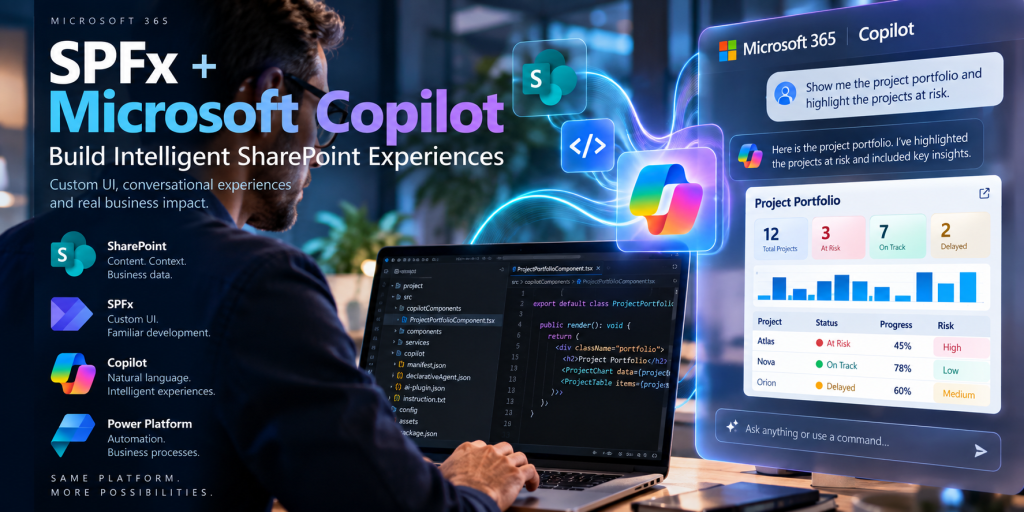
SPFx + Microsoft Copilot Building Intelligent SharePoint Experiences with SharePoint Copilot Apps, Copilot Components and Declarative Agents For a SharePoint developer, one of the most important developments in the Microsoft 365 Copilot extensibility model is the emergence of SharePoint Copilot… Continue reading
-
From Enterprise Content Management to Intelligent Business Processes
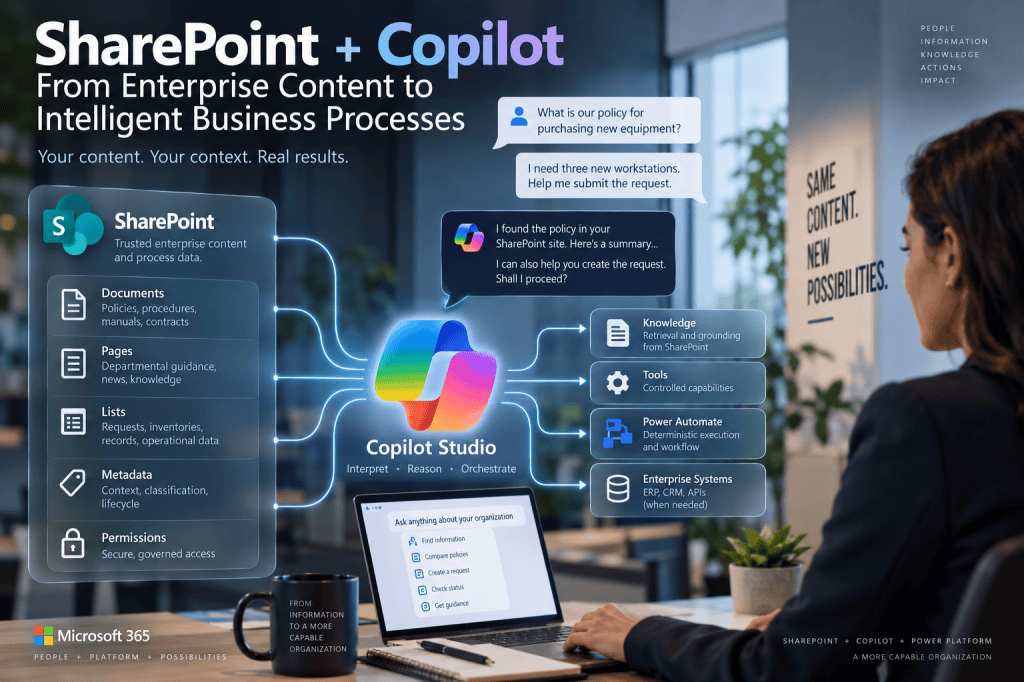
SharePoint + Copilot From Enterprise Content Management to Intelligent Business Processes For more than two decades, SharePoint has occupied a distinctive position in the Microsoft enterprise architecture. It is not simply a document repository, and it is not a traditional… Continue reading
-
Identity, Authentication, Authorization and Security Boundaries in Enterprise AI Agents
From Conversation to Transaction Identity, Authentication, Authorization and Security Boundaries in Enterprise AI Agents In the previous article, we transformed a business process into a solution architecture. SharePoint became responsible for trusted documents and corporate Knowledge. Copilot Studio became the… Continue reading
-
Finding Where AI Belongs in a Business Process
Finding Where AI Belongs in a Business Process Deterministic Automation, Human Authority, Knowledge, Transactions and Generative Reasoning The previous article established a fundamental principle for modern Power Platform architecture: Process before platform. Before opening Power Automate, Power Apps or Microsoft… Continue reading
-
From BPMN to Power Platform Architecture
From BPMN to Power Platform Architecture Translating Business Processes into SharePoint, Power Automate, Copilot Studio and Enterprise Systems The previous articles established three principles. Low-Code does not mean Low-Knowledge. Process should come before platform. Responsibility should come before intelligence. We… Continue reading
-
From AS-IS and BPMN to Power Platform and AI Agents
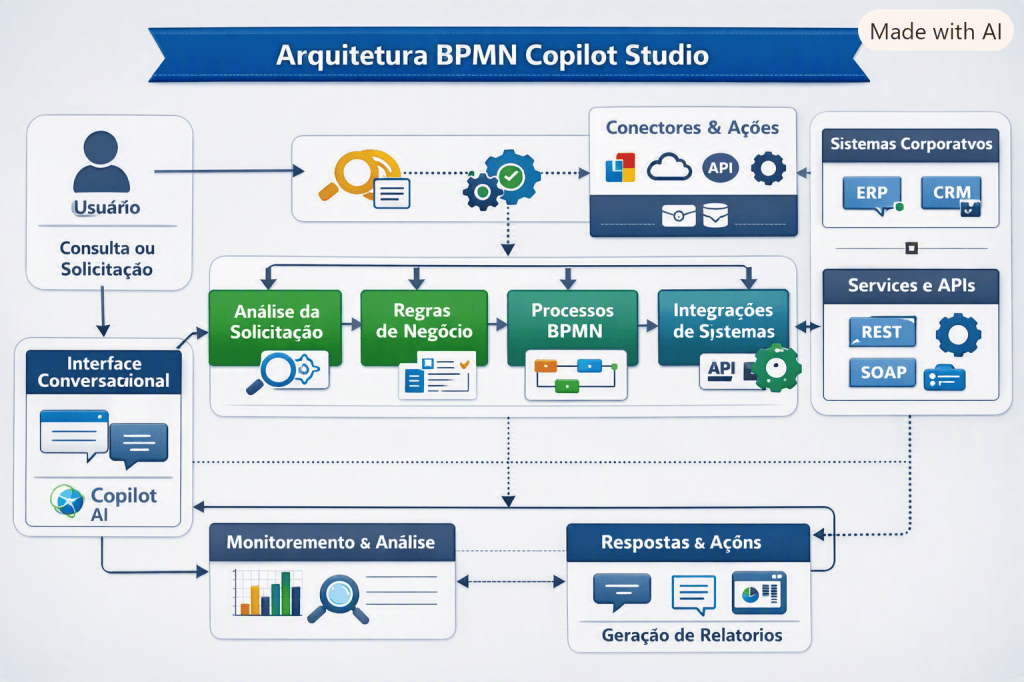
Process Before Platform From AS-IS and BPMN to Power Platform and AI Agents Low-Code platforms have dramatically reduced the distance between a business idea and a working application. A process that once required requirements documents, development teams, database scripts, integration… Continue reading
-
Low-Code Does Not Mean Low-Knowledge
Low-Code Does Not Mean Low-Knowledge From Business Process Engineering, BPMN and ERP to Power Platform and AI Agents Low-Code and No-Code platforms are frequently presented through the language of simplification. The basic proposition is attractive: if a platform can generate… Continue reading
-
100 Microsoft Copilot Studio Labs –
From First Agent to Enterprise Agent Architecture 100 Microsoft Copilot Studio Labs From First Agent to Enterprise Agent Architecture Introduction Learning Microsoft Copilot Studio should not begin by attempting to build a large enterprise assistant. An Agent can appear deceptively… Continue reading
-
BPMN in the Age of AI Agents
BPMN in the Age of AI Agents From Business Process Modeling to Agentic Enterprise Architecture Introduction — Why BPMN Matters Again in the Age of AI Agents The emergence of AI Agents is changing the way enterprise software is designed.… Continue reading
-
BPMN, Business Knowledge and Enterprise Integration in Microsoft Copilot Studio Agent Architecture
BPMN, Business Knowledge and Enterprise Integration in Microsoft Copilot Studio Agent Architecture Introduction Building a Microsoft Copilot Studio Agent is relatively easy. Building an Agent that correctly participates in a real enterprise business process is considerably harder. The technical interface… Continue reading
-
When NOT to Use Adaptive Cards in Microsoft Copilot Studio
When NOT to Use Adaptive Cards in Microsoft Copilot Studio Letting the LLM Interpret REST API Responses Instead of Building the UI Yourself Introduction Adaptive Cards are one of the most useful presentation mechanisms available when building Microsoft Copilot Studio… Continue reading
-
OpenAPI as the Contract Between AI Agents and Enterprise Systems
OpenAPI as the Contract Between AI Agents and Enterprise Systems Deep Dive into Swagger, REST APIs, Tools and Microsoft Copilot Studio Introduction Swagger and OpenAPI are traditionally studied as API technologies. A developer creates a REST API. Another developer needs… Continue reading
-
Swagger 2.0, OpenAPI and Custom Connectors in Microsoft Power Platform and Copilot Studio
Swagger 2.0, OpenAPI and Custom Connectors in Microsoft Power Platform and Copilot Studio A Practical Guide Using the Open-Meteo Weather API Introduction Modern business applications rarely operate in isolation. A Power Apps application might need weather information. A Power Automate… Continue reading
-
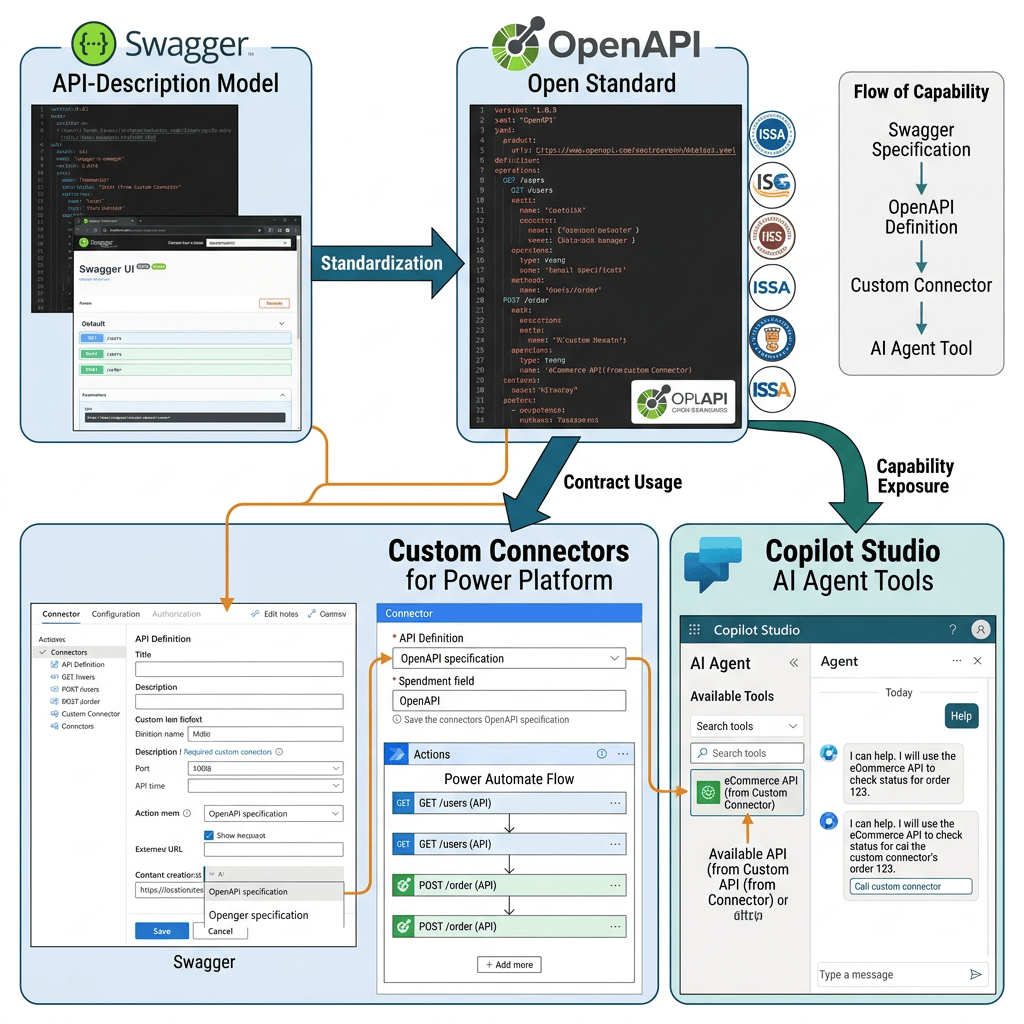
Swagger and OpenAPI: Origins, Evolution, and Their Role in Modern API Integration
Swagger started the API-description model; OpenAPI became the open standard; Custom Connectors use that contract to expose REST API operations to Power Platform, and Copilot Studio can ultimately make those capabilities available to an Agent as Tools. Swagger and OpenAPI:… Continue reading
-
Integrating football-data.org with Microsoft Copilot Studio Using a REST API Tool
Integrating football-data.org with Microsoft Copilot Studio Using a REST API Tool Introduction One of the most important transitions when learning Microsoft Copilot Studio is moving from an Agent that only answers questions to an Agent that can interact with external… Continue reading

-
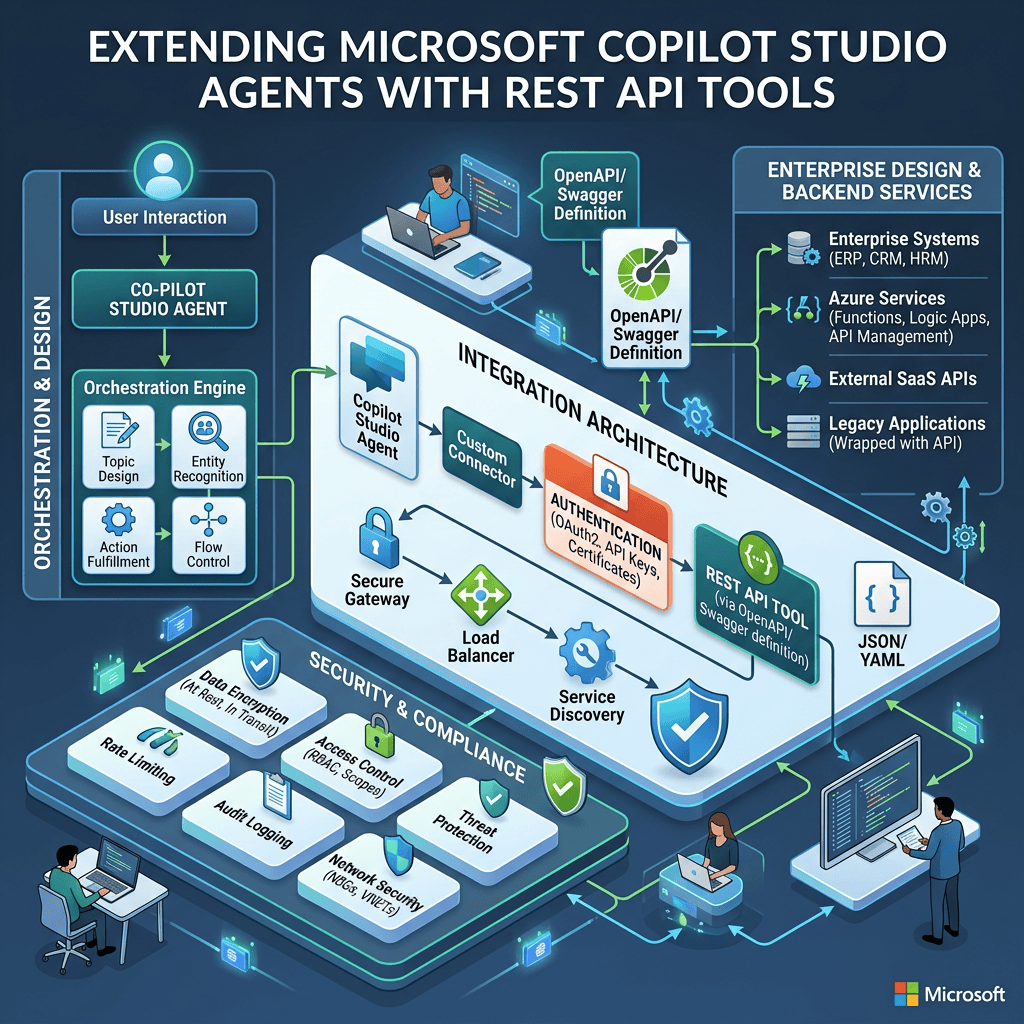
Extending Microsoft Copilot Studio Agents with REST API Tools
Extending Microsoft Copilot Studio Agents with REST API Tools Architecture, OpenAPI, Authentication, Orchestration, Security, and Enterprise Design Introduction One of the most important transitions when learning Microsoft Copilot Studio is moving from an Agent that can answer questions to an… Continue reading
-
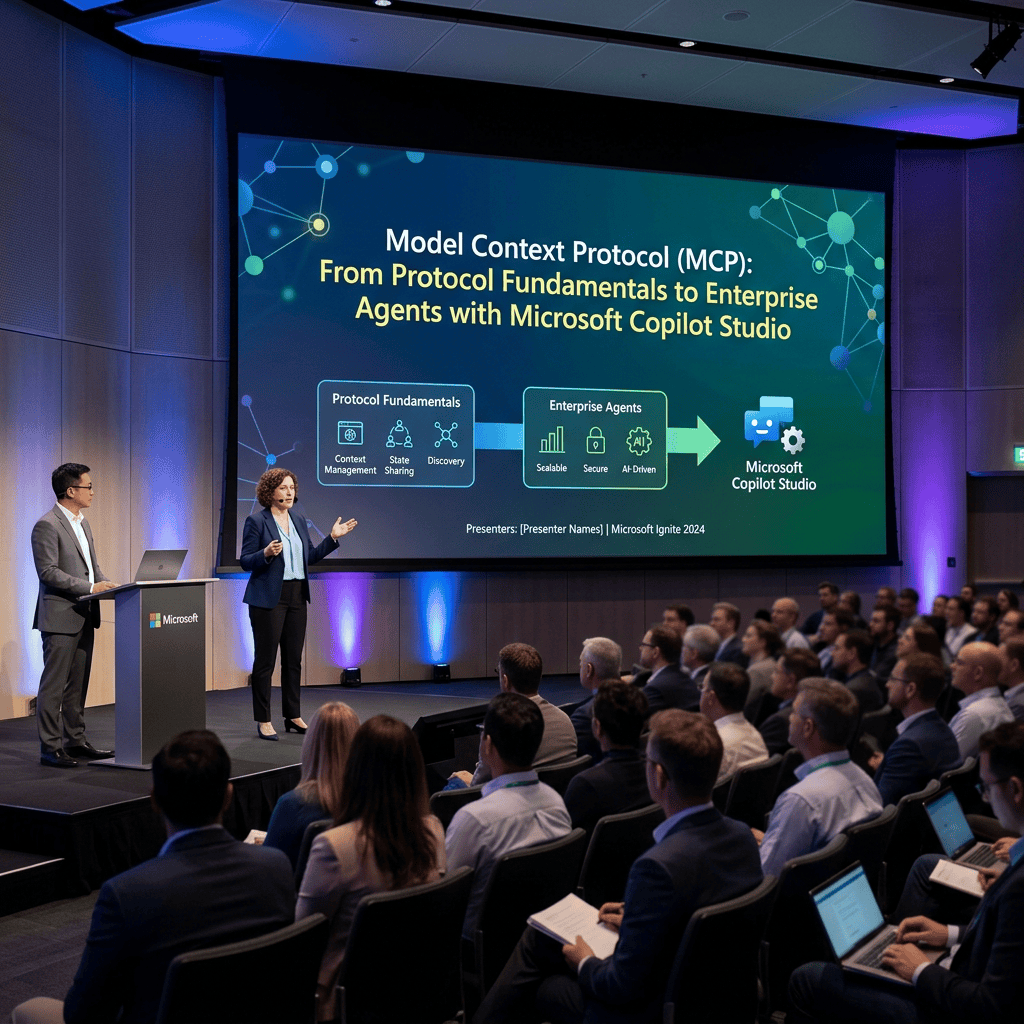
Model Context Protocol (MCP): From Protocol Fundamentals to Enterprise Agents with Microsoft Copilot Studio
Model Context Protocol (MCP): From Protocol Fundamentals to Enterprise Agents with Microsoft Copilot Studio Introduction As AI Agents become more capable, one architectural problem becomes increasingly important: How does an Agent interact with external systems in a standardized, secure, discoverable,… Continue reading
-
Building a Football Agent with Microsoft Copilot Studio and futebol.org
Building a Football Agent with Microsoft Copilot Studio and futebol.org REST API Documentation, OpenAPI, Authentication, Tools, Orchestration, and Security Introduction A practical way to understand REST API Tools in Microsoft Copilot Studio is to design an Agent around a real… Continue reading

-
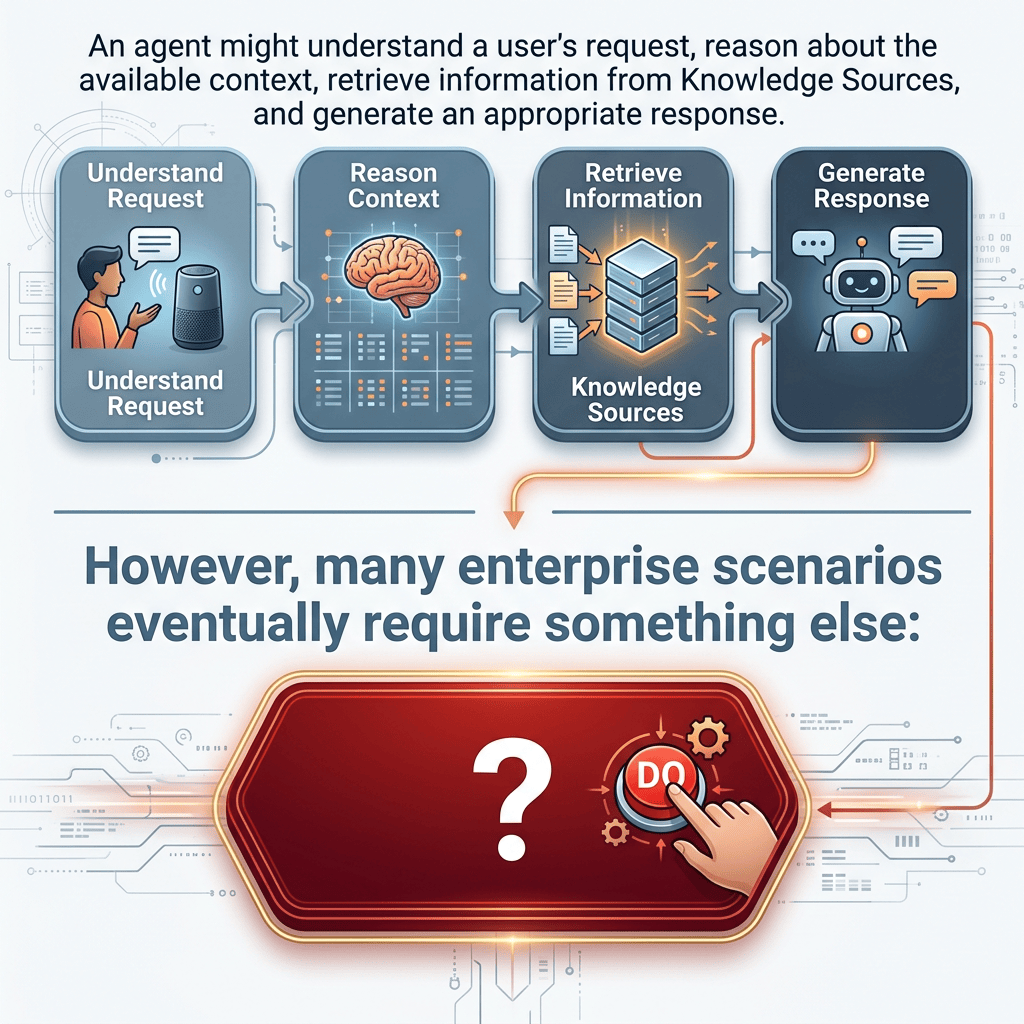
Using Workflows as Tools in Microsoft Copilot Studio Agents
Using Workflows as Tools in Microsoft Copilot Studio Agents From Conversational Reasoning to Deterministic Business Automation Introduction Microsoft Copilot Studio agents become significantly more useful when they can do more than answer questions. An agent might understand a user’s request,… Continue reading
-
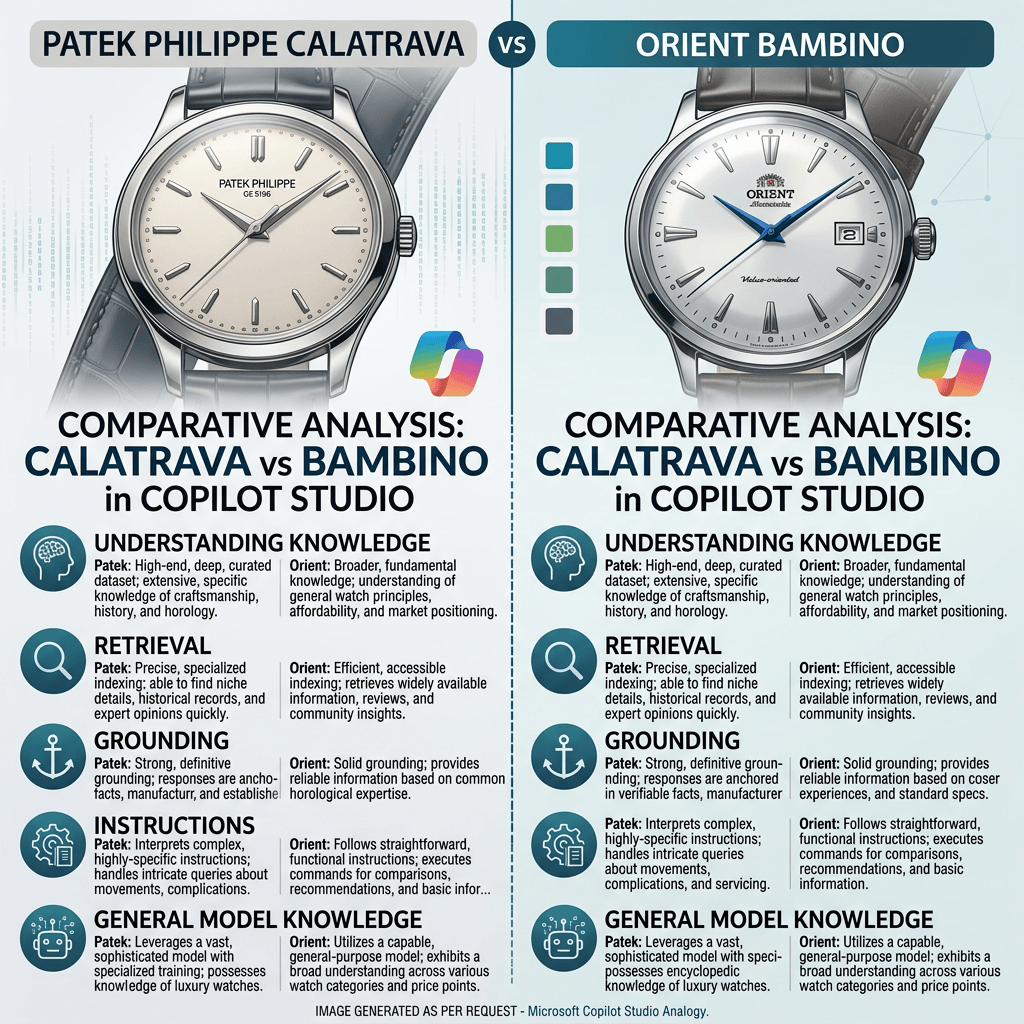
Patek Philippe Calatrava vs Orient Bambino -Understanding Knowledge, Retrieval, Grounding, Instructions, and General Model Knowledge in Microsoft Copilot Studio
One of the most important concepts when learning Microsoft Copilot Studio is understanding where an Agent’s answers actually come from. When we add a file, SharePoint content, or a public website as a Knowledge Source, it is tempting to imagine… Continue reading
-
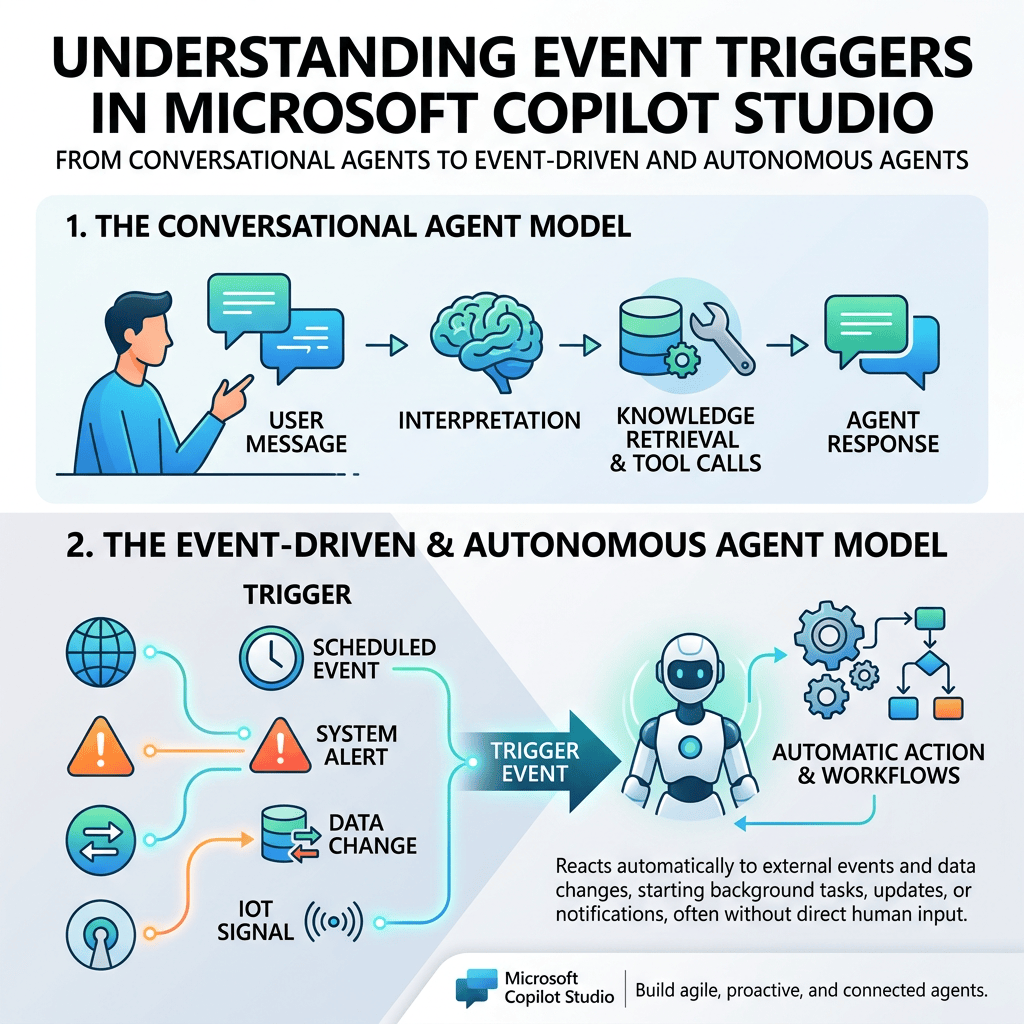
Understanding Event Triggers in Microsoft Copilot Studio
Microsoft Copilot Studio agents are often introduced as conversational systems: a user sends a message, the agent interprets the request, retrieves knowledge, calls tools when necessary, and generates a response. Understanding Event Triggers in Microsoft Copilot Studio From Conversational Agents… Continue reading
-
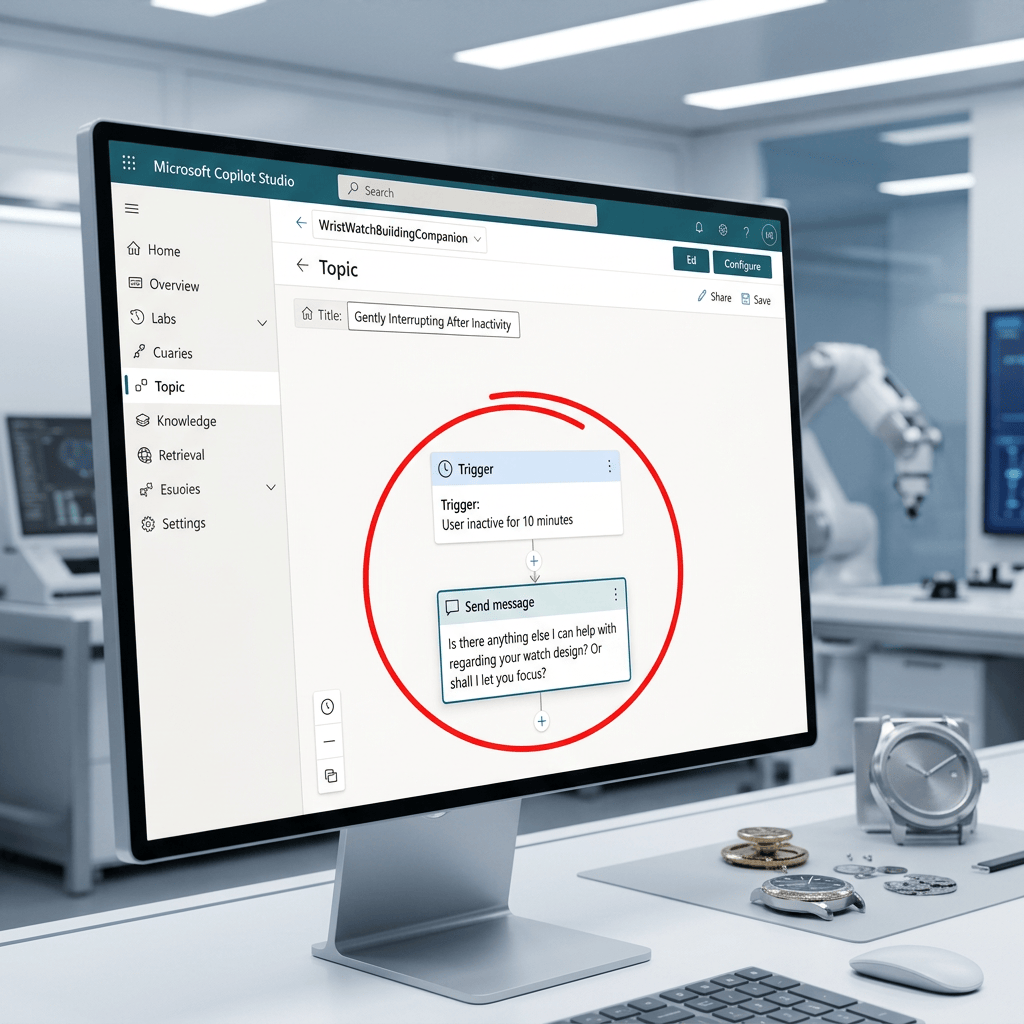
Using an Inactivity Trigger in Microsoft Copilot Studio to Re-Engage the User
Using an Inactivity Trigger in Microsoft Copilot Studio to Re-Engage the User Introduction Not every useful conversational behavior in Microsoft Copilot Studio needs to involve Knowledge, Retrieval, Grounding, or an external Tool. Sometimes the objective is purely conversational. A good… Continue reading
-
Designing a Microsoft Copilot Studio Agent from a Natural-Language Specification
Designing a Microsoft Copilot Studio Agent from a Natural-Language Specification Introduction One of the most interesting ways to start building an Agent in Microsoft Copilot Studio is to avoid configuring every component manually from the beginning. Instead of immediately editing… Continue reading

-
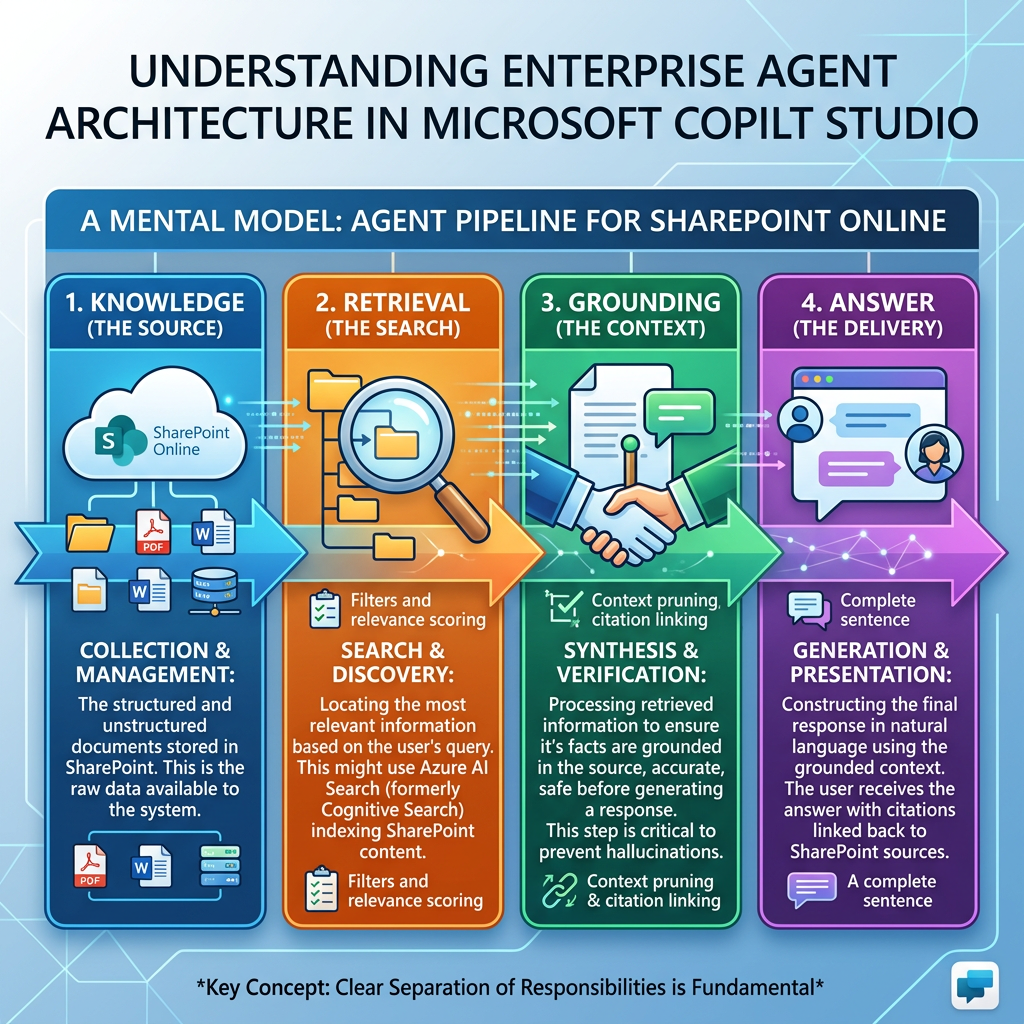
Knowledge → Retrieval → Grounding → Answer
Knowledge → Retrieval → Grounding → Answer A Technical Deep Dive into How Enterprise Agents Turn Corporate Content into Generative Responses 1. Introduction One of the most important concepts to understand when designing enterprise agents is the pipeline: Knowledge →… Continue reading
-
Building Rich Agent Experiences with Adaptive Cards in Microsoft Copilot Studio
Building Rich Agent Experiences with Adaptive Cards in Microsoft Copilot Studio Introduction Microsoft Copilot Studio agents are conversational applications, but conversation does not need to be limited to plain text. An agent can answer a question with a sentence such… Continue reading
-
Understanding Agents in Microsoft Copilot Studio
Understanding Agents in Microsoft Copilot Studio Introduction Agents are one of the fundamental building blocks of Microsoft Copilot Studio. An Agent is more than a traditional chatbot. It can receive a user request, interpret context, follow instructions, use organizational knowledge,… Continue reading

-
Understanding Microsoft Copilot Studio: Agents, Workflows, and Harnesses
Understanding Microsoft Copilot Studio: Agents, Workflows, and Harnesses Introduction Microsoft Copilot Studio is a graphical, low-code platform for building and managing AI-powered agents and workflows. It provides a unified environment where organizations can create agents, automate business processes, connect organizational… Continue reading

-
Microsoft Copilot Studio — Essential Microsoft Learn Resources
Microsoft Copilot Studio — Essential Microsoft Learn Resources Introduction Microsoft Copilot Studio is Microsoft’s platform for creating and managing AI-powered agents that can answer questions, use organizational knowledge, interact with enterprise systems, and perform actions. For developers and solution architects… Continue reading

-
Synchronizing SharePoint Online Site Users with a SharePoint List Using PnP PowerShel
Synchronizing SharePoint Online Site Users with a SharePoint List Using PnP PowerShell Introduction Understanding who has access to a SharePoint Online site is fundamental for governance, auditing, migration planning, security reviews, and workflow automation. While exporting users to a CSV… Continue reading
-
Exporting SharePoint Online Site Users to CSV with PnP PowerShell
Exporting SharePoint Online Site Users to CSV with PnP PowerShell Introduction Understanding who has access to a SharePoint Online site is one of the first steps in any governance, migration, auditing, or reporting project. Whether you are validating permissions before… Continue reading
-
Connecting to SharePoint Online with PnP PowerShell Using Interactive Authentication
Connecting to SharePoint Online with PnP PowerShell Using Interactive Authentication Introduction Before any SharePoint Online administration or automation task can be executed, the first and most important step is establishing a secure connection to the target site. Whether the goal… Continue reading
-
How to Export SharePoint Group Members to CSV Using PnP PowerShell
How to Export SharePoint Group Members to CSV Using PnP PowerShell SharePoint groups are commonly used to manage access to sites, lists, libraries, folders, and documents. During migrations, permission reviews, security audits, or general administration, you may need to generate… Continue reading
-
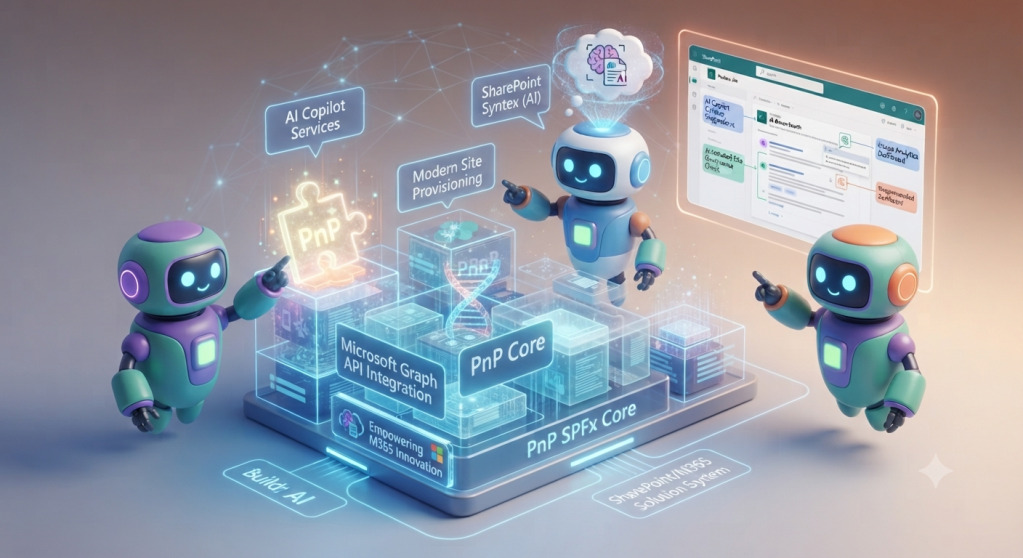
Using the PnP PropertyFieldPeoplePicker Control in an SPFx Web Part
Using the PnP PropertyFieldPeoplePicker Control in an SPFx Web Part The PropertyFieldPeoplePicker control from the PnP SPFx Property Controls library adds a SharePoint-aware people and group picker to the property pane of a SharePoint Framework web part. It can search… Continue reading
-
How to Use PropertyFieldOrder in an SPFx Web Part and Fix Missing Icons
How to Use PropertyFieldOrder in an SPFx Web Part and Fix Missing Icons The PropertyFieldOrder control is part of the PnP SPFx Property Controls library. It allows users to reorder a collection of items directly from the Web Part Property… Continue reading

-
PropertyFieldMultiSelect – Allow Multiple Selections in the SPFx Property Pane
PropertyFieldMultiSelect – Allow Multiple Selections in the SPFx Property Pane One of the most useful controls available in the PnP SPFx Property Controls library is PropertyFieldMultiSelect. It allows users to select multiple values from a predefined list directly in the… Continue reading
-
PropertyFieldMonacoEditor – Adding a Monaco Code Editor to the SPFx Property Pane
PropertyFieldMonacoEditor – Adding a Monaco Code Editor to the SPFx Property Pane The PropertyFieldMonacoEditor is one of the most powerful controls available in the PnP SPFx Property Controls library. It embeds the Monaco Editor (the same editor used by Visual… Continue reading
-
PropertyFieldMessage – Display Informational Messages in the SPFx Property Pane
PropertyFieldMessage – Display Informational Messages in the SPFx Property Pane The PropertyFieldMessage control from PnP SPFx Property Controls allows you to display informational messages directly inside the Property Pane of a SharePoint Framework (SPFx) Web Part. Unlike most Property Controls,… Continue reading

-
Using PropertyFieldListPicker in an SPFx Web Part
Using PropertyFieldListPicker in an SPFx Web Part The PropertyFieldListPicker control from the PnP SPFx Property Controls library adds a SharePoint list and document library selector to the Web Part Property Pane. Instead of manually entering a list title or GUID,… Continue reading
-
PropertyFieldIconPicker – Let Users Choose Fluent UI Icons in SPFx
PropertyFieldIconPicker – Let Users Choose Fluent UI Icons in SPFx The PropertyFieldIconPicker is one of the most useful controls available in the PnP SPFx Property Controls library. Instead of asking users to manually type the name of a Fluent UI… Continue reading
-
Using the PnP PropertyFieldGrid Control in an SPFx Web Part
Using the PnP PropertyFieldGrid Control in an SPFx Web Part The PropertyFieldGrid control adds a selectable grid to the SPFx Property Pane. Each row can display an icon, title, and description, while supporting single or multiple selection. In this example,… Continue reading
-
Getting Started with PropertyFieldFolderPicker in SPFx
Getting Started with PropertyFieldFolderPicker in SPFx One of the most common requirements when building SharePoint Framework solutions is allowing users to select a document library folder directly from the Property Pane. Instead of asking users to manually type a URL,… Continue reading
-
Using the PnP PropertyFieldFilePicker Control in an SPFx Web Part
Using the PnP PropertyFieldFilePicker Control in an SPFx Web Part The PropertyFieldFilePicker is a PnP SPFx property pane control that allows a Web Part author to browse and select a file directly from the Web Part property pane. The control… Continue reading
-
PropertyFieldEnterpriseTermPicker – Browsing the SharePoint Term Store from the Property Pane
PropertyFieldEnterpriseTermPicker – Browsing the SharePoint Term Store from the Property Pane The PropertyFieldEnterpriseTermPicker is one of the most powerful controls available in the PnP SPFx Property Controls library. Unlike the standard PropertyFieldTermPicker, this control is designed to browse the Enterprise… Continue reading
-
Using PropertyFieldDateTimePicker in an SPFx Web Part
Unlike the native PropertyPaneTextField, this control returns a structured date value instead of a plain string. It can be configured to display only a date or both a date and a time. In this example, we will create a Property… Continue reading
-
Using the PnP PropertyFieldColumnPicker Control in an SPFx Web Part
The PropertyFieldColumnPicker control allows users to select one or more columns from a SharePoint list or document library directly from the Web Part Property Pane. Instead of requiring users to manually enter a SharePoint column name, the control retrieves the… Continue reading
-
Using PropertyFieldColorPicker in an SPFx Web Part
Using PropertyFieldColorPicker in an SPFx Web Part The PropertyFieldColorPicker control from the PnP SPFx Property Controls library adds a visual color selector to the SharePoint Framework property pane. Instead of requiring users to manually enter hexadecimal or RGB color values,… Continue reading
-
Using the PnP PropertyFieldCollectionData Control in an SPFx Web Part
Using the PnP PropertyFieldCollectionData Control in an SPFx Web Part The PropertyFieldCollectionData control allows users to create and manage a collection of structured records directly from the SharePoint Framework property pane. Instead of adding only one text field or one… Continue reading
-
Using the PnP PropertyFieldCodeEditor Control in an SPFx Web Part
Using the PnP PropertyFieldCodeEditor Control in an SPFx Web Part language: PropertyFieldCodeEditorLanguages.HTML, language: PropertyFieldCodeEditorLanguages.HTML, language: PropertyFieldCodeEditorLanguages.HTML, What We Will Build The Web Part will contain two configurable properties: description: a standard SPFx text field. htmlCode: an HTML source-code field using… Continue reading
-
Using the PnP PropertyFieldButton Control in an SPFx Web Part
Using the PnP PropertyFieldButton Control in an SPFx Web Part The PropertyFieldButton control adds an action button directly to the SharePoint Framework Property Pane. Unlike input controls such as text fields, dropdowns, or checkboxes, this control does not necessarily store… Continue reading
-
SPFx Property Controls: Getting Started with PropertyFieldBrandFontPicker
SPFx Property Controls: Getting Started with PropertyFieldBrandFontPicker The PropertyFieldBrandFontPicker control is one of the newest additions to the PnP SPFx Property Controls library. It provides a modern font picker that integrates directly into the SharePoint Framework Property Pane, allowing users… Continue reading
-
SPFx Property Controls: Working with PropertyFieldBrandFontPicker
SPFx Property Controls: Working with PropertyFieldBrandFontPicker One of the newest controls available in the PnP SPFx Property Controls library is PropertyFieldBrandFontPicker. It allows users to select fonts directly from the Property Pane, making it easy to create web parts that… Continue reading
-
Getting Started with PnP SPFx Property Controls
When developing SharePoint Framework (SPFx) solutions, the native Property Pane provides a solid set of controls for configuring Web Parts. Text fields, checkboxes, dropdowns, toggles, sliders, and other built-in controls are suitable for many scenarios. Getting Started with PnP SPFx… Continue reading
-
Building a Complete Native Property Pane Showcase in SharePoint Framework (SPFx)
Building a Complete Native Property Pane Showcase in SharePoint Framework (SPFx) Introduction Throughout this series, we explored the most important native Property Pane controls available in the SharePoint Framework (SPFx). Instead of learning each control in isolation forever, the next… Continue reading