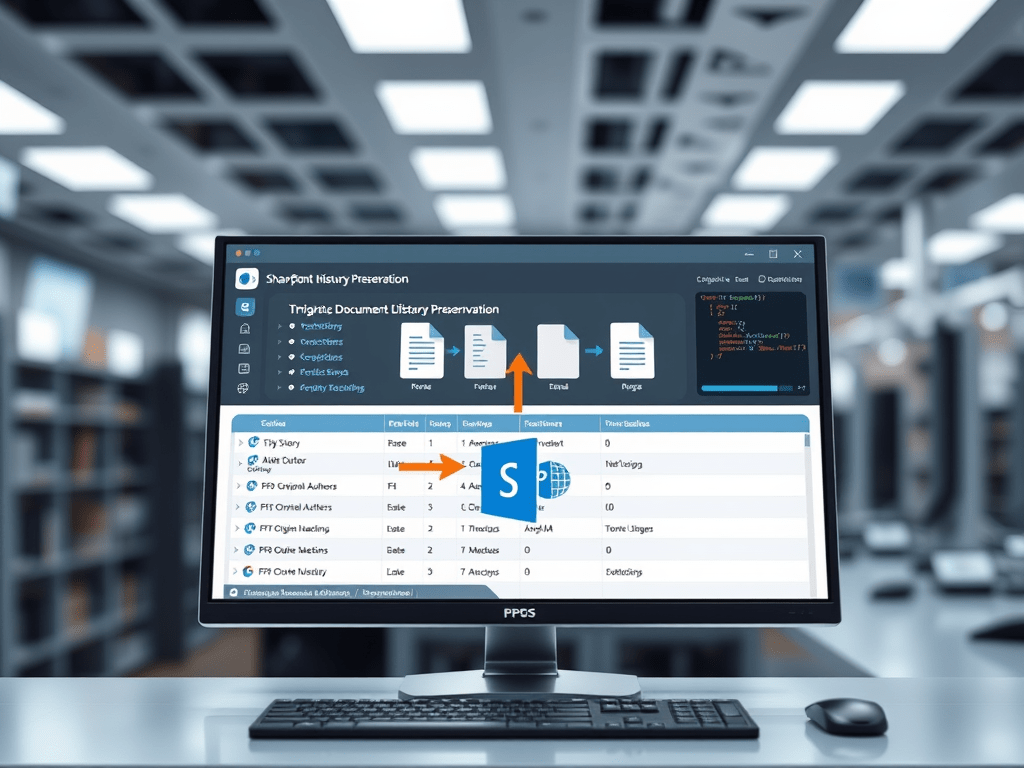
When performing large-scale SharePoint Online migrations, one of the most challenging aspects is preserving document history, including:
- Version history
- Original authors/editors
- Created and modified timestamps
- Folder hierarchy
This article explains how to create a C# utility class that automates this process using the SharePoint Client-Side Object Model (CSOM).
The sample implementation, called FileMigrationService, can be integrated into console apps, WPF tools, or Azure Funct
Migrating SharePoint Document Libraries with Full Version and Metadata Preservation Using CSOM
Overview
When performing large-scale SharePoint Online migrations, one of the most challenging aspects is preserving document history, including:
- Version history
- Original authors/editors
- Created and modified timestamps
- Folder hierarchy
This article explains how to create a C# utility class that automates this process using the SharePoint Client-Side Object Model (CSOM).
The sample implementation, called FileMigrationService, can be integrated into console apps, WPF tools, or Azure Functions to perform full-fidelity content migrations between sites or subsites.
1️⃣ Prerequisites
Before running this code, make sure you have:
- Installed Microsoft.SharePointOnline.CSOM NuGet package
- A valid authentication context (
ClientContext) for both source and target sites - Sufficient permissions (preferably Site Collection Administrator) to set author and editor fields
Install-Package Microsoft.SharePointOnline.CSOM
2️⃣ Core Concepts
When you upload files via CSOM, SharePoint automatically sets the current authenticated user as both Author and Editor.
To preserve original metadata, you must explicitly overwrite these fields after the upload using their User objects.
This process involves:
- Reading file metadata from the source site (
Author,ModifiedBy, timestamps) - Ensuring those users exist in the target site (
EnsureUser) - Overwriting the fields after file creation
- Copying each version sequentially
3️⃣ Complete Implementation
Below is the full implementation of FileMigrationService, placed under a generic namespace:
using Microsoft.SharePoint.Client;
using System;
using System.IO;

namespace Contoso.MigrationTool
{
    public static class FileMigrationService
    {
        /// <summary>
        /// Copies all files from one library to another, preserving folder structure and metadata.
        /// </summary>
        public static void MigrateAllFilesFlat(ClientContext sourceCtx, ClientContext targetCtx,
            string sourceLibraryName, string sourceRootFolder, string targetRootFolder)
        {
            var list = sourceCtx.Web.Lists.GetByTitle(sourceLibraryName);
            var query = new CamlQuery
            {
                ViewXml = "<View Scope='RecursiveAll'><RowLimit>10000</RowLimit></View>"
            };

            var items = list.GetItems(query);
            sourceCtx.Load(items, each => each.Include(
                item => item["FileRef"],
                item => item.File,
                item => item.FileSystemObjectType));
            sourceCtx.ExecuteQuery();

            foreach (var item in items)
            {
                if (item.FileSystemObjectType != FileSystemObjectType.File)
                    continue;

                var file = item.File;
                string sourceFileUrl = file.ServerRelativeUrl;

                string relativeSubFolder = Path.GetDirectoryName(
                    sourceFileUrl.Replace(sourceRootFolder, "")).Replace("\\", "/");

                string finalTargetFolder = targetRootFolder.TrimEnd('/') + relativeSubFolder;

                CreateFolderChain(targetCtx, targetRootFolder, relativeSubFolder);

                MigrateFileWithVersions(sourceCtx, targetCtx, sourceFileUrl, finalTargetFolder);
            }
        }

        /// <summary>
        /// Creates all required folders recursively in the target site.
        /// </summary>
        public static void CreateFolderChain(ClientContext ctx, string baseFolderUrl, string relativePath)
        {
            if (string.IsNullOrEmpty(relativePath))
                return;

            var segments = relativePath.Trim('/').Split(new[] { '/' }, StringSplitOptions.RemoveEmptyEntries);
            string currentPath = baseFolderUrl.TrimEnd('/');

            foreach (var segment in segments)
            {
                currentPath += "/" + segment;
                try
                {
                    var folder = ctx.Web.GetFolderByServerRelativeUrl(currentPath);
                    ctx.Load(folder);
                    ctx.ExecuteQuery();
                }
                catch
                {
                    try
                    {
                        string parentPath = Path.GetDirectoryName(currentPath.Replace("/", "\\")).Replace("\\", "/");
                        var parent = ctx.Web.GetFolderByServerRelativeUrl(parentPath);
                        var newFolder = parent.Folders.Add(segment);
                        ctx.ExecuteQuery();
                        Console.WriteLine("Created folder: " + currentPath);
                    }
                    catch (Exception ex)
                    {
                        Console.WriteLine("Error creating folder: " + currentPath);
                        Console.WriteLine("   " + ex.Message);
                    }
                }
            }
        }

        /// <summary>
        /// Copies file versions, authors, and timestamps between sites.
        /// </summary>
        public static void MigrateFileWithVersions(ClientContext sourceCtx, ClientContext targetCtx,
            string sourceFileUrl, string targetFolderUrl)
        {
            try
            {
                var file = sourceCtx.Web.GetFileByServerRelativeUrl(sourceFileUrl);
                sourceCtx.Load(file, f => f.Author, f => f.ModifiedBy, f => f.TimeCreated, f => f.TimeLastModified, f => f.Versions);
                sourceCtx.ExecuteQuery();

                Console.WriteLine("Migrating file: " + file.Name);

                // Copy all historical versions
                foreach (FileVersion version in file.Versions)
                {
                    try
                    {
                        sourceCtx.Load(version, v => v.Created, v => v.CreatedBy, v => v.CheckInComment);
                        var streamResult = version.OpenBinaryStream();
                        sourceCtx.ExecuteQuery();

                        byte[] fileBytes;
                        using (var memStream = new MemoryStream())
                        {
                            streamResult.Value.CopyTo(memStream);
                            fileBytes = memStream.ToArray();
                        }

                        var folder = targetCtx.Web.GetFolderByServerRelativeUrl(targetFolderUrl);
                        targetCtx.Load(folder);
                        targetCtx.ExecuteQuery();

                        FileCreationInformation newFile = new FileCreationInformation
                        {
                            Content = fileBytes,
                            Url = file.Name,
                            Overwrite = true
                        };

                        var uploadedFile = folder.Files.Add(newFile);
                        targetCtx.ExecuteQuery();

                        var versionUser = targetCtx.Web.EnsureUser(version.CreatedBy.LoginName);
                        targetCtx.Load(versionUser);
                        targetCtx.Load(uploadedFile, f => f.ListItemAllFields);
                        targetCtx.ExecuteQuery();

                        uploadedFile.ListItemAllFields["Author"] = versionUser;
                        uploadedFile.ListItemAllFields["Editor"] = versionUser;
                        uploadedFile.ListItemAllFields["Created"] = version.Created;
                        uploadedFile.ListItemAllFields["Modified"] = version.Created;
                        uploadedFile.ListItemAllFields.Update();
                        targetCtx.ExecuteQuery();

                        Console.WriteLine("   Version migrated: " + version.Created.ToString("yyyy-MM-dd HH:mm"));
                    }
                    catch (Exception ex)
                    {
                        Console.WriteLine("   Skipped version due to error: " + ex.Message);
                    }
                }

                // Copy the latest version
                var currentStream = file.OpenBinaryStream();
                sourceCtx.ExecuteQuery();

                byte[] currentBytes;
                using (var ms = new MemoryStream())
                {
                    currentStream.Value.CopyTo(ms);
                    currentBytes = ms.ToArray();
                }

                var targetFolder = targetCtx.Web.GetFolderByServerRelativeUrl(targetFolderUrl);
                targetCtx.Load(targetFolder);
                targetCtx.ExecuteQuery();

                var currentFile = new FileCreationInformation
                {
                    Content = currentBytes,
                    Url = file.Name,
                    Overwrite = true
                };

                var uploadedCurrent = targetFolder.Files.Add(currentFile);
                targetCtx.ExecuteQuery();

                // Preserve author/editor and timestamps
                var authorUser = targetCtx.Web.EnsureUser(file.Author.LoginName);
                var editorUser = targetCtx.Web.EnsureUser(file.ModifiedBy.LoginName);
                targetCtx.Load(authorUser);
                targetCtx.Load(editorUser);
                targetCtx.Load(uploadedCurrent, f => f.ListItemAllFields);
                targetCtx.ExecuteQuery();

                uploadedCurrent.ListItemAllFields["Author"] = authorUser;
                uploadedCurrent.ListItemAllFields["Editor"] = editorUser;
                uploadedCurrent.ListItemAllFields["Created"] = file.TimeCreated;
                uploadedCurrent.ListItemAllFields["Modified"] = file.TimeLastModified;
                uploadedCurrent.ListItemAllFields.Update();
                targetCtx.ExecuteQuery();

                Console.WriteLine("   Current version migrated with original metadata.");
            }
            catch (Exception ex)
            {
                Console.WriteLine("Error migrating file: " + sourceFileUrl);
                Console.WriteLine("   " + ex.Message);
            }
        }
    }
}
4️⃣ How It Works
| Step | Description |
|---|---|
| 1 | Read all items from the source document library using a recursive CAML query. |
| 2 | For each file, rebuild the folder structure in the target site. |
| 3 | For each version of each file, download its binary content and metadata. |
| 4 | Upload each version sequentially to the target site. |
| 5 | After each upload, overwrite Author, Editor, Created, and Modified with the original metadata. |
| 6 | Ensure users are resolved in the target environment using EnsureUser(). |
5️⃣ Key Best Practices
| Topic | Recommendation |
|---|---|
| Permissions | Use a service account with Full Control or Site Collection Administrator privileges. |
| Batch Size | Avoid querying too many items at once; consider using pagination or row limits if needed. |
| Error Handling | Always wrap file copy operations in try/catch to skip corrupted versions. |
| Performance | Parallelization can speed up migration but should be throttled to avoid SharePoint limits. |
| Check-In Behavior | Optionally add CheckIn() after upload to mark files as published. |
| Audit Compliance | Preserving metadata ensures accurate version history for governance and auditing. |
6️⃣ Example Usage
var sourceCtx = new ClientContext("https://contoso.sharepoint.com/sites/Engineering");
sourceCtx.Credentials = new SharePointOnlineCredentials("user@contoso.com", securePassword);

var targetCtx = new ClientContext("https://contoso.sharepoint.com/sites/Archive");
targetCtx.Credentials = new SharePointOnlineCredentials("user@contoso.com", securePassword);

FileMigrationService.MigrateAllFilesFlat(
    sourceCtx,
    targetCtx,
    "Project Documents",
    "/sites/Engineering/Project Documents",
    "/sites/Archive/Project Documents"
);
7️⃣ Expected Console Output
Created folder: /sites/Archive/Project Documents/2024
Migrating file: Specification.docx
   Version migrated: 2024-01-15 10:32
   Version migrated: 2024-02-05 09:10
   Current version migrated with original metadata.
Migrating file: DesignPlan.pdf
   Current version migrated with original metadata.
8️⃣ Microsoft Learn References
- CSOM for SharePoint Online
- Working with Files and Folders in CSOM
- Preserving Metadata During Migration
- PnP Guidance for File Copy
9️⃣ Summary
| Feature | Supported |
|---|---|
| Preserves Author/Editor | ✅ |
| Preserves Created/Modified | ✅ |
| Copies Version History | ✅ |
| Maintains Folder Structure | ✅ |
| Handles Missing Folders | ✅ |
| Logs to Console | ✅ |
| Works with CSOM + SharePoint Online | ✅ |
In short:
This implementation provides a solid foundation for controlled, auditable, and metadata-safe migrations between SharePoint document libraries. It can be extended to include CSV logging, parallel execution, or PnP.Core SDK integration for even greater automation and scalability.

 edvaldo b. guimarães filho