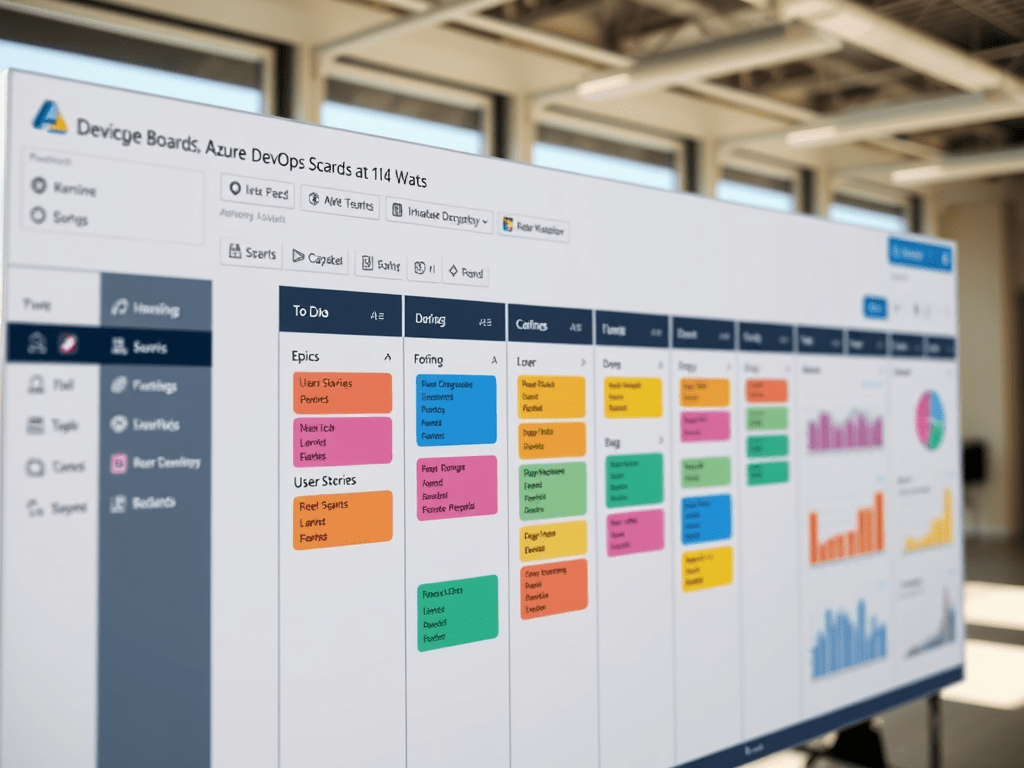
Scrum vs Kanban vs Mixed in Azure DevOps Boards (A Deep, Practical Guide)
Most teams don’t fit perfectly into only Scrum or only Kanban. Azure DevOps recognizes that reality: it gives you tools that support time-boxed planning (Scrum) and flow-based execution (Kanban)—and the best results often come from a mixed model: plan with Scrum, execute with Kanban, measure with analytics.
This article explains the three approaches in a way that maps directly to the Azure DevOps Boards menu you showed (Backlogs, Sprints, Boards, Queries, Delivery Plans, Analytics, etc.), so you can choose a model intentionally instead of “accidentally.”
1) Definitions that actually matter (not textbook)
Scrum (in practice)
Scrum is about:
- time-boxing work into sprints (often 2 weeks)
- committing to a Sprint Goal
- delivering a potentially shippable increment at sprint end
- learning through inspect/adapt (reviews + retros)
What Scrum optimizes: predictability and alignment through planning cadence.
What Scrum struggles with: high volume of urgent interruptions (support/bugs).
Kanban (in practice)
Kanban is about:
- managing work as a continuous flow
- limiting “work in progress” (WIP limits)
- optimizing cycle time, throughput, and bottlenecks
- pulling work when there is capacity
What Kanban optimizes: flow efficiency and responsiveness.
What Kanban struggles with: stakeholder expectations around sprint commitments and “when will it be done” deadlines.
Mixed (Scrum + Kanban)
Mixed is what most mature teams end up doing:
- Scrum for planning cadence and stakeholder alignment
- Kanban for day-to-day execution and handling variability
- metrics (lead/cycle time + throughput) to drive improvements
What mixed optimizes: real delivery in real environments (planned + unplanned work).
2) The main reason teams fail: mixing without rules
Teams often “do Scrum” but:
- take unlimited urgent work mid-sprint
- don’t manage WIP
- don’t finish stories
- use sprints as a status report instead of a delivery commitment
Or they “do Kanban” but:
- have no clear prioritization
- have no service classes
- overload the board
- can’t communicate roadmap predictably
Successful mixed teams set explicit rules:
- what is planned work vs unplanned work
- how interruptions are handled
- how WIP is enforced
- what metrics matter
- how to communicate to stakeholders
3) How Azure DevOps fits into all this
Azure DevOps Boards isn’t “Scrum software” or “Kanban software.” It’s both:
- Backlogs = where prioritization and decomposition happen
- Sprints = where time-boxed planning and sprint execution live
- Boards = where flow, WIP, and work state transitions are visualized
- Queries = where you build repeatable slices (bugs, blockers, my work)
- Delivery Plans = cross-team timeline alignment
- Analytics views / Project performance = metrics layer
Azure DevOps supports the three models depending on how you use these pages.
4) The menu mapping (what each page becomes in each method)
A) If you run pure Scrum
You primarily live in:
- Backlogs: refinement, ordering, splitting
- Sprints: sprint planning, taskboard, capacity
- Queries: visibility (bugs, carryover, blocked)
- (optional) Boards: still useful, but sprint views dominate
Mental model: “We commit sprint scope and deliver it.”
B) If you run pure Kanban
You primarily live in:
- Boards: the system of work
- Work items: maintain the details
- Queries: monitoring slices (blocked, aging, priority lanes)
- Analytics: cycle time, throughput, WIP aging
Mental model: “We pull work continuously and optimize flow.”
C) If you run mixed (recommended default)
You use the best of each:
- Backlogs + Sprints (Scrum) to define what matters this sprint
- Boards (Kanban) to control flow and interruptions inside the sprint
- Analytics to validate reality with data
Mental model: “We plan in sprints, but we execute with flow discipline.”
5) Recommended approach: “Scrum planning + Kanban execution”
This is the configuration that works for most enterprise teams.
The core rule (simple and powerful)
- Sprints answer: “What did we commit to deliver this sprint?”
- Boards answer: “What is flowing right now and what is blocked?”
This separation avoids turning sprints into a lie.
6) Concrete operating model (what you do weekly)
Weekly / Sprint cycle (typical 2-week sprint)
1) Backlog Refinement (ongoing, 30–60 min 1–2x/week)
In Backlogs:
- confirm priorities
- split large items
- ensure acceptance criteria
- identify dependencies
- estimate (optional Planning Poker)
Output: a backlog that is “ready” for sprint selection.
2) Sprint Planning (start of sprint)
In Sprints:
- define a sprint goal
- select backlog items
- break into tasks
- check capacity
- confirm who owns what
Output: sprint backlog.
3) Daily Execution (every day)
In Boards:
- enforce WIP limits
- move cards across columns
- mark blockers
- keep items small and flowing
- protect the sprint goal with explicit interruption policy
4) Sprint Review (end of sprint)
Show what is done and gather feedback.
5) Retrospective (end of sprint)
In Retrospectives (if available):
- capture improvements
- pick 1–3 actions
- track them as real work items
7) The interruption policy (the biggest difference between chaos and control)
Mixed teams must define how urgent work is handled.
Recommended policy
Create a swimlane or tag for Unplanned / Expedite work:
- Limit expedited items to 1 at a time (WIP=1)
- Only allow urgent work in the expedite lane if it meets a defined threshold:
- production outage
- compliance deadline
- critical security issue
- executive escalation (rare)
Everything else goes into the backlog and gets prioritized.
Result: you can handle emergencies without destroying predictability.
8) Board design: columns that reflect reality (not fantasy)
A good board reflects meaningful stages, not just “To Do / Doing / Done.”
Example columns for many software teams:
- New / Ready
- In Development
- Code Review
- QA / Validation
- Ready for Release
- Done
Add explicit “Blocked” visualization
- use a “Blocked” tag, field, or rule
- or a dedicated column if your process needs it
Why this matters
Your board is your process mirror. If it’s vague, your problems are invisible.
9) WIP limits: the engine of Kanban discipline
Without WIP limits, a Kanban board is just a wall of sticky notes.
Simple starting point:
- For each active column: WIP = number of people in that function (or slightly less)
Example:
- In Development: WIP 4
- Code Review: WIP 2
- QA: WIP 2
Why WIP works
WIP limits force:
- finishing over starting
- collaboration to unblock
- early discovery of bottlenecks (e.g., “Review is always overloaded”)
10) Work item hierarchy (how to keep structure without bureaucracy)
A common hierarchy in Azure DevOps:
- Epic: large business initiative (multi-quarter)
- Feature: significant deliverable (multi-sprint)
- User Story / PBI: sprint-sized value
- Task: implementation steps
- Bug: defect work (planned or unplanned)
Mixed rule of thumb
- Sprint commitment is made at Story/PBI level
- Tasks can move, change, or be rebalanced within the sprint
This keeps sprint planning stable and execution flexible.
11) How to measure success (Scrum + Kanban metrics together)
Scrum-oriented metrics (commitment)
- Sprint completion rate (% done vs committed)
- Spillover (what carries to next sprint)
- Burndown/burnup (carefully interpreted)
Kanban-oriented metrics (flow)
- Cycle time (how long from “In Progress” to “Done”)
- Lead time (how long from “Ready” to “Done”)
- Throughput (items completed per week/sprint)
- WIP aging (items stuck too long)
Why both matter
Scrum metrics tell you about commitment and planning quality.
Kanban metrics tell you where flow is breaking and why.
12) Where Azure DevOps pages fit in reporting
Queries (high leverage)
Queries should answer recurring operational questions like:
- “What is blocked?”
- “What is older than 7 days in Code Review?”
- “Bugs created in the last 14 days not triaged”
- “Items in sprint but not started”
Queries can power dashboards and help you avoid manual status meetings.
Analytics views / Project performance
Use these for:
- trend reporting
- cycle time evolution
- throughput stability
- bottleneck diagnosis
In mixed teams, analytics becomes the objective “truth layer.”
Delivery Plans / Gantt / Calendar
Use these when you need to communicate across:
- teams
- dependencies
- roadmaps
- external stakeholders
Important: these are communication tools, not execution tools.
13) Choosing your approach: decision matrix
Use this to decide objectively:
| Reality | Best fit | Why |
|---|---|---|
| Work is predictable, low interruptions | Scrum | commitment works |
| Work is unpredictable, support-heavy | Kanban | flow beats planning |
| Planned work + frequent urgent work | Mixed | realistic + disciplined |
| Multiple teams, shared roadmap | Mixed + Delivery Plans | coordination needed |
| Stakeholders demand dates + you have variability | Mixed | can balance |
14) Recommended default configuration (copy-paste as “team policy”)
If you want a clean starting baseline, use this:
- 2-week sprints
- Sprint planning commits Stories/PBIs only
- Board has WIP limits per column
- Expedite lane WIP = 1 for emergencies
- Bugs are triaged daily, only urgent bugs break sprint
- Queries for blocked/aging items drive daily focus
- Analytics measures cycle time and throughput every sprint
- Retro actions become real work items (no “talk-only” improvement)
Final summary tables
Table A — Steps (operating rhythm)
| Step | Cadence | Azure DevOps page | Purpose | Output |
|---|---|---|---|---|
| 1 | Weekly | Backlogs | refine and prioritize | ready backlog |
| 2 | Sprint start | Sprints | commit work + capacity | sprint backlog |
| 3 | Daily | Boards | manage flow + WIP | work moving, blockers visible |
| 4 | Daily/weekly | Queries | track slices (blocked, aging) | actionable lists |
| 5 | Sprint end | Project performance / Analytics | measure trends | cycle time + throughput |
| 6 | Sprint end | Retrospectives | improve process | tracked actions |
| 7 | Monthly/quarterly | Delivery Plans / Gantt / Calendar | roadmap communication | stakeholder alignment |
Table B — Technical mapping (Scrum vs Kanban vs Mixed)
| Azure DevOps area | Scrum usage | Kanban usage | Mixed usage |
|---|---|---|---|
| Backlogs | core planning | optional prioritization | core planning |
| Sprints | core execution | optional reporting | core planning/execution |
| Boards | secondary | core | core execution |
| Queries | support visibility | core monitoring | core monitoring |
| Delivery Plans | roadmap | roadmap | roadmap |
| Analytics views | sprint metrics | flow metrics | both |
| Retrospectives | essential | optional | essential |

 edvaldo b. guimarães filho