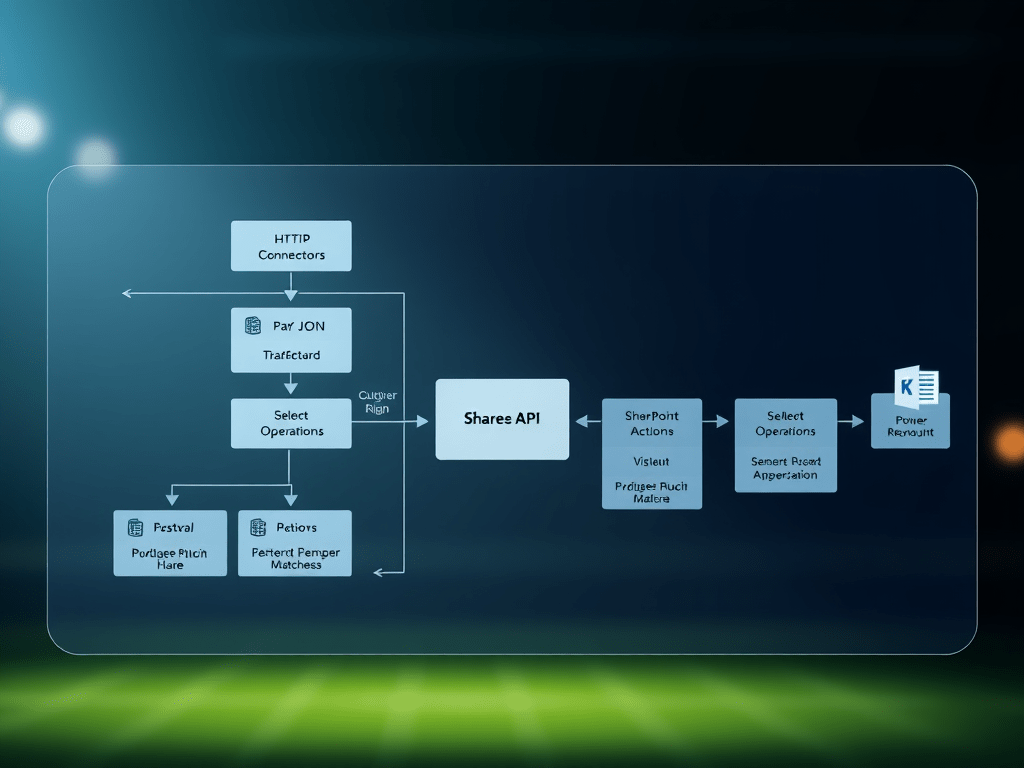
Building a Daily Football Matches Ingestion Flow (REST API → Power Automate → SharePoint)
In this post, I’m documenting a real, working pattern for ingesting daily football matches from a REST endpoint (example: /v4/matches) and persisting them into a SharePoint list using Power Automate.
The flow design is intentionally “baseline-first”:
- Baseline v1: reliable ingestion (HTTP → Parse JSON → Select → Create item)
- Then: production hardening (dedupe/upsert, retries, scopes, logging, secret management)
Everything is anonymized. Replace placeholders with your own values:
https://contoso.sharepoint.com/sites/ExampleSiteExample Matches ListFOOTBALL_DATA_API_TOKEN
Why this pattern works (and why many first versions break)
When you call an external API from Power Automate, the most common failure modes are:
- Wrong JSON paths (casing / property names) → outputs become
null - Parse JSON schema isn’t a schema → dynamic tokens don’t resolve reliably
- Too much payload → slower runs and bigger chance of throttling
- No idempotency → duplicates every day
- No error strategy → a single transient failure breaks your whole run
Microsoft’s guidance aligns strongly with using:
- HTTP connectors for REST calls (Microsoft Learn)
- Data operations (Select, Filter array, Parse JSON) to shape payloads (Microsoft Learn)
- SharePoint connector actions to create/update list items (Microsoft Learn)
- Scopes + “run after” + retry policies for robust error handling (Microsoft Learn)
Baseline v1: Daily Matches → SharePoint List
Step 0 — Create the SharePoint list (target storage)
Create a list named: Example Matches List under:
https://contoso.sharepoint.com/sites/ExampleSite
Recommended columns:
- Title (Single line of text) →
Home x Away - Competition (Single line of text)
- HomeTeam (Single line of text)
- AwayTeam (Single line of text)
- HomeGoals (Number)
- AwayGoals (Number)
- UtcDate (Date & Time)
- Status (Single line of text)
- MatchId (Number) ✅ (important for dedupe/upsert)
- (Optional) SeasonId (Number)
- (Optional) LastIngestedAtUtc (Date & Time)
This is the simplest “flat schema” that still supports filtering, views, and later analytics.
Step 1 — Trigger the flow daily (Recurrence)
Use a Recurrence trigger (instead of manual trigger) for the real run:
- Frequency: Day
- Interval: 1
- Time zone: America/Sao_Paulo
- Time: e.g. 07:00
Manual trigger is great for tests; Recurrence is the production trigger.
Step 2 — HTTP GET: call the matches endpoint with date filtering
Add action: HTTP
- Method:
GET - URI (same day window):
https://api.football-data.org/v4/matches?dateFrom=@{formatDateTime(utcNow(),'yyyy-MM-dd')}&dateTo=@{formatDateTime(utcNow(),'yyyy-MM-dd')}
- Headers:
X-Auth-Token: FOOTBALL_DATA_API_TOKENAccept: application/json
Why dateFrom/dateTo?
- Smaller payload
- Faster
- Easier loops
- Less chance of throttling/timeout
Microsoft’s HTTP connector training module covers this REST-call pattern (URI + headers + JSON responses). (Microsoft Learn)
Step 3 — Parse JSON (correctly): generate a real schema
Add action: Parse JSON
- Content:
@body('HTTP')
The “right” way to create the schema
- Run the flow once (or run only the HTTP step).
- Open run history → open the HTTP action output.
- Copy the response body JSON.
- In Parse JSON → Generate from sample → paste the body.
This ensures your dynamic tokens and paths behave predictably. Microsoft documents Parse JSON and data operations as the intended approach for shaping external data. (Microsoft Learn)
Minimal schema (recommended)
You do not need the full payload—only the properties you reference:
{ "type": "object", "properties": { "matches": { "type": "array", "items": { "type": "object", "properties": { "id": { "type": "integer" }, "utcDate": { "type": "string" }, "status": { "type": "string" }, "competition": { "type": "object", "properties": { "name": { "type": "string" }, "code": { "type": "string" } } }, "homeTeam": { "type": "object", "properties": { "shortName": { "type": "string" } } }, "awayTeam": { "type": "object", "properties": { "shortName": { "type": "string" } } }, "score": { "type": "object", "properties": { "fullTime": { "type": "object", "properties": { "home": { "type": ["integer", "null"] }, "away": { "type": ["integer", "null"] } } } } } } } } }}
Key detail: property names are typically camelCase in APIs (matches, competition, homeTeam, awayTeam). If you accidentally reference Matches or Competition, you’ll get nulls.
Step 4 — Select: normalize matches into a clean “row” shape
Add action: Select (Data Operations)
- From:
@body('Parse_JSON')?['matches']
- Map fields:
Competition -> @item()?['competition']?['name']Home -> @item()?['homeTeam']?['shortName']Away -> @item()?['awayTeam']?['shortName']HomeGoals -> @item()?['score']?['fullTime']?['home']AwayGoals -> @item()?['score']?['fullTime']?['away']UtcDate -> @item()?['utcDate']Status -> @item()?['status']MatchId -> @item()?['id']
Select is explicitly recommended for transforming arrays into a usable dataset before looping. (Microsoft Learn)
Step 5 — Apply to each: write each match into SharePoint (Create item)
Add action: Apply to each
- Input:
@body('Select')
Inside it, add: SharePoint → Create item
- Site Address:
https://contoso.sharepoint.com/sites/ExampleSite
- List Name:
Example Matches List
Field mapping:
Title = @concat(item()?['Home'], ' x ', item()?['Away'])Competition = @item()?['Competition']HomeTeam = @item()?['Home']AwayTeam = @item()?['Away']HomeGoals = @item()?['HomeGoals']AwayGoals = @item()?['AwayGoals']UtcDate = @item()?['UtcDate']Status = @item()?['Status']MatchId = @item()?['MatchId']
SharePoint connector actions/triggers are documented here, including list item operations used in flows. (Microsoft Learn)
At this point you have a clean ingestion pipeline:
API → normalized rows → SharePoint list items.
Production hardening (what you add after Baseline v1 works)
1) Idempotency: prevent duplicates (Upsert by MatchId)
Problem: daily runs can re-ingest the same match and create duplicates.
Solution: use MatchId as your natural key:
Inside the loop:
- Get items with OData filter:
MatchId eq @{item()?['MatchId']}
- If found → Update item
- If not found → Create item
Microsoft provides a deep-dive on Get items patterns and behavior, which matters a lot for upsert logic. (Microsoft Learn)
2) Error strategy: Try/Catch/Finally with Scopes
Add three scopes:
- Scope: Try
- HTTP → Parse JSON → Select → Loop/Write
- Scope: Catch
- Runs only when Try fails (Configure “run after”: failed / timed out)
- Log error message + action outputs into a “Flow Errors” list
- Scope: Finally
- Always runs (cleanup, notifications, metrics)
Microsoft’s guidance for robust error handling + scopes + run-after is the reference model. (Microsoft Learn)
3) Retry policy (transient fault tolerance)
For HTTP or SharePoint actions that may occasionally fail:
- Configure Retry policy:
- exponential backoff (where supported)
- reasonable retry count and interval
This is part of the recommended approach to transient errors in flows. (Microsoft Learn)
4) Secrets: don’t hardcode API tokens
Baseline can be hardcoded while learning, but for production:
- Use environment variables (best if you package in a Solution)
- Or Key Vault retrieval at runtime
- Or a Custom Connector if you want governance + reuse
Even if you keep it simple, the important part is: your flow export should not leak secrets.
5) Views and reporting
Once the list is populated, create SharePoint views like:
- Today (Status = TIMED)
- Live (Status = IN_PLAY)
- Finished (Status = FINISHED)
- Competition = “UEFA Champions League” (or any code/name)
This turns your ingestion flow into a proper “daily operational dataset.”
Troubleshooting checklist (fast debugging)
Symptom: “null” fields in Select / Create item
- Confirm the JSON path casing:
matches≠MatcheshomeTeam≠hometeamcompetition≠Competition
Symptom: Parse JSON dynamic tokens not appearing
- Your schema isn’t a valid JSON Schema
- Re-run → Generate schema from a real sample body
Symptom: Flow works manually but fails on schedule
- Token expired / invalid
- API rate limit
- Network/transient faults → add retries + scopes
Symptom: Duplicates
- Missing upsert strategy using
MatchId
Final summary table (Steps + technical notes)
| Step | Component | What you build | Key technical notes / MS Learn references |
|---|---|---|---|
| 0 | SharePoint List | Example Matches List with flat match columns | Include MatchId for upsert/dedupe |
| 1 | Trigger | Recurrence (daily) | Baseline can start manual, production should schedule |
| 2 | HTTP | GET /v4/matches with headers | HTTP connector pattern for REST calls (Microsoft Learn) |
| 3 | Parse JSON | Parse body('HTTP') with a real schema | Data operations + Parse JSON guidance (Microsoft Learn) |
| 4 | Select | Normalize matches[] into clean rows | Select is the correct shaping step before loops (Microsoft Learn) |
| 5 | Apply to each | Loop over normalized rows | Be mindful of throttling; keep payload small |
| 6 | Create/Update item | Persist each row to SharePoint | SharePoint connector actions/triggers (Microsoft Learn) |
| 7 | Hardening | Scopes + Run after + Retry + logging | Robust error handling + scopes model (Microsoft Learn) |
| 8 | Idempotency | Upsert by MatchId | Get items behavior and best practices (Microsoft Learn) |

 edvaldo b. guimarães filho