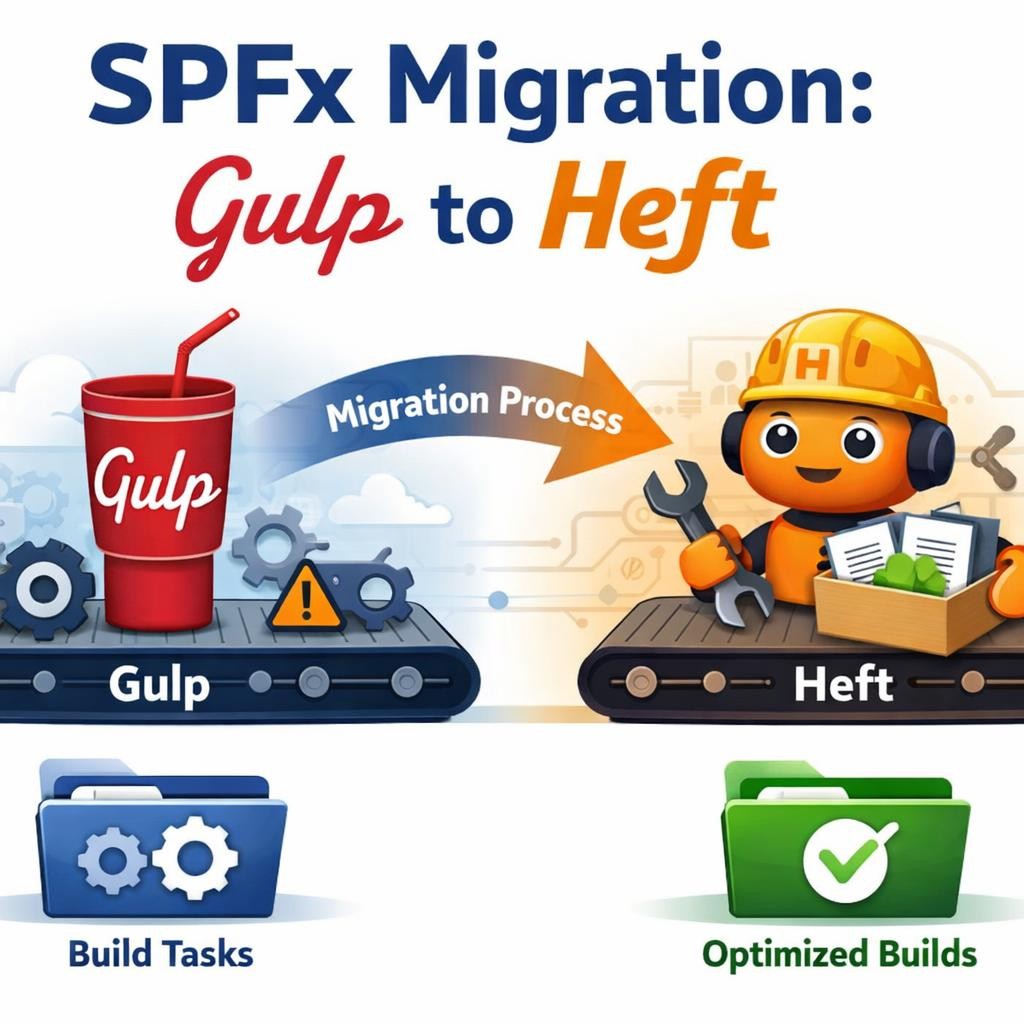
Migrating an SPFx Project from Gulp to Heft: a careful, detailed step-by-step guide
If your goal is to migrate an existing SharePoint Framework project from the legacy gulp-based toolchain to the new Heft-based toolchain, the key point is this: starting with SPFx 1.22, Microsoft changed the build orchestration model from gulp to Heft, while webpack remains the bundler underneath. In practice, this means the migration is not just a package bump. It changes the way your project is built, how the rig is defined, how scripts are executed, and how you should handle customizations going forward. (Microsoft Learn)
This also means you should not treat this like a normal “upgrade package.json and run npm install” exercise. Microsoft explicitly describes the migration as more involved than a typical SPFx version upgrade, and their official migration article assumes an existing SPFx 1.21.1 project being moved to SPFx 1.22.x. (Microsoft Learn)
Another important boundary: this guidance is primarily for SharePoint Online projects targeting the current SPFx line. Microsoft’s compatibility reference still shows that SharePoint Server Subscription Edition, SharePoint Server 2019, and SharePoint Server 2016 support older SPFx ranges, not the newest Heft-based online-first model. So if you have an on-premises project, do not migrate blindly just because Heft is newer. (Microsoft Learn)
Why this migration deserves caution
In the old model, SPFx projects used gulp as the task orchestrator. In the new model, Heft is the orchestrator, and the build rig is referenced through config/rig.json. That is a structural change, not just a cosmetic one. Your old gulpfile.js, your build hooks, your webpack extension strategy, and your custom pre/post tasks all need to be re-evaluated. (Microsoft Learn)
The most common migration mistake is trying to keep the old mental model:
- “I will just upgrade the versions.”
- “I will keep my gulpfile for a while.”
- “I will map my old task names one-to-one.”
That usually leads to a half-migrated project: new packages, old assumptions, and broken build behavior.
A safer mindset is:
- stabilize the current gulp project,
- create a branch or backup,
- migrate the build system,
- validate baseline build,
- only then migrate custom tasks or webpack customization. (Microsoft Learn)
The official toolchain context you should keep in mind first
Microsoft’s current setup guidance says:
- SPFx v1.0 to v1.21.1 used the gulp-based toolchain
- SPFx v1.22+ uses the Heft-based toolchain
- the setup guidance differs depending on which toolchain your project uses (Microsoft Learn)
Their compatibility reference also shows that the current SPFx 1.22.x line supports:
- Node.js v22
- TypeScript up to v5.8
- React 17.0.1 for the SPFx 1.22.x family (Microsoft Learn)
That matters because a migration can fail for reasons that look like “Heft problems” but are actually:
- wrong Node version,
- wrong React version,
- stale lockfile,
- old Rush compiler package,
- old gulp-era customization still present. (Microsoft Learn)
Recommended migration strategy
I recommend this sequence for a real project:
Phase 1 — freeze and verify the old project
Before changing anything, make sure the existing gulp project still builds and packages successfully in its current state. Microsoft explicitly recommends starting from a clean state or a copy of the project before doing the migration. (Microsoft Learn)
Do this first:
npm installgulp cleangulp bundle --shipgulp package-solution --ship
If this baseline already fails, do not start the Heft migration yet. Fix the old project first. Otherwise, you will mix two categories of problems and lose diagnostic clarity.
Phase 2 — align the environment
Before touching the project, align your workstation with the current supported direction. The Microsoft compatibility page shows Node 22 for SPFx 1.22.x, and the general development environment article points to the new Heft-based guidance for current SharePoint Online development. (Microsoft Learn)
Recommended check:
node -vnpm -v
For a modern migration target, use the supported Node LTS listed for the SPFx version you are moving to. Today, for 1.22.x, that means Node 22 according to the compatibility table. (Microsoft Learn)
Phase 3 — migrate the toolchain first, not your custom logic
Microsoft’s migration article effectively follows this pattern:
- remove gulp dependencies,
- install Heft dependencies,
- replace npm scripts,
- add the SPFx rig,
- replace Sass/TypeScript config files,
- delete
gulpfile.js, - upgrade the SPFx production packages. (Microsoft Learn)
That order is important because it reduces ambiguity.
Step-by-step migration
Step 1 — back up the project or create a clean branch
Do not skip this. Microsoft explicitly says to strongly consider making a copy of the project or starting from a clean source-control state before proceeding. (Microsoft Learn)
Good practice:
git checkout -b migration/heftgit status
Your working tree should be clean before the first migration edit.
Step 2 — uninstall the gulp-era build dependencies
Microsoft’s migration article begins by removing the legacy build toolchain packages:
npm uninstall @microsoft/sp-build-web ajv gulp
Then uninstall the matching Rush compiler package for your current TypeScript version. In Microsoft’s example for SPFx 1.21.1, that is:
npm uninstall @microsoft/rush-stack-compiler-5.3
This matters because the old gulp-era compiler package is part of the legacy toolchain model and should not remain in a Heft-based project. (Microsoft Learn)
Step 3 — install the Heft-based development dependencies
Microsoft’s official migration article then installs the Heft-era build stack. Their example shows:
npm install @microsoft/spfx-web-build-rig@1.22.1 \ @microsoft/spfx-heft-plugins@1.22.1 \ @microsoft/eslint-config-spfx@1.22.1 \ @microsoft/eslint-plugin-spfx@1.22.1 \ @microsoft/sp-module-interfaces@1.22.1 \ @rushstack/eslint-config@4.5.2 \ @rushstack/heft@1.1.2 \ @types/heft-jest@1.0.2 \ @typescript-eslint/parser@8.46.2 \ --save-dev --save-exact --force
That package set reflects the official migration path shown by Microsoft Learn for the 1.22.1 example. (Microsoft Learn)
A practical note: because Microsoft also released SPFx 1.22.2, you should use the latest 1.22.x versions consistently if you are starting now, instead of mixing 1.22.1 examples with older package numbers. The release notes show 1.22.2 exists, and the compatibility reference lists it as the current 1.22.x line. (Microsoft Learn)
So in a real migration today, prefer a single consistent 1.22.x target, ideally the latest patch in that family.
Step 4 — optionally upgrade TypeScript, but do it intentionally
Microsoft says the Heft-based SPFx toolchain supports any TypeScript version supported by the Heft TypeScript plugin used by that toolchain, and their article shows an example upgrade to:
npm install typescript@~5.8.0 --save-dev
This is useful, but do not treat it as mandatory on day one of migration. (Microsoft Learn)
My practical recommendation is:
- first migrate to Heft and get the project building,
- then decide whether to move TypeScript higher inside the supported range.
That reduces the number of variables during the first validation cycle.
Step 5 — replace the npm scripts in package.json
This is one of the most visible changes.
Microsoft says to replace the existing build, test, and clean scripts to use Heft:
{ "scripts": { "build": "heft build --clean", "clean": "heft clean", "test": "heft test" }}
They also show optional scripts that more closely match the new SPFx 1.22 templates:
{ "scripts": { "build": "heft test --clean --production && heft package-solution --production", "start": "heft start --clean", "clean": "heft clean", "eject-webpack": "heft eject-webpack" }}
And Microsoft recommends, though does not require, installing the Heft CLI globally:
npm install @rushstack/heft --global
Once that is installed, you can run heft directly without always going through npm scripts. (Microsoft Learn)
What changed conceptually here?
With gulp, many developers were used to commands such as:
gulp servegulp bundle --shipgulp package-solution --ship
With Heft, the local start flow is now centered on:
heft start
Microsoft’s updated “Hello World” article explicitly shows heft start as the command that builds the project, starts the local dev webserver, and opens the hosted workbench. (Microsoft Learn)
Step 6 — add the SPFx rig
This is one of the most important structural changes in the Heft model.
Microsoft says to add ./config/rig.json with:
{ "$schema": "https://developer.microsoft.com/json-schemas/rig-package/rig.schema.json", "rigPackageName": "@microsoft/spfx-web-build-rig"}
This file tells Heft which build rig the project should use. Microsoft’s Heft overview explains that this rig package contains the SPFx build toolchain definition. (Microsoft Learn)
Why this matters
In the gulp era, many developers thought of the build mostly through gulpfile.js. In the Heft era, the build definition is more centralized around:
- the SPFx rig,
- Heft plugins,
- task configuration files,
- optional patch or script plugins. (Microsoft Learn)
Step 7 — replace config/sass.json
Microsoft says to replace the contents of ./config/sass.json so it extends the Heft rig’s Sass configuration:
{ "$schema": "https://developer.microsoft.com/json-schemas/heft/v0/heft-sass-plugin.schema.json", "extends": "@microsoft/spfx-web-build-rig/profiles/default/config/sass.json"}
This is part of moving project configuration out of the old build assumptions and into the Heft/rig model. (Microsoft Learn)
Step 8 — add config/typescript.json
Microsoft then says to create ./config/typescript.json:
{ "extends": "@microsoft/spfx-web-build-rig/profiles/default/config/typescript.json", "staticAssetsToCopy": { "fileExtensions": [".resx", ".jpg", ".png", ".woff", ".eot", ".ttf", ".svg", ".gif"], "includeGlobs": ["webparts/*/loc/*.js"] }}
This configures the Heft TypeScript plugin used by the SPFx rig. (Microsoft Learn)
Why this file is important
This is part of the new configuration model. In a Heft-based SPFx project, your TypeScript behavior is no longer just “whatever tsconfig says.” It is tied to the rig and the Heft plugin chain. That is why Microsoft separates config/typescript.json from your root tsconfig.json. (Microsoft Learn)
Step 9 — replace the root tsconfig.json
Microsoft’s migration article says to replace tsconfig.json with:
{ "extends": "./node_modules/@microsoft/spfx-web-build-rig/profiles/default/tsconfig-base.json"}
This keeps your project aligned to the SPFx rig’s base TypeScript configuration. (Microsoft Learn)
Practical warning
If you currently have a heavily customized tsconfig.json, do not just delete your knowledge. Save the original file before replacing it. Then reintroduce only what is still genuinely required after you validate the default Heft-based behavior.
This is especially important if your project had:
- path aliases,
- unusual
include/exclude, - experimental compiler flags,
- custom JSX or module resolution adjustments.
Step 10 — remove gulpfile.js, but only after reviewing custom logic
Microsoft says to delete ./gulpfile.js because it is no longer used. They also explicitly warn that if you made changes there, you may want to keep it until you have migrated those changes to equivalent Heft extensibility options. (Microsoft Learn)
This is one of the most important caution points in the whole migration.
If your gulpfile.js was basically default
Then delete it after the new build works.
If your gulpfile.js had custom logic
Then inventory it first. Typical examples:
- copy files before packaging,
- set environment variables,
- run Stylelint,
- patch webpack,
- add pre-build or post-build steps,
- delete temp files,
- version stamping.
Under Heft, Microsoft’s current guidance points you toward:
- Heft plugins
- the Run Script Plugin
- the Webpack Patch Plugin
- only as a last resort, ejecting webpack (Microsoft Learn)
Step 11 — upgrade the SPFx production packages
Microsoft’s migration article shows the production dependency upgrade using the 1.22.1 family:
npm install @microsoft/sp-component-base@1.22.1 \ @microsoft/sp-core-library@1.22.1 \ @microsoft/sp-lodash-subset@1.22.1 \ @microsoft/sp-office-ui-fabric-core@1.22.1 \ @microsoft/sp-property-pane@1.22.1 \ @microsoft/sp-webpart-base@1.22.1 \ --save-exact
Again, in a real migration today, keep the whole dependency family on the same latest 1.22.x patch rather than mixing versions. (Microsoft Learn)
Step 12 — clean the dependency tree
Microsoft recommends deleting node_modules and the lock file after making so many package changes, then reinstalling cleanly. That is excellent advice here because this migration changes core tooling packages, not just feature packages. (Microsoft Learn)
Recommended reset:
rm -rf node_modulesrm package-lock.jsonnpm install
On Windows PowerShell:
Remove-Item -Recurse -Force node_modulesRemove-Item -Force package-lock.jsonnpm install
Step 13 — validate the new build in layers
Do not jump straight to packaging. Validate gradually.
First check: clean
npm run clean
Second check: build/test
npm run testnpm run build
Third check: local workbench
npm run start
Or directly:
heft start
Microsoft’s current Hello World article confirms that heft start is the normal local preview command in the new model. (Microsoft Learn)
Fourth check: production packaging
If you adopted Microsoft’s optional combined script, npm run build may already execute production packaging. Otherwise, explicitly run your production packaging command through the new Heft script structure. (Microsoft Learn)
How to think about old custom gulp tasks after migration
This is where many migrations become messy.
Microsoft’s documentation around the new toolchain says that custom gulp tasks should be migrated to Heft plugins and that Heft offers a structured plugin system with lifecycle hooks. They also provide guidance for the Run Script Plugin and the Webpack Patch Plugin. (Microsoft Learn)
So the mapping is roughly this:
Old pattern: custom build task in gulpfile.js
Use when you previously did things like:
- copy/delete files,
- run lint or validators,
- stamp files,
- run side scripts.
New pattern: Heft Run Script Plugin or custom Heft plugin
Use when you need arbitrary code execution during the build pipeline. Microsoft explicitly positions the Run Script Plugin for scenarios such as copying, deleting, running scripts, or setting environment variables. (Microsoft Learn)
Old pattern: webpack extension in gulp-era SPFx
New pattern: Webpack Patch Plugin
Microsoft explicitly says the Webpack Patch Plugin is the preferred way to adjust the webpack configuration in Heft-based SPFx projects. (Microsoft Learn)
Old pattern: force-edit everything directly
New pattern: avoid ejection unless truly necessary
Microsoft strongly recommends considering all other options before ejecting webpack. (Microsoft Learn)
A practical migration checklist for customizations
Before deleting your old gulpfile.js, review whether it contains any of the following:
- custom Stylelint or ESLint steps
- file copy operations
- asset transforms
- webpack merge or patch logic
- pre-build environment variables
- post-package file manipulation
- custom logging
- extra test orchestration
If yes, classify each item into one of these buckets:
| Old customization type | New target |
|---|---|
| Script or file operation | Heft Run Script Plugin |
| Webpack change | Webpack Patch Plugin |
| Build lifecycle extension | Heft plugin/task config |
| Extreme unsupported customization | Consider ejection only last |
That mapping follows the architecture Microsoft now documents for the Heft-based toolchain. (Microsoft Learn)
Example target state for a clean basic migration
Below is a simple conceptual target for a standard web part project after the migration.
package.json scripts
{ "scripts": { "build": "heft build --clean", "test": "heft test", "clean": "heft clean", "start": "heft start --clean", "eject-webpack": "heft eject-webpack" }}
This aligns with Microsoft’s guidance, though you may also choose the more production-oriented combined build script shown in their migration article. (Microsoft Learn)
config/rig.json
{ "$schema": "https://developer.microsoft.com/json-schemas/rig-package/rig.schema.json", "rigPackageName": "@microsoft/spfx-web-build-rig"}
config/sass.json
{ "$schema": "https://developer.microsoft.com/json-schemas/heft/v0/heft-sass-plugin.schema.json", "extends": "@microsoft/spfx-web-build-rig/profiles/default/config/sass.json"}
config/typescript.json
{ "extends": "@microsoft/spfx-web-build-rig/profiles/default/config/typescript.json", "staticAssetsToCopy": { "fileExtensions": [".resx", ".jpg", ".png", ".woff", ".eot", ".ttf", ".svg", ".gif"], "includeGlobs": ["webparts/*/loc/*.js"] }}
tsconfig.json
{ "extends": "./node_modules/@microsoft/spfx-web-build-rig/profiles/default/tsconfig-base.json"}
These are taken directly from Microsoft’s migration path for the Heft conversion. (Microsoft Learn)
Common migration pitfalls
1. Migrating on-premises projects as if they were SharePoint Online
If the project is meant for SharePoint Server 2019 or Subscription Edition, the compatibility table matters. Do not assume the latest SPFx/Heft path is deployable there. (Microsoft Learn)
2. Keeping stale React or TypeScript assumptions
Microsoft explicitly warns to use the exact React version specified for your SPFx version, because mismatched React versions can cause silent runtime failures. For 1.22.x, the compatibility table lists React 17.0.1. (Microsoft Learn)
3. Keeping old gulp-era customization without translating it
A project may build partly, but packaging or advanced steps fail because the project still depends on old gulpfile behavior. Microsoft’s Heft documentation now expects these changes to move into plugins or plugin-backed configuration. (Microsoft Learn)
4. Mixing package versions
Keep your SPFx packages on one aligned version family. Do not mix 1.22.2 with 1.21.x leftovers.
5. Forgetting the rig file
Without config/rig.json, the Heft model is incomplete because the SPFx rig is how the toolchain definition is loaded. (Microsoft Learn)
6. Treating heft start as optional trivia
It is not. In the new toolchain, that is the normal development start command documented by Microsoft for the local preview experience. (Microsoft Learn)
My recommended “safe migration” order in real life
If this were my migration plan for a production project, I would do it in this exact order:
- Confirm current gulp build is healthy.
- Create a branch or backup.
- Inventory custom
gulpfile.jslogic. - Upgrade environment to supported Node/SPFx target.
- Remove gulp-era toolchain packages.
- Add Heft-era packages.
- Replace scripts.
- Add rig + sass + typescript + tsconfig files.
- Reinstall clean.
- Validate
clean,test,build, andstart. - Migrate custom tasks one by one.
- Only after that, package and deploy to a test app catalog.
This keeps the migration deterministic and debuggable, which is exactly what you want in SPFx work.
Final recommendation
The most important thing to understand is that Heft is not just a new command name for gulp. It is a new orchestration model for SPFx beginning with version 1.22, built around a rig, task configuration, and plugin-based extensibility. Microsoft’s documentation is now clear on that point, and it is the correct mental model to use when modernizing an SPFx project. (Microsoft Learn)
So the safest path is:
- migrate the toolchain first,
- stabilize the baseline build second,
- migrate customizations third.
That order will save you a lot of time.
Implementation Steps Summary
| Step | Action | Why it matters |
|---|---|---|
| 1 | Validate the existing gulp project | Avoid mixing old breakages with migration breakages |
| 2 | Create a backup or git branch | Microsoft explicitly recommends a clean starting point |
| 3 | Uninstall gulp-era packages | Removes legacy build orchestration pieces |
| 4 | Install Heft-era dev dependencies | Adds the new SPFx build stack |
| 5 | Update package.json scripts | Moves build/test/start commands to Heft |
| 6 | Add config/rig.json | Connects the project to the SPFx Heft rig |
| 7 | Replace config/sass.json | Aligns Sass handling with the Heft rig |
| 8 | Add config/typescript.json | Aligns TypeScript plugin behavior with Heft |
| 9 | Replace tsconfig.json | Uses the rig’s base TypeScript config |
| 10 | Review and then remove gulpfile.js | Prevents losing custom legacy build logic |
| 11 | Upgrade production SPFx packages | Aligns the runtime package family with SPFx 1.22.x |
| 12 | Delete node_modules and reinstall | Produces a clean dependency tree |
| 13 | Validate clean, test, build, start | Confirms the migration works before deployment |
| 14 | Migrate custom gulp logic to Heft plugins | Preserves advanced project behavior safely |
Technical Summary Table
| Topic | Current Microsoft guidance |
|---|---|
| Legacy SPFx toolchain | Gulp for SPFx v1.0 to v1.21.1 |
| Modern SPFx toolchain | Heft for SPFx v1.22+ |
| Bundler underneath | Webpack still remains in use |
| Local dev command | heft start |
| Build orchestration model | Rig + Heft plugins + config files |
| Main rig package | @microsoft/spfx-web-build-rig |
| Preferred webpack customization | Heft Webpack Patch Plugin |
| Preferred script/task customization | Heft Run Script Plugin or Heft plugins |
| Current 1.22.x Node support | Node 22 |
| Current 1.22.x React version | React 17.0.1 |
| On-prem caution | SharePoint Server versions do not follow the latest SPFx line |
Microsoft Learn references
Set up your SharePoint Framework development environment — Microsoft Learn. (Microsoft Learn)
SharePoint Framework v1.22 release notes — Microsoft Learn. (Microsoft Learn)
Migrate from the Gulp-based to the Heft-based Toolchain — Microsoft Learn. (Microsoft Learn)
SharePoint Framework Toolchain: Heft-based — Microsoft Learn. (Microsoft Learn)
Understanding the Heft-based toolchain — Microsoft Learn. (Microsoft Learn)
SPFx Platform & Toolchain Compatibility Reference — Microsoft Learn. (Microsoft Learn)
Customize webpack with the Heft Webpack Patch plugin — Microsoft Learn. (Microsoft Learn)
Customize the build with the Heft Run Script plugin — Microsoft Learn. (Microsoft Learn)
Ejecting the webpack configuration — Microsoft Learn. (Microsoft Learn)

 edvaldo b. guimarães filho