Introduction to the 100 React + Fluent UI Apps Project
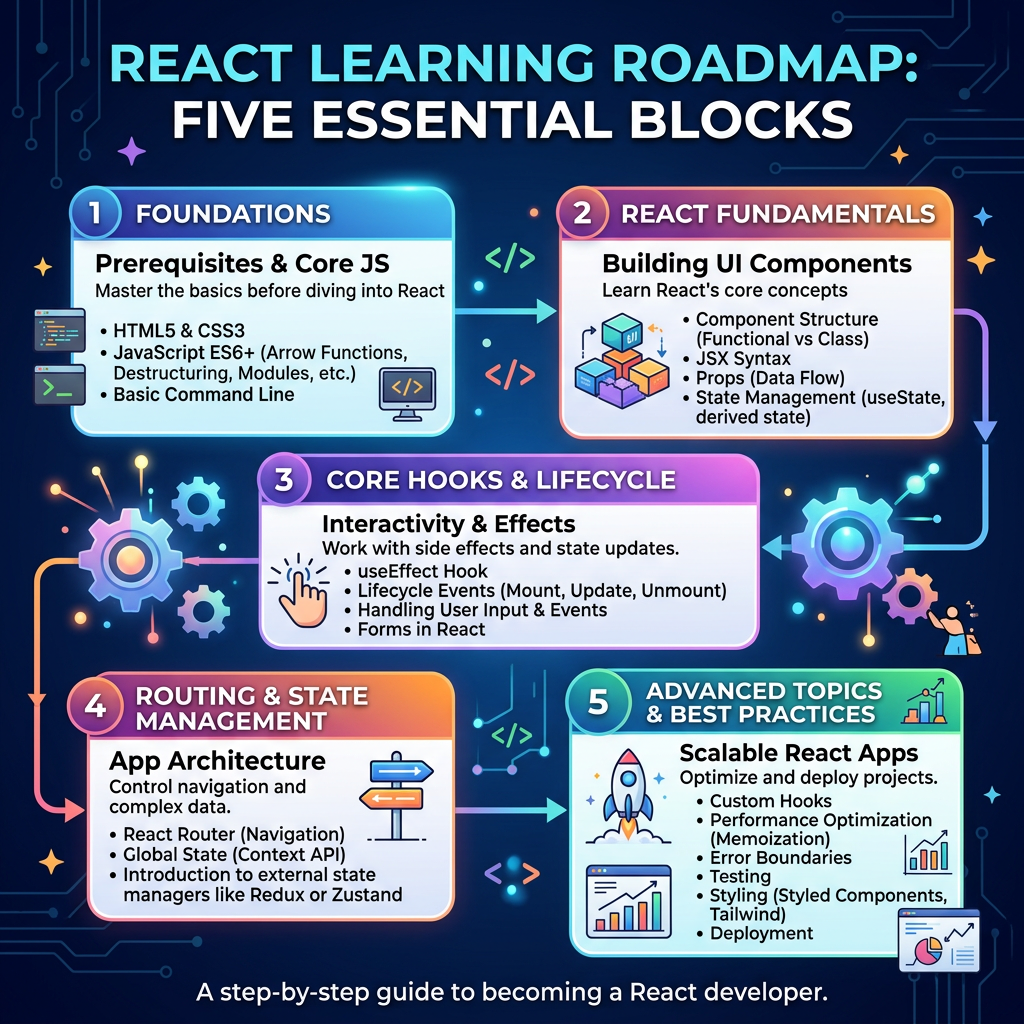
The 100 React + Fluent UI Apps Project is a complete learning journey designed to teach modern React step by step, from the first component to enterprise-style applications. The project is based on React Learn, Vite, TypeScript, Visual Studio Code, and Microsoft Fluent UI, following a structured roadmap of 5 blocks with 20 apps each. The official project structure defines the learning path from fundamentals to complete enterprise applications.
The goal is not only to create small React examples, but to build a real mental model of how React works: components as pure functions, UI as a result of data, props for communication, state for memory, effects only when synchronizing with external systems, and Fluent UI as the visual layer for professional Microsoft-style interfaces.
Why This Project Exists
React can be confusing when learned randomly. Many beginners start with hooks, effects, APIs, routers, and state libraries before understanding the foundation. This project avoids that problem by using a progressive path.
You will first learn how to describe the UI, then how to add interactivity, then how to manage state, then how to use Fluent UI professionally, then how to consume APIs, and finally how to build complete applications.
The stack is:
| Tool | Purpose |
|---|---|
| React | Build declarative user interfaces |
| Vite | Fast development server and build tool |
| TypeScript | Safer and more scalable JavaScript |
| Fluent UI | Microsoft enterprise design system |
| VS Code | Development environment |
| Node.js/npm | Runtime and package management |
Block 1 — Fundamentals and UI
This block focuses on JSX, components, props, lists, conditional rendering, composition, and static layouts.
| App | Name |
|---|---|
| 01 | Hello React Fluent |
| 02 | Profile Card |
| 03 | Product List |
| 04 | Microsoft Style User Card |
| 05 | Static Dashboard |
| 06 | Corporate Sidebar Menu |
| 07 | Visual Task List |
| 08 | Event Timeline |
| 09 | Employee Table |
| 10 | Email List |
| 11 | Card Grid |
| 12 | Image Gallery |
| 13 | Movie Catalog |
| 14 | Football Teams List |
| 15 | News Page |
| 16 | Static Financial Dashboard |
| 17 | SharePoint Style Layout |
| 18 | File Explorer |
| 19 | Corporate Portal |
| 20 | Microsoft Style Landing Page |
Block 2 — Interactivity and State
This block introduces events, useState, forms, controlled inputs, filters, derived state, and shared state.
| App | Name |
|---|---|
| 21 | Modern Counter |
| 22 | Theme Toggle |
| 23 | React Calculator |
| 24 | Login Form |
| 25 | User Registration |
| 26 | Complete ToDo List |
| 27 | Shopping List |
| 28 | Product Filter |
| 29 | Employee Search |
| 30 | Shopping Cart |
| 31 | Grade Simulator |
| 32 | Inventory Control |
| 33 | Contact Agenda |
| 34 | Currency Converter |
| 35 | BMI Calculator |
| 36 | Installment Simulator |
| 37 | Voting Panel |
| 38 | Interactive Quiz |
| 39 | Team Manager |
| 40 | Dynamic Dashboard |
Block 3 — Professional Fluent UI
This block focuses on Fluent UI components, Microsoft design patterns, themes, dialogs, DataGrid, tabs, toolbars, and enterprise layouts.
| App | Name |
|---|---|
| 41 | Microsoft Style Login |
| 42 | Corporate Form |
| 43 | Tab System |
| 44 | Dialog Manager |
| 45 | Executive Dashboard |
| 46 | Catalog with DataGrid |
| 47 | Enterprise User List |
| 48 | Navigable Sidebar |
| 49 | Corporate Header |
| 50 | Professional Toolbar |
| 51 | Notification System |
| 52 | Admin Panel |
| 53 | Ticket Manager |
| 54 | Approval System |
| 55 | Corporate Agenda |
| 56 | SharePoint Inspired Dashboard |
| 57 | Project Management |
| 58 | Help Desk Control |
| 59 | Visual CRM |
| 60 | Corporate Explorer |
Block 4 — Effects and Architecture
This block introduces useEffect, API consumption, loading/error states, custom hooks, Context API, reducers, memoization, and layered architecture.
| App | Name |
|---|---|
| 61 | REST API Consumption |
| 62 | Dashboard with API |
| 63 | Async Search |
| 64 | GitHub User Explorer |
| 65 | Weather App |
| 66 | Pagination System |
| 67 | Infinite Scroll |
| 68 | Data Cache |
| 69 | Custom Fetch Hook |
| 70 | Global Control with Context |
| 71 | Favorites System |
| 72 | DataGrid with API |
| 73 | Analytical Dashboard |
| 74 | Cryptocurrency Monitor |
| 75 | Repository Explorer |
| 76 | Logs Panel |
| 77 | Reporting System |
| 78 | Performance Simulator |
| 79 | Layered Architecture |
| 80 | Mini React Enterprise Framework |
Block 5 — Complete Applications
This final block consolidates everything into real-world applications using enterprise architecture, reusable components, Fluent UI, CRUD patterns, dashboards, and advanced UI organization.
| App | Name |
|---|---|
| 81 | Complete CRUD System |
| 82 | Employee Management |
| 83 | Financial Dashboard |
| 84 | Inventory System |
| 85 | Kanban Board |
| 86 | Enterprise Task Manager |
| 87 | User System |
| 88 | Admin Portal |
| 89 | Ticket System |
| 90 | Power BI Style Dashboard |
| 91 | Report Generator |
| 92 | Audit System |
| 93 | SharePoint Inspired Portal |
| 94 | Corporate Catalog |
| 95 | Reservation System |
| 96 | Mini Enterprise ERP |
| 97 | Complete CRM |
| 98 | Analytics System |
| 99 | Microsoft Style Admin Center |
| 100 | Final React Enterprise Platform |
Technical Learning Path
| Phase | Main Concepts |
|---|---|
| Block 1 | JSX, components, props, layout, lists |
| Block 2 | Events, state, forms, filters, validation |
| Block 3 | Fluent UI, themes, dialogs, tabs, DataGrid |
| Block 4 | Effects, APIs, hooks, architecture |
| Block 5 | CRUD, dashboards, enterprise applications |
Official Documentation
| Topic | Link |
|---|---|
| React Learn | https://react.dev/learn |
| Fluent UI | https://developer.microsoft.com/en-us/fluentui#/controls/web |
| Vite | https://vite.dev/guide/ |
| TypeScript | https://www.typescriptlang.org/docs/ |
| Node.js | https://nodejs.org |
| VS Code | https://code.visualstudio.com |


