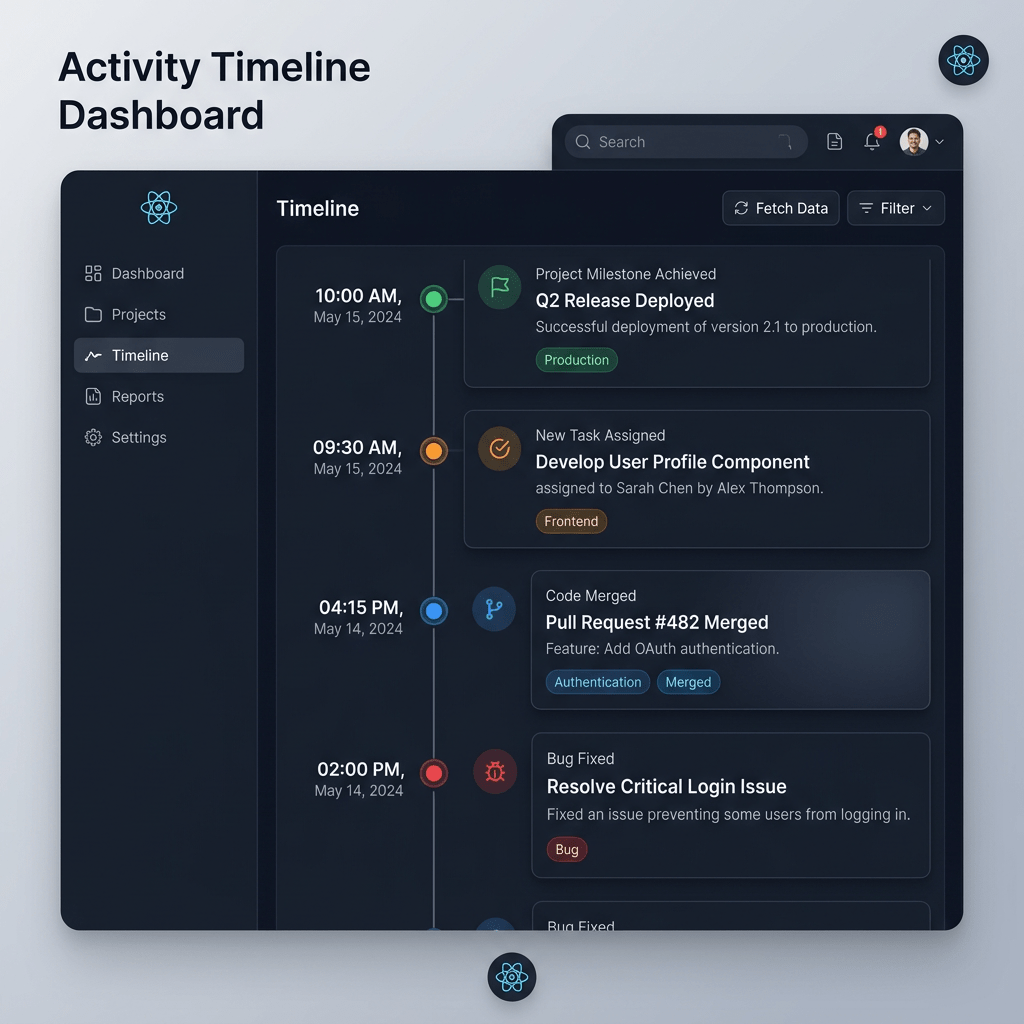
Technical Blog Article — App 08: Timeline of Events with React, TypeScript, Vite, and Fluent UI
App 08 — Timeline of Events — continues the first learning block of the React + Fluent UI roadmap. This app still belongs to the “Fundamentals and UI” stage, meaning the focus is not interactivity yet, but instead understanding how React renders structured UI from data using reusable components and declarative rendering patterns.
The main React concepts introduced in this app are:
- sequential rendering
map()rendering- reusable components
- typed data structures
- composition
- component hierarchy
- pure components
- layout composition
- Fluent UI enterprise cards
- status visualization
This application intentionally avoids:
useStateuseEffect- API calls
- reducers
- forms
because the current roadmap stage is still focused on learning the React rendering model before introducing interactivity.
According to the official React philosophy:
Components should remain pure whenever possible.
This app is strongly connected to:
1. The Goal of App 08
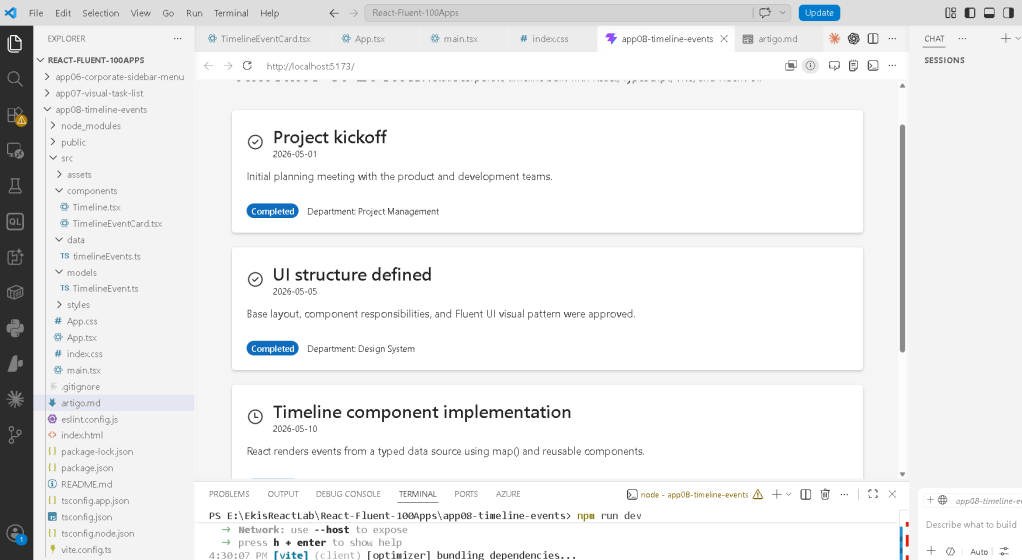
The objective is to build a Microsoft-style enterprise timeline interface where events are rendered from a typed data source.
Visually, the application shows:
- event title
- event date
- department
- status
- description
- visual status icon
- status badge
Architecturally, the real goal is to teach:
data → React components → JSX → browser UI
This mental model is extremely important.
React applications should derive UI from data rather than manually manipulating HTML elements.
2. Creating the Project
The project starts with Vite.
PowerShell Commands
cd C:\ReactAppsmkdir bloco01cd bloco01npm create vite@latest app08-timeline-events -- --template react-tscd app08-timeline-eventsnpm installnpm install @fluentui/react-components @fluentui/react-icons
This creates a modern React + TypeScript project.
3. Why We Use Vite
Vite is the modern React development environment used throughout the roadmap.
Vite provides:
- fast startup
- ES Modules
- instant refresh
- optimized builds
- simplified configuration
Historically, React tutorials often used Create React App.
Modern React projects increasingly prefer Vite because it is significantly faster and more modern internally.
4. Creating the Folder Structure
PowerShell
mkdir src\componentsmkdir src\datamkdir src\modelsmkdir src\styles
This architecture is important because React projects scale through organization.
5. Why Folder Structure Matters
Each folder has a responsibility.
| Folder | Responsibility |
|---|---|
components | Reusable UI components |
data | Mock/static data |
models | TypeScript interfaces |
styles | CSS organization |
This separation prevents large unmaintainable files later.
6. Creating the Files
PowerShell
New-Item src\models\TimelineEvent.ts -ItemType FileNew-Item src\data\timelineEvents.ts -ItemType FileNew-Item src\components\TimelineEventCard.tsx -ItemType FileNew-Item src\components\Timeline.tsx -ItemType File
7. Understanding the Data Model
src/models/TimelineEvent.ts
export type TimelineStatus = | "Completed" | "In Progress" | "Planned";export interface TimelineEvent { id: number; date: string; title: string; description: string; department: string; status: TimelineStatus;}
This file defines the shape of the data.
8. Why TypeScript Models Matter
Without TypeScript, data structures become harder to trust.
With TypeScript:
- autocomplete improves
- refactoring becomes safer
- mistakes are caught early
- architecture becomes clearer
For example:
status: TimelineStatus;
means the status can only be:
"Completed""In Progress""Planned"
If you accidentally write:
status: "DONE"
TypeScript will immediately warn you.
This is one of the reasons TypeScript is essential in enterprise React projects.
9. The Data Source
src/data/timelineEvents.ts
import type { TimelineEvent }from "../models/TimelineEvent";
This imports the interface only as a type.
The keyword:
import type
helps TypeScript optimize compilation because the import exists only for typing purposes.
10. Understanding the Timeline Array
export const timelineEvents: TimelineEvent[] = [
This creates an array of timeline objects.
Each object becomes one timeline card rendered by React.
Conceptually:
timelineEvents[0] → first cardtimelineEvents[1] → second cardtimelineEvents[2] → third card
This is one of the most important React ideas:
UI should derive from data.
11. Why the UI Is Static
This app intentionally contains no state.
There is:
- no
useState - no
useEffect - no events
The purpose is to focus exclusively on rendering.
This aligns with:
Pure components are easier to understand and reason about.
12. Understanding TimelineEventCard.tsx
This is the main reusable component.
interface TimelineEventCardProps { event: TimelineEvent;}
This defines the props received by the component.
Props are inputs for React components.
Conceptually:
TimelineEventCard receives dataand returns JSX.
13. Components Are Functions
export function TimelineEventCard({ event,}: TimelineEventCardProps)
React components are simply functions.
They:
- receive props
- return JSX
This is a core React principle.
14. Understanding JSX
The component returns JSX:
return ( <Card>
JSX is not HTML.
JSX is:
- JavaScript syntax
- declarative UI syntax
- converted into JavaScript internally
React later converts this into real browser DOM nodes.
15. Fluent UI Card Component
<Card>
The Fluent UI Card is the visual container.
It provides:
- spacing
- padding
- border behavior
- enterprise styling
- Microsoft design language
Without Fluent UI, you would manually build all this with CSS.
16. Understanding CardHeader
<CardHeader
This component organizes:
- icon
- title
- subtitle
The structure becomes:
[icon] title date
This matches common Microsoft-style UI layouts.
17. Dynamic Status Icons
The app dynamically changes the icon depending on the event status.
function getStatusIcon( status: TimelineEvent["status"])
This function returns different Fluent UI icons.
18. Why This Function Matters
This introduces conditional rendering logic.
Conceptually:
Completed → checkmark iconIn Progress → clock iconPlanned → calendar icon
The component output changes based on data.
This is declarative UI.
19. Badge Appearance Logic
Another function:
function getBadgeAppearance(...)
changes the Fluent UI badge style.
Completed → filledIn Progress → tintPlanned → outline
This makes the UI visually communicate status differences.
20. Why Declarative UI Matters
Traditional imperative UI programming might say:
if status changes: manually update colors manually replace icon
React instead says:
describe the UI for each state
React handles the DOM updates automatically.
This is one of the biggest conceptual shifts in frontend development.
21. Understanding the Layout Styles
The card uses inline styles:
style={{ width: "100%", padding: "20px",}}
This keeps the styling visible beside the JSX while learning.
Later apps may migrate more styling into CSS modules or centralized styles.
22. Understanding the Flex Layout
Inside the card:
display: "flex",gap: "12px",alignItems: "center",flexWrap: "wrap",
This creates a horizontal metadata area.
Conceptually:
[Badge] [Department]
23. Understanding Timeline.tsx
This component renders the full timeline.
import { timelineEvents }from "../data/timelineEvents";
The component imports the data source.
24. The Importance of map()
timelineEvents.map((event) => ( <TimelineEventCard key={event.id} event={event} />))
This is one of the most important React patterns.
map() transforms:
TimelineEvent[]
into:
TimelineEventCard[]
25. Why key={event.id} Matters
React requires stable keys for lists.
key={event.id}
helps React:
- track elements
- optimize rendering
- identify changes
Without keys, React warns because it cannot reliably track list items.
26. Understanding Component Composition
The hierarchy becomes:
App → Timeline → TimelineEventCard
This is component composition.
Each component has one responsibility.
27. Understanding App.tsx
The root application component:
function App()
renders:
<Title1>Timeline of Events</Title1><Text> A static corporate timeline...</Text><Timeline />
The app composes smaller components together.
28. Why main Is Used
<main>
The main HTML element is semantic.
It tells browsers and assistive technologies:
This is the main page content.
React still benefits from good HTML semantics.
29. Understanding the Container Layout
maxWidth: "900px",margin: "0 auto",
This centers the content horizontally.
0 auto is classic CSS centering behavior.
30. Understanding main.tsx
src/main.tsx
ReactDOM.createRoot( document.getElementById("root")!)
This connects React to the HTML page.
31. How React Enters the Browser
The flow is:
index.html contains div#rootmain.tsx finds div#rootReactDOM.createRoot() initializes React<App /> becomes the component treeReactDOM updates the browser DOM
This is one of the most important concepts in React.
32. Why FluentProvider Exists
<FluentProvider theme={webLightTheme}>
This activates the Microsoft Fluent UI design system globally.
Without it:
- components lose theme styling
- typography becomes inconsistent
- visual tokens disappear
33. Why We Use webLightTheme
webLightTheme
This is Fluent UI’s default Microsoft enterprise light theme.
Later apps may introduce:
- dark mode
- runtime theme switching
- custom enterprise themes
34. Understanding index.css
body { margin: 0;}
Browsers apply default margin automatically.
Removing it prevents unwanted whitespace around the application.
35. Why This App Is Architecturally Important
Even though the app appears visually simple, it introduces major React concepts:
| Concept | Importance |
|---|---|
| Typed data | Safe architecture |
| Declarative rendering | Core React mental model |
map() rendering | List composition |
| Component hierarchy | Reusability |
| Props | Data flow |
| Fluent UI | Enterprise UI |
| Pure components | Predictable rendering |
36. What We Intentionally Avoided
This app intentionally avoids:
useEffectuseState- APIs
- reducers
because the current learning stage focuses on rendering architecture first.
This is important.
Many beginner tutorials prematurely introduce effects and state before the rendering model is understood.
37. Relationship to the React Learn Roadmap
This app aligns directly with:
| React Learn Topic | Purpose |
|---|---|
| Describing the UI | Declarative rendering |
| Rendering Lists | map() rendering |
| Keeping Components Pure | Pure components |
| Your First Component | Component architecture |
38. Technical Summary
| Technology | Role |
|---|---|
| React | Declarative rendering |
| TypeScript | Typed models |
| Vite | Development server |
| Fluent UI | Enterprise design system |
| JSX | UI syntax |
| Card | Visual container |
| Badge | Status visualization |
map() | Sequential rendering |
| Props | Component input |
| Pure Components | Predictable rendering |
39. Official Documentation
React
Fluent UI
Vite
TypeScript
Complete Project Progress
| Block | App | Name | Status |
|---|---|---|---|
| Block 1 | 01 | Hello React Fluent | Completed |
| Block 1 | 02 | Profile Card | Completed |
| Block 1 | 03 | Product List | Completed |
| Block 1 | 04 | Microsoft Style User Card | Completed |
| Block 1 | 05 | Static Dashboard | Completed |
| Block 1 | 06 | Corporate Sidebar Menu | Completed |
| Block 1 | 07 | Visual Task List | Completed |
| Block 1 | 08 | Timeline of Events | Current |
| Block 1 | 09 | Employee Table | Next |
| Block 1 | 10 | Email List | Pending |
| Block 1 | 11 | Card Grid | Pending |
| Block 1 | 12 | Image Gallery | Pending |
| Block 1 | 13 | Movie Catalog | Pending |
| Block 1 | 14 | Football Teams List | Pending |
| Block 1 | 15 | News Page | Pending |
| Block 1 | 16 | Static Financial Dashboard | Pending |
| Block 1 | 17 | SharePoint Style Layout | Pending |
| Block 1 | 18 | File Explorer | Pending |
| Block 1 | 19 | Corporate Portal | Pending |
| Block 1 | 20 | Microsoft Style Landing Page | Pending |
| Block 2 | 21–40 | Interactivity and State Apps | Pending |
| Block 3 | 41–60 | Professional Fluent UI Apps | Pending |
| Block 4 | 61–80 | Effects and Architecture Apps | Pending |
| Block 5 | 81–100 | Enterprise Applications | Pending |


