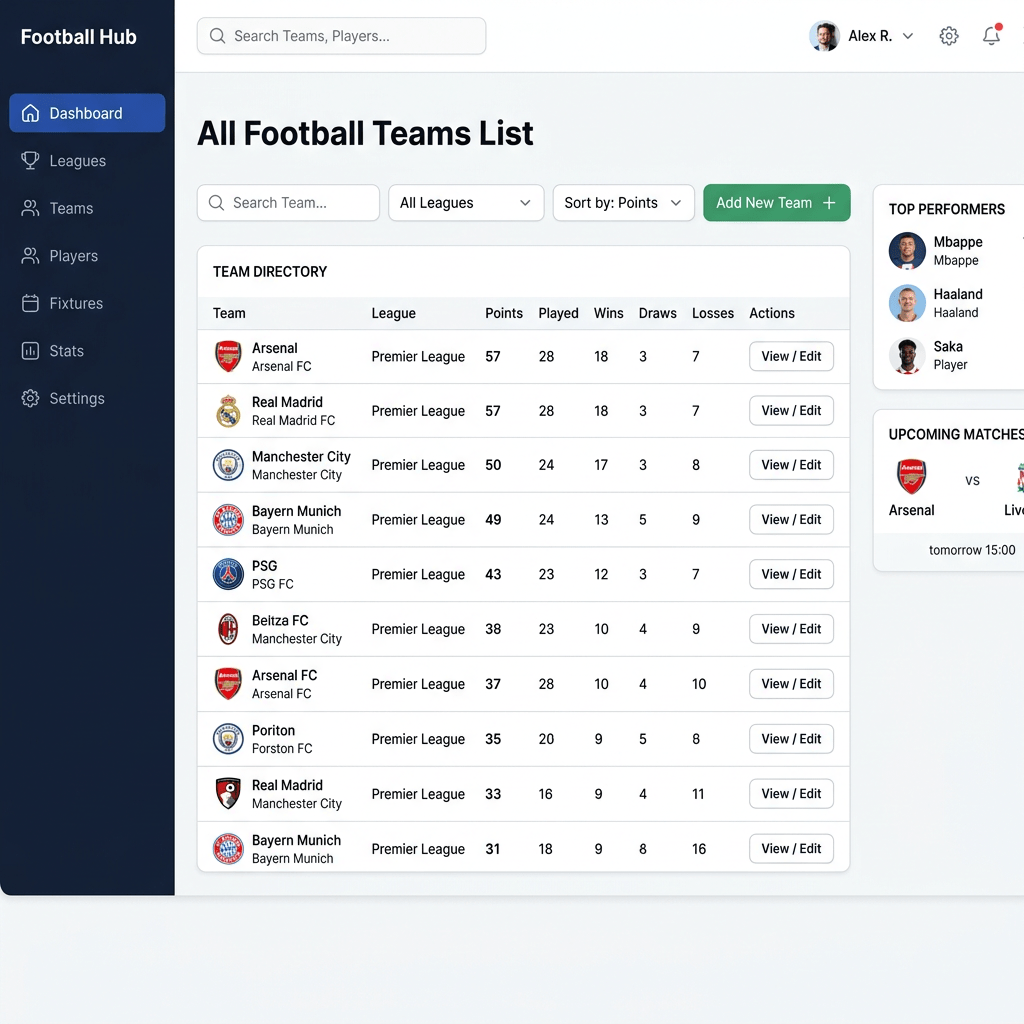
Building a Football Teams Dashboard with React, Vite, TypeScript, and Fluent UI
The fourteenth application in the 100 React + Fluent UI Apps learning roadmap is App 14 — Football Teams List. This project continues the first learning block focused on React fundamentals, component composition, declarative rendering, reusable UI architecture, and TypeScript modeling.
Even though this application appears visually simple, architecturally it introduces several important frontend engineering concepts that are fundamental for professional React development:
- reusable component design
- TypeScript interfaces
- rendering lists with
map() - component composition
- props-based architecture
- Fluent UI enterprise styling
- static data modeling
- responsive layouts with CSS Grid
- separation of concerns
- React’s declarative rendering model
This app also reinforces one of the most important ideas from the official React Learn documentation:
React applications are built by composing reusable components together.
The project demonstrates how structured data can become a visual UI through React rendering.
The Goal of App 14
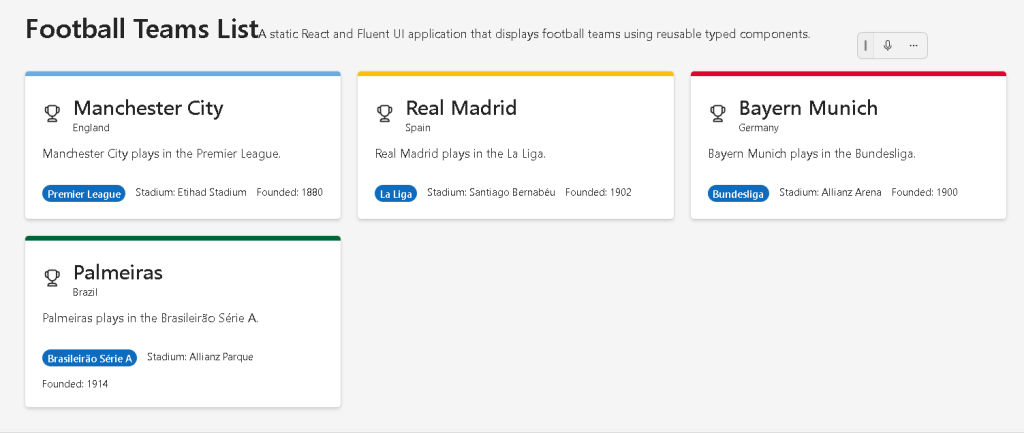
The purpose of this application is to display football clubs using reusable Microsoft-style cards built with Fluent UI.
The interface displays:
- team name
- country
- league
- stadium
- foundation year
- visual styling based on team colors
The app intentionally remains static because Block 1 focuses on:
- UI composition
- JSX
- props
- rendering
- component structure
State management and interactivity are introduced later in the roadmap.
According to the roadmap definition, App 14 focuses on:
- reusable components
- list rendering
- component composition
- React’s “Your First Component” mental model
Creating the Project with Vite
The application begins with Vite.
Why Vite?
Modern React development requires:
- fast startup
- instant refresh
- optimized builds
- TypeScript integration
- modern ES Modules
Vite solves these problems efficiently.
Project creation:
cd C:\ReactAppsmkdir bloco01cd bloco01npm create vite@latest app14-football-teams-list -- --template react-ts
This command:
- creates the project
- configures React
- configures TypeScript
- installs Vite configuration
- creates a modern frontend architecture
The react-ts template is especially important because it enables TypeScript from the beginning.
Installing Dependencies
After project creation:
cd app14-football-teams-listnpm install
Then Fluent UI packages are installed:
npm install @fluentui/react-components @fluentui/react-icons
These packages provide:
- enterprise UI controls
- Microsoft styling
- accessibility
- typography
- icons
- layout components
Creating the Folder Structure
Professional React projects should not place all logic inside one file.
The application structure becomes:
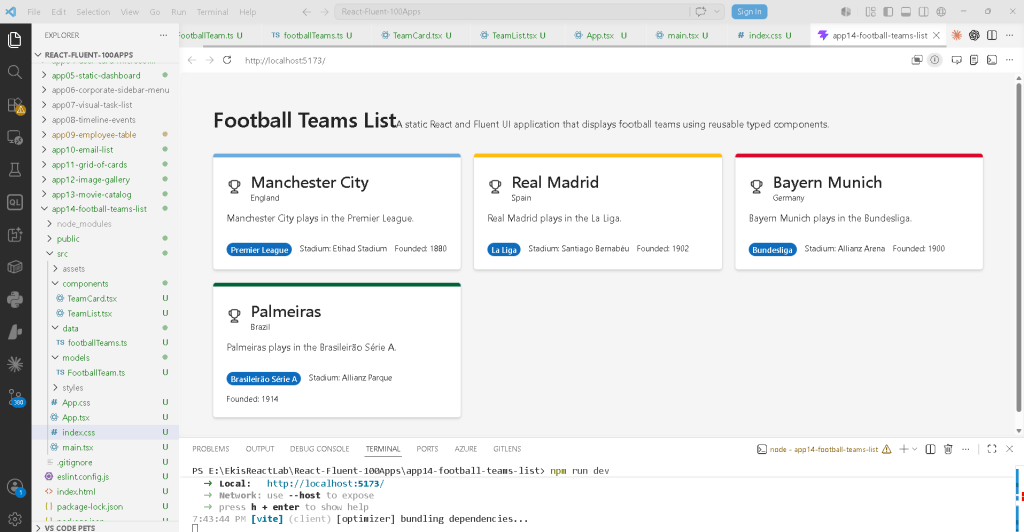
src/ components/ data/ models/ styles/
Each folder has a specific responsibility.
The Role of models/
The folder:
src/models/
contains TypeScript models and interfaces.
This is important because enterprise applications should define structured data types.
The app creates:
FootballTeam.ts
This file defines the structure of a football club object.
Understanding FootballTeam.ts
export interface FootballTeam { id: number; name: string; country: string; league: string; stadium: string; founded: number; primaryColor: string;}
This file introduces one of the most important TypeScript concepts:
- interfaces
An interface defines the shape of an object.
This means every football team must contain:
| Property | Type |
|---|---|
id | number |
name | string |
country | string |
league | string |
stadium | string |
founded | number |
primaryColor | string |
TypeScript now understands the structure of a football team.
This provides:
- autocomplete
- validation
- safer refactoring
- better maintainability
- enterprise scalability
Without TypeScript, incorrect data could silently break the application.
For example:
founded: "1902"
would generate an error because founded must be a number.
The Role of footballTeams.ts
The file:
src/data/footballTeams.ts
stores the application data.
import type { FootballTeam } from "../models/FootballTeam";
The keyword:
type
is important in modern TypeScript React projects.
It tells TypeScript:
This import is used only for typing.
This improves:
- compilation
- tree shaking
- module clarity
Static Data and Declarative UI
The file exports:
export const footballTeams: FootballTeam[] = [...]
This means:
- an array
- of FootballTeam objects
React applications often follow this pattern:
Data →Components →Rendered UI
Instead of manually creating UI elements one by one, React renders interfaces based on data.
This is declarative rendering.
Understanding the Team Data
Example:
{ id: 1, name: "Manchester City", country: "England", league: "Premier League", stadium: "Etihad Stadium", founded: 1880, primaryColor: "#6CABDD",}
This object becomes visual UI later through React rendering.
The important idea is:
The UI is derived from data.
This is one of React’s core principles.
The Role of TeamCard.tsx
The file:
src/components/TeamCard.tsx
contains the reusable team card component.
This is one of the most important architectural ideas in React:
- reusable components
Instead of duplicating layout multiple times, we create one reusable component.
Understanding Component Props
The component receives:
interface TeamCardProps { team: FootballTeam;}
This defines the props accepted by the component.
Props are simply:
- inputs for components
The component receives a football team object.
The Component Function
export function TeamCard({ team }: TeamCardProps)
This is a React functional component.
It:
- receives props
- returns JSX
React components are functions.
This is one of the most important React mental models.
Fluent UI Imports
The component imports:
import { Badge, Body1, Card, CardHeader, Caption1, Text, Title3,} from "@fluentui/react-components";
These components replace manually written HTML/CSS.
Instead of writing:
- custom buttons
- typography systems
- spacing systems
- cards manually
Fluent UI provides enterprise-ready components.
Why Fluent UI Matters
Fluent UI provides:
- Microsoft design language
- accessibility
- consistent spacing
- typography hierarchy
- keyboard navigation
- responsive behavior
- enterprise visual standards
This is important because enterprise frontend development is much more than visual appearance.
Professional UI libraries must also solve:
- accessibility
- focus management
- semantics
- interaction consistency
Understanding Card
<Card>
The Card component acts as the container for each football team.
Cards are extremely common in:
- dashboards
- SharePoint portals
- admin systems
- analytics apps
- CRM systems
Dynamic Border Colors
One interesting detail:
borderTop: `6px solid ${team.primaryColor}`,
This demonstrates:
- dynamic styling
- JavaScript expressions inside JSX
Each card receives a different color depending on the team.
This is another example of:
- UI derived from data
Understanding CardHeader
<CardHeader
This Fluent UI component structures:
- icon
- title
- description
The icon:
<Trophy24Regular />
comes from Fluent UI icons.
Why Icons Matter
Fluent UI icons are:
- SVG-based
- scalable
- optimized
- theme-aware
Using an icon library improves:
- visual consistency
- maintainability
- accessibility
Typography Components
Instead of raw HTML tags like:
<h3><p>
Fluent UI provides semantic typography components:
<Title3><Body1><Text><Caption1>
This ensures:
- consistent typography scale
- Microsoft visual hierarchy
- accessible semantics
Understanding the Badge Component
<Badge appearance="filled">
Badges are useful for:
- categories
- statuses
- tags
- labels
In this app, the badge displays the football league.
Layout with Flexbox
Inside the card:
display: "flex",gap: "12px",flexWrap: "wrap",
This creates a flexible responsive row layout.
Why flexWrap Matters
flexWrap: "wrap"
This means:
- if there is not enough horizontal space
- the elements move to the next line
This improves responsiveness.
The Role of TeamList.tsx
The file:
src/components/TeamList.tsx
renders the collection of football teams.
This component demonstrates one of React’s most important concepts:
- rendering lists
Rendering Lists with map()
{footballTeams.map((team) => ( <TeamCard key={team.id} team={team} />))}
This transforms:
- data
into: - UI components
Conceptually:
team data →TeamCard →visual card
This is declarative rendering.
You are not manually manipulating the DOM.
Instead, you describe:
- what the UI should look like
React handles the DOM updates.
Why key={team.id} Matters
key={team.id}
React requires stable keys when rendering lists.
Keys help React:
- identify elements
- optimize updates
- avoid rendering problems
Using IDs is recommended because IDs remain stable.
CSS Grid Layout
The TeamList component uses:
display: "grid",gridTemplateColumns: "repeat(auto-fit, minmax(280px, 1fr))",gap: "20px",
This creates a responsive grid layout.
Understanding auto-fit
repeat(auto-fit, minmax(280px, 1fr))
This means:
Create as many columns as possible.Each column must be at least 280px wide.Distribute remaining space equally.
This creates automatic responsiveness without media queries.
The Role of App.tsx
The root component:
function App()
defines the main application layout.
The main Element
<main>
This is semantic HTML.
It tells browsers and screen readers:
This is the main content area.
React applications should still use good HTML semantics.
Centered Layout
The app uses:
maxWidth: "1200px",margin: "0 auto",
This creates:
- centered content
- controlled reading width
This improves:
- readability
- layout consistency
- professional appearance
The Role of main.tsx
The file:
src/main.tsx
is the React entry point.
It connects:
- React
- the browser
- Fluent UI
Understanding ReactDOM.createRoot
ReactDOM.createRoot(document.getElementById("root")!)
This tells React:
Render the application inside the HTML element with id="root".
That element comes from:
<div id="root"></div>
inside index.html.
Understanding FluentProvider
<FluentProvider theme={webLightTheme}>
This activates the Fluent UI design system globally.
Without this provider:
- Fluent UI components lose theme consistency
- typography may not work correctly
- colors may not render properly
The provider injects:
- colors
- spacing
- typography
- accessibility behavior
- Microsoft visual standards
Why There Is No State Yet
This app intentionally does not use:
useStateuseEffect
This is important.
According to React Learn — You Might Not Need an Effect:
Effects should synchronize with external systems.
This application:
- is static
- has no interactivity
- has no external synchronization
Therefore:
- state is unnecessary
- effects are unnecessary
This is good React architecture.
The React Mental Model
This app reinforces the correct React mental model.
React is NOT:
- manual DOM manipulation
- imperative UI programming
- jQuery-style updates
React IS:
- declarative UI composition
- component architecture
- rendering based on data
- predictable UI generation
This distinction is fundamental.
Relationship Between Files
The architecture flow becomes:
index.html →main.tsx →App.tsx →TeamList.tsx →TeamCard.tsx
And the data flow becomes:
footballTeams.ts →TeamList →TeamCard props →Rendered UI
This is component composition.
Why This App Matters
This app introduces enterprise frontend architecture patterns that appear in:
- dashboards
- SharePoint portals
- CRM systems
- sports analytics apps
- admin systems
- catalog interfaces
Even though visually simple, it teaches:
- reusable architecture
- declarative rendering
- structured TypeScript models
- component composition
- UI generated from data
These are foundational React concepts.
PowerShell Commands Used
Create project
cd C:\ReactAppsmkdir bloco01cd bloco01npm create vite@latest app14-football-teams-list -- --template react-ts
Install dependencies
cd app14-football-teams-listnpm installnpm install @fluentui/react-components @fluentui/react-icons
Create folders
mkdir src\componentsmkdir src\datamkdir src\modelsmkdir src\styles
Create files
New-Item src\models\FootballTeam.ts -ItemType FileNew-Item src\data\footballTeams.ts -ItemType FileNew-Item src\components\TeamCard.tsx -ItemType FileNew-Item src\components\TeamList.tsx -ItemType File
Run development server
npm run dev
Validate production build
npm run build
Preview production build
npm run preview
Technical Summary
| Technology | Purpose |
|---|---|
| React | Declarative UI rendering |
| TypeScript | Strong typing |
| Vite | Fast development tooling |
| Fluent UI | Microsoft design system |
| JSX | Declarative syntax |
| Interfaces | Structured data typing |
| Props | Component inputs |
| CSS Grid | Responsive layout |
| Flexbox | Internal alignment |
map() | List rendering |
| Card Components | Reusable enterprise UI |
Concepts Learned
| Concept | Explanation |
|---|---|
| Reusable Components | UI built from reusable pieces |
| Declarative Rendering | UI derived from data |
| Props | Passing data into components |
| TypeScript Interfaces | Structured object typing |
| Component Composition | Components inside components |
| List Rendering | Rendering arrays using map() |
| Fluent UI | Enterprise Microsoft styling |
| Responsive Layouts | CSS Grid responsiveness |
Official Documentation
React
Fluent UI
Vite
TypeScript
Current Project Progress
| Block | App | Name | Status |
|---|---|---|---|
| Block 1 | 01 | Hello React Fluent | Completed |
| Block 1 | 02 | Profile Card | Completed |
| Block 1 | 03 | Product List | Completed |
| Block 1 | 04 | Microsoft Style User Card | Completed |
| Block 1 | 05 | Static Dashboard | Completed |
| Block 1 | 06 | Corporate Sidebar Menu | Completed |
| Block 1 | 07 | Visual Task List | Completed |
| Block 1 | 08 | Timeline of Events | Completed |
| Block 1 | 09 | Employee Table | Completed |
| Block 1 | 10 | Email List | Completed |
| Block 1 | 11 | Grid of Cards | Completed |
| Block 1 | 12 | Image Gallery | Completed |
| Block 1 | 13 | Movie Catalog | Completed |
| Block 1 | 14 | Football Teams List | Current article completed |
| Block 1 | 15 | News Page | Next |


