Technical Blog Article — App 25: User Registration with React, TypeScript, Fluent UI, and Controlled Forms
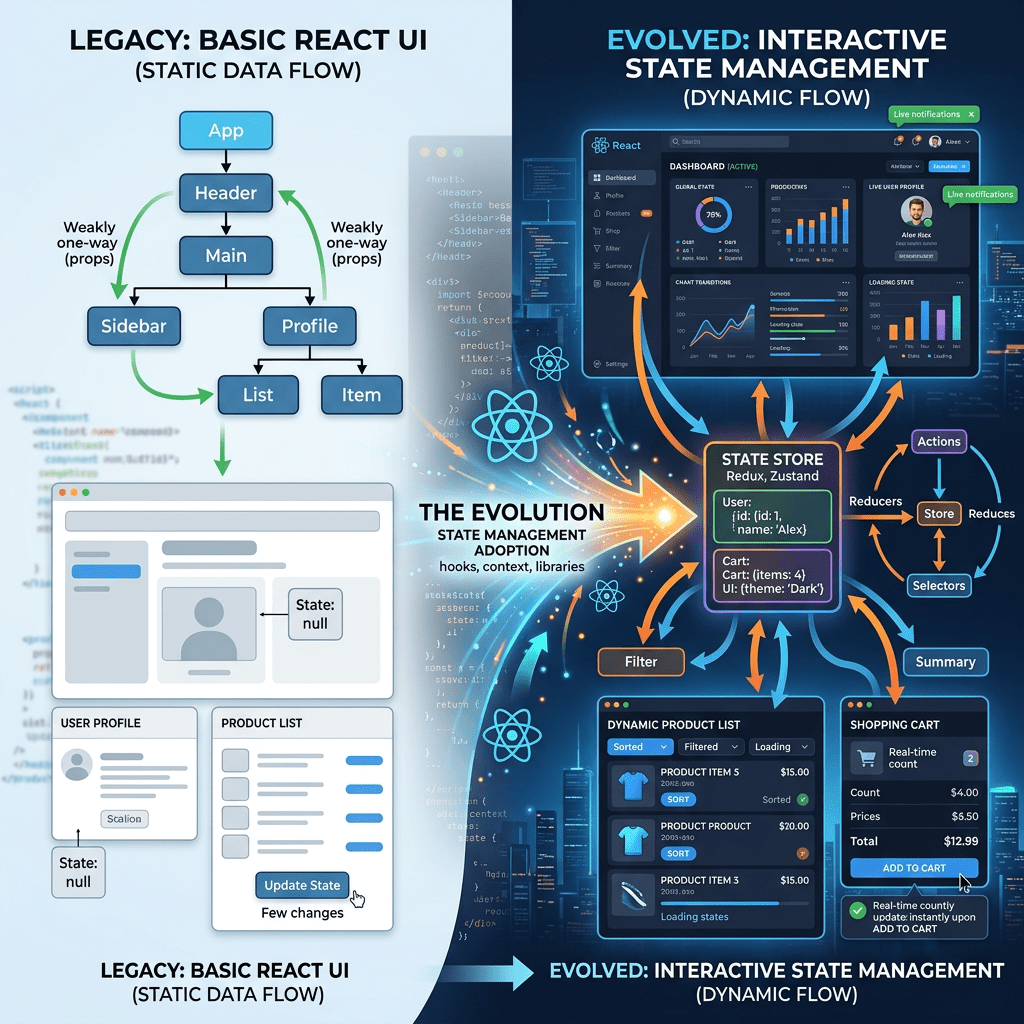
App 25 — User Registration represents one of the most important transitions in the entire React learning roadmap. Until now, most applications in Block 1 were focused on static UI composition, JSX structure, reusable components, visual hierarchy, and declarative rendering. In Block 2, the project enters a completely different stage of React development: interactivity and state management.
This application introduces a foundational concept of modern React:
The interface is a reflection of state.
That sentence may appear simple, but it fundamentally changes how frontend development works.
Before React, many developers worked imperatively:
- manually querying the DOM
- changing element values directly
- attaching events everywhere
- synchronizing HTML manually
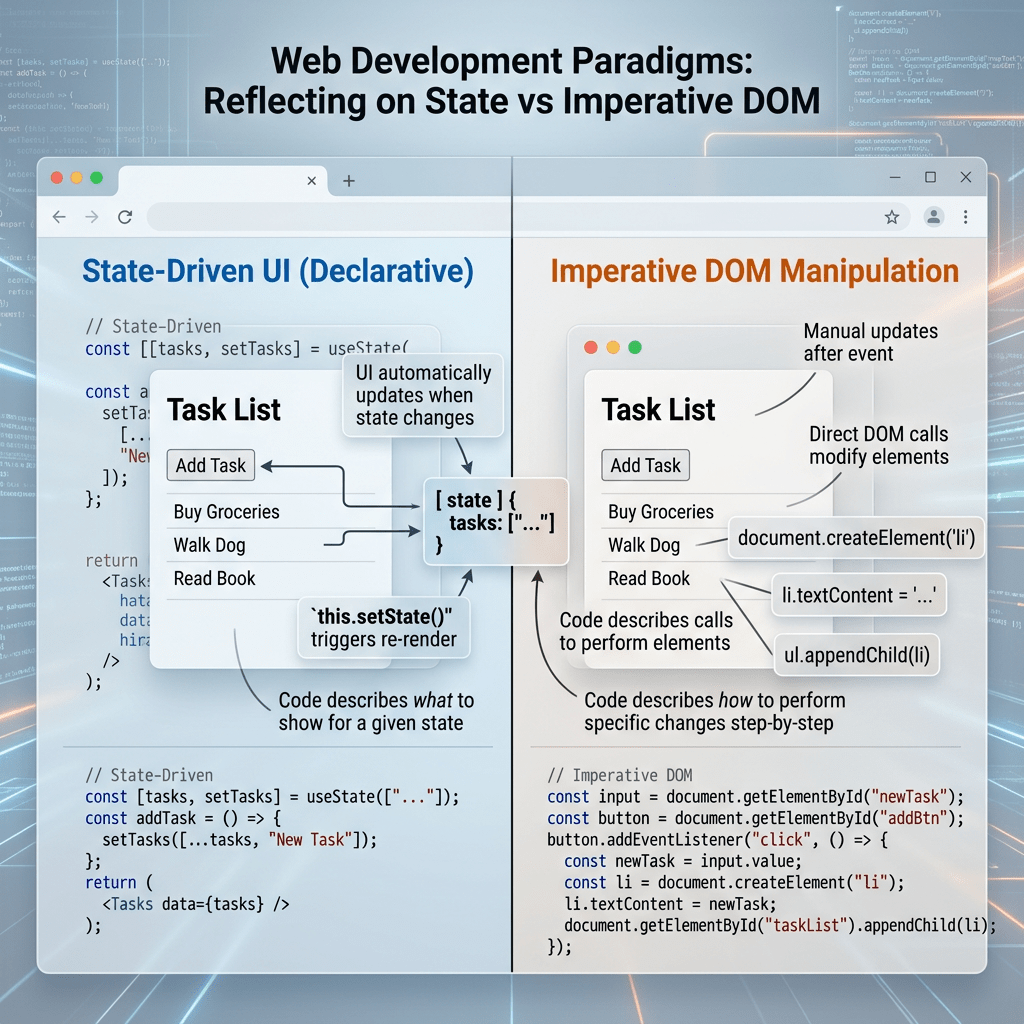
React changes this completely.
Instead of manually manipulating the interface, React applications describe:
- the current state
- how the UI should look for that state
React then updates the DOM automatically.
This application is extremely important because forms are one of the most common structures in enterprise applications:
- employee registration
- login systems
- CRM systems
- SharePoint forms
- approval systems
- onboarding portals
- ticket systems
- ERP platforms
Understanding controlled forms is essential before moving into:
- CRUD systems
- API integrations
- reducers
- Context API
- enterprise dashboards
- SPFx forms
- admin systems
The roadmap defines App 25 as:
- User Registration
- CRUD basics
- Forms
- Validation
- State structure
connected to React Learn’s:
- “Choosing the State Structure”
- “Reacting to Input with State”
1. Creating the Project
The project begins with Vite.
PowerShell
cd C:\ReactAppsmkdir bloco02cd bloco02npm create vite@latest app25-user-registration -- --template react-tscd app25-user-registrationnpm install
This command creates:
- React
- TypeScript
- Vite configuration
- development scripts
- TypeScript configs
- React entry point
The template:
react-ts
is critical because this project intentionally uses TypeScript from the beginning.
Why?
Because enterprise React applications require:
- type safety
- scalable architecture
- predictable models
- safer refactoring
- better tooling
- better IntelliSense
- improved maintainability
2. Installing Fluent UI
npm install @fluentui/react-components @fluentui/react-icons
This installs Microsoft’s enterprise design system.
Fluent UI provides:
- accessible components
- Microsoft visual standards
- keyboard accessibility
- typography system
- spacing rules
- theme system
- enterprise consistency
Without Fluent UI, every:
- button
- input
- form field
- validation layout
- spacing system
would require manual CSS implementation.
3. Creating the Folder Structure
mkdir src\componentsmkdir src\modelsmkdir src\styles
This architecture matters enormously.
Even small React applications should begin with proper organization.
4. Understanding the Architecture
The project structure becomes:
src/ components/ models/ styles/ App.tsx main.tsx
Each folder has a specific responsibility.
5. The Purpose of models/
src/models/
contains TypeScript models and interfaces.
This is extremely important in enterprise applications because the UI should not work with random unstructured objects.
Instead, applications define:
- contracts
- shapes
- models
- DTOs
This improves predictability.
6. Understanding UserRegistration.ts
export interface UserRegistration { fullName: string; email: string; role: string; password: string;}
This interface defines the structure of the form data.
This means every registration object must contain:
| Property | Type |
|---|---|
| fullName | string |
| string | |
| role | string |
| password | string |
This creates strong typing across the entire application.
7. Why Interfaces Matter
Without TypeScript interfaces, developers may accidentally create inconsistent objects.
Example problem:
{ fullName: "John", email: 123}
This would be invalid because email must be a string.
TypeScript detects this before runtime.
This becomes critical in enterprise systems where forms may contain:
- dozens of fields
- nested objects
- API payloads
- validation rules
8. The Purpose of components/
src/components/
contains reusable UI pieces.
In this app:
UserRegistrationForm.tsx
is responsible only for the registration form.
This separation is one of the most important React architectural concepts:
- each component should have one responsibility
9. Understanding useState
Inside the component:
const [formData, setFormData] = useState<UserRegistration>(initialFormData);
This is one of the most important lines in modern React.
It introduces:
- component memory
- reactive rendering
- state-driven UI
- controlled forms
10. Breaking Down the Syntax
Many developers struggle with this syntax initially.
Let’s analyze it carefully.
useState(...)
useState is a React Hook.
Hooks allow functional components to:
- store memory
- react to changes
- trigger rerenders
Without hooks, components would only display static UI.
<UserRegistration>
useState<UserRegistration>
This is a TypeScript generic.
It tells TypeScript:
This state must follow the UserRegistration interface.
So TypeScript now knows:
formData.fullName existsformData.email existsformData.role existsformData.password exists
and all are strings.
initialFormData
const initialFormData: UserRegistration = { fullName: "", email: "", role: "", password: "",};
This defines the initial state object.
At application startup:
fullName = ""email = ""role = ""password = ""
11. Understanding Array Destructuring
This syntax:
const [formData, setFormData]
uses JavaScript array destructuring.
React internally returns something like:
[ currentState, updateFunction]
We extract:
| Variable | Meaning |
|---|---|
| formData | current state |
| setFormData | function that updates state |
Conceptually:
formData = current form objectsetFormData = function that tells React: "the state changed"
12. Why State Updates Trigger Renders
React rerenders components when state changes.
This is the core React mental model:
State changes →React rerenders →UI updates automatically
You do NOT manually update the DOM.
You update state.
React handles the interface.
13. Controlled Components
This app introduces controlled inputs.
Example:
<Input value={formData.fullName} onChange={(_, data) => updateField("fullName", data.value) }/>
This is fundamentally different from traditional HTML forms.
In classic HTML:
- the DOM stores the input value
In React controlled forms:
- React state stores the input value
This means React becomes the source of truth.
14. Why Controlled Forms Matter
Controlled forms provide:
- validation
- predictable behavior
- synchronization
- derived state
- form resets
- conditional UI
- easier debugging
Enterprise applications almost always use controlled forms.
15. Understanding updateField
function updateField( field: keyof UserRegistration, value: string)
This function dynamically updates any field.
16. Understanding keyof
keyof UserRegistration
means:
Only valid property names from UserRegistration are allowed.
So valid values are:
"fullName""email""role""password"
This creates type-safe dynamic updates.
17. The State Update Logic
setFormData({ ...formData, [field]: value,});
This is one of the most important React patterns.
18. Why We Use Spread Operator
...formData
copies the existing object.
Why?
Because React state should be treated as immutable.
We do NOT mutate state directly.
Bad:
formData.email = "new@email.com"
Correct:
setFormData({ ...formData, email: "new@email.com"});
React expects a NEW object reference.
19. Dynamic Property Update
[field]: value
means:
Update whichever property was passed.
If:
field = "email"
then React creates:
{ ...formData, email: value}
This avoids writing four separate update functions.
20. Derived Validation State
The app calculates validation dynamically.
Example:
const isEmailValid = formData.email.includes("@");
This is derived state.
React Learn strongly recommends:
- derive values when possible
- avoid duplicated state
We do NOT store:
emailValid: true
inside state.
Instead, we compute it from current data.
21. Why Derived State Is Better
Derived state avoids synchronization bugs.
Bad architecture:
email changesbut validation state forgotten
Derived values always remain synchronized because they are recalculated during rendering.
22. Form Validation Flow
The app validates:
| Validation | Rule |
|---|---|
| Full Name | at least 3 chars |
| must contain @ | |
| Role | at least 2 chars |
| Password | minimum 6 chars |
23. Combined Form Validation
const isFormValid = isFullNameValid && isEmailValid && isRoleValid && isPasswordValid;
This combines all validations into one boolean.
This value controls:
- submit button
- error handling
- UI feedback
24. Why the Button Uses disabled
<Button disabled={!isFormValid}>
This is declarative UI.
We are not manually enabling/disabling the button.
Instead we describe:
If form is invalid,button should be disabled.
React updates the interface automatically.
25. Understanding Conditional Rendering
{message && ( <MessageBar>
This means:
If message exists,render the MessageBar.
This is conditional rendering.
React frequently uses:
&&- ternary operators
- conditionals
to dynamically show UI.
26. The Role of MessageBar
Fluent UI provides enterprise feedback components.
MessageBar is commonly used for:
- validation messages
- warnings
- success messages
- system notifications
This keeps the UI aligned with Microsoft design standards.
27. Why No useEffect Exists Here
This is extremely important.
There is intentionally:
- no
useEffect
Why?
Because React Learn explains:
Effects synchronize with external systems.
This form only handles:
- internal UI state
No external synchronization exists.
So effects are unnecessary.
This avoids one of the biggest beginner mistakes:
using effects for normal rendering logic.
28. Understanding main.tsx
ReactDOM.createRoot( document.getElementById("root")!)
This connects React to:
<div id="root"></div>
inside index.html.
The flow becomes:
Browser loads index.html →main.tsx starts React →App.tsx renders →UserRegistrationForm renders →Inputs reflect state
29. The React Mental Model
This app teaches the real React mental model:
State →UI
NOT:
DOM manipulation →manual synchronization
React applications describe:
- what the UI should look like
- for the current state
React handles DOM updates automatically.
30. Why This App Is Foundational
This application prepares you for:
- CRUD systems
- API payloads
- forms
- dashboards
- filters
- reducers
- Context API
- enterprise systems
- SPFx forms
- admin portals
Without mastering controlled forms, advanced React becomes very difficult.
31. Production Validation
Run Development Server
npm run dev
Validate Production Build
npm run build
This validates:
- TypeScript
- imports
- JSX
- production compilation
Preview Production Build
npm run preview
32. Technical Summary
| Concept | Explanation |
|---|---|
useState | React component memory |
| Controlled Inputs | React controls form values |
| TypeScript Interface | Defines data structure |
| Derived State | Validation calculated dynamically |
| Immutable Updates | Create new objects instead of mutating |
| Spread Operator | Copies existing object |
| Conditional Rendering | Render UI based on conditions |
| Fluent UI | Microsoft enterprise components |
disabled prop | Declarative UI behavior |
| Validation Logic | Derived from current state |
MessageBar | Enterprise feedback component |
33. Official Documentation
React
- React Learn
- State: A Component’s Memory
- Reacting to Input with State
- Choosing the State Structure
- Updating Objects in State
Fluent UI
Vite
TypeScript
Current Project Progress
| Block | App | Name | Status |
|---|---|---|---|
| Block 1 | 01 | Hello React Fluent | Completed |
| Block 1 | 02 | Profile Card | Completed |
| Block 1 | 03 | Product List | Completed |
| Block 1 | 04 | Microsoft Style User Card | Completed |
| Block 1 | 05 | Static Dashboard | Completed |
| Block 1 | 06 | Corporate Sidebar Menu | Completed |
| Block 1 | 07 | Visual Task List | Completed |
| Block 2 | 21 | Modern Counter | Completed |
| Block 2 | 22 | Toggle Theme | Completed |
| Block 2 | 23 | React Calculator | Completed |
| Block 2 | 24 | Login Form | Completed |
| Block 2 | 25 | User Registration | Current |


