
Technical Blog Article — App 36: Installment Payment Simulator with React, TypeScript, Vite, and Fluent UI
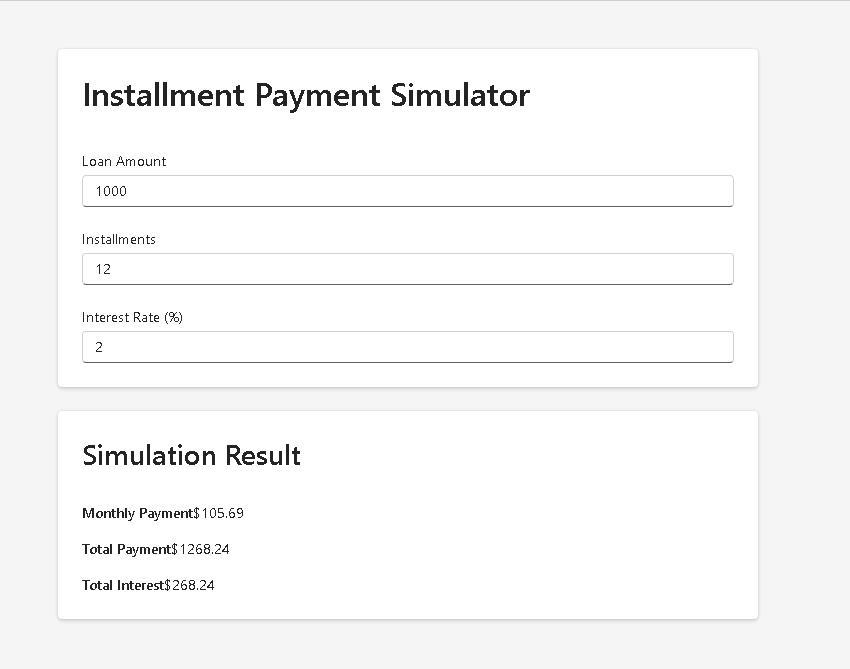
The thirty-sixth application in the React + Fluent UI roadmap is one of the most important applications in the entire “Managing State” learning phase because it introduces a very realistic business scenario: financial installment simulation.
This app is called:
Installment Payment Simulator
and its purpose is to simulate:
- financing systems
- e-commerce installment calculations
- banking simulations
- ERP financial modules
- payment projections
- loan calculations
From a React perspective, this app is extremely valuable because it reinforces one of the most important mental models in modern React:
Derived values should not become state.
This idea comes directly from the official React Learn documentation:
In this app, the user types:
- loan amount
- installment quantity
- interest rate
React then recalculates:
- total payment
- monthly payment
- total interest
automatically during rendering.
This app demonstrates the true React philosophy:
UI is a function of state.
When state changes:
- React re-renders
- calculations run again
- the interface updates automatically
without manually manipulating the DOM.
Project Goal
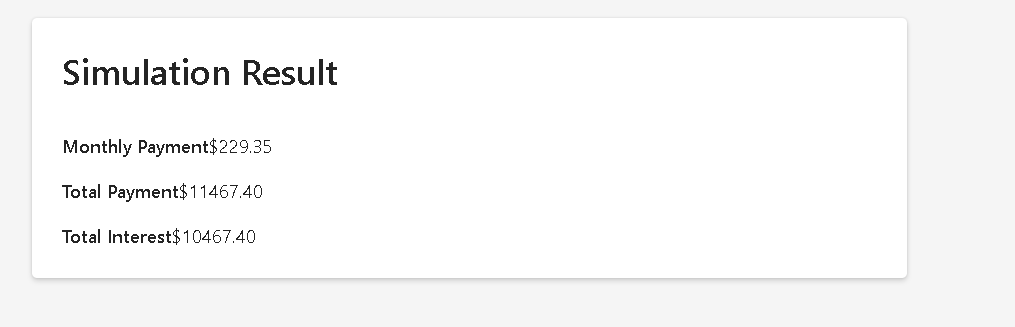
The main goal of this application is to understand:
- controlled forms
- numeric state
- derived calculations
- component composition
- React rendering flow
- financial formulas
- enterprise UI architecture
This app also prepares the foundation for future enterprise systems involving:
- invoices
- budgets
- payment systems
- shopping carts
- financial dashboards
- ERP modules
According to the roadmap, App 36 belongs to:
Block 2 — Interactivity and State
where the focus is:
- useState
- forms
- events
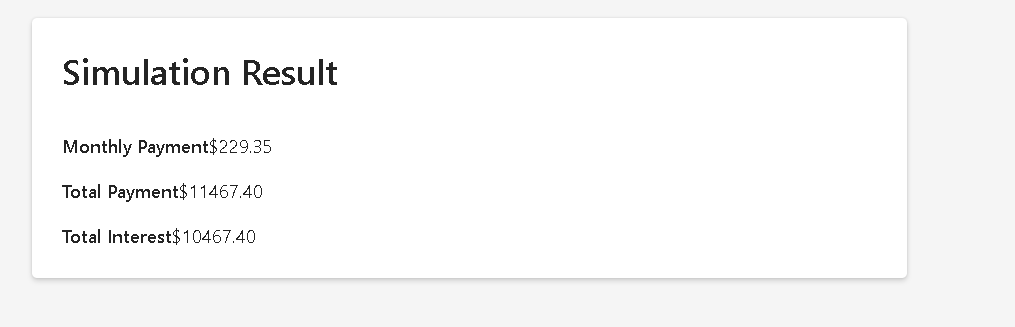
- derived state
- controlled inputs
- state structure
- business calculations
Creating the Project
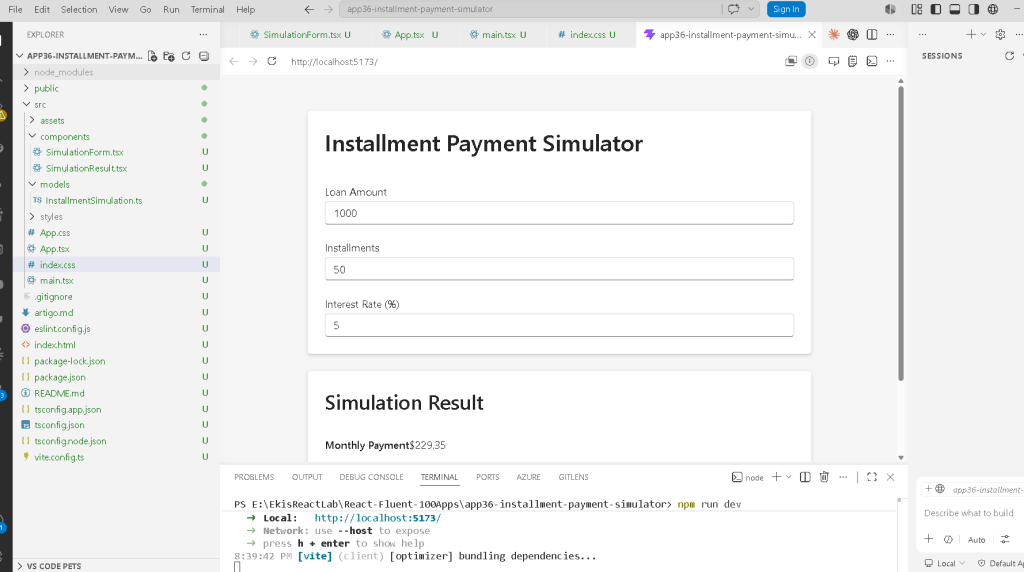
Create the application
mkdir bloco02cd bloco02npm create vite@latest app36-installment-payment-simulator -- --template react-tscd app36-installment-payment-simulator
This command creates:
- a React project
- TypeScript configuration
- Vite configuration
- package.json
- React entry files
- development environment
Install dependencies
npm installnpm install @fluentui/react-components @fluentui/react-icons
The project uses:
- React
- TypeScript
- Vite
- Fluent UI
Fluent UI is the official Microsoft enterprise design system.
It provides:
- accessible controls
- typography
- spacing
- enterprise layouts
- consistent UI behavior
Official documentation:
Create folders
mkdir src\componentsmkdir src\modelsmkdir src\styles
Create files
New-Item artigo.md -ItemType FileNew-Item src\models\InstallmentSimulation.ts -ItemType FileNew-Item src\components\SimulationForm.tsx -ItemType FileNew-Item src\components\SimulationResult.tsx -ItemType File
The structure becomes:
src/ components/ SimulationForm.tsx SimulationResult.tsx models/ InstallmentSimulation.ts styles/ App.tsx main.tsx index.css
This architecture follows the project standard established throughout the 100 apps roadmap.
Understanding the Model Layer
File:
src/models/InstallmentSimulation.ts
export interface InstallmentSimulation { amount: number; installments: number; interestRate: number;}
This interface defines the structure of the simulation object.
This is important because TypeScript ensures:
- type safety
- autocomplete
- maintainability
- safer refactoring
The interface guarantees that every simulation object contains:
| Property | Type |
|---|---|
| amount | number |
| installments | number |
| interestRate | number |
This is enterprise architecture thinking.
Instead of random untyped objects, we define explicit data contracts.
Understanding useState
Inside App.tsx:
const [simulation, setSimulation] = useState<InstallmentSimulation>({ amount: 1000, installments: 12, interestRate: 2, });
This is one of the most important lines in the app.
Let’s break it down carefully.
What useState Returns
useState() returns:
[stateValue, stateSetter]
So here:
simulation
contains the current data.
And:
setSimulation
updates the state.
Why This State Structure Is Important
The entire form state is grouped into one object:
{ amount, installments, interestRate}
This is usually better than creating many separate states like:
const [amount, setAmount]const [installments, setInstallments]const [interestRate, setInterestRate]
because these values belong to the same logical entity:
a financial simulation
This follows:
Controlled Inputs
The form inputs are controlled by React.
Example:
<Input type="number" value={simulation.amount.toString()} onChange={(_, data) => updateField( "amount", Number(data.value) ) }/>
This means:
React controls the input value.
The browser is not managing the value independently.
Instead:
- state stores the value
- React renders the value
- typing triggers state updates
- React re-renders again
This cycle is one of the foundations of React.
Understanding updateField
The helper function:
function updateField( field: keyof InstallmentSimulation, value: number)
is extremely important.
The type:
keyof InstallmentSimulation
means:
Only keys from InstallmentSimulation are allowed.
So:
"amount"is valid"installments"is valid"interestRate"is valid
But:
"banana"would generate a TypeScript error
This creates safer code.
Understanding the Spread Operator
Inside updateField:
{ ...simulation, [field]: value,}
This is one of the most important JavaScript/React patterns.
The spread operator:
...simulation
copies the existing object.
Then:
[field]: value
updates only one property dynamically.
Without the spread operator, we would accidentally lose the other fields.
Example of incorrect code:
setSimulation({ amount: 5000})
This would erase:
- installments
- interestRate
So React state updates must preserve the remaining object properties.
Derived State
This app is mainly about derived state.
These values:
monthlyPaymenttotalPaymenttotalInterest
are NOT stored in state.
Instead, they are recalculated during rendering.
Why This Matters
Many beginners incorrectly do this:
const [monthlyPayment, setMonthlyPayment]
This is usually a mistake.
Why?
Because:
monthlyPayment depends entirely on existing state.
It can always be recalculated.
React Learn strongly recommends avoiding redundant state.
Official React guidance:
The Financial Formula
The application uses compound interest:
genui{“math_block_widget_always_prefetch_v2”:{“content”:”M = P(1+i)^n”}}
Where:
| Symbol | Meaning |
|---|---|
| M | Total payment |
| P | Principal |
| i | Interest rate |
| n | Installments |
Inside React:
const totalPayment = simulation.amount * Math.pow( 1 + monthlyInterest, simulation.installments );
This calculation runs every render.
React Rendering Flow
The rendering cycle becomes:
User types →onChange executes →setSimulation runs →React updates state →React re-renders →calculations run again →UI updates
This is the essence of React.
Understanding SimulationForm
This component is responsible only for:
- form rendering
- input handling
It does NOT calculate financial values.
This is good architecture because:
- components should have focused responsibilities
- logic becomes easier to maintain
- code becomes reusable
The component receives:
simulationonSimulationChange
through props.
Understanding Props
Props are simply inputs for components.
The parent component (App.tsx) passes data into child components.
This relationship is:
App →SimulationForm →SimulationResult
This is called:
- top-down data flow
- unidirectional data flow
One of the most important React concepts.
Understanding SimulationResult
This component only displays calculated values.
It receives:
monthlyPaymenttotalPaymenttotalInterest
and renders them.
This separation is important because:
- calculation logic stays in App
- UI stays inside Result component
- architecture remains clean
Why We Use toFixed(2)
Example:
monthlyPayment.toFixed(2)
Financial systems typically require:
- 2 decimal places
- currency formatting
Without this:
- JavaScript may show many decimal digits
Example:
123.456789
With toFixed(2):
123.46
Why No useEffect Exists Here
This is extremely important.
The app intentionally avoids:
useEffect()
because:
- there are no external systems
- no APIs
- no timers
- no subscriptions
Everything is internal rendering logic.
According to React Learn:
Effects should synchronize with external systems.
This app is a perfect example of:
- calculations during render
- derived state
- pure rendering logic
Why This App Is Architecturally Important
This app introduces:
- enterprise financial calculations
- form architecture
- controlled inputs
- numeric state
- object state
- derived rendering
- clean component composition
These patterns are heavily used in:
- ERP systems
- banking portals
- invoicing platforms
- finance dashboards
- payment gateways
- checkout systems
Understanding the React Mental Model
This app reinforces the most important React idea:
React does not manually update the screen.
Instead:
React recalculates the UI from state.
This is the true React philosophy.
Production Validation
Run:
npm run build
This validates:
- TypeScript
- JSX
- imports
- production compilation
This is extremely important in professional React development.
Technical Summary
| Concept | Purpose |
|---|---|
useState | Store form state |
| Controlled Inputs | React controls input values |
| Derived State | Calculated values during render |
| Spread Operator | Preserve object properties |
keyof | Strongly typed field names |
| Props | Parent-child communication |
| Component Composition | App → Form → Result |
| Fluent UI | Enterprise visual system |
Math.pow() | Compound interest |
toFixed(2) | Currency formatting |
Official Documentation
React
- React Learn
- State as a Component Memory
- Reacting to Input with State
- Choosing the State Structure
- You Might Not Need an Effect
Fluent UI
TypeScript
Vite
Current Project Progress
| Block | App | Name | Status |
|---|---|---|---|
| Block 1 | 01 | Hello React Fluent | Completed |
| Block 1 | 02 | Profile Card | Completed |
| Block 1 | 03 | Product List | Completed |
| Block 1 | 04 | Microsoft Style User Card | Completed |
| Block 1 | 05 | Static Dashboard | Completed |
| Block 1 | 06 | Corporate Sidebar Menu | Completed |
| Block 1 | 07 | Visual Task List | Completed |
| Block 2 | 21 | Modern Counter | Completed |
| Block 2 | 22 | Toggle Theme | Completed |
| Block 2 | 23 | React Calculator | Completed |
| Block 2 | 24 | Login Form | Completed |
| Block 2 | 25 | User Registration | Completed |
| Block 2 | 26 | ToDo List | Completed |
| Block 2 | 27 | Shopping List | Completed |
| Block 2 | 28 | Product Filter | Completed |
| Block 2 | 29 | Employee Search | Completed |
| Block 2 | 30 | Shopping Cart | Completed |
| Block 2 | 31 | Grade Simulator | Completed |
| Block 2 | 32 | Inventory Control | Completed |
| Block 2 | 33 | Contact Agenda | Completed |
| Block 2 | 34 | Currency Converter | Completed |
| Block 2 | 35 | BMI Calculator | Completed |
| Block 2 | 36 | Installment Payment Simulator | Current |


