As React applications grow, components often need access to the same information. Passing data through multiple component levels using props can quickly become difficult to maintain. This problem is commonly known as prop drilling.
App 71 — Favorites System with React Context API, TypeScript, Fluent UI, and Vite
Introduction
As React applications grow, components often need access to the same information. Passing data through multiple component levels using props can quickly become difficult to maintain. This problem is commonly known as prop drilling.
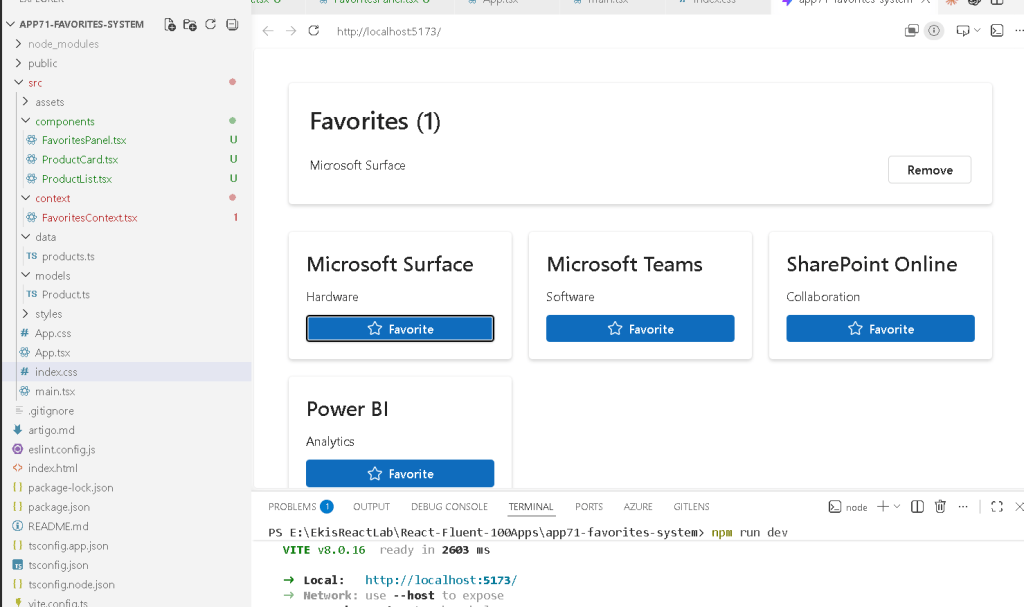
React provides a built-in solution called Context API, which allows data to be shared globally across a component tree without manually passing props through every intermediate component.
In App 71 — Favorites System, we build a complete favorites management feature using React Context API, TypeScript, Fluent UI, and Vite. Users can mark products as favorites, remove favorites, and instantly see updates reflected across the application.
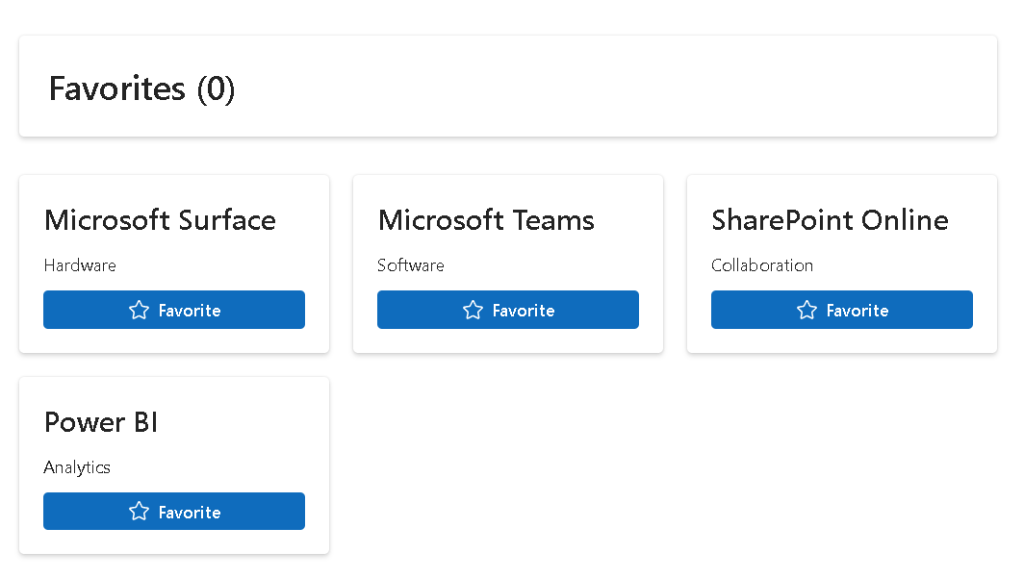
This project continues the architecture concepts introduced in App 70 and demonstrates one of the most important enterprise React patterns: centralized shared state.
The application follows the official React philosophy:
- UI is derived from state
- Components remain reusable
- State is centralized when appropriate
- Context distributes data efficiently
- Rendering remains declarative
Official React documentation recommends Context when multiple components need access to the same data across the application hierarchy.
Project Objectives
The main goals of this application are:
- Learn React Context API
- Build a global state provider
- Create reusable custom hooks
- Share data between unrelated components
- Implement a Favorites feature
- Use Fluent UI enterprise components
- Practice immutable state updates
- Understand centralized state architecture
By the end of this project you will understand how enterprise React applications manage shared information without excessive prop passing.
Why Context API Matters
Imagine a large application:
App ├── Header ├── Sidebar ├── Dashboard │ ├── Product List │ ├── Product Details │ └── Analytics └── Footer
If favorites are needed in:
- Product List
- Product Details
- Header Counter
- Sidebar Summary
Passing props through every layer becomes cumbersome.
Instead:
FavoritesProvider │ ▼ Shared Global State │ ┌──────┼──────┐ ▼ ▼ ▼Header Product Sidebar
Every component can directly access the favorites data.
This is exactly what Context API was designed for.
Understanding the Architecture
This application uses the following architecture:
src/│├── components/│ ├── ProductCard.tsx│ ├── ProductList.tsx│ └── FavoritesPanel.tsx│├── context/│ └── FavoritesContext.tsx│├── data/│ └── products.ts│├── models/│ └── Product.ts│├── App.tsx├── main.tsx└── index.css
Each layer has a single responsibility.
The Product Model
The Product interface defines the structure of every product:
export interface Product { id: number; name: string; category: string;}
Benefits:
- Type safety
- Better IntelliSense
- Compile-time validation
- Easier maintenance
Strong typing becomes increasingly important as applications grow.
Static Product Data
The application uses mock data:
export const products: Product[] = [...]
In future applications this data could come from:
- REST APIs
- GraphQL
- Azure Functions
- SharePoint Lists
- SQL databases
For learning purposes, static data keeps the focus on Context architecture.
Building the Favorites Context
The heart of the application is:
createContext<FavoritesContextType | null>(null);
The Context acts as a global container.
It stores:
- favorites
- addFavorite()
- removeFavorite()
Every component inside the provider can access this information.
Creating the Provider
The provider wraps the application:
<FavoritesProvider> <App /></FavoritesProvider>
Think of the provider as a global storage area.
Every child component gains access to:
favoritesaddFavorite()removeFavorite()
without prop drilling.
Understanding React State
The favorites collection is stored using:
const [favorites, setFavorites] = useState<Product[]>([]);
This state becomes the single source of truth.
Important React principle:
One source of truth
Instead of storing favorites in multiple places, everything comes from one centralized state object.
Adding Favorites
The addFavorite function:
function addFavorite(product: Product)
prevents duplicate entries:
const exists = favorites.some( item => item.id === product.id );
If the product already exists, React does not add it again.
This demonstrates business rule enforcement inside state logic.
Removing Favorites
The remove function uses immutable updates:
setFavorites( favorites.filter( item => item.id !== id ));
React strongly encourages immutable state updates.
Why?
Because immutable updates:
- simplify debugging
- improve predictability
- work naturally with React rendering
Custom Hook Pattern
Instead of repeatedly writing:
useContext(FavoritesContext)
the application exposes:
useFavorites()
This is a custom hook.
Benefits:
- cleaner code
- centralized logic
- easier refactoring
- reusable abstraction
This pattern is heavily used in enterprise React projects.
ProductCard Component
Each product is displayed inside a Fluent UI Card.
Responsibilities:
- display product information
- provide favorite action
- communicate with Context
The component does not own favorites state.
Instead:
User clicks button ↓Context updates ↓React re-renders ↓All consumers update automatically
This separation improves maintainability.
ProductList Component
ProductList demonstrates declarative rendering:
products.map(...)
React converts data into UI.
Instead of manually creating cards:
Create cardAppend cardCreate cardAppend card
we simply describe:
Render one card for each product
React handles the DOM updates.
FavoritesPanel Component
The FavoritesPanel consumes Context.
It displays:
- favorite items
- favorite count
- remove actions
The counter:
favorites.length
is derived state.
React best practice:
Do not store values that can be calculated.
Instead of:
const [count, setCount]
calculate:
favorites.length
This eliminates synchronization problems.
Fluent UI Integration
The application uses Fluent UI for enterprise styling.
Main components:
- Card
- Button
- Text
- Title
Advantages:
- Accessibility
- Consistent spacing
- Microsoft design language
- Keyboard navigation
- Enterprise appearance
This aligns the project with Microsoft ecosystem development standards.
Why This Is Enterprise Architecture
Many real-world systems require shared state:
Examples:
- Shopping cart
- Notifications
- Authentication
- User profile
- Theme settings
- Favorites
- Language settings
Context API provides a lightweight solution before moving into more advanced state libraries.
React Mental Model
The most important lesson:
Favorites are state.UI derives from state.React renders the result.
The developer never manipulates the DOM directly.
Instead:
State changes ↓React re-renders ↓UI updates automatically
This is the essence of React.
Technical Summary
| Concept | Purpose |
|---|---|
| Context API | Global state sharing |
| Provider Pattern | Distributes shared state |
| useContext | Access shared data |
| Custom Hook | Simplifies Context access |
| useState | Stores favorites |
| Fluent UI | Enterprise UI |
| Immutable Updates | Safe state changes |
| Derived State | Favorites count |
| TypeScript | Type safety |
| Component Composition | Reusable architecture |
Official Documentation
React
- https://react.dev/learn
- https://react.dev/learn/passing-data-deeply-with-context
- https://react.dev/learn/sharing-state-between-components
- https://react.dev/learn/managing-state
Fluent UI
Vite
TypeScript
Final Thoughts
App 71 introduces one of the most important architectural concepts in React: shared state through Context.
While the Favorites feature appears simple, the underlying architecture is used in many enterprise applications.
Mastering Context API prepares you for:
- Authentication systems
- Global notifications
- User preferences
- Theme management
- Enterprise dashboards
- SharePoint-style applications
- Complex React architectures
The key takeaway is:
Shared data→ Context API→ React rendering→ Consistent UI
This pattern becomes a foundation for scalable React development.
Create the article file
New-Item artigo.md -ItemType File
Current Progress
| Block | App | Name | Status |
|---|---|---|---|
| Block 4 | 68 | Data Cache | Completed |
| Block 4 | 69 | Custom Fetch Hook | Completed |
| Block 4 | 70 | Global Context Control | Completed |
| Block 4 | 71 | Favorites System | Current |
| Block 4 | 72 | API DataGrid | Next |
| Block 4 | 73 | Analytics Dashboard | Upcoming |
| Block 4 | 74 | Cryptocurrency Monitor | Upcoming |
| Block 4 | 75 | Repository Explorer | Upcoming |
Current App: 71 — Favorites System
Next App: 72 — API DataGrid


