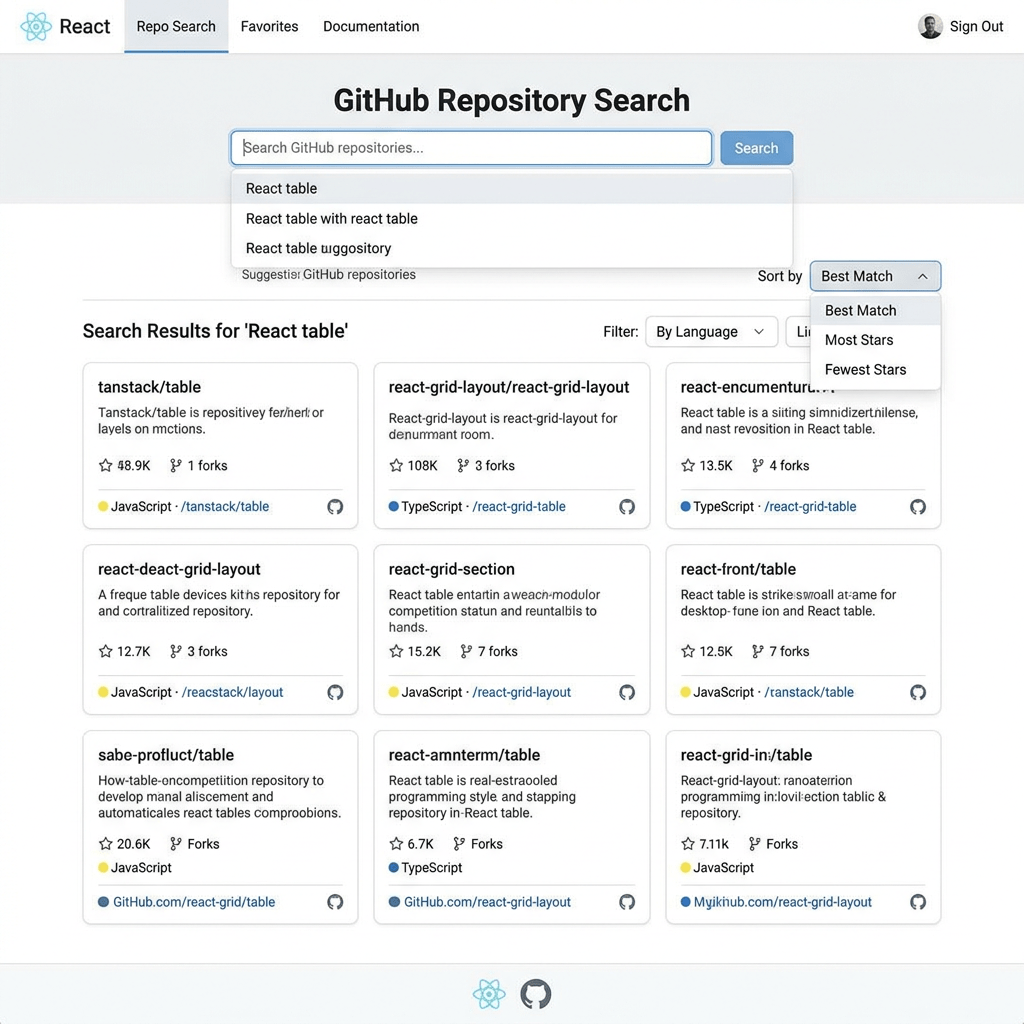
App 75 — Repository Explorer with React, TypeScript, Fluent UI, and GitHub API
Introduction
Modern software development is heavily driven by open-source collaboration. Platforms such as GitHub host millions of repositories containing frameworks, libraries, applications, documentation, and learning resources. Developers spend a significant amount of time searching repositories, evaluating projects, analyzing popularity metrics, and discovering technologies.
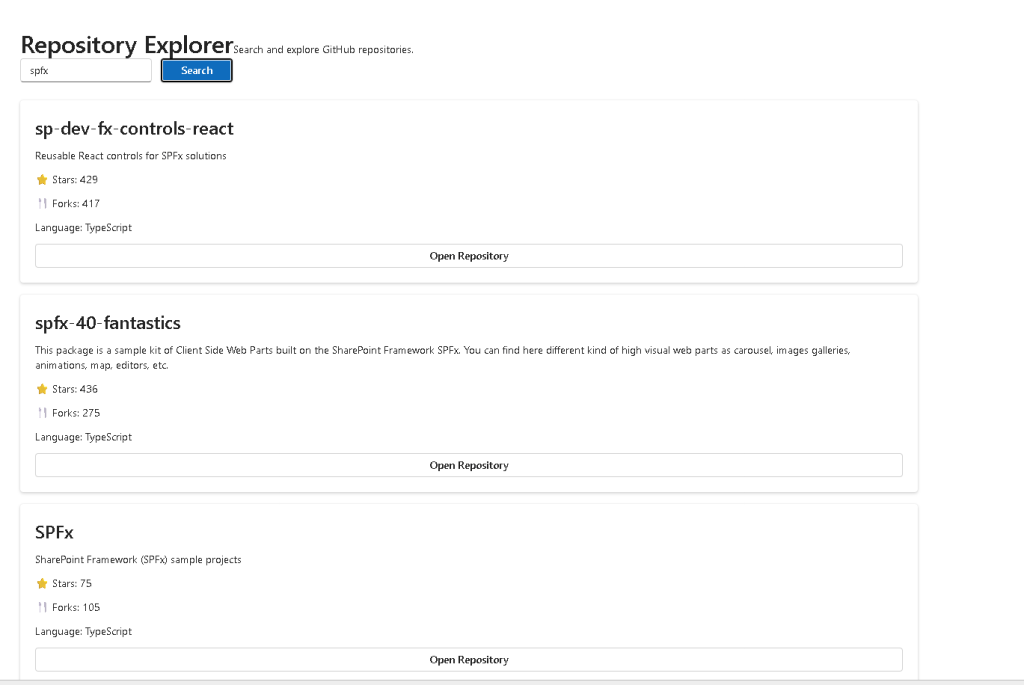
In App 75 — Repository Explorer, we build a professional React application capable of searching GitHub repositories through the GitHub Search API and presenting the results using Fluent UI enterprise components.
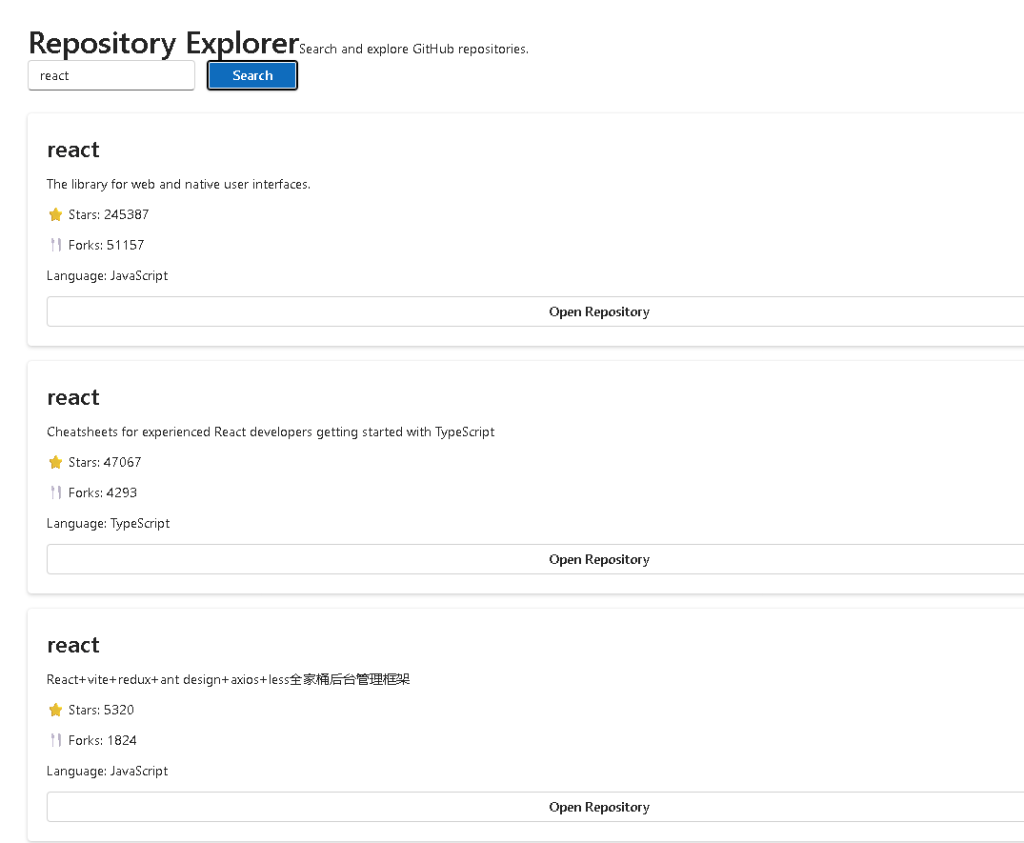
This application belongs to Block 4 — Effects and Architecture, where the focus shifts from simple UI rendering into real-world applications that consume APIs, manage asynchronous operations, separate responsibilities through service layers, and organize code using scalable architectural patterns.
The application introduces several important concepts:
- REST API consumption
- Service layer architecture
- TypeScript models
- Search-driven interfaces
- Async/Await
- State management
- Component composition
- Enterprise UI design
- Fluent UI integration
Most importantly, this app reinforces the React principle that the user interface should be derived from data and state rather than manually manipulated.
Why Repository Explorer Matters
Many modern enterprise applications follow a similar pattern:
- User enters a search term
- Application calls an API
- Data is retrieved asynchronously
- State is updated
- React re-renders the interface
Repository Explorer demonstrates this complete cycle using GitHub as the data source.
The same architecture can later be reused for:
- SharePoint document searches
- Microsoft Graph integrations
- CRM systems
- Employee directories
- Product catalogs
- Ticket systems
- Dashboard applications
Application Architecture
The project follows a layered architecture:
User Interface ↓React Components ↓State Management ↓Service Layer ↓GitHub REST API
Each layer has a clear responsibility.
The UI displays information.
Components manage rendering.
State stores application data.
Services communicate with external systems.
The GitHub API provides repository information.
This separation improves maintainability and scalability.
The Repository Model
The Repository interface defines the structure of the data received from GitHub.
export interface Repository { id: number; name: string; full_name: string; description: string; html_url: string; stargazers_count: number; forks_count: number; language: string;}
Using TypeScript models provides:
- Strong typing
- Autocomplete
- Safer refactoring
- Better documentation
- Reduced runtime errors
Without interfaces, the application would rely on assumptions about the API response.
With TypeScript, the expected structure becomes explicit.
Service Layer Architecture
One of the most important concepts introduced in this application is the Service Layer.
Instead of calling fetch directly inside components, API logic is isolated.
export async function searchRepositories( query: string) { const response = await fetch( `https://api.github.com/search/repositories?q=${query}` ); const data = await response.json(); return data.items;}
This separation offers several benefits:
- Reusability
- Testability
- Cleaner components
- Easier maintenance
- Better scalability
If GitHub changes its API later, modifications are isolated to the service layer.
Understanding React State
The application uses two state variables:
const [query, setQuery] = useState("react");const [repositories, setRepositories] = useState<Repository[]>([]);
The first stores the search text.
The second stores repository results.
State acts as React’s memory system.
Whenever state changes, React automatically re-renders the affected parts of the interface.
This is one of the most important React concepts:
State changes→ React re-renders→ UI updates
No manual DOM manipulation is required.
Search Flow
The complete search process follows this sequence:
User types query ↓State updates ↓User clicks Search ↓GitHub API request ↓Data returned ↓State updated ↓React re-renders ↓Results displayed
This pattern appears repeatedly in enterprise applications.
Understanding it now is essential for future projects.
Async/Await
Repository Explorer uses asynchronous programming.
const result = await searchRepositories(query);
The keyword await pauses execution until the API response arrives.
Without async programming:
- UI would freeze
- Applications would become unresponsive
- User experience would suffer
Async/Await makes asynchronous code easier to read and maintain than traditional Promise chains.
Component Composition
The application is divided into specialized components.
App│├── RepositorySearch│├── RepositoryList│└── RepositoryCard
Each component has one responsibility.
RepositorySearch:
- Receives user input
RepositoryList:
- Displays collections
RepositoryCard:
- Displays repository details
This follows React’s composition philosophy.
Small focused components are easier to understand and reuse.
Fluent UI Integration
Repository Explorer uses Fluent UI as its visual layer.
Main components:
- Card
- Button
- Text
- Title
- Input
Benefits include:
- Microsoft styling
- Accessibility
- Keyboard navigation
- Consistent spacing
- Enterprise appearance
Instead of manually implementing design behavior, Fluent UI provides production-ready components.
Repository Cards
Each repository is displayed using a Fluent UI Card.
The card shows:
- Repository name
- Description
- Stars
- Forks
- Programming language
- Repository link
Cards are widely used in enterprise systems because they:
- Organize information
- Improve readability
- Enhance responsiveness
- Support modular layouts
This same pattern appears in dashboards and portals.
Rendering Lists
Repository results are displayed using:
repositories.map(repo => ( <RepositoryCard key={repo.id} repository={repo} />))
This is a fundamental React pattern.
React takes data and transforms it into UI.
Instead of creating HTML elements manually, we describe the desired result.
React handles rendering automatically.
Why Keys Matter
Each repository card uses:
key={repo.id}
Keys allow React to identify list items efficiently.
Benefits:
- Faster updates
- Better performance
- Stable rendering
- Reduced DOM operations
Every dynamic list should have unique keys.
Why This App Does Not Need useEffect
The search occurs only when the user clicks a button.
Because the operation is event-driven, it can be executed directly from the click handler.
This follows React guidance:
Use Effects only when synchronizing with external systems automatically.
Since the user explicitly starts the search, no Effect is required.
This demonstrates an important React principle:
Not every async operation needs useEffect.
Enterprise Patterns Introduced
Repository Explorer introduces several professional patterns:
| Pattern | Purpose |
|---|---|
| Service Layer | API abstraction |
| Models | Typed data |
| Component Composition | Separation of concerns |
| Async Operations | API communication |
| Fluent UI | Enterprise design |
| State Management | UI memory |
| Search Interface | User-driven workflows |
These patterns will reappear throughout the remaining ReactLab applications.
Technical Summary
| Technology | Purpose |
|---|---|
| React | Declarative UI |
| TypeScript | Static typing |
| Fluent UI | Microsoft design system |
| GitHub API | External data source |
| Vite | Development tooling |
| Async/Await | Asynchronous operations |
| Service Layer | API abstraction |
| State | Component memory |
| Components | UI composition |
| JSX | Declarative rendering |
What We Learned
After completing App 75, the developer understands:
- How APIs integrate with React
- How to organize service layers
- How TypeScript models improve reliability
- How state drives rendering
- How Fluent UI accelerates enterprise UI development
- How async operations fit into React architecture
- How component composition scales applications
Repository Explorer represents another important step toward enterprise React development.
The concepts introduced here will directly support future applications involving reporting systems, monitoring dashboards, analytics platforms, enterprise portals, and large-scale React architectures.
Official Documentation
- React Learn
- Synchronizing with Effects
- GitHub REST API Documentation
- Fluent UI React Components
- Vite Guide
- TypeScript Documentation
Current Progress
| Block | App | Name | Status |
|---|---|---|---|
| Block 4 | 61 | REST API Consumer | Completed |
| Block 4 | 62 | API Dashboard | Completed |
| Block 4 | 63 | Async Search | Completed |
| Block 4 | 64 | GitHub User Explorer | Completed |
| Block 4 | 65 | Weather App | Completed |
| Block 4 | 66 | Pagination System | Completed |
| Block 4 | 67 | Infinite Scroll | Completed |
| Block 4 | 68 | Data Cache | Completed |
| Block 4 | 69 | Custom Fetch Hook | Completed |
| Block 4 | 70 | Context API Control | Completed |
| Block 4 | 71 | Favorites System | Completed |
| Block 4 | 72 | DataGrid with API | Completed |
| Block 4 | 73 | Analytics Dashboard | Completed |
| Block 4 | 74 | Crypto Monitor | Completed |
| Block 4 | 75 | Repository Explorer | Current |
| Block 4 | 76 | Log Panel | Next |
Current App: 75 — Repository Explorer
Next App: 76 — Log Panel
Current Block: Block 4 — Effects and Architecture (Apps 61–80)


