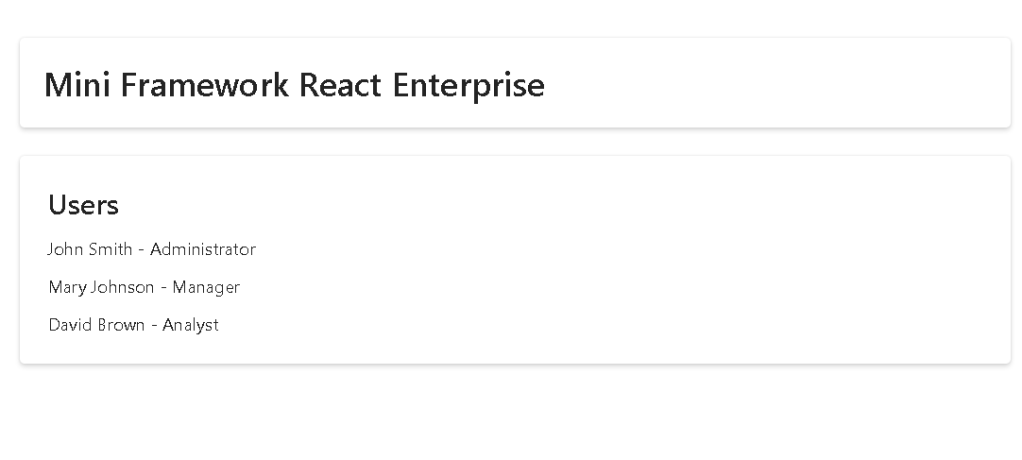
App 80 — Mini Framework React Enterprise
Building an Enterprise React Foundation with React, TypeScript, Fluent UI, Context API, Custom Hooks, and Layered Architecture
Introduction
As applications grow, one of the biggest challenges is no longer creating components, forms, or pages. The real challenge becomes maintaining organization, scalability, and consistency across the entire codebase.
This is exactly the problem addressed by App 80 — Mini Framework React Enterprise.
This application is the final project of Block 4 — Effects and Architecture, representing the culmination of everything learned from Apps 61 through 79. During this phase we explored:
- API Consumption
- Service Layers
- Custom Hooks
- Context API
- Data Caching
- Reporting Systems
- Performance Optimization
- Layered Architecture
Now we bring all those concepts together into a reusable enterprise foundation.
The objective is not to build a business application.
The objective is to build the architecture that future business applications can reuse.
In a real company, developers rarely start from zero. Instead, organizations create internal frameworks and standards that allow new applications to be built consistently.
This project simulates exactly that scenario.
The Enterprise Problem
Many beginner React applications evolve into something like this:
App.tsx 3000 lines state everywhere API calls everywhere business rules everywhere UI mixed with logic
Initially this seems manageable.
As features grow:
- bugs increase
- duplication increases
- maintenance becomes expensive
- onboarding becomes difficult
Enterprise systems solve this through separation of concerns.
Each layer has one responsibility.
Instead of:
Everything inside App.tsx
we move toward:
ModelsServicesHooksContextLayoutsPagesComponents
This is the core idea behind App 80.
Why Architecture Matters
Architecture is not about creating more folders.
Architecture is about reducing complexity.
A good architecture allows developers to answer questions quickly:
Where is the data model?
Where is the API call?
Where is the business logic?
Where is the page?
Where is the layout?
Where is the shared state?
Where is the reusable component?
When those answers are obvious, development becomes significantly faster.
The Enterprise Folder Structure
This application introduces a professional folder organization:
src/│├── components/├── layouts/├── hooks/├── services/├── models/├── context/├── pages/├── styles/├── utils/
Each folder exists for a specific reason.
Models Layer
models/
Models define data contracts.
Example:
export interface User { id: number; name: string; role: string;}
This interface becomes the contract used throughout the application.
Benefits:
- Strong typing
- Safer refactoring
- Better autocomplete
- Reduced runtime errors
The model layer should contain no rendering logic.
Its responsibility is describing data.
Service Layer
services/
The service layer centralizes data access.
Example:
UserService.getUsers()
Without services:
fetch()fetch()fetch()fetch()
would appear everywhere.
With services:
Components ↓Hooks ↓Services ↓API
This creates a clean dependency chain.
Later, if the API changes, only the service layer needs updating.
Custom Hooks Layer
One of the most important concepts introduced in modern React is custom hooks.
Example:
useUsers()
Instead of placing data-loading logic directly inside pages, we move it into reusable hooks.
Benefits:
- Reusability
- Cleaner pages
- Better testing
- Better separation of concerns
The hook becomes responsible for:
- Loading data
- Managing loading state
- Managing errors
- Returning processed results
The page only consumes the final data.
Context Layer
Enterprise applications almost always require shared state.
Examples:
- Authentication
- Current user
- Theme
- Notifications
- Settings
Passing these values through props becomes impractical.
This is where Context API helps.
In App 80:
<AppProvider>
creates a global application context.
The provider exposes:
title
but in real applications it may expose:
- authenticated user
- permissions
- language
- theme
- application settings
Context acts as an application-wide service.
Layout Layer
A common enterprise requirement is maintaining a consistent shell across all pages.
Example:
HeaderSidebarFooterContent Area
Instead of repeating this structure everywhere:
<MainLayout>
centralizes it.
Benefits:
- Consistency
- Reusability
- Easier maintenance
When a new page is added, it automatically receives the standard layout.
Components Layer
Components are reusable UI building blocks.
Example:
<AppHeader />
The component focuses exclusively on presentation.
Good components:
- receive props
- render UI
- remain reusable
They should not contain unrelated business logic.
Pages Layer
Pages represent business screens.
Examples:
DashboardPageUsersPageReportsPageSettingsPage
Pages coordinate:
- Layouts
- Components
- Hooks
Pages should not perform low-level API operations directly.
Instead:
Page ↓Hook ↓Service
This separation keeps pages readable.
The React Mental Model
The architecture introduced here reinforces a key React principle:
UI = Function(State)
But at enterprise scale:
Service Layer ↓Custom Hook ↓State ↓Page ↓Component ↓UI
The rendering process remains declarative.
The architecture simply organizes the flow.
Why This App Uses useEffect
Unlike earlier UI-focused applications, App 80 legitimately requires:
useEffect()
Why?
Because we are synchronizing with an external system:
UserService
The effect loads data when the component appears.
This follows official React guidance:
Effects are for synchronizing with external systems.
The data source is external to the component, therefore useEffect is appropriate.
Why Context Appears Here
Earlier applications used local state.
Now we introduce application state.
This distinction is important:
Local State
Button open?Form value?Selected item?
Global State
Current UserThemeLanguagePermissions
App 80 introduces the architecture required to manage global state.
Enterprise Scalability
Imagine extending this architecture.
Instead of one page:
DashboardPage
we could add:
UsersPageReportsPageSettingsPageAuditPage
Each page would reuse:
- MainLayout
- Context
- Services
- Models
- Hooks
The architecture scales naturally.
This is one of the primary reasons enterprise React projects adopt layered structures.
Relationship to React Learn
This application combines concepts from multiple sections of React Learn:
Managing State
State ownership and propagation.
Sharing State Between Components
Context and centralized state.
Reusing Logic with Custom Hooks
The useUsers hook.
Synchronizing with Effects
Loading external data.
Thinking in React
Breaking the application into layers and responsibilities.
This app is essentially a practical implementation of React’s architectural philosophy.
Why This App Ends Block 4
The previous applications taught isolated architectural concepts.
App 80 combines them into one cohesive system.
It serves as a graduation project for the Architecture block.
After this application, the next step is no longer learning architecture.
The next step is applying architecture.
That is exactly what Block 5 introduces.
Preparing for Block 5
The final twenty applications will focus on complete enterprise systems:
- CRUD Systems
- Employee Management
- Inventory Platforms
- Kanban Boards
- Administrative Portals
- Ticket Systems
- ERP Foundations
- CRM Applications
- Analytics Dashboards
All of them can reuse the foundation created in App 80.
This is why the project is called Mini Framework React Enterprise.
It is not merely an app.
It is the foundation for many future apps.
Technical Summary
| Concept | Purpose |
|---|---|
| Models | Data contracts |
| Services | Data access abstraction |
| Custom Hooks | Reusable business logic |
| Context API | Global application state |
| Layouts | Shared application shell |
| Components | Reusable UI |
| Pages | Business screens |
| Fluent UI | Enterprise design system |
| useEffect | External synchronization |
| TypeScript | Strong typing |
| React Composition | Modular architecture |
| Enterprise Framework | Scalable foundation |
Official Documentation
React Learn:
https://react.dev/learn
Managing State:
https://react.dev/learn/managing-state
Custom Hooks:
https://react.dev/learn/reusing-logic-with-custom-hooks
Context API:
https://react.dev/learn/passing-data-deeply-with-context
Synchronizing with Effects:
https://react.dev/learn/synchronizing-with-effects
Fluent UI:
https://developer.microsoft.com/en-us/fluentui#/controls/web
TypeScript:
https://www.typescriptlang.org/docs/
Current Progress
| Block | Apps | Status |
|---|---|---|
| Block 1 | 01–20 | ✅ Completed |
| Block 2 | 21–40 | ✅ Completed |
| Block 3 | 41–60 | ✅ Completed |
| Block 4 | 61–80 | ✅ Completed |
| Block 5 | 81–100 | 🚀 Next Phase |
Next Apps
| App | Name |
|---|---|
| 81 | Complete CRUD System |
| 82 | Employee Management |
| 83 | Financial Dashboard |
| 84 | Inventory System |
| 85 | Kanban Board |
| 86 | Enterprise Task Manager |
| 87 | User Management System |
| 88 | Administrative Portal |
| 89 | Ticket Management System |
| 90 | Power BI Style Dashboard |
| 91 | Report Generator |
| 92 | Audit System |
| 93 | SharePoint Inspired Portal |
| 94 | Corporate Catalog |
| 95 | Reservation System |
| 96 | Mini Enterprise ERP |
| 97 | Complete CRM |
| 98 | Analytics Platform |
| 99 | Microsoft Style Admin Center |
| 100 | Final React Enterprise Platform |
Current Position: Block 4 Completed → App 80 ✅
Next Milestone: App 81 — Complete CRUD System 🚀


