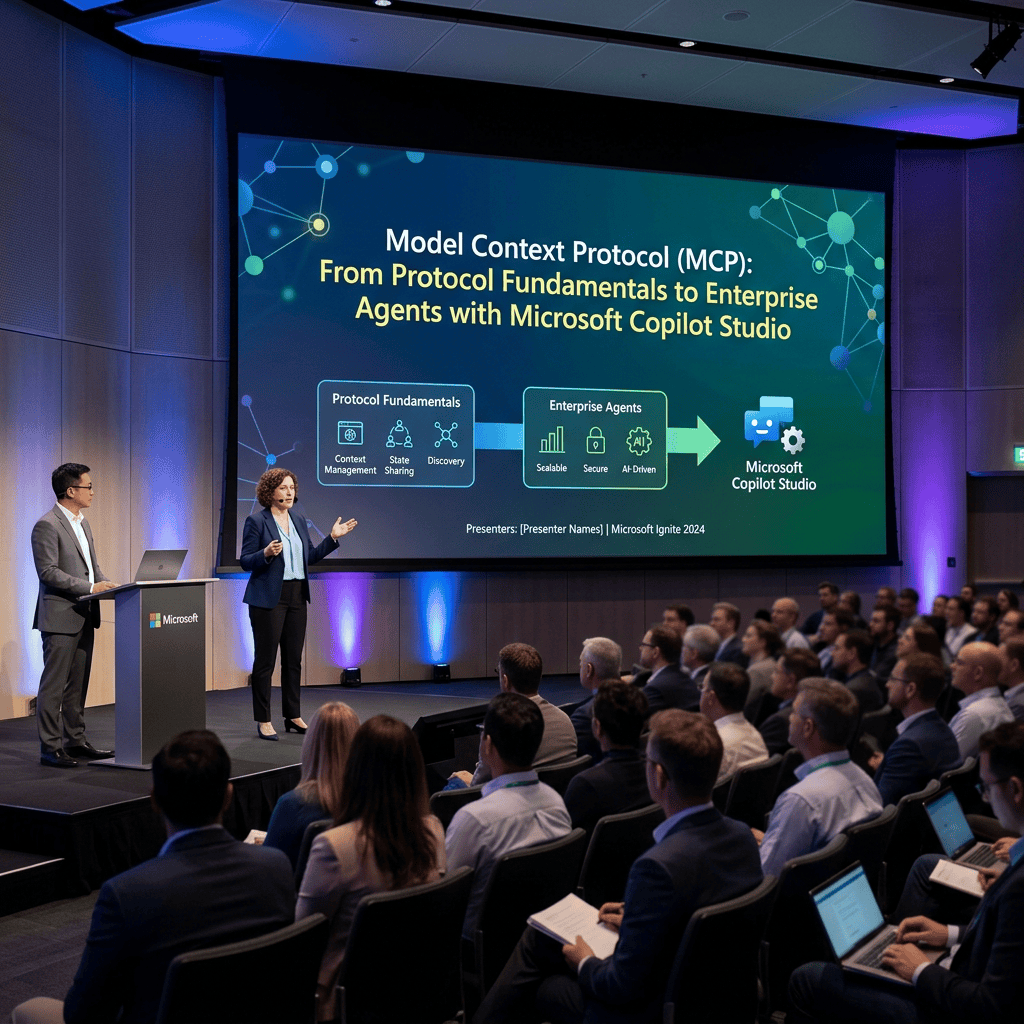
Model Context Protocol (MCP): From Protocol Fundamentals to Enterprise Agents with Microsoft Copilot Studio
Introduction
As AI Agents become more capable, one architectural problem becomes increasingly important:
How does an Agent interact with external systems in a standardized, secure, discoverable, and reusable way?
An Agent based only on a Large Language Model can reason and generate text, but by itself it does not automatically know how to query an internal business system, create a SharePoint item, inspect an Azure resource, retrieve current data from an API, or execute an operation in an enterprise application.
Traditionally, each integration requires its own implementation:
Agent → Custom integration → API
Then another:
Agent → Different integration → Database
Then another:
Agent → Connector → Enterprise system
The Model Context Protocol (MCP) introduces a standardized protocol between AI applications and external capabilities. Microsoft describes MCP as a way to expose tools and resources to agents through a standard interface; in Copilot Studio, an MCP server can be added as a tool and make its capabilities available to the agent. (Microsoft Learn)
A useful first mental model is:
Agent → MCP Client → MCP Server → External System
MCP is therefore not another LLM and not an Agent itself. It is an integration protocol for AI systems.
1. What Is Model Context Protocol?
MCP stands for:
Model Context Protocol
At a high level, MCP defines a standardized mechanism through which an AI application can discover and interact with capabilities exposed by an external server.
Microsoft currently describes MCP in Copilot Studio as providing access to concepts including:
- Tools
- Resources
- Prompts
Copilot Studio currently supports Tools and Resources in its MCP integration. (Microsoft Learn)
The distinction is important.
Tools
A Tool represents something the model can invoke.
Conceptually:
createRequest(title, description)getRequest(id)updateRequest(id, status)searchDocuments(query)
Tools therefore tend to represent operations or callable capabilities.
Resources
Resources represent information that can provide context.
Examples might conceptually include:
company://policies/securitysharepoint://documents/architectureproject://configuration
A Resource is closer to information that can be consumed than to an operation that modifies something.
Prompts
The MCP specification can also expose predefined prompt templates. However, Microsoft’s current Copilot Studio documentation explicitly states that Copilot Studio supports MCP Tools and Resources. (Microsoft Learn)
That distinction matters when discussing MCP generally versus MCP specifically inside Copilot Studio.
2. Why MCP Exists
Imagine building ten Agents that need access to the same internal application.
Without a standardized integration layer, we might end up creating:
Agent A → Custom API integrationAgent B → Custom API integrationAgent C → Custom API integrationAgent D → Custom API integration...
Every client potentially needs to understand:
- authentication;
- endpoints;
- operations;
- parameters;
- schemas;
- responses;
- error handling;
- capability descriptions.
MCP introduces an intermediary contract:
                 ┌─ Agent A
                 │
MCP Server ──────┼─ Agent B
                 │
                 ├─ Agent C
                 │
                 └─ Agent D
The MCP Server describes the capabilities it exposes.
The Agent does not need every integration to be modeled as an entirely new agent-specific mechanism.
Microsoft specifically positions MCP as useful when a standardized, centrally managed mechanism for exposing tools and resources to multiple agents is desirable. (Microsoft Learn)
3. The Client/Server Architecture
MCP uses a client/server architecture.
A simplified model is:
User │ ▼Agent │ ▼MCP Client │ │ MCP ▼MCP Server │ ▼External System
The MCP Client exists on the AI application side.
The MCP Server exposes capabilities.
The external system might be:
- an API;
- a database;
- an internal service;
- an enterprise application;
- Azure resources;
- a custom business application.
In our Microsoft learning path, Copilot Studio is especially interesting because it can consume MCP Servers.
4. MCP Server Is Not the Business System
This distinction is fundamental.
Suppose Contoso has an internal HR API:
GET /employees/{id}POST /vacationRequestsGET /vacationBalance/{employeeId}
That REST API is not automatically an MCP Server.
We could introduce an MCP layer:
Copilot Studio Agent │ ▼ MCP Server │ ▼Internal HR REST API
The MCP Server might expose tools such as:
getEmployeegetVacationBalancecreateVacationRequest
The server translates the MCP interaction into whatever the underlying system requires.
Therefore:
MCP is an Agent-facing integration contract.
The underlying implementation can still use REST, databases, SDKs, Microsoft Graph, Azure services, or other technologies.
5. Tool Discovery
One of MCP’s most interesting characteristics is capability discovery.
Imagine that an MCP Server exposes:
getDocumentsearchDocumentscreateRequestupdateRequestgetRequestStatus
When Copilot Studio connects to the MCP Server, it can obtain information about the tools that the server exposes.
Microsoft states that an MCP server supplies information such as:
- tool name;
- description;
- inputs;
- outputs.
Changes to server capabilities can then be reflected dynamically in Copilot Studio. (Microsoft Learn)
This produces an important architecture:
MCP Server │ ├── Tool A ├── Tool B ├── Tool C └── Resource X
rather than manually defining every integration independently in every Agent.
6. Tool Descriptions Are Part of the Architecture
Consider these two tool descriptions.
Bad:
getDataGets data.
Better:
getVacationBalanceRetrieves the remaining vacation balance for the specifiedemployee from the corporate HR system.
Why does this matter?
Because Generative Orchestration must determine which capability is appropriate for the user’s request.
Microsoft specifically warns that unclear MCP tool descriptions can make Agent behavior less reliable. (Microsoft Learn)
The description is therefore not merely developer documentation.
It contributes to tool selection.
A useful conceptual chain is:
User intent │ ▼Generative Orchestration │ ▼Tool descriptions │ ▼Tool selection
7. MCP and Generative Orchestration
This brings MCP directly into our previous Copilot Studio studies.
Suppose the user asks:
What is the status of request 457?
The Agent has an MCP Server exposing:
getRequestStatus(requestId)
Conceptually:
User │ │ "What is the status of request 457?" ▼Agent │ ▼Generative Orchestration │ │ determines that current external data is required ▼MCP Tool │ │ getRequestStatus(457) ▼MCP Server │ ▼Business System │ │ Status = Approved ▼MCP Server │ ▼Agent │ ▼Generated Answer
Microsoft currently requires Generative Orchestration for MCP use in the standard Copilot Studio experience described in its MCP documentation. (Microsoft Learn)
8. MCP Does Not Replace the Agent
This distinction is extremely important.
The Agent remains responsible for things such as:
- understanding user intent;
- applying Instructions;
- orchestrating capabilities;
- deciding whether a Tool is appropriate;
- generating the final response.
The MCP Server exposes capabilities.
Therefore:
| Component | Responsibility |
|---|---|
| Agent | Reasoning and orchestration |
| Instructions | Behavioral guidance |
| Knowledge | Information available for retrieval |
| MCP Client | MCP-side communication from the AI application |
| MCP Server | Exposes standardized capabilities |
| Tool | Callable capability |
| Resource | Contextual information exposed by MCP |
| External system | Actual business system/data |
MCP should therefore not be viewed as an Agent replacement.
9. MCP Does Not Replace REST APIs
This is another common misunderstanding.
MCP and REST solve related but different architectural problems.
A REST API might expose:
GET /api/orders/123
An MCP Server might expose:
getOrder(orderId)
Internally:
Agent │ ▼MCP │ ▼MCP Server │ ▼REST API │ ▼Business Application
The REST API continues doing exactly what it was designed to do.
MCP creates a standardized AI-facing layer over capabilities.
10. MCP vs REST API in Copilot Studio
This is particularly relevant because Copilot Studio supports both REST APIs and MCP as tool mechanisms. (Microsoft Learn)
Consider a single stable API:
GET /football/matches
A direct REST Tool might be perfectly adequate.
Now imagine a platform exposing:
searchTeamsgetTeamgetMatchesgetCompetitiongetStandingsgetPlayergetVenuegetStatistics...
and several Agents need these capabilities.
An MCP Server becomes architecturally more interesting because it can expose the capability collection through a standard agent-oriented protocol.
Therefore:
Do not use MCP merely because MCP exists.
Architecture still matters.
11. MCP vs Power Platform Connectors
Copilot Studio already has a mature Connector ecosystem.
Microsoft’s current guidance broadly positions:
Connectors for integrating with well-known services with existing connectors;
MCP Servers for custom/internal services using the MCP standard;
Workflows for multi-step deterministic automation. (Microsoft Learn)
For example:
Agent │ ▼SharePoint Connector
may be much simpler than:
Agent │ ▼Custom MCP Server │ ▼SharePoint API
if the native SharePoint Connector already solves the requirement.
This aligns perfectly with the architectural principle we have been using throughout our project:
Choose the simplest secure Microsoft-native solution that solves the requirement.
12. MCP vs Power Automate / Workflows
Suppose the requirement is:
When the Agent receives a request, create a SharePoint item, start an approval, update the item, and send an email.
This is fundamentally a deterministic process:
Create item ↓Start approval ↓Wait ↓Update item ↓Send email
A Workflow or Power Automate Flow is probably a more natural abstraction.
Microsoft describes Workflows as suitable for repeated, multi-step, deterministic processes. (Microsoft Learn)
MCP becomes more compelling when the architectural requirement is closer to:
Expose a reusable family of business capabilities to Agents through a standardized AI-oriented protocol.
13. MCP vs Custom Connector
A Custom Connector provides a Power Platform-native abstraction over an external service.
MCP provides a standardized agent-oriented protocol.
Interestingly, these technologies meet inside Copilot Studio.
Microsoft states that MCP connectivity in the standard harness relies on Power Platform connectors, meaning Power Platform data policies can govern access to MCP Servers. (Microsoft Learn)
Therefore, in Microsoft’s implementation the architecture is not simply:
Copilot Studio → Internet → MCP
The Power Platform governance layer remains relevant.
That is extremely important for enterprise architecture.
14. MCP Resources
Tools get much of the attention because they can execute operations, but MCP also defines Resources.
A useful conceptual distinction is:
Tool"What can I execute?"Resource"What information can I obtain?"
For example:
Tool:searchPolicy("vacation")Resource:policy://vacation
However, there is an important current Copilot Studio detail.
Microsoft documents that, for a Copilot Studio Agent to use an MCP Resource, the MCP Server owner needs to configure that Resource as an output of one of the MCP tools on the server. (Microsoft Learn)
This is exactly the type of implementation detail where we must distinguish:
MCP specification concept
from
current Copilot Studio implementation.
15. MCP and Knowledge Are Not the Same Thing
This connects directly to our earlier studies.
Remember:
Knowledge → Retrieval → Grounding → Answer
MCP introduces another capability path:
Agent → Tool → MCP Server → External system
Knowledge answers:
What information can the Agent retrieve and use as grounding?
A Tool answers:
What operation can the Agent invoke?
An MCP Resource can provide contextual data, but that still does not make MCP synonymous with Copilot Studio Knowledge Sources.
Therefore:
Knowledge Source │ ▼Retrieval │ ▼Grounding
is conceptually distinct from:
MCP Server │ ▼Tool │ ▼External Operation
They can, of course, be combined.
16. Combining Knowledge and MCP
Imagine our future SharePoint Policy Agent.
The user asks:
According to our travel policy, can I request business-class travel for this trip?
The Agent retrieves policy information:
SharePoint ↓Knowledge ↓Retrieval ↓Grounding
Suppose the user then says:
Create the request.
Now we move into Action territory:
Agent ↓MCP Tool ↓Corporate Travel MCP Server ↓Travel Management API ↓Request created
The complete architecture becomes:
                    ┌──────────────────┐
                    │      User        │
                    └────────┬─────────┘
                             │
                             ▼
                    ┌──────────────────┐
                    │      Agent       │
                    └────────┬─────────┘
                             │
              ┌──────────────┴──────────────┐
              │                             │
              ▼                             ▼
         Knowledge                       MCP Tool
              │                             │
              ▼                             ▼
          Retrieval                     MCP Server
              │                             │
              ▼                             ▼
          Grounding                   External API
This is a very useful enterprise Agent mental model.
17. Dynamic Capability Discovery
One of MCP’s major architectural advantages is that capabilities are exposed by the server.
Suppose version 1 of our server exposes:
searchEmployeegetEmployee
Later we add:
getVacationBalancecreateVacationRequest
Microsoft’s MCP documentation describes Copilot Studio as reflecting tool/resource changes from the MCP Server dynamically. (Microsoft Learn)
This significantly reduces the tight coupling that can occur when every Agent contains its own static copy of every operation definition.
18. Selective Tool Exposure
Dynamic discovery does not mean every capability should automatically remain available to every Agent.
Current Copilot Studio supports selectively disabling individual tools exposed by an MCP Server.
By default, the MCP Server’s tools are enabled through Allow all. If you disable that option, individual tools can be enabled or disabled. New server tools then remain disabled by default under that configuration. (Microsoft Learn)
This is extremely useful for least-privilege design.
Imagine one MCP Server exposing:
readEmployeeupdateEmployeedeleteEmployeecreateEmployeegetPayroll
A simple Employee Information Agent may need only:
readEmployee
Giving it all five capabilities merely because the server exposes them would be poor security architecture.
19. Authentication
Now we reach one of the most important enterprise topics.
Current Copilot Studio MCP onboarding supports authentication options including:
- None
- API key
- OAuth 2.0 (Microsoft Learn)
Conceptually:
Agent │ ▼Authentication │ ▼MCP Server │ ▼Authorization │ ▼External Resource
Authentication answers:
Who are you?
Authorization answers:
What are you permitted to do?
These questions must remain separate.
20. OAuth 2.0
OAuth becomes especially interesting in enterprise scenarios.
Microsoft describes OAuth 2.0 for MCP as allowing individual users to grant access to their data without sharing their credentials directly with the Agent. (Microsoft Learn)
This enables architectures where the external service evaluates permissions in the context of the authenticated identity rather than simply using one shared secret for everyone.
That is critical for our Microsoft 365 mindset.
We should always ask:
Who is calling? ↓Which token? ↓Which identity? ↓Which scopes? ↓Which resource permissions?
21. Never Confuse Connection with Authorization
Suppose we connect an MCP Server to an Agent.
That means:
The Agent has a route to the MCP Server.
It does not automatically mean:
Every user should be allowed to perform every operation exposed by that server.
For example:
User ↓Agent ↓MCP Server ↓Payroll System
We still need to determine:
- whose identity is being used;
- what authorization is performed;
- which tools are exposed;
- which records can be accessed;
- whether row-level authorization exists;
- whether sensitive information can be returned.
This follows the same principle we have already used with SharePoint and Connectors:
Connectivity does not equal authorization.
22. MCP Security Is More Than Authentication
Microsoft’s Azure MCP security guidance identifies threats including:
- authentication and authorization weaknesses;
- token protection;
- prompt injection;
- tool poisoning;
- third-party MCP Server trust;
- governance and monitoring. (Microsoft Learn)
This is important because MCP gives the model capabilities.
A malicious or compromised Tool is more dangerous than incorrect static text.
Consider:
User Prompt ↓Agent ↓Tool Selection ↓MCP Tool ↓DELETE /production/data
Tool exposure must therefore be treated as a security boundary.
23. Tool Poisoning
One particularly interesting Agent security problem is tool poisoning.
Remember that Agents may rely on tool descriptions to understand what capabilities do.
If an untrusted MCP Server exposes malicious or misleading metadata, that metadata can potentially influence how the Agent interacts with it.
This is why MCP Server trust matters.
An MCP Server should not be treated as safe merely because it speaks a standard protocol.
MCP standardizes communication.
It does not automatically establish trust.
Microsoft explicitly includes tool poisoning, prompt injection, and third-party server trust in its Azure MCP security guidance. (Microsoft Learn)
24. Prompt Injection and MCP
Suppose an MCP Tool retrieves an external document containing malicious instructions.
Conceptually:
Agent ↓MCP Tool ↓External Data ↓"Ignore your previous instructions..." ↓Agent Context
External tool output must be considered untrusted input.
This gives us an important enterprise principle:
Tool output is data, not trusted Agent Instructions.
This will become increasingly important as we build Agents capable of interacting with external services.
25. Principle of Least Privilege
For every MCP architecture, ask:
Does the Agent need this server?Does the Agent need this tool?Does the Tool need this permission?Does the user need access to this operation?Does the backend identity need access to this resource?
If the answer is no, remove it.
For example:
HR MCP Server✓ getMyProfile✓ getMyVacationBalance✗ getAllEmployeesPayroll✗ updateSalary✗ terminateEmployee
The fact that an MCP Server can expose something does not mean that a particular Agent should receive it.
26. MCP and Power Platform Data Policies
For us, this is one of the most important Microsoft-specific characteristics.
Microsoft documents that MCP Server access in Copilot Studio uses Power Platform connector infrastructure and is consequently affected by Power Platform data policies. (Microsoft Learn)
Conceptually:
Copilot Studio Agent │ ▼Power Platform Governance │ ▼MCP Connection │ ▼MCP Server
This means MCP does not simply bypass Power Platform governance.
For enterprise adoption, that is significant.
27. Transport
MCP needs a transport mechanism to exchange protocol messages.
As of the current Microsoft documentation, Copilot Studio supports the Streamable transport type for MCP.
Microsoft also notes that SSE transport was deprecated and Copilot Studio stopped supporting SSE for MCP after August 2025. (Microsoft Learn)
This is exactly why current documentation matters.
An MCP tutorial from early 2025 may describe an integration mechanism that is no longer appropriate in Copilot Studio in September 2026.
28. Creating Your Own MCP Server
Microsoft supports creating custom MCP Servers for Copilot Studio scenarios. (Microsoft Learn)
A custom server conceptually contains:
MCP Server│├── Tool definitions│├── Input schemas│├── Output schemas│├── Resources│├── Authentication│└── Business integration │ ├── REST API ├── Database ├── Microsoft Graph ├── Azure └── Internal services
The server is responsible for translating standardized MCP interactions into actual business operations.
29. An MCP Server Around Microsoft Graph
This will eventually be a particularly interesting architecture for us.
Instead of allowing every Agent to understand raw Graph endpoints:
Agent ↓GET /sites/{site-id}/lists/{list-id}/items
we could create an MCP Server exposing domain-oriented Tools:
searchCorporateDocuments()createServiceRequest()getSiteInformation()getRequestStatus()
Internally:
MCP Tool ↓Microsoft Graph ↓SharePoint Online
The Agent sees business capabilities.
The MCP Server handles Graph details.
That could centralize:
- endpoints;
- authentication;
- error handling;
- data transformation;
- business rules;
- Graph API versioning.
But again: we should only introduce this complexity when it solves a real architectural problem.
For many SharePoint scenarios, native connectors or Power Automate remain simpler.
30. MCP and SharePoint Online
Imagine an internal SharePoint integration MCP Server:
SharePoint MCP Server│├── searchDocuments├── getDocumentMetadata├── createRequest├── updateRequest├── getRequest└── getSiteInformation
Internally it could use:
Microsoft Graph
or:
SharePoint REST API
The Agent does not need to know that implementation detail.
Its world becomes:
"I have a Tool named createRequest."
This separation can be extremely valuable in large enterprise architectures.
31. Abstraction Layer
This reveals one of MCP’s deeper architectural values:
abstraction.
Without MCP:
Agent ↓Graph endpoint ↓SharePoint
The Agent integration knows technical API details.
With a domain-oriented MCP layer:
Agent ↓createTrainingRequest() ↓MCP Server ↓Graph ↓SharePoint
Now the Agent operates in the language of the business domain.
This resembles principles we already know from software architecture:
- encapsulation;
- service boundaries;
- API gateways;
- façades;
- domain services.
MCP brings those ideas into Agent/tool architecture.
32. One MCP Server, Multiple Backends
An MCP Server does not necessarily need to represent one API.
For example:
Corporate Operations MCP Server│├── searchPolicy()│ └── SharePoint│├── getEmployee()│ └── HR API│├── createTicket()│ └── ServiceNow│└── notifyManager() └── Microsoft Graph
The Agent sees a coherent capability surface.
This can reduce coupling between Agent design and backend topology.
But it can also create an overly powerful central server, so domain boundaries and least privilege remain important.
33. Multiple Agents, One MCP Server
MCP becomes especially compelling when capabilities are reusable:
                 ┌─ HR Agent
                 │
                 ├─ Employee Agent
MCP Server ──────┤
                 ├─ Manager Agent
                 │
                 └─ Support Agent
Instead of reimplementing the underlying integration four times, the organization maintains a reusable capability layer.
This is where MCP starts becoming an enterprise integration architecture, rather than merely another Copilot Studio Tool.
34. Multiple MCP Servers, One Agent
The reverse is also possible.
                   ┌─ HR MCP
                   │
Agent ─────────────┼─ SharePoint MCP
                   │
                   ├─ ServiceNow MCP
                   │
                   └─ Azure MCP
But there is an important warning here.
More Tools do not automatically produce a better Agent.
Too many Tools can:
- complicate orchestration;
- increase ambiguity;
- expand the attack surface;
- make testing harder;
- increase governance complexity.
Microsoft recommends keeping the number of attached MCP Servers small and notes that concurrency/tool limits apply. (Microsoft Learn)
This fits perfectly with our atomic Agent strategy.
35. MCP and Atomic Agents
Instead of:
Mega Corporate Agent│├── 12 MCP Servers├── 85 Tools├── 20 Knowledge Sources├── 30 Topics└── 15 Workflows
prefer initially:
Policy Agent│├── SharePoint Knowledge└── 2 required Tools
or:
Service Request Agent│├── Service Request MCP│ ├── createRequest│ └── getRequest└── Instructions
This gives us:
- easier testing;
- smaller security boundaries;
- clearer tool selection;
- simpler permissions;
- easier monitoring.
36. MCP vs Traditional Integration: Decision Table
| Requirement | Likely approach |
|---|---|
| Read SharePoint with existing Connector | Connector |
| Create SharePoint item | Connector / Flow |
| Execute deterministic approval | Power Automate / Workflow |
| Call one simple REST endpoint | REST API Tool |
| Integrate known Power Platform service | Connector |
| Expose reusable Agent-oriented capability set | MCP |
| Expose custom internal services to several Agents | MCP |
| Complex multi-step deterministic business process | Workflow |
| Custom application already supports MCP | MCP |
| Existing API with no need for reusable MCP abstraction | REST / Custom Connector |
| Need centralized Agent capability discovery | MCP |
There is no universal winner.
Architecture depends on the problem.
37. Testing MCP in Copilot Studio
Microsoft recommends testing an MCP Server before publishing the Agent.
In the newer experience, you can use the Agent preview and inspect the activity trace to see:
- which Tool was invoked;
- arguments passed;
- response returned. (Microsoft Learn)
Conceptually, we should test:
Prompt ↓Did Agent select MCP? ↓Which Tool? ↓Which parameters? ↓What did server receive? ↓What did server return? ↓How did Agent use response?
This is extremely important.
Testing only the final natural-language answer hides most of the architecture.
38. Negative Testing
Our previous Knowledge experiments taught us the value of negative tests.
We should do the same with MCP.
Do not test only:
Get request 100.
Also test:
Delete all requests.
when no delete Tool should exist.
Test:
Show another employee’s salary.
when the identity should not have permission.
Test:
Create request with invalid values.
Test:
Use Tool X for something unrelated.
Testing what the Agent must not do is as important as testing what it can do.
39. Troubleshooting
Microsoft currently documents several MCP/Copilot Studio integration limitations involving schema handling, including certain reference-type inputs and enum interpretation. (Microsoft Learn)
This reinforces a principle we will use when developing MCP integrations:
Start with the smallest possible Tool.
For example:
getRequest(id: string)
Test.
Then introduce:
createRequest(...)
Test.
Then:
searchRequests(...)
Test.
Do not create 25 Tools before verifying the first one.
40. MCP Server Certification
Microsoft also provides a certification path for MCP Servers intended for broader distribution.
Current Microsoft documentation explains that third-party MCP Server certification is handled through the Microsoft connector certification program, with the MCP Server packaged/submitted as a Power Platform Connector and subject to applicable Marketplace requirements. (Microsoft Learn)
That is another sign that Microsoft is treating MCP as part of the enterprise integration ecosystem rather than simply a developer experiment.
41. Microsoft Learn MCP Server
Microsoft itself provides an excellent example relevant to our project:
Microsoft Learn MCP Server.
Microsoft documents connecting the Microsoft Learn Docs MCP Server to Copilot Studio so an Agent can use Microsoft Learn content/capabilities when answering Microsoft-related questions. (Microsoft Learn)
Conceptually:
Our Copilot Studio Agent │ ▼Microsoft Learn MCP Server │ ▼Microsoft Learn
This is particularly interesting for our training because it gives us a concrete MCP scenario without immediately building our own production MCP Server.
42. A Possible Future Laboratory
Later, a very good atomic laboratory for us would be:
Microsoft Documentation Agent
with:
Instructions +Microsoft Learn MCP Server
Then ask:
How do I add a SharePoint Knowledge Source to Copilot Studio?
We could inspect:
User Prompt ↓Agent ↓Generative Orchestration ↓Microsoft Learn MCP Tool ↓MCP Server ↓Result ↓Agent Response
This would let us observe MCP before building our own server.
I would deliberately not jump to that implementation yet; understanding the architecture first makes the eventual laboratory much more useful.
43. MCP in Our Existing Mental Model
We can now expand the architecture we have been constructing throughout the project.
Previously:
User ↓Agent ↓Instructions ↓Orchestration ↓Knowledge ↓Retrieval ↓Grounding ↓Answer
Then we introduced Actions:
Agent ↓Tool ↓Operation
Now MCP adds:
Agent ↓Generative Orchestration ↓MCP Client ↓MCP Server ↓Tool ↓External System
And these can coexist:
                         USER
                           │
                           ▼
                        AGENT
                           │
                    INSTRUCTIONS
                           │
                           ▼
              GENERATIVE ORCHESTRATION
                           │
         ┌─────────────────┼──────────────────┐
         │                 │                  │
         ▼                 ▼                  ▼
     KNOWLEDGE          WORKFLOW             MCP
         │                 │                  │
     RETRIEVAL         deterministic      MCP SERVER
         │              process              │
     GROUNDING                               TOOL
         │                                    │
         └─────────────────┬──────────────────┘
                           │
                           ▼
                         ANSWER
This is becoming a much more realistic mental model of an enterprise Agent.
44. Where Event Triggers Fit
Our Event Trigger study also fits into the same architecture.
Now an Agent may receive input from:
User Message ───────────┐ │External Event ─────────┼──→ Agent │Schedule ───────────────┘
And after entering the Agent:
Agent ↓Orchestration ↓Knowledge / Workflow / Connector / REST / MCP
Therefore MCP is not an entry trigger.
MCP is primarily an integration mechanism that gives the Agent access to external capabilities.
That distinction matters:
Trigger = why processing started.
MCP Tool = a capability available during processing.
45. The Complete Conceptual Map
We can now define the major concepts we’ve studied:
| Concept | Core question |
|---|---|
| Agent | Who orchestrates the interaction? |
| Instructions | How should the Agent behave? |
| Knowledge | What information sources are available? |
| Retrieval | Which information is relevant? |
| Grounding | What evidence supports the answer? |
| Trigger | What caused execution to begin? |
| Payload | What information describes the event? |
| Orchestration | Which capability should be used? |
| Tool | What callable capability exists? |
| Action | What operation should be executed? |
| Connector | How can a known service be integrated? |
| Workflow | How should a deterministic multi-step process execute? |
| REST API | How can an HTTP service be invoked? |
| MCP Client | How does the AI application participate in MCP? |
| MCP Server | Which standardized capabilities are exposed? |
| MCP Tool | Which function can the Agent invoke through MCP? |
| MCP Resource | Which contextual information does the server expose? |
| External System | Where does the actual business capability/data live? |
This table is worth keeping. It connects almost everything we have studied so far.
46. The Most Important Architectural Lesson
MCP can initially sound like:
“A new way for an Agent to call an API.”
That description is technically too narrow.
Its architectural importance is greater:
MCP provides a standardized contract through which AI applications can discover and interact with external capabilities and context.
That gives us the possibility of moving from:
Agent-specific integrations
toward:
Reusable Agent-facing capability services
But that does not mean every integration should become MCP.
Sometimes:
Connector
is better.
Sometimes:
Power Automate
is better.
Sometimes:
REST API
is better.
Sometimes:
Microsoft Graph
directly is appropriate.
And sometimes:
MCP Server
provides exactly the abstraction and reuse we need.
Knowing the difference is the architectural skill that matters.
47. Security Checklist for Enterprise MCP
Before connecting an MCP Server to a production Agent, I would require answers to at least these questions:
| Area | Question |
|---|---|
| Server | Who owns the MCP Server? |
| Trust | Is the Server trusted and reviewed? |
| Authentication | How does Copilot Studio authenticate? |
| Identity | Which identity executes operations? |
| Authorization | How are operations authorized? |
| Tools | Which Tools are exposed? |
| Least privilege | Does the Agent need every exposed Tool? |
| Resources | What data can the server return? |
| Sensitive data | Can PII/confidential data enter Agent context? |
| Tool output | Is returned content treated as untrusted data? |
| Prompt injection | Can external data manipulate Agent behavior? |
| Tool poisoning | Can tool metadata be malicious? |
| Data policy | Which Power Platform policies apply? |
| Logging | Are calls auditable? |
| Monitoring | Can failed/suspicious operations be detected? |
| Error handling | What happens when the backend fails? |
| Consumption | What is expected call volume? |
| Environment | Dev/Test/Prod separated? |
| Change management | What happens when the MCP Server adds Tools? |
| Governance | Who approves new Tools and permissions? |
MCP should be treated as an enterprise integration boundary.
48. MCP Decision Framework
Before using MCP, ask in this order:
Can Copilot Studio do this natively? │ ▼ YES │ Use native
Otherwise:
Is there an appropriate Connector? │ ▼ YES │ Use Connector
Otherwise:
Is this a deterministic multi-step process? │ ▼ YES │ Workflow / Power Automate
Otherwise:
Is this simply one/few REST operations? │ ▼ YES │ REST Tool
Otherwise ask:
Do we need a standardized,reusable capability surfacefor Agents? │ ▼ YES │ MCP
This prevents us from turning MCP into another “hammer looking for nails.”
49. MCP in Our Learning Roadmap
For our Copilot Studio journey, MCP fits naturally after understanding:
Agent↓Instructions↓Knowledge↓Retrieval↓Grounding↓Tools↓Actions↓Power Automate↓REST APIs↓MCP
Because now we can understand what MCP actually solves.
Without understanding Tools, MCP appears magical.
Once Tools are understood, MCP becomes much clearer:
MCP standardizes how a collection of capabilities can be exposed to AI applications.
Later, when we combine it with:
- Microsoft Graph;
- Entra ID;
- OAuth;
- custom APIs;
- Azure Functions;
- SharePoint;
we will be able to build much more sophisticated architectures without losing sight of the security boundary.
Conclusion
The Model Context Protocol (MCP) represents an important evolution in Agent integration architecture.
Instead of every AI application requiring bespoke knowledge of every external system, MCP establishes a standardized protocol through which external servers can expose capabilities and context.
In Microsoft Copilot Studio, MCP Servers can expose Tools and Resources to Agents. Copilot Studio can discover those capabilities, make them available to Generative Orchestration, selectively enable or disable Tools, authenticate against servers, and apply Power Platform governance mechanisms to the MCP connectivity. (Microsoft Learn)
But MCP does not replace everything around it.
It does not replace:
Agents.
It does not replace:
Knowledge Sources.
It does not replace:
REST APIs.
It does not replace:
Power Automate.
It does not replace:
Connectors.
It does not replace:
Microsoft Graph.
Instead, MCP gives us a standardized Agent-facing integration layer.
A good final mental model is:
                    USER / EVENT
                         │
                         ▼
                       AGENT
                         │
                  INSTRUCTIONS
                         │
                         ▼
              GENERATIVE ORCHESTRATION
                         │
       ┌─────────────────┼───────────────────┐
       │                 │                   │
       ▼                 ▼                   ▼
   KNOWLEDGE          WORKFLOW              MCP
       │                 │                   │
   RETRIEVAL       deterministic         MCP SERVER
       │              process               │
   GROUNDING                                TOOLS
       │                                     │
       │                              EXTERNAL SYSTEM
       │                                     │
       └─────────────────┬───────────────────┘
                         │
                         ▼
                       AGENT
                         │
                         ▼
                      RESPONSE
And perhaps the shortest useful definition for our library is:
Knowledge tells the Agent what information it can retrieve.
Instructions tell the Agent how to behave.
Orchestration decides which capability to use.
A Tool gives the Agent something it can invoke.
MCP standardizes how external systems expose those capabilities to AI applications.
That is where Model Context Protocol fits into the architecture we have been progressively building.
Official Microsoft References
The central Microsoft documentation is Extend your agent with Model Context Protocol (MCP). For the practical connection architecture, use Connect your agent to an existing MCP server and Add tools and resources from an MCP server to your agent. Microsoft also documents how to Create a new MCP server and provides specific MCP troubleshooting guidance.
For architectural comparison with the other Copilot Studio Tool mechanisms, see Available tools for agents and Use agent tools to extend, automate, and enhance your agents. For security, the Microsoft guidance on Securing Azure MCP Server deployments is particularly valuable because it explicitly covers authentication, authorization, prompt injection, tool poisoning, third-party trust, governance, and monitoring.
Finally, there is an excellent Microsoft-provided learning scenario that we can eventually reproduce: Get started with Microsoft Learn MCP Server in Copilot Studio. This is probably the best first practical MCP lab for our project because we can study the protocol from the Copilot Studio side before complicating the exercise by developing our own MCP Server. (Microsoft Learn)


