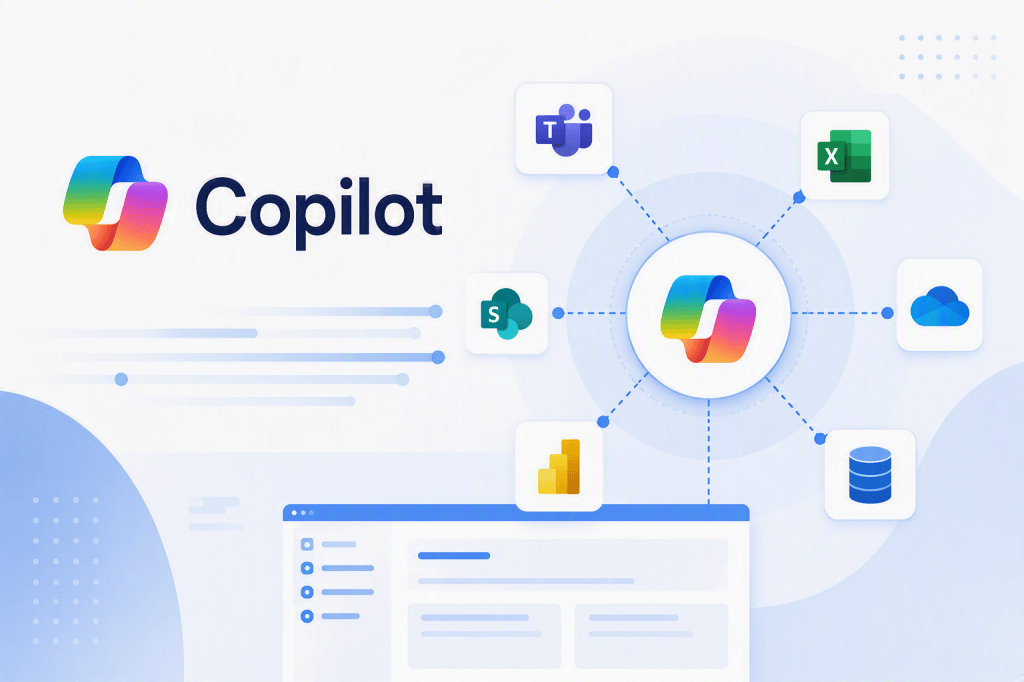
BPMN, Business Knowledge and Enterprise Integration in Microsoft Copilot Studio Agent Architecture
Introduction
Building a Microsoft Copilot Studio Agent is relatively easy.
Building an Agent that correctly participates in a real enterprise business process is considerably harder.
The technical interface might allow a maker to create an Agent, define Instructions, connect Knowledge Sources, configure Tools, call Power Automate flows, connect APIs, use Microsoft 365 data, and integrate external enterprise systems.
However, none of those capabilities answer the most important architectural questions:
What business process is the Agent participating in?
Where does the Agent enter that process?
Which decisions should the Agent make?
Which decisions must remain deterministic?
Which systems own the authoritative data?
Which actions may the Agent execute?
Where does human approval remain mandatory?
This is where disciplines such as Business Process Management (BPM) and modeling techniques such as BPMN — Business Process Model and Notation become extremely valuable.
An enterprise Agent should not be designed only as a conversational interface.
It should be designed as a participant in a business process.
Microsoft describes Copilot Studio as a platform for building Agents and workflows that can connect organizational data and systems. With generative orchestration, an Agent can interpret intent and select among knowledge, topics, tools, other Agents, and actions.
Therefore, before implementing the Agent, we need to understand the process in which this intelligence will operate.
1. From Chatbot Thinking to Business Process Thinking
A beginner often starts with this architecture:
User
↓
Agent
↓
Answer
This is useful for understanding conversational AI, but it is incomplete for enterprise systems.
Consider an employee asking:
“I need to purchase a new laptop.”
A simple Agent could respond:
“Please submit a hardware request.”
But a real enterprise process might actually be:
Employee
↓
Request
↓
Manager Approval
↓
Budget Validation
↓
Procurement
↓
Supplier Selection
↓
Purchase Order
↓
ERP
↓
Goods Receipt
↓
Asset Registration
↓
Microsoft Intune
↓
Employee Notification
Suddenly the Agent is only one component of a much larger system.
The architecture may involve:
SharePoint
Microsoft Teams
Outlook
Power Automate
Dataverse
Dynamics 365
SAP or another ERP
Microsoft Graph
Microsoft Entra ID
External APIs
Approval systems
Custom applications
The Agent therefore cannot be designed correctly without understanding this larger process.
2. What BPMN Contributes
BPMN stands for:
Business Process Model and Notation
Its purpose is to provide a standardized visual notation for representing business processes.
At a conceptual level, BPMN lets us represent elements such as:
- Events
- Activities
- Tasks
- Decisions
- Gateways
- Participants
- Messages
- Systems
- Exceptions
- Parallel activities
- Process boundaries
For an Agent architect, BPMN is valuable because it forces us to answer a question that generative AI can easily obscure:
What actually happens in the business?
Before discussing prompts, LLMs, Knowledge Sources or APIs, we model the process.
3. A Simple Business Process
Imagine an employee expense request.
Without BPMN, someone might describe the requirement as:
“Create a Copilot that handles expense requests.”
This requirement is dangerously vague.
After analyzing the business process, we might discover:
Employee submits expense
↓
Expense information validated
↓
Manager approval required?
↓
Manager approves
↓
Finance validates accounting information
↓
ERP transaction created
↓
Payment scheduled
↓
Employee notified
Now we can ask:
Where exactly does AI provide value?
That is a much better architectural question.
4. BPMN Before Copilot Studio
The temptation when working with Copilot Studio is to immediately open the product and start creating:
Instructions
Knowledge
Topics
Tools
Flows
Triggers
That reverses the ideal order for complex enterprise scenarios.
A better sequence is:
Business Problem
↓
Business Process Discovery
↓
BPMN / Process Model
↓
Business Rules
↓
Systems and Data
↓
Security Boundaries
↓
Identify AI Opportunities
↓
Agent Architecture
↓
Copilot Studio Implementation
This is an important architectural principle:
Copilot Studio should implement an understood business process, not become the place where the business process is discovered accidentally.
5. BPMN Helps Identify Where AI Belongs
Consider this process:
Request received
↓
Validate employee ID
↓
Analyze request description
↓
Determine request category
↓
Check policy
↓
Route request
↓
Update system
Not every step requires AI.
For example:
Validate Employee ID
might simply require a deterministic API query.
Update Status
might be a Power Automate action.
But:
Analyze request description
might benefit from an LLM because the input is unstructured.
And:
Determine request category
might also benefit from generative reasoning.
Therefore the architecture becomes:
Deterministic Task
↓
AI Task
↓
Deterministic Task
↓
AI-assisted Decision
↓
Deterministic Action
This is much healthier than:
Everything
↓
Agent
6. BPMN Helps Separate Deterministic Logic from Generative Reasoning
This distinction is fundamental.
Suppose a corporate rule says:
IF Expense > $10,000
THEN CFO Approval Required
We probably do not need an LLM to decide that.
This is deterministic logic.
It can be represented directly in BPMN as a gateway:
Expense
↓
Amount > $10,000?
↙ ↘
Yes No
↓ ↓
CFO Approval Continue
Using an Agent to “reason” about this condition introduces unnecessary uncertainty.
But consider:
“Analyze the justification provided by the employee and identify whether additional information is required.”
Now generative reasoning might provide value.
Microsoft’s guidance similarly distinguishes generative orchestration from rigid handcrafted routing: generative orchestration can interpret requests and compose knowledge, topics and tools dynamically, but tools themselves should expose clear interfaces and deterministic behavior where appropriate.
A mature Agent architecture therefore combines:
Deterministic Process Engineering
with
Generative Reasoning
rather than replacing one with the other.
7. BPMN and Generative Orchestration
This creates an interesting relationship.
BPMN describes:
How the business process should work.
Generative orchestration determines:
Given the current context, which available Agent capability should be used?
Microsoft describes generative orchestration as a planning layer that can interpret user intent and select appropriate Tools, Knowledge, Topics, other Agents and actions.
Conceptually:
BPMN
↓
Business Process
while:
Generative Orchestration
↓
Agent Decision / Planning
They solve different problems.
We should not attempt to replace a well-defined enterprise process with a giant prompt.
8. The Agent Is a Participant in the Process
This leads to a useful architectural model.
Instead of:
Agent = Business Process
think:
Agent = Participant in Business Process
For example:
Employee
↓
Microsoft Teams
↓
Copilot Agent
↓
Understand Request
↓
Retrieve Policy
↓
Collect Missing Information
↓
Power Automate
↓
Create SharePoint Request
↓
Manager Approval
↓
ERP Integration
The Agent performs specific responsibilities.
It does not necessarily own the entire process.
9. BPMN Swimlanes Become Extremely Useful
One of the most useful BPMN concepts for Agent architecture is the idea of participants or swimlanes.
Imagine:
| Participant | Responsibility |
|---|---|
| Employee | Requests service |
| Copilot Agent | Understands request and guides employee |
| SharePoint | Stores request/documentation |
| Power Automate | Executes workflow |
| Manager | Approves request |
| ERP | Executes financial/business transaction |
| CRM | Provides customer/account context |
| Microsoft 365 | Provides collaboration context |
This immediately reveals something that is difficult to see when looking only at Copilot Studio:
The Agent does not own all responsibilities.
10. Business Knowledge Is More Important Than Prompt Engineering
Another critical point is business knowledge.
Imagine an excellent Copilot Studio developer who understands:
LLMs
RAG
Grounding
Power Automate
REST APIs
Microsoft Graph
Dataverse
Azure
Entra ID
but knows nothing about the organization’s purchasing process.
Now compare that person with someone who understands:
Procurement
Purchase requisitions
Purchase orders
Suppliers
Cost centers
Approval levels
Invoice matching
Goods receipt
Accounting periods
Tax rules
The first person understands the technology.
The second understands the business.
A successful enterprise Agent project requires both.
11. Why Business Knowledge Matters
Suppose a user says:
“I need to buy 30 laptops.”
The LLM understands the sentence perfectly.
But the important questions are not linguistic.
They are business questions:
Is this CAPEX or OPEX?
Which cost center pays?
Is there an approved supplier?
Is procurement approval required?
Does the request exceed an approval threshold?
Does IT architecture need to approve the hardware?
Is there an existing corporate catalog?
Does the purchase require a competitive quotation?
Who creates the Purchase Order?
Which ERP transaction represents the request?
Who can authorize the transaction?
Those questions come from business process knowledge, not from the language model.
12. Knowledge Sources Cannot Replace Process Understanding
This is another important distinction.
We could place 10,000 procurement documents in SharePoint and connect them as Knowledge Sources.
The Agent might retrieve relevant information.
But that does not automatically mean we have correctly modeled the procurement process.
Knowledge answers questions such as:
What does the policy say?
Process architecture answers:
What happens next?
This matches an important distinction already established in our Copilot Studio learning: Knowledge supplies information, whereas Action enables operations.
Microsoft similarly describes the knowledge layer as providing retrieval/evidence, while tools and connectors provide external operations.
13. Business Rules Are Not Necessarily Knowledge
Consider:
Corporate policy:
Purchases above $50,000 require CFO approval.
The policy document can exist in SharePoint.
That makes it:
Knowledge
But the operational rule:
Amount > 50,000
↓
Route to CFO
is:
Process Logic
These should not necessarily be implemented in the same place.
Possible architecture:
SharePoint
→ policy documentation
Copilot Agent
→ explains policy
Power Automate / workflow
→ enforces approval
ERP
→ validates financial transaction
This separation is extremely important.
14. The Agent Should Not Become the System of Record
Enterprise architecture already has systems responsible for authoritative information.
Examples:
ERP:
Financial transactions
Purchase orders
Inventory
Invoices
Payments
CRM:
Accounts
Contacts
Opportunities
Cases
Customer interactions
SharePoint:
Documents
Policies
Collaboration content
Lists
Records depending on architecture
Entra ID:
Identity
Exchange:
Teams:
Collaboration
The Agent normally sits above these systems.
Conceptually:
User
↓
Agent
↓
Orchestration
↓
Enterprise Systems
The Agent becomes an interaction and reasoning layer, not automatically a new system of record.
15. ERP Integration Changes the Nature of the Agent
Consider an Agent without ERP integration:
User:
“What is our purchasing policy?”
Agent:
SharePoint Knowledge
↓
Retrieval
↓
Grounding
↓
Answer
Now the user asks:
“What is the status of PO 45001234?”
The answer is not necessarily in SharePoint.
The authoritative information might exist in SAP.
Now the architecture becomes:
User
↓
Agent
↓
Tool
↓
SAP API / Connector
↓
Purchase Order
↓
JSON / Structured Result
↓
Agent
↓
Natural-language response
This is fundamentally different from Knowledge retrieval.
Microsoft’s current guidance makes essentially this distinction: use Knowledge for relatively stable guidance and use APIs when the Agent needs real-time or user-specific information.
16. ERP Integration Can Also Produce Actions
Now imagine:
“Create a purchase requisition for 30 laptops.”
We have crossed another boundary.
The Agent is no longer merely retrieving information.
It may cause a transaction.
Conceptually:
User
↓
Agent
↓
Collect Parameters
↓
Validate Business Rules
↓
Approval if required
↓
Tool / Flow / API
↓
ERP
↓
Create Purchase Requisition
The security and governance implications increase dramatically.
17. Microsoft 365 as the Human Work Layer
Microsoft 365 frequently represents where employees actually perform their daily work.
For example:
Teams
→ conversations
Outlook
→ communications
SharePoint
→ documents and collaboration
Microsoft Lists
→ lightweight process data
Planner
→ tasks
Microsoft 365 Copilot
→ productivity experience
Power Automate
→ automation
Copilot Studio
→ Agent reasoning and orchestration
This makes Microsoft 365 a natural interaction layer between employees and enterprise systems.
A possible architecture becomes:
Employee
↓
Teams / Microsoft 365 Copilot
↓
Copilot Studio Agent
↓
Knowledge + Orchestration
↓
Power Platform Integration Layer
↓
ERP / CRM / SharePoint / APIs
18. CRM Integration
CRM provides another excellent Agent scenario.
Suppose a salesperson asks:
“Give me a summary of Contoso before my meeting.”
The Agent might need:
Dynamics 365 / CRM
→ Account
Dynamics 365 / CRM
→ Contacts
Dynamics 365 / CRM
→ Opportunities
Outlook
→ recent email
Teams
→ collaboration context
SharePoint
→ proposals and contracts
Knowledge
→ product documentation
The result could be:
Agent
↓
Gather enterprise context
↓
Reason
↓
Summarize
↓
Prepare salesperson
Here the value does not come from the LLM alone.
It comes from combining:
Business understanding + enterprise data + integration + generative reasoning.
19. From RAG to Enterprise Context
Our earlier mental model was:
Knowledge
↓
Retrieval
↓
Grounding
↓
Answer
That remains valid.
But enterprise Agents eventually require a larger model:
User Request
↓
Business Context
↓
Agent
↓
Generative Orchestration
↓
┌──────────────────────────────┐
Knowledge | Tools | Topics | Agents
└──────────────────────────────┘
↓
Enterprise Integration
↓
Microsoft 365 / ERP / CRM / APIs
↓
Result
↓
Agent
↓
Response / Action
This is why understanding only RAG is insufficient for enterprise Agent architecture.
20. BPMN Helps Discover Tools
Suppose our BPMN model contains:
Receive request
↓
Identify customer
↓
Retrieve open orders
↓
Check outstanding invoices
↓
Analyze support history
↓
Recommend action
This immediately suggests Agent capabilities.
| BPMN Activity | Possible Agent Capability |
|---|---|
| Identify customer | CRM Tool |
| Retrieve orders | ERP API |
| Check invoices | ERP Tool |
| Analyze support history | CRM Knowledge/API |
| Read contract | SharePoint Knowledge |
| Interpret situation | LLM |
| Recommend action | Agent reasoning |
| Update case | CRM Action |
The business process starts defining the Agent architecture.
That is enormously useful.
21. BPMN Helps Discover Triggers
BPMN also contains events.
Examples:
Purchase request created
Invoice received
Customer complaint received
Contract expires
New employee hired
Document approved
These can potentially become Agent entry points.
We already studied this principle with Event Triggers: an external business event can start Agent processing rather than requiring a user to begin a conversation.
Therefore:
BPMN Event
↓
Technical Event
↓
Trigger
↓
Agent
This creates a direct bridge between process modeling and autonomous Agents.
22. BPMN Helps Discover Human-in-the-Loop Boundaries
Another major advantage is identifying where human intervention must remain.
For example:
Agent analyzes contract
↓
Agent identifies unusual clause
↓
Legal review required
↓
Human Lawyer
↓
Approval / Decision
The Agent may assist.
It should not necessarily decide.
BPMN makes these boundaries visible.
23. ERP and CRM Knowledge Is an Architectural Skill
This also explains why enterprise Agent developers benefit enormously from understanding ERP and CRM concepts even if they are not Dynamics or SAP specialists.
They should understand concepts such as:
ERP:
Master Data
Transactions
Purchase Orders
Sales Orders
Invoices
Inventory
Cost Centers
Financial Documents
CRM:
Accounts
Contacts
Leads
Opportunities
Cases
Activities
Customer interactions
Because these concepts determine what the Agent is actually manipulating.
Knowing how to call an API without understanding what a Purchase Order means is not enough.
24. Integration Architecture Becomes Central
A mature enterprise Agent architecture might look like:
User
↓
Microsoft Teams / Microsoft 365 Copilot
↓
Copilot Studio Agent
↓
Instructions
↓
Generative Orchestration
↓
┌────────────┬─────────────┬──────────────┐
Knowledge Tools Other Agents
↓ ↓
SharePoint Power Automate
↓
Connectors / APIs
↓
┌─────┼───────────────┐
ERP CRM Microsoft 365
↓ ↓ ↓
SAP Dynamics Graph
└──────────────────────────────┘
At this point we are no longer designing a chatbot.
We are designing an enterprise integration architecture with an Agent as an intelligent orchestration and interaction layer.
25. Security Must Follow the Process
BPMN also helps identify security boundaries.
For every process step we should ask:
Who is the actor?
Which identity executes the operation?
Which system is accessed?
Which credentials are used?
Which data is returned?
Can the Agent expose that information?
Can the Agent modify the system?
Does the operation require approval?
For example:
User
↓
Agent
↓
Get Employee Salary
↓
ERP
Technically possible does not mean architecturally acceptable.
We need to know:
User identity
Agent identity
Connector identity
ERP authorization
Data classification
Business authorization
This reinforces a principle from our project: permissions of the user, data source and integration must be analyzed separately rather than assuming that connecting something to an Agent makes the resulting access safe.
26. BPMN Also Helps Decide When NOT to Use an Agent
Suppose BPMN reveals this process:
Item created
↓
Status = Approved?
↓
Yes
↓
Send Email
There is essentially no ambiguity.
Power Automate is probably sufficient.
Adding an Agent might increase:
Complexity
Cost
Testing requirements
Governance
Operational uncertainty
without meaningful benefit.
But suppose the process contains:
Request received
↓
Interpret free-text request
↓
Determine business intent
↓
Consult several policies
↓
Identify missing information
↓
Determine appropriate process
↓
Select appropriate Tool
Now an Agent becomes much more interesting.
This aligns with our earlier study of Event Triggers: event-driven architecture does not automatically imply Agent-driven architecture; deterministic automation can remain the better solution when reasoning adds no business value.
27. A New Mental Model for Copilot Studio Development
We can therefore evolve our learning model.
At the beginning:
User
↓
Agent
↓
Answer
Then:
User
↓
Agent
↓
Knowledge
↓
Retrieval
↓
Grounding
↓
Answer
Then:
User / Event
↓
Agent
↓
Orchestration
↓
Knowledge / Tool / Topic / Action
And finally:
Business Process
↓
BPMN
↓
Business Rules
↓
Actors + Systems + Events
↓
Agent Opportunity
↓
Copilot Studio
↓
Knowledge + Orchestration + Tools
↓
Microsoft 365 Integration
↓
ERP / CRM / Enterprise APIs
↓
Business Outcome
This final model is much closer to enterprise Agent architecture.
28. Three Types of Knowledge Required by an Agent Architect
A useful way of summarizing the required skills is to divide them into three dimensions.
| Dimension | What the Architect Must Understand |
|---|---|
| Technology Knowledge | Copilot Studio, LLMs, RAG, Knowledge, Tools, Power Automate, APIs, Graph, Entra, Dataverse |
| Business Knowledge | Processes, rules, actors, exceptions, approvals, terminology, responsibilities |
| Integration Knowledge | Microsoft 365, ERP, CRM, APIs, authentication, data ownership, systems of record |
None of these dimensions alone is sufficient.
A developer who understands only Copilot Studio may create impressive demonstrations.
An architect must understand where the Agent belongs in the enterprise.
29. BPMN as a Bridge Between Business and AI
This may be the most important role of BPMN in Agent development.
Business stakeholders think in terms of:
Requests
Approvals
Customers
Orders
Invoices
Employees
Exceptions
Responsibilities
Technical teams think in terms of:
Agents
APIs
Connectors
Flows
Dataverse
SharePoint
Graph
Authentication
AI teams think in terms of:
Prompts
LLMs
Context
Retrieval
Grounding
Tools
Orchestration
BPMN can provide the common model connecting these worlds:
Business
↓
BPMN
↓
Process Architecture
↓
Agent Architecture
↓
Integration Architecture
↓
Implementation
30. A Practical Enterprise Design Method
For a serious Copilot Studio project, a useful sequence is:
1. Understand the business problem
Do not begin with Copilot Studio.
2. Discover the business process
Interview process owners and users.
3. Model the process
Use BPMN when the process complexity justifies it.
4. Identify business rules
Separate deterministic rules from ambiguous reasoning.
5. Identify systems of record
SharePoint? Dynamics 365? SAP? Another ERP? SQL? Custom system?
6. Identify knowledge
Policies, procedures, contracts, documentation and guidance.
7. Identify events
What starts or changes the process?
8. Identify actions
What operations must occur?
9. Identify AI opportunities
Where does interpretation, summarization, classification or reasoning provide value?
10. Design the Agent
Only now define:
Instructions
Knowledge Sources
Topics
Tools
Actions
Triggers
Connectors
Flows
31. Final Architectural Principle
The progression of an Agent architect can be summarized as:
Level 1
“How do I create an Agent?”
Level 2
“How do I configure Knowledge and Instructions?”
Level 3
“How do I connect Tools and Actions?”
Level 4
“How do I integrate Microsoft 365, ERP and CRM?”
Level 5
“What business process am I actually implementing?”
And eventually:
Level 6
“Should this process contain an Agent at all?”
That last question represents architectural maturity.
Conclusion
BPMN might initially appear unrelated to Microsoft Copilot Studio.
In reality, it becomes increasingly valuable as Agents move from demonstrations toward enterprise systems.
Copilot Studio provides mechanisms for building Agents capable of reasoning over requests, retrieving knowledge, selecting tools, interacting with APIs and participating in business processes. Microsoft explicitly positions generative orchestration around composing Knowledge, Topics, Tools, other Agents and event-driven capabilities.
But Copilot Studio does not eliminate the need to understand the business.
The opposite happens.
As Agents gain more autonomy, understanding the business becomes more important.
BPMN helps us understand:
what happens.
Business analysis explains:
why it happens.
Knowledge provides:
what the organization knows.
The Agent provides:
interpretation and reasoning.
Orchestration determines:
which capability should be used.
Tools and Actions provide:
what the Agent can do.
Microsoft 365 provides much of the:
human collaboration and productivity context.
ERP and CRM provide much of the:
transactional and customer business context.
Integration connects these worlds.
A useful final model is therefore:
Business Process → BPMN → Business Rules → Agent Boundaries → Knowledge + Reasoning → Tools + Integration → M365 / ERP / CRM → Business Outcome
The enterprise Agent architect is consequently not merely a prompt engineer or Copilot Studio developer.
The role increasingly combines:
Business Process Architect + Integration Architect + Microsoft 365 Architect + AI Agent Architect.
That combination is what turns a conversational prototype into a genuine enterprise solution.
Official Microsoft References
Microsoft Copilot Studio — Overview
Microsoft Learn — Copilot Studio overview
Microsoft Copilot Studio — Generative Orchestration
Microsoft Learn — Apply generative orchestration capabilities
Microsoft Copilot Studio — Knowledge Sources
Microsoft Learn — Knowledge sources summary
Microsoft Copilot Studio — Agent Tools
Microsoft Learn — Agent tools guidance
Microsoft Power Platform — SAP Integration
Microsoft Learn — Power Platform and SAP integration
Microsoft Copilot Studio — Implementation Guidance
Microsoft Learn — Copilot Studio implementation guidance


