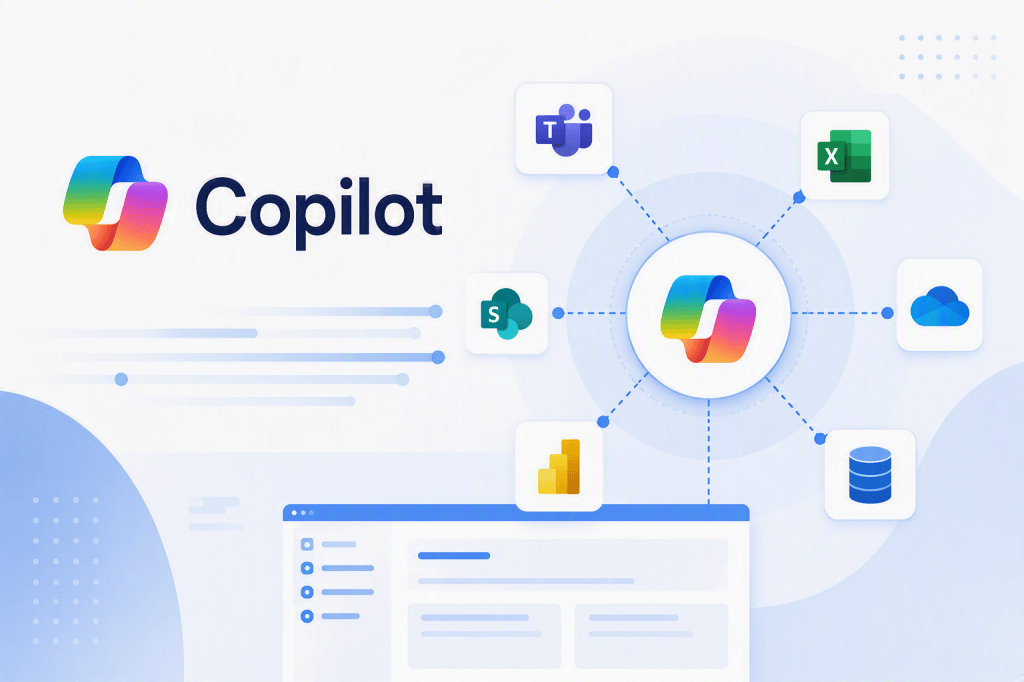
Knowledge Sources in Microsoft Copilot Studio: Designing Enterprise Knowledge for AI Agents
Introduction
After defining how an Agent should behave through Instructions, the next architectural question is:
Where does the Agent obtain the information required to answer the user?
This is the role of Knowledge.
In enterprise environments, this question becomes significantly more complex than simply attaching a few documents to an Agent.
Organizations already have large information ecosystems:
SharePoint OnlineDocument LibrariesMicrosoft 365Corporate WebsitesDataverseBusiness ApplicationsDatabasesSearch PlatformsExternal SystemsAPIs
The challenge is not merely connecting these systems.
The real challenge is designing a knowledge architecture that allows an Agent to retrieve the right information, for the right user, at the right moment, while respecting enterprise security and governance.
A useful high-level model is:
Enterprise Information │ ▼Knowledge Sources │ ▼Retrieval │ ▼Relevant Information │ ▼Grounding │ ▼Generative Model │ ▼Answer
Understanding this pipeline is fundamental for designing reliable enterprise Agents.
1. What Is Knowledge?
In the context of an AI Agent, Knowledge represents information that the Agent can use when answering questions.
Consider an HR Agent.
The organization might already maintain:
Employee HandbookParental Leave PolicyVacation PolicyRemote Work PolicyExpense PolicyTravel PolicyBenefits Documentation
These documents contain information employees need.
Instead of manually programming hundreds of possible questions and answers, we can expose appropriate enterprise information to the Agent as Knowledge.
Conceptually:
Employee │ ▼Question │ ▼Agent │ ▼Knowledge │ ▼Corporate Documentation
The Agent can then retrieve relevant information and use it when generating its response.
2. Knowledge Is Not the Model
One of the first distinctions to understand is that Knowledge and the language model are not the same thing.
A generative model already contains broad knowledge acquired during its training.
For example, a model may understand:
- what SharePoint is;
- what parental leave means;
- what a mechanical watch is;
- what an API does;
- what project management means.
But the model does not automatically know the organization’s current internal policies.
Suppose the company policy says:
Employees are entitled to 16 weeks of parental leave.
The model should not guess this value based on general employment practices.
The authoritative information should come from enterprise Knowledge.
GENERAL MODEL KNOWLEDGE"What is parental leave?" │ ▼General explanationENTERPRISE KNOWLEDGE"What is OUR parental leave policy?" │ ▼Corporate Knowledge Source │ ▼Company-specific answer
This distinction is fundamental in enterprise AI.
3. Knowledge vs Instructions
Knowledge must also be separated from Instructions.
Recall our previous mental model:
Instructions │ ▼How should the Agent behave?Knowledge │ ▼What information can the Agent use?
For example:
Instruction
Answer employee questions using approved HR documentation.Do not invent company policies.
Knowledge
Parental Leave Policy.pdfVacation Policy.pdfEmployee Handbook.pdf
The first controls behavior.
The second provides information.
Mixing these responsibilities makes an Agent harder to maintain.
4. Knowledge vs Action
Another essential distinction is:
Knowledge provides information.
Action performs an operation.
Consider two requests.
Request A
“How much parental leave do I have?”
Architecture:
User │ ▼Agent │ ▼Knowledge │ ▼HR Policy │ ▼Answer
Request B
“Submit my parental leave request.”
Architecture:
User │ ▼Agent │ ▼Tool │ ▼Agent Flow │ ▼HR System / SharePoint │ ▼Request Created
The first problem is informational.
The second is transactional.
This distinction should influence the entire Agent design.
5. SharePoint as an Enterprise Knowledge Platform
For organizations already using Microsoft 365, SharePoint Online is particularly important.
SharePoint often already contains:
- policies;
- procedures;
- manuals;
- project documentation;
- technical documentation;
- training materials;
- knowledge bases;
- controlled documents;
- departmental information.
This makes SharePoint a natural candidate for enterprise Agent Knowledge.
Conceptually:
                    SHAREPOINT ONLINE
                           │
          ┌────────────────┼────────────────┐
          ▼                ▼                ▼
      HR Site          IT Site        Operations Site
          │                │                │
          ▼                ▼                ▼
      Policies       Documentation      Procedures
          │                │                │
          └────────────────┼────────────────┘
                           ▼
                       Knowledge
                           │
                           ▼
                          Agent
But connecting SharePoint is only the beginning.
We still need to consider information architecture, permissions, quality, lifecycle, retrieval, and governance.
6. A Practical SharePoint Scenario
Imagine a SharePoint site:
/sites/CorporatePolicies
containing a document library:
Policies
with documents:
Parental Leave Policy.pdfRemote Work Policy.pdfTravel Policy.pdfExpense Policy.pdfInformation Security Policy.pdfExternal Sharing Policy.pdf
An employee asks:
“Can I work remotely from another country?”
The Agent needs to identify the relevant information.
Conceptually:
User Question │ ▼Agent │ ▼Knowledge Source │ ▼SharePoint Policies │ ▼Retrieval │ ▼Remote Work Policy │ ▼Relevant Content │ ▼Grounding │ ▼Answer
Notice that SharePoint does not simply become one giant prompt.
The architecture depends on retrieving relevant information when required.
7. Knowledge Does Not Mean Loading Everything into the Prompt
Suppose the organization has:
100,000 documents
An employee asks:
“How do I request access to a SharePoint site?”
The system does not need all 100,000 documents.
It needs the most relevant information.
Conceptually:
100,000 Enterprise Documents │ ▼ Retrieval │ ▼ Relevant Information │ ▼ Grounding │ ▼ LLM
This is one of the central ideas behind Retrieval-Augmented Generation architectures.
8. Retrieval
Retrieval is the process of finding information relevant to the current request.
Suppose our Knowledge contains:
Document ASharePoint Site Creation PolicyDocument BSharePoint Access Request ProcedureDocument CSharePoint External Sharing PolicyDocument DSharePoint Versioning GuideDocument ESharePoint Records Management Policy
The user asks:
“How do I get access to the Finance site?”
The relevant document is probably:
SharePoint Access Request Procedure
Retrieval attempts to identify the information that best matches the user’s request.
User Question │ ▼Semantic Retrieval │ ├── Document A │ ├── Document B ← HIGH RELEVANCE │ ├── Document C │ ├── Document D │ └── Document E │ ▼ Relevant Content
Retrieval quality has a major influence on answer quality.
9. Retrieval Is Not the Final Answer
Retrieval returns relevant information.
It does not necessarily produce the final conversational response.
The next stage is usually grounding and generation.
Question │ ▼Retrieval │ ▼Relevant Evidence │ ▼Grounding │ ▼Generative Model │ ▼Answer
This distinction becomes extremely important when troubleshooting.
If an Agent gives an incorrect answer, the problem might not necessarily be the model.
Perhaps the wrong content was retrieved.
10. Grounding
Grounding provides relevant context to the generative model.
Suppose retrieval finds:
SharePoint Access Request Procedure"Employees requiring access to a departmentalSharePoint site must submit an access requestthrough the IT Service Portal.The request must identify the site and requiredpermission level."
The user asked:
“How do I get access to the Finance SharePoint site?”
The retrieved content becomes grounding context.
The model can generate:
To request access to the Finance SharePoint site, submit an access request through the IT Service Portal and specify the Finance site and the permission level you require.
The architecture is:
Corporate Document │ ▼Relevant Passage │ ▼Grounding Context │ ▼Generative Model │ ▼Natural-Language Answer
The answer is generated, but its enterprise-specific content comes from the retrieved evidence.
11. The Complete Knowledge Pipeline
We can now establish one of the most important mental models in this entire series:
KNOWLEDGE │ ▼RETRIEVAL │ ▼GROUNDING │ ▼ANSWER
Or in more detail:
Enterprise Content │ ▼Knowledge Sources │ ▼User Question │ ▼Retrieval │ ▼Relevant Information │ ▼Grounding Context │ ▼Generative Model │ ▼Generated Answer
These terms describe different responsibilities.
They should not be treated as synonyms.
12. Why This Distinction Matters
Suppose the user asks:
“How long is our parental leave?”
The Agent answers:
“Employees receive 12 weeks.”
But the actual policy says:
“Employees receive 16 weeks.”
Where is the problem?
There are several possibilities.
Possibility 1 — Knowledge problem
The correct policy was never available to the Agent.
Wrong / Missing Knowledge
Possibility 2 — Retrieval problem
The correct policy exists, but another document was retrieved.
Correct Knowledge │ ▼Wrong Retrieval
Possibility 3 — Grounding/generation problem
The correct passage was available but the answer did not faithfully use it.
Correct Retrieval │ ▼Incorrect Use of Context
Possibility 4 — Content problem
SharePoint itself contains obsolete or conflicting policies.
Agent retrieves correctly │ ▼Source itself is wrong
This is why troubleshooting enterprise AI requires understanding the complete pipeline.
13. Knowledge Quality Matters
AI does not magically repair poor information architecture.
Imagine SharePoint contains:
TravelPolicy.docxTravelPolicy_FINAL.docxTravelPolicy_FINAL2.docxTravelPolicy_NEW.docxTravelPolicy_2024.pdfTravelPolicy_OLD_DO_NOT_USE.pdf
Humans already struggle with this structure.
An Agent may also encounter ambiguity.
The Agent architecture exposes a traditional enterprise content-management problem:
Which document is authoritative?
Knowledge quality depends heavily on source quality.
14. Garbage In, Grounded Garbage Out
Grounding improves reliability, but grounding does not guarantee that the source itself is correct.
Consider:
Incorrect SharePoint Document │ ▼Correct Retrieval │ ▼Correct Grounding │ ▼Incorrect Answer
Technically, the Agent may have worked exactly as designed.
The problem was the enterprise information.
This creates an important principle:
AI Knowledge architecture is also information-governance architecture.
15. Content Lifecycle
Enterprise Knowledge should have an owner and lifecycle.
For example:
| Attribute | Example |
|---|---|
| Content Owner | Human Resources |
| Document | Parental Leave Policy |
| Status | Approved |
| Effective Date | 2026-01-01 |
| Review Date | 2027-01-01 |
| Version | 4.0 |
| Classification | Internal |
| Authoritative | Yes |
SharePoint already provides many capabilities useful for this type of governance.
This makes SharePoint especially interesting as an Agent Knowledge platform.
16. Metadata Becomes More Important
Traditional SharePoint information architecture often uses metadata such as:
DepartmentDocument TypeStatusEffective DateReview DateRegionBusiness UnitClassificationOwner
These concepts remain valuable in AI-oriented information architecture.
For example:
Document: Parental Leave PolicyDepartment = HRDocumentType = PolicyStatus = ApprovedRegion = BrazilClassification = Internal
Structured information can help organizations manage the content exposed to AI systems.
The arrival of AI does not make information architecture obsolete.
It makes good information architecture even more important.
17. Knowledge Scope
Another design question is:
How much Knowledge should one Agent have?
Suppose we create a single Agent with:
HRFinanceITLegalSalesProcurementEngineeringTrainingOperations
This creates a huge information domain.
An alternative architecture is:
                    Enterprise Agent
                          │
          ┌───────────────┼───────────────┐
          ▼               ▼               ▼
       HR Agent         IT Agent      Finance Agent
          │               │               │
          ▼               ▼               ▼
     HR Knowledge     IT Knowledge    Finance Knowledge
The appropriate design depends on requirements, but narrower knowledge domains can simplify:
- ownership;
- security;
- testing;
- relevance;
- governance;
- troubleshooting.
18. Knowledge Boundaries
Suppose an HR Agent has access to:
HR PoliciesEmployee BenefitsLeave ProceduresPerformance Guidelines
Should it also answer:
“How do I configure Azure Application Gateway?”
Probably not.
Even though the underlying model may know the answer, the enterprise Agent may have a deliberately narrow responsibility.
This is where Instructions and Knowledge architecture work together.
Instructions │ ▼Defines HR ScopeKnowledge │ ▼Provides HR Information
19. General Knowledge vs Enterprise Knowledge
An Agent may potentially operate with different forms of information.
A useful conceptual distinction is:
                 Agent Knowledge Context
                         │
           ┌─────────────┴─────────────┐
           ▼                           ▼
    General Knowledge           Enterprise Knowledge
           │                           │
           ▼                           ▼
     Broad concepts             Company-specific data
For enterprise questions, authoritative corporate sources should normally take precedence over generic assumptions.
For example:
“What is Microsoft SharePoint?”
General knowledge may be sufficient.
But:
“What is our SharePoint external sharing policy?”
requires enterprise Knowledge.
20. Public Websites as Knowledge
Public websites can also provide Knowledge.
Imagine a product support Agent.
Knowledge might include:
Official Product DocumentationPublic Support WebsitePublished FAQTechnical Documentation
The same principles still apply.
The Agent needs relevant, trustworthy, maintained information.
A random website is not automatically a good Knowledge Source simply because it is publicly accessible.
Source authority matters.
21. Source Authority
Consider three sources containing different answers.
Official Company Policy │ ▼16 weeksOld Training Document │ ▼12 weeksEmployee Discussion Page │ ▼14 weeks
Which should the Agent trust?
This is not purely an AI problem.
It is an information-governance problem.
Organizations should identify authoritative sources.
Conceptually:
Enterprise Content │ ▼Governance │ ▼Approved Knowledge │ ▼Agent
22. Duplicate and Conflicting Content
Conflicting information is particularly dangerous.
Imagine two documents:
Document A
Parental Leave PolicyVersion 416 weeks
Document B
Employee HandbookOld version12 weeks
Both may appear relevant.
Retrieval could expose conflicting context.
A mature Knowledge architecture therefore needs processes for:
- content review;
- version management;
- archival;
- ownership;
- authoritative source designation.
Again, AI makes existing content-management discipline more important.
23. Permissions
Knowledge architecture cannot be separated from security.
Suppose SharePoint contains:
/sites/HR │ ├── EmployeePolicies │ ├── ManagerGuidance │ └── ConfidentialHR
Different users may have different permissions.
An employee might access:
EmployeePolicies
A manager might access:
EmployeePoliciesManagerGuidance
An HR specialist might access all three.
The Agent architecture must not accidentally flatten these boundaries.
24. Connecting Knowledge Does Not Mean Universal Access
This principle deserves emphasis:
Connecting a data source to an Agent does not mean every Agent user should automatically be able to access everything in that source.
The security architecture must consider:
User │ ▼Identity │ ▼Agent │ ▼Knowledge Retrieval │ ▼Authorization │ ▼Permitted Information
The exact behavior depends on the Knowledge Source and authentication architecture being used, so it must be evaluated for each implementation.
Never assume permission behavior.
Test it.
25. Security Testing
Suppose we have:
User AEmployeeUser BManager
Our test should not simply be:
Can the Agent answer the question?
We should test:
Can User A retrieve Employee content?Can User A retrieve Manager content?Can User B retrieve Manager content?What happens when unauthorized content is requested?Are citations or references exposing restricted information?
Security testing must be part of Agent testing.
26. Knowledge and Runtime Identity
The identity used to retrieve information matters.
Conceptually, there are different possible architectures:
User │ ▼Agent │ ▼Data Source
where the source evaluates the user’s permissions.
Or:
User │ ▼Agent │ ▼Shared Connection │ ▼Data Source
These architectures have very different security consequences.
The question is always:
Who is actually accessing the source?
This should be documented for every enterprise Knowledge Source.
27. Knowledge Is Not Always Static
So far, most examples involve documents.
But enterprise information is not always static.
Consider:
“What is our travel policy?”
This is relatively document-oriented.
Now consider:
“What is the current status of purchase order PO-1042?”
That information may change constantly.
This introduces an important distinction:
Relatively Stable Knowledge │ ▼PoliciesProceduresDocumentationCurrent Operational Data │ ▼OrdersInventoryTicketsBalancesStatuses
These two categories may require different architectures.
28. Indexed Knowledge
Indexed Knowledge is particularly useful for relatively stable enterprise content.
Conceptually:
Enterprise Source │ ▼Indexing │ ▼Searchable Knowledge Index │ ▼Retrieval │ ▼Agent
This can work well for:
- policies;
- documentation;
- manuals;
- knowledge articles;
- procedures;
- published content.
The information is prepared for efficient retrieval.
29. Real-Time Knowledge
Some scenarios require current information from the source.
For example:
“How many units of Product X are currently available?”
If inventory changes every minute, relying on an older indexed representation may be inappropriate.
Conceptually:
User Question │ ▼Agent │ ▼Runtime Query │ ▼Business System │ ▼Current Data │ ▼Answer
This represents a different knowledge-access pattern.
30. Indexed vs Real-Time
A useful mental model is:
| Requirement | Typical Pattern |
|---|---|
| Corporate policies | Indexed / document Knowledge |
| Procedures | Indexed / document Knowledge |
| Technical manuals | Indexed / document Knowledge |
| Knowledge articles | Indexed Knowledge |
| Current inventory | Real-time |
| Current order status | Real-time |
| Current ticket status | Real-time |
| Current account information | Real-time |
This distinction becomes increasingly important when designing enterprise Agents.
31. Copilot Connectors
In the broader Microsoft ecosystem, Copilot connectors can make external enterprise content available through Microsoft Graph-based indexing scenarios.
Conceptually:
External Enterprise System │ ▼ Copilot Connector │ ▼ Microsoft Graph Index │ ▼ Enterprise Search │ ▼ Copilot
This pattern is useful when external enterprise content should participate in Microsoft 365-oriented discovery and retrieval experiences.
The important architectural idea is indexing external content into the Microsoft ecosystem rather than querying the operational source for every question.
32. Real-Time Connector Knowledge
Another pattern is querying enterprise information at runtime through supported connectors.
Conceptually:
User │ ▼Agent │ ▼Connector │ ▼Enterprise System │ ▼Current Data │ ▼Agent
The data remains in the operational source and is requested when required.
This can be useful for information that changes frequently.
33. Indexed vs Real-Time Architecture
The difference can be visualized as:
INDEXEDSource │ ▼Index │ ▼Retrieval │ ▼Agent
versus:
REAL-TIMEAgent │ ▼Runtime Query │ ▼Source │ ▼Current Result
Neither approach is universally better.
The correct choice depends on:
- freshness requirements;
- source capabilities;
- performance;
- security;
- governance;
- supported integration options.
34. Azure AI Search
For more advanced scenarios, organizations may design a dedicated retrieval architecture using Azure AI Search.
Conceptually:
Enterprise Content │ ▼Processing / Indexing │ ▼Azure AI Search │ ▼Search / Retrieval │ ▼Agent
This can provide more control over enterprise retrieval architecture.
However, additional control also means additional architecture, administration, security, monitoring, and cost.
It should not automatically be selected when native Knowledge capabilities already satisfy the requirement.
35. Start with the Simplest Architecture
Suppose the requirement is:
Build an Agent that answers questions from 30 approved SharePoint policy documents.
Starting immediately with:
Custom ingestion pipelineAzure FunctionsCustom embeddingsVector databaseAzure AI SearchCustom APIGraphCustom authentication
may be unnecessary.
A better design process is:
Can native Copilot Studio + SharePoint Knowledgesolve the requirement? │ ┌────┴────┐ │ │ Yes No │ │ ▼ ▼Use it Identify missing capability │ ▼ Add complexity only where justified
Architecture should be driven by requirements, not by the number of technologies available.
36. Knowledge Granularity
Another interesting question is how much content should be exposed through one Knowledge Source or Agent.
Suppose SharePoint contains:
Corporate Portal │ ├── HR ├── Finance ├── Legal ├── IT ├── Projects ├── Sales ├── Engineering └── Marketing
Connecting everything because it is technically possible may not produce the best Agent.
A narrower knowledge domain can improve:
- clarity;
- testing;
- governance;
- ownership;
- security analysis.
This returns us to the atomic Agent principle.
37. Knowledge Ownership
Every important enterprise Knowledge Source should have an owner.
For example:
Knowledge Domain: HR PoliciesBusiness Owner:Human ResourcesTechnical Owner:Microsoft 365 TeamContent Platform:SharePoint OnlineAgent Owner:HR Automation TeamSecurity Owner:HR / Information Security
This becomes increasingly important as Agents begin influencing business decisions.
Someone must be responsible for the information being supplied to the Agent.
38. Knowledge Governance Checklist
Before adding a Knowledge Source, ask:
| Question | Why It Matters |
|---|---|
| Who owns the content? | Accountability |
| Is it authoritative? | Reliability |
| Is it current? | Accuracy |
| Is obsolete content removed? | Retrieval quality |
| Are permissions correct? | Security |
| How often does it change? | Freshness architecture |
| Is indexing appropriate? | Retrieval design |
| Is real-time access required? | Data freshness |
| Does it contain sensitive information? | Security/governance |
| How will it be tested? | Reliability |
| How will changes be monitored? | Lifecycle management |
Knowledge should be intentionally designed rather than simply connected.
39. Testing Knowledge
Testing a Knowledge-based Agent should include more than happy-path questions.
Suppose our policy says:
Employees receive 16 weeks of parental leave.
Direct test
How many weeks of parental leave do employees receive?
Semantic variation
How long can I stay away from work after having a child?
Indirect question
My baby is due next month. What leave am I entitled to?
Missing-information test
Does the company pay for childcare during parental leave?
If the Knowledge does not contain childcare information, the Agent should not invent company policy.
Conflict test
Add an obsolete document saying:
12 weeks
Then observe the behavior.
These tests help evaluate the complete retrieval and grounding pipeline.
40. Troubleshooting Knowledge Problems
When an answer is wrong, avoid changing everything simultaneously.
Use a structured investigation.
1. Is the correct information present in the source? │ ▼2. Is the correct source connected? │ ▼3. Can the user access the source? │ ▼4. Is relevant information being retrieved? │ ▼5. Is the retrieved information being used correctly? │ ▼6. Are Instructions interfering with the answer? │ ▼7. Are conflicting sources present?
This approach isolates variables.
It is much more effective than immediately rewriting the entire Agent prompt.
41. Knowledge Architecture and SharePoint Architecture
For SharePoint professionals, one important realization is that many traditional SharePoint disciplines remain directly relevant.
Traditional SharePoint Discipline │ ▼ AI Knowledge Impact
| SharePoint Discipline | Agent Impact |
|---|---|
| Information architecture | Better organized Knowledge |
| Metadata | Better content governance |
| Permissions | Secure retrieval |
| Versioning | Reduced obsolete information |
| Content approval | Authoritative Knowledge |
| Records management | Controlled lifecycle |
| Search | Retrieval foundation |
| Site architecture | Knowledge boundaries |
| Content ownership | Knowledge accountability |
AI does not make SharePoint architecture less important.
It can make it significantly more important.
42. A SharePoint Knowledge Reference Architecture
A practical enterprise pattern might look like:
                    SHAREPOINT ONLINE
                           │
                Corporate Knowledge Site
                           │
          ┌────────────────┼────────────────┐
          ▼                ▼                ▼
       Policies        Procedures       Training
          │                │                │
          ▼                ▼                ▼
      Approved         Approved         Published
       Content          Content          Content
          │                │                │
          └────────────────┼────────────────┘
                           ▼
                    KNOWLEDGE LAYER
                           │
                           ▼
                       RETRIEVAL
                           │
                           ▼
                       GROUNDING
                           │
                           ▼
                  COPILOT STUDIO AGENT
                           │
                           ▼
                         USER
Around this architecture we also need:
IdentityPermissionsGovernanceContent LifecycleMonitoringTesting
These are not optional enterprise concerns.
43. Knowledge Is an Architectural Layer
The most important conceptual shift is to stop thinking about Knowledge as simply:
“Files attached to the Agent.”
A better model is:
                    KNOWLEDGE ARCHITECTURE

Information Sources
       │
       ▼
Content Governance
       │
       ▼
Permissions
       │
       ▼
Knowledge Exposure
       │
       ▼
Retrieval
       │
       ▼
Grounding
       │
       ▼
Agent
Knowledge becomes an architectural layer between enterprise information and generative reasoning.
44. Knowledge Does Not Eliminate Search
AI sometimes creates the impression that enterprise search is no longer important.
The opposite is closer to reality.
Retrieval is essentially about finding relevant information.
Generative AI changes what happens after relevant information is located.
Traditional experience:
Search │ ▼10 Documents │ ▼Human Reads │ ▼Human Determines Answer
Agent experience:
Question │ ▼Retrieval │ ▼Relevant Evidence │ ▼Generative Model │ ▼Synthesized Answer
Search and retrieval remain foundational.
45. Knowledge Does Not Eliminate Content Management
The same principle applies to content management.
An Agent cannot reliably compensate for:
Unknown document ownersConflicting policiesObsolete filesIncorrect permissionsPoor version controlUnmanaged contentDuplicated information
These problems become Agent problems because they become Knowledge problems.
This creates an interesting convergence:
SharePoint Content Management +Enterprise Search +Generative AI =Enterprise Agent Knowledge Architecture
For SharePoint architects, this is one of the most important opportunities created by enterprise AI.
46. Knowledge Source Decision Model
Before connecting information, classify the requirement.
What kind of information is this? │ ┌──────┴──────┐ │ │ Documents Operational Data │ │ ▼ ▼Is freshness Must it bemoderate? current? │ │ ▼ ▼Indexed / Real-TimeDocument AccessKnowledge
Then ask:
Is the source authoritative?Are permissions appropriate?Who owns it?How is it updated?How will retrieval be tested?
This produces a much stronger architecture than simply connecting every available source.
47. The Core Mental Model
At this point, our Copilot Studio architecture contains several layers:
                    USER
                      │
                      ▼
                    AGENT
                      │
              ┌───────┴───────┐
              │               │
        Instructions       Knowledge
              │               │
              ▼               ▼
          Behavior         Information
                              │
                              ▼
                          Retrieval
                              │
                              ▼
                          Grounding
                              │
                              ▼
                            Answer
Soon we will add:
TopicsToolsFlowsConnectorsAPIsAgentsTriggers
But the Knowledge pipeline remains one of the fundamental parts of the architecture.
Conclusion
Knowledge Sources are not simply collections of documents attached to an AI Agent.
They form part of an enterprise information architecture.
A reliable Knowledge-based Agent depends on:
Authoritative Information │ ▼Content Governance │ ▼Correct Permissions │ ▼Knowledge Sources │ ▼Retrieval │ ▼Grounding │ ▼Generated Answer
For organizations already using SharePoint Online, this creates a powerful architectural opportunity.
SharePoint already provides many of the disciplines required for enterprise Knowledge:
- content organization;
- metadata;
- permissions;
- versioning;
- approval;
- ownership;
- lifecycle management;
- search.
But AI also exposes weaknesses in those disciplines.
Poorly governed content becomes poorly governed Knowledge.
Conflicting documents can become conflicting grounding evidence.
Incorrect permissions can become security risks.
Obsolete information can produce confidently generated but outdated answers.
Therefore, building an enterprise Knowledge Agent is not only an AI project.
It is also an information architecture, content governance, search, security, and lifecycle-management project.
That is why SharePoint professionals have an important role in enterprise Agent architecture.
Next Article
Retrieval in Microsoft Copilot Studio: How an Agent Finds Relevant Information
The next article will isolate Retrieval from the rest of the pipeline.
We will examine why connecting Knowledge is not enough, how a user question becomes a search for relevant information, semantic relevance, chunks, indexing, retrieval quality, conflicting documents, SharePoint information architecture, and how to troubleshoot the difference between “the Agent has the information” and “the Agent retrieved the right information.”


