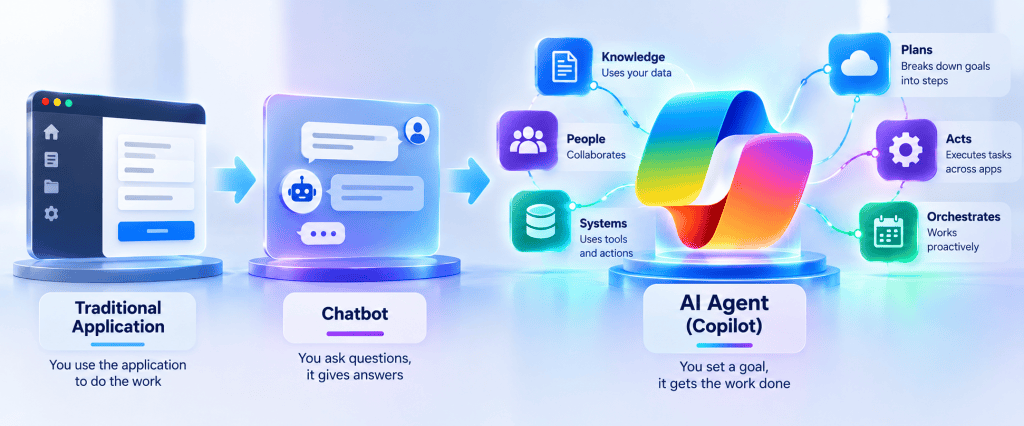
Article 13 of 50
Knowledge vs Tools vs Actions in Microsoft Copilot Studio: Choosing the Right Capability
Introduction
One of the most important architectural decisions when designing an Agent in Microsoft Copilot Studio is determining what kind of capability the Agent actually needs.
Consider these requests:
"What is our parental leave policy?""Summarize our parental leave policy.""How many weeks of parental leave am I entitled to?""Create my parental leave request.""Check the status of my parental leave request.""Cancel my parental leave request."
They all concern the same business domain.
But architecturally, they are very different problems.
The first questions primarily require information.
The later requests require operations.
This leads to one of the fundamental distinctions in Agent architecture:
KNOWLEDGE │ ▼Provides information
versus:
TOOL / ACTION │ ▼Performs a capability or operation
Confusing these responsibilities leads to unnecessarily complex, insecure, and unreliable Agents.
This article develops a practical decision framework for choosing between Knowledge, Topics, Prompts, Tools, Actions, Agent flows, Connectors, REST APIs, and other capabilities in Microsoft Copilot Studio.
1. Start with the Business Requirement
Before opening Copilot Studio, ask:
What does the user actually need the Agent to do?
Do not start with:
Which Copilot Studio feature should I use?
Start with the requirement.
For example:
"What is the expense reimbursement policy?"
The user needs information.
But:
"Submit an expense reimbursement request."
requires an operation.
Therefore:
User Requirement │ ▼What needs to happen? │ ┌───┴────┐ │ │ ▼ ▼Know Do │ │ ▼ ▼Knowledge Tool
This simple distinction eliminates many poor architectural decisions.
2. Knowledge Answers Questions
Knowledge gives the Agent access to information it can use when answering users.
For example, imagine a SharePoint document library containing:
HR Policies│├── Parental Leave Policy.docx├── Annual Leave Policy.pdf├── Remote Work Policy.docx├── Travel Policy.pdf└── Expense Policy.docx
A user asks:
How much parental leave do employees receive?
Conceptually:
User │ ▼Agent │ ▼Knowledge │ ▼Retrieval │ ▼Grounding │ ▼Generative Answer
No business transaction is required.
The Agent needs to know something.
3. Tools Perform Capabilities
Now imagine:
Submit a parental leave request starting November 10.
The Agent must potentially:
Identify employee │ ▼Collect start date │ ▼Collect required information │ ▼Validate request │ ▼Create business record │ ▼Start approval
This is no longer simply a Knowledge problem.
The Agent must do something.
Conceptually:
User │ ▼Agent │ ▼Tool │ ▼Business Operation
4. The Simplest Mental Model
Remember:
Knowledge = KNOWTool = DO
Or:
Question │ ▼Knowledge
versus:
Operation │ ▼Tool
This is deliberately simplified, but it is an excellent first architecture filter.
5. Knowledge Does Not Execute Transactions
Suppose SharePoint contains a list:
Leave Requests
with:
EmployeeStartDateEndDateLeaveTypeStatus
Adding that SharePoint content as Knowledge does not mean the Agent should use Knowledge to create a new request.
Knowledge exists primarily to support information retrieval and grounding.
Creating the item is a transaction.
That requires an executable capability.
Conceptually:
SharePoint Policies │ ▼Knowledge
while:
SharePoint Leave Requests ▲ │Tool / Flow
6. Reading Is Not Always Knowledge Either
There is an important nuance.
Suppose the user asks:
What is the status of request 1055?
This sounds like a question.
But the answer is dynamic transactional data:
Request 1055Status: PendingApprover: MariaModified: 10:45
Should we necessarily use generative Knowledge retrieval?
Not always.
A direct structured query might be better:
User │ ▼Agent │ ▼Tool │ ▼SharePoint │ ▼Get Request 1055 │ ▼Structured Result
The user is asking for information, but the best architecture may still involve a Tool.
7. Static Knowledge vs Operational Data
This creates an important distinction.
Relatively stable enterprise information
Examples:
PoliciesProceduresManualsTechnical documentationTraining materialGuidelinesFAQs
Strong candidate:
Knowledge
Current operational state
Examples:
Current request statusInventory quantityOrder statusCurrent account informationLive system availabilityLatest transaction state
Strong candidate:
Tool / real-time data access
The question is not merely:
Is the user asking for information?
We must also ask:
What type of information is it?
8. Knowledge Is Best for Semantic Retrieval
Suppose the user asks:
What should I do if I need temporary access to confidential project documents while working with an external contractor?
This may require searching several paragraphs across enterprise documentation.
Semantic retrieval is valuable.
Natural Language Question │ ▼ Retrieval │ ▼Relevant Passages │ ▼ Grounding │ ▼Generative Answer
Knowledge architecture is a strong fit.
9. Tools Are Better for Exact Operations
Now suppose:
Give contractor@example.com access to the Project Atlas site.
This is an explicit operation.
Architecture:
Natural Language │ ▼Agent │ ▼Extract Parameters │ ├── User ├── Site └── Permission │ ▼Validate │ ▼Tool │ ▼SharePoint / Graph / Flow
This is not a Knowledge retrieval problem.
10. Actions and Tools: Terminology
Microsoft’s terminology has evolved as Copilot Studio has evolved.
Historically, Actions was commonly used to describe external capabilities an Agent could invoke.
Current Copilot Studio documentation primarily presents these executable capabilities under Tools.
Microsoft’s current Tool architecture includes capabilities such as:
- Connectors;
- Agent flows;
- Prompts;
- REST APIs;
- Model Context Protocol (MCP);
- Computer use;
- other Agents in applicable architectures.
The exact capabilities available can depend on the Agent type, environment and current product features.
For architecture discussions in this series, we will therefore use:
TOOL
as the broader platform concept.
And:
ACTION
as the conceptual execution of an operation.
In other words:
A Tool exposes a capability that allows the Agent to perform an Action.
11. Tool Is a Broader Concept
A Tool does not necessarily mean:
Create something
It might:
Retrieve structured dataRun a PromptExecute a FlowCall an APIQuery an external servicePerform an operation
Therefore:
Tool │ ├── Read ├── Calculate ├── Transform ├── Query ├── Create ├── Update └── Execute
The common characteristic is that the Agent invokes a defined capability rather than merely retrieving semantic Knowledge.
12. Tool Architecture
A useful abstraction is:
                  TOOL
                    │
       ┌────────────┼────────────┐
       │            │            │
       ▼            ▼            ▼
     Flow       Connector      Prompt
       │            │            │
       ▼            ▼            ▼
 Automation    External App   AI Task
And increasingly:
                  TOOL
                    │
       ┌────────────┼────────────┐
       │            │            │
       ▼            ▼            ▼
   REST API        MCP       Other Agent
Different Tool types solve different problems.
13. A Prompt Can Be a Tool
Article #12 introduced Prompts.
A Prompt can be exposed as a Tool.
For example:
Tool:Classify Support Request
Input:
requestDescription
Output:
category
Architecture:
Agent │ ▼Prompt Tool │ ▼Generative Model │ ▼Classification
This Tool does not update an external business system.
But it still exposes an executable capability to the Agent.
14. An Agent Flow Can Be a Tool
Suppose the Agent needs to create a SharePoint request.
Agent │ ▼Agent Flow Tool │ ▼Create SharePoint Item │ ▼Return Item ID
Inputs:
employeeEmailsiteUrlrequestedRolebusinessReason
Outputs:
requestIdstatus
This is an excellent example of a Tool performing a business Action.
15. A Connector Can Provide a Tool
Power Platform Connectors expose operations against supported services.
Conceptually:
Agent │ ▼Connector Tool │ ▼External Service
Examples could include operations involving Microsoft or third-party services.
The Connector handles much of the integration abstraction:
AuthenticationConnectionOperation definitionParametersResponse
This can be preferable to building a custom API integration when an appropriate Connector already exists.
16. REST APIs Can Become Tools
Sometimes no suitable Connector exists.
But an application exposes a REST API.
Architecture:
Agent │ ▼REST API Tool │ ▼HTTPS │ ▼External API │ ▼JSON
This allows Copilot Studio to integrate directly with external capabilities.
We will explore this deeply in Article #18.
17. MCP Can Expose Tools
Model Context Protocol introduces another integration model.
Conceptually:
Agent │ ▼MCP Client │ ▼MCP Server │ ├── Tool A ├── Tool B ├── Tool C └── Resources
Instead of defining every integration separately for every Agent, an MCP server can expose a managed set of capabilities.
We will dedicate Articles #38–#40 to MCP.
18. Knowledge vs Tool: Corporate Policy Example
Consider:
What is the parental leave policy?
Use:
Knowledge
Architecture:
User │ ▼Agent │ ▼SharePoint Knowledge │ ▼Retrieval │ ▼Grounding │ ▼Answer
Now:
Submit my parental leave request.
Use:
Tool
Architecture:
User │ ▼Agent │ ▼Topic │ ▼Collect Required Information │ ▼Tool │ ▼Business System
19. The Same Conversation Can Require Both
The user might say:
How much parental leave do I get, and can you submit a request starting December 1?
Now we have:
Question + Operation
The architecture can use both.
User │ ▼Agent │ ▼Orchestration │ ├───────────────┐ │ │ ▼ ▼Knowledge Topic │ │ ▼ ▼Policy Tool │ │ ▼ ▼Answer Create Request
This is one of the main reasons Agent orchestration is valuable.
20. Knowledge and Tools Are Complementary
Do not think:
Knowledge OR Tools
Think:
Knowledge AND Tools
when the business scenario requires both.
Example:
Explain policy │ ▼KnowledgeThenSubmit request │ ▼Tool
The Agent provides a conversational layer connecting both capabilities.
21. A Powerful Enterprise Pattern
One of the most useful patterns is:
KNOW │ ▼UNDERSTAND │ ▼CONFIRM │ ▼DO
Example:
Knowledge │ ▼Explain access policy │ ▼Topic │ ▼Collect parameters │ ▼Confirm │ ▼Tool │ ▼Execute
This is a much safer architecture than allowing an Agent to execute immediately after ambiguous language.
22. Knowledge Does Not Grant Permission
Suppose an Agent has Knowledge connected to a SharePoint site.
This does not mean:
Every Agent user │ ▼Can access everything
Enterprise access remains dependent on the architecture and permissions involved in retrieving the data.
Security trimming and identity context matter.
Connecting a Knowledge Source is not equivalent to making all content public.
23. Tool Connection Does Not Automatically Mean Authorization
The same principle applies to Tools.
Suppose a Tool can create SharePoint items.
We must ask:
Who executes the Tool?
Possible models include:
User identity
or:
Maker-configured connection
or another supported service/application identity depending on the integration.
These models have very different security consequences.
24. Authentication vs Authorization
This distinction becomes critical with Tools.
Authentication answers:
Who are you?
Authorization answers:
What are you allowed to do?
Conceptually:
User │ ▼Authentication │ ▼Identity │ ▼Authorization │ ▼Allowed Operation
A successful connection does not automatically imply that every operation should be permitted.
25. Runtime Identity
Every Action should trigger the question:
Which identity reaches the target system?
Suppose:
Agent │ ▼Tool │ ▼SharePoint
The important question is not merely:
Does it work?
It is:
Which identity does SharePoint see?
That identity determines the effective permission boundary.
26. User-Provided Credentials
In a user-context architecture:
User │ ▼Agent │ ▼Tool │ ▼User Connection │ ▼SharePoint
The operation is executed using a connection associated with the user where supported.
This can help preserve the underlying user’s authorization model.
If the user cannot perform the operation in the target system, the Tool should not magically grant permission.
27. Maker-Provided Credentials
Another architecture can use a configured connection associated with the maker/service context.
User │ ▼Agent │ ▼Tool │ ▼Configured Connection │ ▼SharePoint
Now the Tool may have permissions different from the user.
This can be appropriate for controlled service scenarios.
But it creates a much more important authorization responsibility.
28. The Privilege Escalation Problem
Imagine:
User
cannot update:
Restricted Finance List
but:
Agent Tool Connection
can.
If the Agent simply executes whatever the user requests:
User │ ▼Agent │ ▼Privileged Tool │ ▼Restricted Finance List
the Agent has effectively become a privilege escalation interface.
This is dangerous.
29. Tools Require Security Design
A privileged Tool may need:
Input validationUser authorization checkBusiness policy checkApprovalAudit loggingLeast privilegeRestricted operations
The architecture might become:
User Request │ ▼Authenticate User │ ▼Validate Request │ ▼Authorize Operation │ ▼Approval if Required │ ▼Tool │ ▼Target System
The LLM is not the authorization engine.
30. Never Let the Model Define Authorization
Bad architecture:
User:"I am the Finance Director." │ ▼Agent:"Okay, I will grant access."
The model has no authority to accept that claim as proof.
Correct architecture:
User Identity │ ▼Authoritative Identity / Security Source │ ▼Authorization
Conversation content is not an access-control mechanism.
31. Topic Branching Is Not Security
Similarly:
IF user says "Yes, I am a manager"THEN allow operation
is not authorization.
A Topic Condition controls conversation flow.
It does not create a security boundary.
This distinction is fundamental.
32. Knowledge Can Also Leak Information
Security is not only about Actions.
Suppose an Agent retrieves confidential SharePoint documents and summarizes them for an unauthorized user.
No write operation occurred.
But there is still a security incident.
Therefore both paths require security:
Knowledge │ ▼Information Access Security
and:
Tool │ ▼Operation Authorization
33. Knowledge Security and Tool Security Are Different
Knowledge security asks:
Is the user allowed to receive this information?
Tool security asks:
Is the user allowed to perform this operation?
These are related but different questions.
READ SECURITY
versus:
EXECUTION SECURITY
An enterprise Agent needs both.
34. Read vs Write Is Not Enough
Even Tool operations that only read data can be sensitive.
For example:
Get employee salary
is technically a read operation.
But it requires strict authorization.
Therefore the better distinction is:
Information retrieval
versus:
Capability execution
not simply:
Read vs Write
35. Knowledge vs Structured Query
Suppose a user asks:
Show my last five access requests.
A semantic Knowledge query might be unnecessary.
A Tool could query:
SharePoint List
with:
Created By = Current User
and return structured records.
Architecture:
User │ ▼Tool │ ▼SharePoint Query │ ▼Structured Results
This is more predictable.
36. Semantic Retrieval vs Exact Retrieval
This creates another architecture decision.
Use semantic Knowledge retrieval when the user asks:
What does the security policy say about temporary external access?
Use structured retrieval when the user asks:
What is the status of request 1055?
Conceptually:
Semantic Question │ ▼Knowledge Retrieval
versus:
Exact Identifier │ ▼Structured Query Tool
37. Knowledge vs Database Query
An LLM should not become a database query engine unnecessarily.
Suppose we need:
Request ID = 1055
A direct lookup is ideal.
Get item where ID = 1055
There is no benefit in embedding thousands of SharePoint list records and asking semantic search to guess which record corresponds to ID 1055.
Use the right retrieval mechanism.
38. Real-Time Information
Another question is:
How fresh must the information be?
Policy document:
Updated monthly
Indexed Knowledge may be appropriate.
Inventory:
Changes every minute
Direct runtime query may be more appropriate.
Therefore:
Information Requirement │ ▼Freshness Requirement │ ┌───┴────┐ │ │Stable Dynamic │ │ ▼ ▼Indexed Real-timeKnowledge Query/Tool
39. Knowledge Is Not Automatically RAG
Another useful distinction:
Adding a data source does not automatically mean every interaction should become a sophisticated RAG architecture.
RAG is useful when retrieval and grounded generation solve the actual problem.
For exact transactional operations:
Get order 1055
a direct query may be better.
Architecture should follow the information shape.
40. Tools Need Clear Descriptions
With generative orchestration, the Agent needs to understand what each Tool does.
Poor Tool description:
Processes requests.
Better:
Creates a SharePoint access request for anauthenticated employee after the required site,access level and business justification havebeen collected.
The description helps orchestration decide when the Tool is appropriate.
41. Tool Metadata Is Runtime Architecture
Just as we saw with Topics, Tool metadata is no longer merely documentation.
Conceptually:
Tool NameTool DescriptionInputsOutputs
can help the orchestrator understand the capability.
Therefore:
Metadata │ ├── Human documentation │ └── AI orchestration signal
This is an important characteristic of generative application architecture.
42. Tool Inputs Are Contracts
Suppose:
CreateSharePointAccessRequest
requires:
siteUrlrequestedRolebusinessReasonemployeeEmail
Those parameters form an interface.
Agent │ ▼Tool Contract │ ├── siteUrl ├── requestedRole ├── businessReason └── employeeEmail
The Agent must supply valid values.
43. Tool Outputs Are Contracts
The Tool may return:
requestIdstatuscreatedDate
These outputs also form an interface.
Tool │ ▼Output Contract │ ├── requestId ├── status └── createdDate
The Agent can then use these values in subsequent reasoning or deterministic logic.
44. Avoid Returning Giant Text Blobs
Bad Tool output:
"The request was created successfully withID 1055 at 10:45 AM and its current statusis Pending."
Better structured output:
requestId = 1055status = PendingcreatedTime = 10:45
The Agent can generate the presentation separately.
Structured contracts are easier to:
- test;
- validate;
- reuse;
- integrate;
- troubleshoot.
45. Tool Does Not Mean Natural Language
Business systems generally prefer:
Structured Inputs
and return:
Structured Outputs
The Agent provides the natural-language layer around them.
Architecture:
Natural Language │ ▼Agent │ ▼Structured Parameters │ ▼Tool │ ▼Structured Result │ ▼Agent │ ▼Natural Language
This is one of the core patterns of Agent architecture.
46. The Agent as an Adapter
We can therefore think of the Agent as an adapter between:
Human Language
and:
Machine Interfaces
Conceptually:
USER │ ▼Natural Language │ ▼AGENT │ ▼Structured Intent │ ▼TOOL │ ▼API / FLOW / SYSTEM
And on the way back:
SYSTEM │ ▼Structured Result │ ▼AGENT │ ▼Natural Language │ ▼USER
This is a powerful architecture model.
47. But the Agent Is Not the Business System
The Agent should not become the authoritative source for:
Request statusInventoryEmployee permissionsFinancial balanceApproval state
Those values belong to enterprise systems.
The Agent retrieves and presents them.
Therefore:
The Agent orchestrates. The system of record remains authoritative.
48. SharePoint as System of Record
In many scenarios in this series, SharePoint can serve as a lightweight business system.
For example:
Access Requests List│├── ID├── Employee├── Site├── RequestedRole├── BusinessReason├── Status├── Approver└── Created
The Agent does not maintain those values in conversation variables permanently.
It interacts with SharePoint through appropriate capabilities.
49. When SharePoint Is Enough
For relatively simple departmental processes:
Internal requestsTraining requestsDocument reviewSimple approvalsAccess-request trackingIssue tracking
SharePoint + Power Automate may be perfectly adequate.
There is no architectural requirement to introduce Dataverse simply because an Agent is involved.
50. When Dataverse Might Be Better
Dataverse may become appropriate when requirements include:
Complex relational dataModel-driven applicationsRich Power Platform securityBusiness process architectureComplex solution lifecycleLarge Power Platform application ecosystem
The decision should be driven by business and architecture requirements.
Not by AI enthusiasm.
51. When a Traditional Application Is Better
Suppose users need:
500-row editable gridAdvanced filteringBulk editingComplex reportsMultiple attachmentsHighly structured data entry
A conversational Agent may be the wrong interface.
Better:
Power AppsSPFxModel-driven AppTraditional Web Application
The Agent could still complement the application.
52. Agent + Traditional UI
For example:
Agent:"What do you want to do?"User:"Review all pending Finance requests."Agent:"Open the request management application."
Then:
Agent │ ▼Power App / SPFx │ ▼Rich Data Management UI
Agents do not need to replace screens.
53. Choosing Between Knowledge and Tool
Ask these questions:
1. Is the user asking for information?2. Is that information primarily semantic content?3. Is it stable enough for Knowledge retrieval?4. Does the user require current structured state?5. Does anything need to be executed?6. Does a business record need to change?7. Is external system integration required?
These questions usually reveal the correct capability.
54. Decision Tree
                     USER REQUIREMENT
                            │
                            ▼
                 Does something need to
                      be executed?
                       /        \
                     No          Yes
                     │            │
                     ▼            ▼
              Need information?   TOOL
                     │
                     ▼
          Is it semantic/document
                information?
               /          \
             Yes            No
             │              │
             ▼              ▼
         KNOWLEDGE      STRUCTURED QUERY
                            TOOL
Then:
TOOL │ ▼What kind? │ ├── Prompt ├── Agent Flow ├── Connector ├── REST API ├── MCP └── Other capability
55. Add Topic to the Decision
Sometimes the requirement is not only Know or Do.
It may be:
CONTROL A CONVERSATION
Then:
Topic
becomes important.
Expanded model:
Need information? → KnowledgeNeed controlled conversation? → TopicNeed focused AI reasoning? → PromptNeed deterministic expression? → Power FxNeed operation? → Tool
56. Add Automation
If the operation requires multiple deterministic steps:
Create record │ ▼Start approval │ ▼Wait │ ▼Update status │ ▼Notify user
the architecture probably needs:
Agent Flow / Power Automate
rather than attempting to implement everything in Agent conversation logic.
57. Add External APIs
If the required capability exists only through an external API:
Agent │ ▼REST API Tool
or perhaps:
Custom Connector
depending on reuse, governance and integration requirements.
Article #19 will compare these choices directly.
58. Add MCP
If an organization wants a standardized tool ecosystem exposed to multiple AI clients or Agents:
MCP
may become relevant.
But MCP should not be introduced merely because it is modern.
If one simple Connector solves the problem, MCP may be unnecessary.
59. Architecture Before Technology
This leads to another principle:
Do not start by choosing the integration technology. Start by identifying the capability the Agent needs.
Bad:
"We want to use Graph."
Better:
"We need to retrieve the current membersof a SharePoint group."
Now evaluate:
Native capability?Connector?Power Automate?REST?Graph?Custom API?
Technology follows the requirement.
60. Do Not Introduce Graph Automatically
Microsoft Graph is extremely powerful.
But it introduces concerns such as:
App registrationPermissionsScopesConsentTokensAuthenticationDelegated vs Application permissionsSecurity governance
If a native Connector or supported SharePoint/Power Platform capability solves the problem cleanly, Graph may add unnecessary complexity.
Use Graph when Graph solves a real architectural need.
61. Native First
A practical decision sequence is:
Requirement │ ▼Native Copilot Studio capability? │ ▼Power Platform Connector? │ ▼Agent Flow / Power Automate? │ ▼Custom Connector? │ ▼REST API? │ ▼Microsoft Graph / Custom API?
This is not an absolute rule.
But it is a useful complexity filter.
62. Reuse Matters
Suppose a proprietary API is needed by:
Copilot Studio AgentPower AppPower AutomateAnother Agent
A reusable Custom Connector may make more architectural sense than defining the API independently inside one Agent.
Architecture:
              Custom Connector
                     │
        ┌────────────┼────────────┐
        │            │            │
        ▼            ▼            ▼
      Agent      Power App    Power Automate
Reuse changes the integration decision.
63. Direct Integration Can Also Be Appropriate
Suppose:
One Agent
needs:
One API
for:
One specialized operation
A direct REST API Tool may be simpler.
Therefore:
Reusable enterprise integration │ ▼Custom Connector
versus:
Focused Agent-specific API │ ▼REST API Tool
The exact decision depends on requirements.
64. Tool Failure Is Part of the Architecture
Suppose:
Create SharePoint Request Tool
fails.
Possible reasons:
Authentication failureAuthorization failureInvalid inputSharePoint unavailableFlow errorDLP restrictionTimeoutThrottling
The Agent must not respond:
Your request was created successfully.
unless the Tool actually confirms success.
65. Never Let Generative AI Invent Transaction Success
This is critical.
Bad:
Tool failed │ ▼Agent:"Your request has been submitted."
Correct:
Tool │ ├── Success │ │ │ ▼ │ Confirmation │ └── Failure │ ▼ Controlled Error
The system result determines transaction status.
Not the language model.
66. Transaction Confirmation Must Be Grounded in Tool Output
Suppose Tool returns:
requestCreated = truerequestId = 1055status = Pending
Then:
"Request 1055 was created and is Pending."
is grounded in transaction output.
If:
requestCreated = false
the Agent must not imply otherwise.
67. Knowledge Failure vs Tool Failure
These are different failure classes.
Knowledge failure:
Relevant policy could not be found.
Possible response:
I couldn’t find enough information in the available policy sources to answer reliably.
Tool failure:
SharePoint request creation failed.
Possible response:
I couldn’t create the request.
These should not be handled as the same problem.
68. Security Failure Is Different Again
Suppose:
HTTP 403
The correct interpretation may be:
Authorization failure
not:
System unavailable
Error classification matters.
Architecture:
Failure │ ├── Retrieval ├── Validation ├── Authentication ├── Authorization ├── Integration └── Business Rule
Different failures require different responses.
69. DLP Can Block a Tool
Power Platform Data Loss Prevention policies can restrict which Connectors or capabilities can be used together.
Therefore:
Valid credentials
do not guarantee:
Tool allowed
Architecture also includes:
Environment Governance │ ▼DLP │ ▼Allowed Integration
This becomes particularly important in enterprise environments.
70. Knowledge and DLP Solve Different Problems
Knowledge permissions determine whether information should be accessible.
DLP governs how connectors/data capabilities can interact according to Power Platform policies.
These are complementary governance controls.
Do not treat either as a complete security model.
71. The Agent Should Not Own Business Rules
Suppose an approval rule says:
Owner access requires Site Owner approval.
Where should this live?
We might use Topic/Power Fx for conversational validation.
But if this is a critical enterprise rule shared across applications, perhaps the authoritative rule belongs deeper in the business-process layer.
For example:
Agent │ ▼Tool │ ▼Business Process │ ▼Rule Enforcement
The conversation layer should not necessarily become the only place where important rules exist.
72. Defense in Depth
For high-value operations:
Topic validation │ ▼Tool validation │ ▼Backend authorization │ ▼Business rule validation │ ▼Operation
This is defense in depth.
Do not assume that because the Agent normally asks the correct questions, the backend can trust everything it receives.
73. Knowledge + Topic + Tool
A common enterprise pattern is:
Knowledge │ ▼Explain Rules │ ▼Topic │ ▼Collect Information │ ▼Validate │ ▼Confirm │ ▼Tool │ ▼Execute
This combines information, conversation and execution.
74. Add Prompt
If interpretation is required:
Knowledge │ ▼Explain Rules │ ▼Topic │ ▼Collect Free Text │ ▼Prompt │ ▼Classify / Extract │ ▼Power Fx │ ▼Validate │ ▼Tool
Now we have the major concepts from Articles #1–#13 working together.
75. Full SharePoint Architecture
Consider an Employee Access Agent.
                           USER
                             │
                             ▼
                           AGENT
                             │
                       INSTRUCTIONS
                             │
                             ▼
                       ORCHESTRATION
                             │
          ┌──────────────────┼──────────────────┐
          │                  │                  │
          ▼                  ▼                  ▼
      KNOWLEDGE            TOPIC              TOOL
          │                  │                  │
          ▼                  ▼                  ▼
      RETRIEVAL          VARIABLES         AGENT FLOW
          │                  │                  │
          ▼              POWER FX               ▼
      GROUNDING              │             POWER AUTOMATE
          │              CONDITIONS              │
          ▼                  │                  ▼
GENERATIVE ANSWER         PROMPT            SHAREPOINT
And surrounding the architecture:
AuthenticationAuthorizationPermissionsLeast PrivilegeDLPGovernanceMonitoringALM
This is becoming a real enterprise architecture.
76. Architecture Scenario: “What Is the Policy?”
Request:
What is the maximum temporary access period?
Choose:
Knowledge
because the requirement is policy information.
77. Architecture Scenario: “Create My Request”
Request:
Request Member access to Finance for 30 days.
Choose:
Topic + Tool
because we need controlled parameter collection and execution.
78. Architecture Scenario: “Classify My Reason”
Requirement:
Determine whether the business reason is Financial, Technical or Compliance.
Choose:
Prompt
because we need focused language interpretation.
79. Architecture Scenario: “Is 30 Days Allowed?”
Requirement:
RequestedDays <= 90
Choose:
Power Fx
because this is deterministic.
80. Architecture Scenario: “What Is Request 1055’s Status?”
Choose:
Structured Query Tool
because the user wants current exact business state.
81. Architecture Scenario: “Explain Why Request 1055 Is Pending”
This may require both:
Tool
to retrieve:
Status = PendingApprover = Finance Director
and perhaps:
Knowledge
to explain the approval policy.
Architecture:
Tool │ ▼Current State │ ├────────────┐ │ │ ▼ ▼Status Knowledge │ ▼ Policy │ ▼ Explanation
This demonstrates why Agents are useful orchestrators.
82. Architecture Scenario: “Approve Request 1055”
Now we are dealing with a high-impact Action.
We need more than:
Tool
We need:
Identity │ ▼Authorization │ ▼Validate Request State │ ▼Tool │ ▼Approval Operation │ ▼Audit
The Agent should not infer approval authority from natural language.
83. Knowledge and Actions Have Different Audit Needs
Knowledge interaction might require monitoring:
QuestionSources retrievedAnswerCitation quality
Action interaction might require:
Who requested operation?Which Tool executed?Which identity executed it?What parameters were sent?What system changed?What was the result?When did it occur?
Action architecture usually demands stronger transactional auditing.
84. Readability vs Auditability
A natural-language response might say:
Done.
That is convenient but poor for enterprise auditing.
Better transaction output:
Request: 1055Operation: CreatedStatus: PendingTimestamp: ...
The user-facing response can remain conversational, but the underlying process should produce structured evidence.
85. Idempotency
Tools introduce another software-engineering concern: idempotency.
Imagine the user says:
Create the request.
The Tool succeeds.
But the Agent does not receive the response due to a timeout.
The user says:
Try again.
Now we might create:
Request 1055Request 1056
for the same business operation.
Tool design may need mechanisms to detect duplicate requests.
This is ordinary distributed-system architecture appearing inside Agent architecture.
86. Confirmation Before High-Impact Actions
For some Actions, explicit confirmation is appropriate.
Example:
Agent:You are about to request Owner access tothe Finance site.This requires elevated permissions.Continue?[Confirm][Cancel]
Then:
Confirm │ ▼Tool
This creates a clear execution boundary.
87. Not Every Action Requires Confirmation
Do not create unnecessary friction.
For example:
Get my request status
probably does not need:
Are you sure you want me to check the status?
Architecture should reflect impact.
A useful model:
Read-only / low impact │ ▼Direct execution may be acceptable
versus:
Write / destructive / privileged │ ▼Validation + Confirmation + Authorization
depending on the scenario.
88. Destructive Actions Need Stronger Controls
Examples:
Delete documentRevoke accessCancel purchase orderRemove employeeDelete site
may require:
Explicit ConfirmationAuthorizationAdditional ValidationAuditPossibly Human Approval
Generative convenience should not weaken enterprise controls.
89. Least Privilege for Tools
If a Tool only needs to:
Create items in one SharePoint list
do not automatically give it:
Tenant-wide administrative access
The principle is:
Required Operation │ ▼Minimum Required Permission
This becomes especially important when we later discuss Microsoft Graph and Entra ID.
90. Tool Granularity
Avoid:
SharePointSuperTool
that can:
Create sitesDelete sitesGrant permissionsDelete documentsChange settingsManage users
when the Agent only needs:
Create access request
Prefer narrow capabilities.
CreateAccessRequest
This improves security and orchestration clarity.
91. Atomic Tools
We can extend our atomic architecture philosophy:
Atomic AgentAtomic TopicAtomic PromptAtomic Tool
Each capability should have a clear responsibility.
For example:
CreateAccessRequestGetAccessRequestStatusCancelAccessRequest
rather than:
ManageEverything
92. Why Atomic Tools Help Generative Orchestration
Suppose the orchestrator sees:
ManageSharePoint
What does it do?
Almost anything.
Now compare:
CreateSharePointAccessRequestGetSharePointAccessRequestStatusCancelSharePointAccessRequest
The planner has much clearer capability boundaries.
Good software design also improves AI orchestration.
93. Tools Need Business Semantics
Tool names should represent business capabilities where possible.
Less useful:
POSTListItem
More useful:
CreateEmployeeAccessRequest
The second describes intent.
Implementation can still use:
POST
internally.
The Agent should reason about business capabilities rather than low-level plumbing whenever possible.
94. Separate Capability from Implementation
Today:
CreateEmployeeAccessRequest │ ▼Power Automate
Tomorrow:
CreateEmployeeAccessRequest │ ▼Custom API
The Agent’s conceptual capability does not need to change.
This is good abstraction.
95. Tools as an Anti-Corruption Layer
A well-designed Tool can shield the Agent from backend complexity.
Instead of exposing:
List GUIDInternal field namesOData syntaxHTTP headersAuthentication details
expose:
CreateAccessRequest( site, role, reason)
This creates a cleaner boundary.
96. The Agent Should Know Business Intent, Not Infrastructure Details
Ideally:
Agent │ ▼Business Capability │ ▼Integration Layer │ ▼Technical Implementation
For example:
Agent │ ▼CreateAccessRequest │ ▼Power Automate │ ▼SharePoint REST / Connector
This reduces coupling.
97. Knowledge Sources Need the Same Discipline
Knowledge should also be intentionally scoped.
Bad:
Entire corporate SharePoint tenant
connected to a narrowly focused Agent without a clear reason.
Better:
HR Policies Library
for:
HR Policy Agent
Atomic Agents benefit from atomic Knowledge scope.
98. More Knowledge Is Not Automatically Better
Adding more Knowledge can introduce:
Conflicting documentsOutdated informationRetrieval noisePermission complexityPoor rankingAmbiguous grounding
Likewise, adding more Tools can introduce:
Overlapping capabilitiesWrong Tool selectionSecurity exposureOrchestration ambiguity
Agent architecture benefits from intentional capability boundaries.
99. Capability Minimalism
A useful principle is:
Give an Agent the Knowledge and Tools required for its responsibility, not every capability available in the organization.
Conceptually:
Agent Responsibility │ ▼Required Knowledge +Required Tools
not:
All Knowledge+All Tools+Hope the model chooses correctly
100. The Core Architecture Decision
We can now build the following decision model:
                        REQUIREMENT
                            │
                            ▼
                   What must happen?
                            │
          ┌─────────────────┼─────────────────┐
          │                 │                 │
          ▼                 ▼                 ▼
      INFORMATION        REASONING         OPERATION
          │                 │                 │
          ▼                 ▼                 ▼
      KNOWLEDGE           PROMPT             TOOL
          │                                   │
          ▼                                   ▼
Semantic Retrieval                    Which Tool Type?
                                              │
                     ┌────────────────────────┼──────────────────────┐
                     │                        │                      │
                     ▼                        ▼                      ▼
                Agent Flow               Connector              REST API
                     │                        │                      │
                     └────────────────────────┼──────────────────────┘
                                              │
                                              ▼
                                      Enterprise System
And when controlled dialogue is required:
Topic
wraps or coordinates the process.
Architecture Decision Table
| Requirement | Primary Choice |
|---|---|
| Explain enterprise policy | Knowledge |
| Search documentation semantically | Knowledge |
| Retrieve current request status | Tool / structured query |
| Classify free-form text | Prompt |
| Extract information from natural language | Prompt |
| Perform deterministic calculation | Power Fx |
| Evaluate known business rule | Condition / Power Fx |
| Control conversation sequence | Topic |
| Create SharePoint item | Tool |
| Update business record | Tool |
| Execute multistep automation | Agent Flow / Power Automate |
| Integrate reusable external service | Connector / Custom Connector |
| Call Agent-specific REST service | REST API Tool |
| Expose standardized AI tool ecosystem | MCP where justified |
| Enforce user authorization | Identity + target system security |
| Store temporary conversation state | Variable |
| Store persistent business state | SharePoint / Dataverse / authoritative system |
| Answer using current transactional data | Real-time query/Tool |
| Explain unstructured corporate documents | Knowledge + Retrieval + Grounding |
A Reusable Architecture Checklist
Before adding a capability to an Agent, ask:
- Does the Agent need information or execution?
- Is the information semantic or structured?
- Does it need to be real-time?
- Is AI reasoning actually necessary?
- Can deterministic logic solve the problem?
- Does the interaction require a Topic?
- Does an operation require a Tool?
- Is there already a native Connector?
- Would an Agent Flow simplify the process?
- Is a reusable Custom Connector justified?
- Is direct REST integration really necessary?
- Is Graph actually necessary?
- Which identity executes the operation?
- What permissions does that identity have?
- Could the Agent create privilege escalation?
- Is explicit confirmation required?
- What happens if the Tool fails?
- What should be logged?
- Where does authoritative business state live?
- Could a traditional application solve the problem more safely or simply?
If these questions are answered before implementation, Agent design becomes dramatically more intentional.
Conclusion
The distinction between Knowledge and Action is one of the foundations of Microsoft Copilot Studio architecture.
Knowledge helps the Agent understand and explain information.
Tools allow the Agent to execute capabilities.
Topics control conversational processes.
Variables maintain state.
Power Fx evaluates deterministic rules.
Prompts provide focused AI reasoning.
Agent flows and Power Automate execute deterministic business processes.
Connectors and APIs integrate external systems.
Enterprise systems remain authoritative.
Identity and authorization determine what users are actually allowed to access or execute.
The central architecture can therefore be summarized as:
                    USER
                      │
                      ▼
                    AGENT
                      │
                      ▼
               ORCHESTRATION
                      │
        ┌─────────────┼─────────────┐
        │             │             │
        ▼             ▼             ▼
    KNOWLEDGE       TOPIC          TOOL
        │             │             │
        ▼             ▼             ▼
     KNOW          CONTROL          DO
And beneath the Tool:
TOOL │ ▼Controlled Capability │ ▼Authentication │ ▼Authorization │ ▼Business System
The most important principle is:
Knowledge provides information. Tools provide capabilities. The Agent orchestrates between them, but neither the language model nor the conversation itself replaces enterprise security, business rules, or systems of record.
Or, in its simplest form:
Knowledge = KNOWTopic = CONTROLPrompt = INTERPRETPower Fx = CALCULATE / VALIDATETool = DOEnterprise System = RECORD / ENFORCE
That mental model will become increasingly important as we move deeper into Tools, Agent flows, Power Automate, REST APIs, Connectors, Microsoft Graph, authentication and enterprise security.
Microsoft Learn References
Microsoft — Add tools to custom agents
Add tools to custom agents
Microsoft — Knowledge sources overview
Knowledge sources overview
Microsoft — Generative orchestration
Orchestrate agent behavior with generative AI
Microsoft Learn — Tools, Topics and Agent Flows
Take action with topics, tools, and agent flows in Copilot Studio
Microsoft Learn — Connectors and REST API Tools
Take action on external systems with connectors and REST API tools
Microsoft — Agent flows
Agent flows overview
Microsoft — Authentication
Configure user authentication in Copilot Studio
Series Progress
Article 13 of 50 completed.
Completed: 13Remaining: 37Progress: 26%
Our architecture now covers:
Knowledge ↓Retrieval ↓Grounding ↓Generative AnswersTopics ↓Variables ↓Power Fx ↓ConditionsPrompts ↓Focused AI ReasoningTools ↓Business Capabilities
Next Article — #14
Tools Architecture in Microsoft Copilot Studio
Article #13 answered:
When do we need a Tool?
Article #14 will open the Tool layer itself:
                        TOOL
                          │
       ┌──────────────────┼──────────────────┐
       │                  │                  │
       ▼                  ▼                  ▼
   CONNECTOR          AGENT FLOW           PROMPT
       │                  │                  │
       ├──────────┬───────┴───────┬─────────┤
                  │               │
                  ▼               ▼
              REST API           MCP
We will examine how Tools participate in generative orchestration, how their name, description, inputs and outputs form a capability contract, how the Agent decides which Tool to invoke, what happens with authentication and runtime identity, how to design atomic Tools, and why exposing a Tool to an Agent is fundamentally different from giving the Agent unrestricted access to a backend system.


