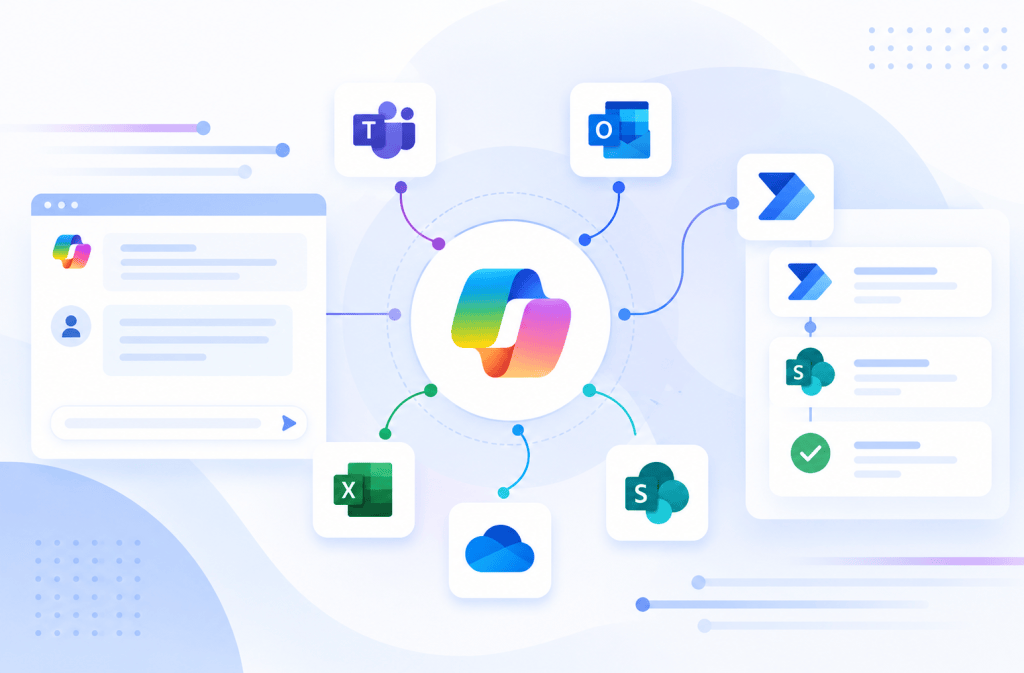
Copilot Studio and Power Automate: Designing Inputs, Outputs, and Contracts Between Agents and Flows
Introduction
Connecting Microsoft Copilot Studio to Power Automate is often described very simply:
Agent calls Flow.
Technically, that is correct.
Architecturally, however, something much more important is happening.
Two different execution models are communicating:
Generative system
and:
Deterministic automation system
The Agent operates primarily in the world of:
Natural language
Intent
Context
Reasoning
Orchestration
The Flow operates primarily in the world of:
Structured data
Deterministic actions
Connectors
Conditions
Business rules
Transactions
The boundary between them is therefore extremely important.
A useful architecture model is:
Agent → Contract → Flow
and:
Flow → Contract → Agent
Microsoft’s current Copilot Studio architecture supports this directly. Agent flows can receive input values from an Agent and return output values after execution. When an Agent flow is exposed as a Tool, the Agent orchestrator can call it at runtime to retrieve information or perform actions.
This means that an Agent flow should not be viewed merely as:
something the chatbot calls.
It should be viewed as an executable service with an explicit contract.
1. The Agent-Flow Boundary
Consider:
I need temporary Member access to the Finance site because I’m joining Project Atlas.
The Agent interprets the natural language.
It might derive:
| Value | Result |
|---|---|
| Site | Finance |
| Role | Member |
| Reason | Joining Project Atlas |
At this point, the language interpretation problem is largely solved.
The Flow should receive something closer to:
siteName = Finance
requestedRole = Member
businessReason = Joining Project Atlas
rather than the complete original sentence.
The architecture becomes:
Natural Language
↓
Agent
↓
Interpretation
↓
Structured Contract
↓
Flow
This boundary is one of the most important concepts in enterprise Agent architecture.
2. Think of the Flow as a Function
A useful software-development analogy is a function.
Imagine:
CreateAccessRequest(siteName, requestedRole, businessReason)
returning:
requestId
status
success
Conceptually:
INPUTS
↓
FUNCTION
↓
OUTPUTS
An Agent flow used as a Tool behaves similarly.
The difference is that the Agent can convert natural-language intent into the structured inputs expected by the function.
3. The Agent Is the Language Adapter
Traditional applications frequently require users to populate forms.
For example:
Site: Finance
Role: Member
Reason: Project Atlas
The Agent allows the user to express the same information naturally:
Give me Member access to Finance because I’m working on Project Atlas.
The Agent effectively performs:
Human Language
↓
Intent Interpretation
↓
Structured Parameters
The Flow should receive those structured parameters.
This makes the Agent a natural-language adapter over deterministic business capabilities.
4. Do Not Pass the Entire Conversation Without Reason
A common architectural mistake is sending:
userMessage
containing:
I need access to Finance because I’m working on Project Atlas and Sarah told me I should probably get Member permissions because we’re editing planning documents next week.
Then the Flow must interpret the text again.
That duplicates responsibilities.
A better boundary is:
siteName = Finance
requestedRole = Member
businessReason = Project Atlas
The Agent handles language interpretation.
The Flow handles business execution.
5. Inputs Are an API Contract
Flow inputs should be treated like API parameters.
Suppose the business capability is:
Create Access Request
A reasonable contract might be:
| Input | Type | Required |
|---|---|---|
| siteName | Text | Yes |
| requestedRole | Text | Yes |
| businessReason | Text | Yes |
| employeeEmail | Text | Yes |
This contract defines what the Flow needs before it can execute.
It should not depend on undocumented assumptions hidden inside the conversation.
6. Good Input Names Matter
Compare:
p1
p2
p3
with:
siteName
requestedRole
businessReason
The second contract communicates business meaning.
This matters to developers.
It matters to maintainers.
And with generative orchestration, it also matters to the Agent.
Microsoft’s orchestration architecture uses Tool metadata and input definitions when determining how capabilities should be invoked.
Therefore naming is part of runtime architecture.
7. Business Names Are Better Than Infrastructure Names
Suppose SharePoint stores the target site internally using:
SiteInternalIdentifier
The Agent probably should not need to know that.
Instead, expose:
siteName
The Flow can resolve:
Finance
into whatever technical identifier the backend requires.
The architecture becomes:
Agent-facing contract
siteName
↓
Flow
↓
Infrastructure translation
↓
siteId
This reduces coupling.
8. Keep Infrastructure Details Behind the Boundary
Avoid requiring the Agent to supply:
Tenant ID
List GUID
Internal column names
Connector IDs
API endpoints
Authentication headers
unless there is a strong architectural reason.
The Agent should reason primarily about business concepts.
The Flow or integration layer should handle infrastructure concepts.
A good boundary looks like:
Business Interface
↓
Integration Layer
↓
Technical Interface
9. Input Descriptions Matter
An input called:
requestedRole
is useful.
But its description makes the contract stronger.
For example:
The SharePoint permission level requested by the employee. Valid business values are Read, Member, and Owner.
This tells the Agent and future maintainers what the value means.
Compare that with:
Role.
The first definition provides semantic constraints.
10. Input Types Matter
Types should represent the information being transferred.
Examples include:
Text
Number
Boolean
Date
Structured data where supported
If something is logically Boolean:
requiresApproval
it should not unnecessarily be represented as:
"Yes"
"No"
"Maybe"
Strong typing reduces ambiguity.
11. Avoid Stringly Typed Architecture
A “stringly typed” architecture represents almost everything as text.
For example:
requestAmount = "10000"
approved = "true"
requestDate = "tomorrow"
This creates interpretation problems.
Whenever supported and appropriate, prefer semantic types.
For example:
requestAmount = Number
approved = Boolean
requestDate = Date
The more deterministic the contract, the less interpretation the Flow must perform.
12. AI Should Resolve Ambiguity Before the Boundary
Suppose the user says:
Give me access until the end of next month.
The Agent might interpret that relative date.
Before execution, the Flow ideally receives an actual date value rather than:
expirationDate = "end of next month"
The boundary should move toward:
Ambiguous human expression
↓
Agent interpretation
↓
Structured value
↓
Flow
This is an important architectural transformation.
13. But Critical Values May Need Deterministic Validation
The Agent may interpret:
next Friday
as a date.
But if that date controls an important business operation, the Flow should still validate it.
For example:
expirationDate >= today
and:
expirationDate <= maximumAllowedDate
This gives us:
AI interpretation
↓
Structured value
↓
Deterministic validation
↓
Execution
AI interpretation does not eliminate validation.
14. Input Collection with Generative Orchestration
Current Copilot Studio generative orchestration can use conversation context to populate inputs for Tools and Topics.
If required information is missing, the Agent can generate questions to collect it.
Suppose the Tool requires:
siteName
requestedRole
businessReason
The user says:
I need access to Finance.
The Agent already knows:
siteName = Finance
but does not know:
requestedRole
businessReason
The Agent can ask for the missing information.
This is generative slot filling.
15. Dynamic Input Filling
Conceptually:
Tool Contract
requires:
Site
Role
Reason
↓
Conversation Context
contains:
Site
↓
Agent determines
Role = Missing
Reason = Missing
↓
Agent asks user
This can eliminate large amounts of manually authored conversational logic.
16. Explicit Input Mapping
Generative filling is not always appropriate.
Sometimes a Topic already contains:
Topic.Site
Topic.Role
Topic.Reason
Then the Tool can receive those values explicitly.
Conceptually:
Topic Variables
↓
Tool Inputs
↓
Flow
This is more deterministic.
Therefore, input values may come from different sources depending on the architecture.
17. Generative vs Explicit Input Mapping
Use generative input filling when:
Natural-language flexibility is valuable.
The Agent can safely infer or collect the parameter.
The parameter is not dangerously ambiguous.
Use explicit mapping when:
The value has already been deterministically collected.
The value comes from another trusted system.
The process requires strict control.
The parameter should not be inferred.
18. Some Values Should Never Come Directly from the User
Suppose the Flow requires:
employeeId
The user says:
My employee ID is 12345.
Should we trust it?
Perhaps not.
A safer architecture might derive:
employeeId
from:
Authenticated Identity
↓
Directory / HR System
rather than conversational input.
This introduces an important distinction:
User-provided data
versus:
System-derived data
19. Identity Is Not Just Another Input
Consider:
employeeEmail
There are two possibilities.
The Agent asks:
What is your email address?
or:
The system derives the authenticated user’s identity.
For sensitive operations, the second is generally more trustworthy.
Architecture:
Authenticated User
↓
Verified Identity
↓
Flow
rather than:
User says who they are
↓
Flow trusts it
Identity should come from an authoritative source whenever authorization depends on it.
20. Trust Classification for Inputs
Inputs can be classified conceptually as:
| Input Source | Trust Level |
|---|---|
| Free-form user text | Untrusted |
| Agent interpretation | Derived |
| Topic variable from user input | Untrusted/validated |
| Authenticated identity | Trusted identity context |
| Tool output | System-derived |
| Enterprise system lookup | Authoritative within its domain |
| Hardcoded configuration | Controlled configuration |
This classification helps determine validation requirements.
21. Never Treat Agent-Generated Values as Automatically Trusted
Suppose an Agent infers:
requestedRole = Owner
That does not mean the user is authorized to receive Owner access.
The Flow should separate:
Requested value
from:
Allowed value
Architecture:
requestedRole
↓
Authorization / Business Rule
↓
Allowed?
↓
Execute
The Agent describes intent.
The backend enforces policy.
22. The Trigger Defines the Input Side of the Contract
For callable Agent flows, Microsoft currently requires:
When an agent calls the flow
This trigger defines the values entering the Flow from the Agent.
The opposite boundary uses:
Respond to the agent
to return values.
Therefore the contract can be visualized as:
When an agent calls the flow
↓
Input Contract
↓
Business Process
↓
Output Contract
↓
Respond to the agent
This is effectively an API boundary implemented through Power Platform automation.
23. The Output Contract
Outputs are just as important as inputs.
Suppose the Flow creates a SharePoint request.
A weak response would be:
message = "Done"
A stronger contract is:
success
requestId
status
submittedDate
The Agent now receives structured facts.
24. Why “Done” Is a Poor Output
Imagine the Flow returns:
Done.
What does that mean?
Was the record created?
Was approval started?
Was access granted?
Was an email sent?
Did the Flow partially succeed?
A vague response forces the Agent to infer state.
That is dangerous.
25. Structured Outputs Reduce Hallucination
Compare:
message = "Everything went fine."
with:
success = true
requestId = 1055
status = Submitted
The second response provides explicit transaction state.
The Agent can safely generate:
Request 1055 was submitted successfully.
The model does not need to invent or infer the transaction result.
26. Outputs Are Also an API Contract
A mature contract might look like:
| Output | Type | Meaning |
|---|---|---|
| success | Boolean | Whether the requested operation succeeded |
| requestId | Number/Text | Business transaction identifier |
| status | Text | Current business state |
| errorCode | Text | Machine-readable error classification |
| errorMessage | Text | User-safe or diagnostic error description |
This makes the Flow behave like a well-designed service.
27. Separate Success from Status
Do not confuse:
success
with:
status
For example:
success = true
may mean:
The request was created successfully.
while:
status = PendingApproval
means:
The business process has not completed.
This distinction is extremely important.
28. Technical Success vs Business Completion
Consider:
Create request operation
succeeds.
But the request requires approval.
Therefore:
success = true
status = PendingApproval
The Agent should say:
Your request was submitted successfully and is awaiting approval.
It should not say:
Your access has been granted.
This is transactional grounding.
29. State Machines Are Useful
Many business processes have explicit states.
For example:
Draft
↓
Submitted
↓
PendingApproval
↓
Approved
↓
Provisioning
↓
Completed
or:
Rejected
The Agent should report these states rather than inventing narrative interpretations.
30. Use Machine-Readable Status Values
Instead of:
status = "The request has been sent and is now waiting for somebody to approve it."
prefer:
status = PendingApproval
The Agent can transform that into user-friendly language.
This separates:
Business State
from:
Presentation
31. Machine Data vs Human Language
A good architecture is:
Flow
returns:
status = PendingApproval
↓
Agent
says:
Your request is currently waiting for approval.
The backend provides truth.
The Agent provides language.
This pattern should be repeated throughout enterprise Agent design.
32. Error Contracts
Failures should also be structured.
A weak design returns:
success = false
Nothing else.
A stronger contract returns:
success = false
errorCode = DUPLICATE_REQUEST
errorMessage = An active request already exists.
The Agent can now respond intelligently.
33. Error Codes Are Better Than Error Text Alone
Suppose we return only:
Something went wrong.
The Agent cannot distinguish:
Authentication failure
Authorization failure
Validation failure
Duplicate record
Connector failure
Business rule failure
Instead use:
errorCode
Examples:
INVALID_ROLE
ACCESS_DENIED
DUPLICATE_REQUEST
SITE_NOT_FOUND
CONNECTOR_FAILURE
TIMEOUT
Now downstream logic can react deterministically.
34. Business Errors vs Technical Errors
A useful distinction:
Business Error
The system worked correctly but rejected the operation.
Examples:
Duplicate request
Invalid request state
Maximum amount exceeded
User not eligible
Technical Error
The infrastructure failed.
Examples:
Connector timeout
HTTP 500
Authentication failure
SharePoint unavailable
These should not be treated identically.
35. Business Error Example
Suppose request 1055 already exists.
The Flow returns:
success = false
errorCode = DUPLICATE_REQUEST
existingRequestId = 1055
The Agent can say:
You already have an active request. Its ID is 1055.
This is useful business behavior.
36. Technical Error Example
Suppose SharePoint returns an unexpected service error.
The Flow returns:
success = false
errorCode = SHAREPOINT_ERROR
The Agent should not pretend the request was submitted.
Instead:
I couldn’t create the request because the underlying service returned an error.
The user may then retry or use another supported process.
37. Do Not Expose Sensitive Errors
A backend error might contain:
Internal server names
Connection information
Tokens
Stack traces
Internal URLs
Sensitive identifiers
Do not automatically return raw technical exceptions to the Agent.
The Flow should separate:
Diagnostic Error
from:
Agent-Safe Error
For example:
Internal logging:
ConnectorAuthorizationException ...
Agent output:
errorCode = ACCESS_DENIED
errorMessage = The operation could not be authorized.
38. Contracts Are Security Boundaries
The Agent-Flow contract also defines what the Agent is allowed to ask the Flow to do.
Suppose the Flow exposes:
siteName
role
reason
That is relatively narrow.
Now imagine exposing:
httpMethod
targetUrl
requestBody
authenticationHeader
The Agent effectively gains a generic HTTP execution capability.
That dramatically increases risk.
Therefore input design is also security design.
39. Avoid Generic “Do Anything” Flows
Bad:
ExecuteSharePointOperation
Inputs:
operation
siteUrl
listName
payload
permissions
Better:
CreateAccessRequest
Inputs:
site
requestedRole
reason
The second exposes a specific business capability.
Atomic contracts reduce attack surface.
40. Least Capability
We often discuss:
Least Privilege
There is a related Agent design principle:
Least Capability
Give the Agent only the operations required for its purpose.
Do not expose a generic administration Flow if the Agent only needs to create one type of request.
41. Validate Enumerated Inputs
Suppose:
requestedRole
should allow only:
Read
Member
Owner
Do not simply trust arbitrary text.
Validate:
requestedRole ∈ {Read, Member, Owner}
If the Agent passes:
Global Administrator
the Flow should reject it.
The backend contract must remain authoritative.
42. Validation Should Exist Near Execution
The Agent may already validate the role conversationally.
The Flow should still validate critical values before execution.
This creates:
Conversation validation
↓
Contract validation
↓
Backend validation
This is defense in depth.
43. Null, Blank, and Missing Values
Enterprise integrations frequently fail because these concepts are treated as equivalent:
Missing
Null
Empty string
Whitespace
Zero
False
They are not always the same.
For example:
businessReason = ""
may technically exist but still be invalid.
Validation should consider semantic completeness, not merely parameter presence.
44. Required Does Not Mean Valid
Suppose:
siteName = "x"
Technically, a value exists.
But does site x exist?
Therefore validation has multiple levels:
Presence
↓
Type
↓
Format
↓
Business validity
↓
Authorization
Only then should execution occur.
45. A Validation Pipeline
A robust Flow can conceptually apply:
Input received
↓
Required?
↓
Correct type?
↓
Correct format?
↓
Allowed value?
↓
Entity exists?
↓
User authorized?
↓
Business rule satisfied?
↓
Execute
This is much stronger than blindly trusting Agent output.
46. Flow Contracts and Power Fx
Some validation may occur before the Flow using Power Fx.
For example:
Topic.RequestedDays <= 90
That is useful conversational validation.
But critical backend rules should still be enforced at the execution layer where appropriate.
The same business rule should not rely exclusively on the LLM or conversational path.
47. Output Size Matters
Do not return enormous payloads unless the Agent actually needs them.
Suppose the Flow retrieves 5,000 SharePoint items.
Returning every field from every item to the Agent may cause:
Latency
Token consumption
Poor orchestration
Large responses
Reduced usability
Instead, return only the information needed.
This is another form of contract minimization.
48. Return Business Data, Not Connector Noise
A SharePoint Connector might return many technical properties.
The Agent may only need:
requestId
title
status
created
Do not expose every backend field simply because it is available.
Contract design should intentionally shape the response.
49. Data Transformation Belongs at the Boundary
Suppose SharePoint returns:
OData__ModerationStatus
but the Agent needs:
approvalStatus
The integration layer can translate technical backend fields into business-friendly contract fields.
This creates:
Backend Schema
↓
Transformation
↓
Agent Contract
This protects the Agent from backend implementation details.
50. Contracts Reduce Coupling
Today:
CreateAccessRequest
may use:
SharePoint.
Tomorrow it may use:
Dataverse.
If the contract remains:
Inputs:
siteName
requestedRole
businessReason
Outputs:
requestId
status
then the Agent may not need significant redesign.
That is abstraction.
51. Stable Contracts Enable Backend Evolution
Architecture:
Agent
↓
Stable Contract
↓
Implementation v1
SharePoint
Later:
Agent
↓
Same Stable Contract
↓
Implementation v2
Dataverse
Later:
Agent
↓
Same Stable Contract
↓
Implementation v3
Custom API
This is one reason contract design matters.
52. Versioning
Contracts evolve.
Suppose version 1 requires:
siteName
requestedRole
Version 2 adds:
expirationDate
If expirationDate suddenly becomes mandatory, existing callers may fail.
That is a breaking change.
Therefore Flow contracts need version awareness just like APIs.
53. Non-Breaking Changes
Adding an optional output may be relatively safe.
For example:
Version 1:
requestId
status
Version 2:
requestId
status
submittedDate
Existing consumers might continue working.
But this depends on the implementation and should still be tested.
54. Breaking Changes
Potential breaking changes include:
Renaming an input
Changing an input type
Making an optional input required
Removing an output
Renaming an output
Changing authentication behavior
Changing status semantics
Treat these as interface changes.
55. Versioned Capabilities
For major changes, it may be safer to introduce:
CreateAccessRequestV2
rather than silently changing the behavior of:
CreateAccessRequest
used by multiple Agents.
Eventually the older version can be retired through controlled ALM.
56. Agent Flows Can Be Reused
Microsoft currently allows Agent flows to be used by multiple Agents.
That increases the importance of stable contracts.
If:
Agent A
Agent B
Agent C
all depend on:
CreateAccessRequest
then changing its inputs can affect multiple solutions.
The Flow has effectively become a reusable enterprise service.
57. Reuse Changes Governance
Once a Flow is shared conceptually across multiple Agents, track:
Owner
Consumers
Version
Environment
Dependencies
Authentication model
Permissions
Data classification
Change history
This is service governance.
58. Flow as Internal API
At this point, it becomes useful to think:
An Agent flow is effectively an internal low-code API boundary for the Agent.
It has:
Inputs
Execution logic
Outputs
Errors
Authentication dependencies
Authorization rules
Versioning
Consumers
That is remarkably similar to an API contract.
59. But It Is Not Literally a REST API
The analogy should not be taken too far.
Agent flows use Power Platform runtime semantics rather than HTTP API semantics.
However, thinking in terms of:
contract-first design
is extremely useful.
Design the interface intentionally before implementing the automation.
60. Synchronous Contract
For the standard callable Agent flow pattern, Microsoft currently requires:
When an agent calls the flow
and:
Respond to the agent
with real-time response configuration.
The Flow should normally return within the documented 100-second action limit for this synchronous pattern.
This makes performance part of the contract.
61. Latency Is Part of UX
Suppose:
Agent → Flow
takes:
2 seconds
The conversation remains natural.
Suppose it takes:
80 seconds.
The experience becomes very different.
Therefore Tool contracts should consider not only data but also expected execution time.
62. Do Not Return Unnecessary Data
Large payloads can increase processing time.
Instead of returning:
500 complete SharePoint records
perhaps return:
Top 5 relevant records
or:
Count + selected fields
depending on the business requirement.
Contract minimization improves both performance and clarity.
63. Long-Running Operations Need Different Architecture
Suppose:
Create request
↓
Wait for manager approval
↓
Wait for security approval
↓
Provision access
↓
Return result
This may take days.
Do not design the synchronous Agent call as though the entire process must complete before returning.
Instead:
Submission Contract
returns:
requestId
status = Submitted
Then the long-running process continues.
64. Submission and Status Are Separate Capabilities
A clean architecture might expose:
SubmitAccessRequest
and:
GetAccessRequestStatus
These are different contracts.
Submit:
Input:
request details
Output:
request ID + initial status
Status:
Input:
request ID
Output:
current status
This is much cleaner than one Flow trying to remain active for days.
65. Commands vs Queries
This introduces a useful software architecture distinction.
Command
changes state.
Example:
CreateAccessRequest
Query
retrieves state.
Example:
GetAccessRequestStatus
Separating them can improve Tool clarity.
66. Command Contract
Example:
CreateAccessRequest
Inputs:
siteName
requestedRole
reason
Output:
requestId
status
The operation causes a side effect.
67. Query Contract
Example:
GetAccessRequestStatus
Input:
requestId
Outputs:
status
approver
lastModified
No business state should be changed merely by asking for status.
This separation reduces accidental side effects.
68. Idempotency
Commands introduce another problem.
Suppose the Agent calls:
CreateAccessRequest
The Flow creates request 1055.
But the response is lost.
The Agent retries.
Now request 1056 is created.
The user has two requests.
This is an idempotency problem.
69. Idempotency Keys
For important operations, consider a transaction identifier.
For example:
correlationId
The Flow can check:
Does this correlation ID already exist?
If yes:
Return existing transaction.
If no:
Create transaction.
This reduces duplicate side effects.
70. Retries Must Understand Side Effects
Retrying:
Get weather
is usually low risk.
Retrying:
Transfer money
is not.
Retry behavior must reflect operation semantics.
The Agent should not blindly repeat transactional Tools because an answer did not appear.
71. Exactly-Once Execution Is Difficult
Distributed systems rarely guarantee perfect exactly-once execution without additional design.
Agent architecture inherits these classical software engineering problems.
AI does not remove:
Network failures
Timeouts
Retries
Duplicate requests
Partial completion
Race conditions
Agent systems are still distributed software systems.
72. Partial Success
Suppose a Flow performs:
Create SharePoint item — success
Start approval — success
Send email — failure
Was the Flow successful?
The answer depends on the business contract.
Perhaps:
requestCreated = true
approvalStarted = true
notificationSent = false
A single:
success = false
may hide important state.
73. Define Transaction Semantics
Before implementation, ask:
What does success actually mean?
Does success mean:
Record created?
Approval started?
All notifications sent?
Entire process completed?
These definitions should be explicit.
74. Avoid Ambiguous Boolean Success
For complex processes, consider returning richer state.
For example:
operationStatus = PartiallyCompleted
along with:
requestId
approvalStatus
notificationStatus
This allows the Agent to communicate accurately.
75. Do Not Let the Agent Repair Transactions by Guessing
Suppose:
Record created
Email failed
The Agent should not automatically create the record again.
That might duplicate the transaction.
Recovery should be designed explicitly.
This may require:
Retry notification only
or:
Resume process
rather than:
Repeat entire Flow
76. Security Boundary: User Input to Flow
Every Flow input originating from conversation should be considered potentially untrusted.
Examples:
siteName
documentName
reason
email
requestId
Even though the Agent interpreted the value, the Flow should validate sensitive parameters.
77. Prompt Injection Can Reach Tools
Suppose a malicious document or user message attempts to manipulate the Agent into invoking a Tool with unexpected parameters.
If the Tool blindly trusts every input, the AI layer can become an attack path.
Therefore:
Agent reasoning
must not replace:
Backend validation
This is one reason narrow contracts matter.
78. Authorization Must Be Independent of Conversational Claims
User:
I’m the Finance Director, so approve this.
That sentence should not become:
isFinanceDirector = true
unless verified against an authoritative identity source.
Authorization data should come from:
Microsoft Entra ID
Business system
Security roles
Approved directory/group information
depending on the scenario.
79. Connection Identity
The Flow may use:
End-user credentials
or:
Configured/maker-provided connections
depending on the supported configuration.
Microsoft’s current documentation notes that supported authenticated Agents can configure cloud flows to use user credentials in applicable scenarios.
This affects the security boundary significantly.
80. User Context
Conceptually:
User
↓
Agent
↓
Flow
↓
User Connection
↓
SharePoint
The target system evaluates the user’s effective permissions.
This can align naturally with source-system security.
81. Service Context
Alternatively:
User
↓
Agent
↓
Flow
↓
Service Connection
↓
SharePoint
Now the Flow may have permissions greater than the user.
This can be legitimate.
But authorization must be explicitly designed.
82. Never Confuse Connection with Authorization
A connection answers:
Can this Flow authenticate to the system?
It does not necessarily answer:
Should this particular user be allowed to perform this operation?
Those are different questions.
83. Flow-Level Authorization
A privileged Flow might perform:
Authenticated user
↓
Lookup permissions
↓
Authorized?
Yes → Execute
No → Return ACCESS_DENIED
This prevents the Flow from becoming an unrestricted privileged proxy.
84. Error Contract for Authorization
Instead of:
success = false
return:
success = false
errorCode = ACCESS_DENIED
The Agent can provide an appropriate response without exposing sensitive technical details.
85. DLP Is Outside the Contract but Inside the Architecture
A perfectly valid Agent-Flow contract can still fail because Power Platform Data Loss Prevention policies prevent a Connector combination.
Therefore troubleshooting must distinguish:
Contract problem
from:
Governance problem
from:
Authentication problem
from:
Authorization problem
from:
Connector problem.
86. Contract Testing
Do not test only the conversational experience.
Test the contract itself.
Given:
siteName = Finance
requestedRole = Member
businessReason = Project Atlas
Expected:
success = true
requestId = valid identifier
status = Submitted
This validates the Flow independently from natural-language interpretation.
87. Boundary Testing
Then test:
Agent interpretation
Does:
Give me Member access to Finance for Atlas.
produce the expected Tool inputs?
Now the architecture can be tested layer by layer.
88. Contract Test Matrix
A useful test matrix:
| Scenario | Expected |
|---|---|
| Valid inputs | Success |
| Missing site | Validation failure |
| Invalid role | INVALID_ROLE |
| Blank reason | Validation failure |
| Unauthorized user | ACCESS_DENIED |
| Duplicate request | DUPLICATE_REQUEST |
| SharePoint unavailable | Technical failure |
| Valid request | requestId returned |
| Retry same transaction | No unintended duplicate |
This is far more robust than testing one happy-path conversation.
89. Troubleshooting by Boundary
When something fails, ask:
- Did the Agent choose the correct Tool?
- Did it populate the correct inputs?
- Did the Flow receive them?
- Did validation succeed?
- Did authorization succeed?
- Did the Connector execute?
- Did the backend accept the operation?
- Did the Flow generate the expected outputs?
- Did the Agent receive them?
- Did the Agent represent them correctly?
This creates an extremely effective troubleshooting methodology.
90. Do Not Start by Rewriting Instructions
If SharePoint returned:
403 Forbidden
changing the Agent Instructions probably will not fix the problem.
If:
requestedRole
arrived as:
Finance
then investigate input mapping.
If the correct values reached the Flow but SharePoint failed, investigate:
Connection
Permissions
Connector
Target resource
Fix the failing layer.
91. Observability
Production Agent-Flow integrations should eventually allow teams to answer:
Which Agent called the Flow?
Which Tool was selected?
Which inputs were passed?
Which identity executed the backend operation?
How long did execution take?
Which backend operation ran?
What output was returned?
Did the transaction succeed?
What error occurred?
This is necessary for enterprise operations.
92. Avoid Logging Sensitive Inputs Indiscriminately
Observability must not become data leakage.
Inputs might contain:
Personal data
Financial data
Confidential business information
Authentication-related information
Logging policies should respect:
Data classification
Retention
Privacy
Compliance
Observability and privacy must be designed together.
93. Contract Documentation
Every important Agent Flow should eventually have lightweight contract documentation.
For example:
Capability
Create SharePoint Access Request
Purpose
Creates an employee access-request record.
Inputs
siteName: Text
requestedRole: Text
businessReason: Text
Outputs
success: Boolean
requestId: Text
status: Text
errorCode: Text
Execution Identity
Configured according to environment security design.
Side Effects
Creates a business record.
Authorization
Validated before creation.
System of Record
SharePoint Access Requests list.
This documentation becomes extremely valuable as the Agent estate grows.
94. Contract-First Design
Instead of starting with:
Let’s build a Flow.
start with:
What capability are we exposing?
Then:
What information does it require?
Then:
What should it return?
Then:
What can fail?
Then:
Which identity executes it?
Then:
What system owns the state?
Only after these questions should implementation begin.
This is contract-first Agent architecture.
95. A Complete Contract Model
A mature Agent Tool contract can be modeled as:
Capability
CreateAccessRequest
Inputs
RequesterIdentity
Site
Role
Reason
Validation
Required fields
Allowed roles
Site exists
Reason valid
Authorization
Requester allowed to submit
Execution
Create request
Outputs
Request ID
Status
Timestamp
Errors
Validation error
Authorization error
Business error
Technical error
Side Effects
Persistent business record created
System of Record
SharePoint
Execution Identity
Defined connection/security model
This is much more precise than:
The Agent calls Power Automate.
96. Agent-Flow Architecture
The complete architecture becomes:
USER
↓
Natural Language
↓
AGENT
↓
Intent Interpretation
↓
Context
↓
Capability Selection
↓
INPUT CONTRACT
↓
Validation
↓
AGENT FLOW / POWER AUTOMATE
↓
Authorization
↓
Business Rules
↓
Connectors
↓
ENTERPRISE SYSTEM
↓
Transaction Result
↓
OUTPUT CONTRACT
↓
Agent
↓
Natural-Language Presentation
↓
USER
This is the real architecture behind Agent-to-Flow integration.
97. The Trust Boundary
The most important conceptual line can be represented as:
GENERATIVE WORLD
Natural language
Intent
Context
Reasoning
↓
──────── CONTRACT BOUNDARY ────────
↓
DETERMINISTIC WORLD
Validation
Authorization
Business rules
Transactions
Systems of record
The contract connects these worlds without confusing their responsibilities.
98. Why This Matters Beyond Power Automate
This contract model will appear repeatedly throughout the rest of this series.
For:
REST APIs
we will have:
Request → Response
For:
Custom Connectors
we will have:
Operation inputs → Operation outputs
For:
Microsoft Graph
we will have:
HTTP request → JSON response
For:
MCP
we will have:
Tool schema → Tool result
For:
Connected Agents
we will have:
Delegated task → Agent result
The underlying architecture is remarkably similar.
99. Agents Are Contract Consumers
An enterprise Agent should not be given uncontrolled access to systems.
Instead, it should consume intentionally designed capabilities.
Conceptually:
Agent
↓
Capability Contract
↓
Controlled Execution
This makes security, testing, governance, and maintenance far more manageable.
100. Core Architecture Principle
The relationship between Copilot Studio and Power Automate can therefore be summarized as:
Agent
understands the user.
↓
Input Contract
converts intent into structured data.
↓
Flow
executes deterministic business logic.
↓
Enterprise System
owns authoritative state.
↓
Output Contract
returns structured truth.
↓
Agent
translates that truth back into natural language.
The central principle is:
The Agent-Flow boundary should be designed as an explicit software contract: structured inputs enter deterministic automation, structured outputs return authoritative execution results, and neither side should depend on undocumented assumptions about the other.
Or more simply:
Natural language in the Agent.
Structured data across the boundary.
Deterministic execution in the Flow.
Authoritative state in enterprise systems.
Structured truth back to the Agent.
That model creates a clean separation between generative AI and enterprise automation—and it becomes the foundation for reliable production Agents.
Architecture Decision Table
| Requirement | Architectural Choice |
|---|---|
| Interpret ambiguous language | Agent |
| Collect missing conversational information | Agent / Topic |
| Transfer data to Flow | Structured inputs |
| Validate critical values | Flow/backend |
| Perform simple conversational validation | Power Fx |
| Execute business operation | Agent Flow / Power Automate |
| Enforce authorization | Authoritative security layer |
| Store transaction | System of record |
| Return operation result | Structured outputs |
| Present result conversationally | Agent |
| Identify transaction | Business ID / correlation ID |
| Represent business state | Explicit status |
| Represent failure | errorCode + safe error information |
| Long-running process | Submit + return ID + continue process |
| Retrieve later status | Separate query capability |
| Prevent duplicate side effects | Idempotency strategy |
| Change backend technology | Preserve stable contract where possible |
| Share Flow across Agents | Version and govern the contract |
Final Mental Model
User Language
↓
Agent Reasoning
↓
INPUT CONTRACT
↓
siteNamerequestedRolebusinessReason
↓
Agent Flow
↓
Validation
Authorization
Business Logic
Connector
↓
SharePoint / Dataverse / API
↓
OUTPUT CONTRACT
↓
successrequestIdstatuserrorCode
↓
Agent Response
↓
User
The Flow is not merely something the Agent calls.
It is a controlled execution boundary between probabilistic AI reasoning and deterministic enterprise systems.
That is the architectural meaning of Inputs, Outputs, and Contracts in Microsoft Copilot Studio.
Microsoft Learn References
Microsoft — Create an agent flow as a tool
Microsoft — Use agent flows with your agent
Microsoft — Call an agent flow from an agent
Microsoft — Agent flows in Microsoft Copilot Studio FAQ
Microsoft — Add tools to custom agents
Microsoft — Plan and design integration strategies
Microsoft — Manage topic inputs and outputs
Microsoft Learn — Use Agent Flows in Copilot Studio
As referências oficiais atualizadas para este artigo são: Create an agent flow as a tool, Use agent flows with your agent, Call an agent flow from an agent, Agent flows FAQ, Add tools to custom agents, Plan and design integration strategies e Use Agent Flows in Copilot Studio — Training. A documentação atual confirma inclusive o contrato síncrono padrão (When an agent calls the flow + Respond to the agent) e o limite documentado de 100 segundos para essa modalidade de resposta. Microsoft Learn
Progresso: 16/50 — 32%. Restam 34 artigos. O próximo do roteiro original é #17 — Building a SharePoint Action from a Copilot Studio Agent.


