Article 29/50 — Child Agent vs Connected Agent: Architecture Decision Guide in Microsoft Copilot Studio
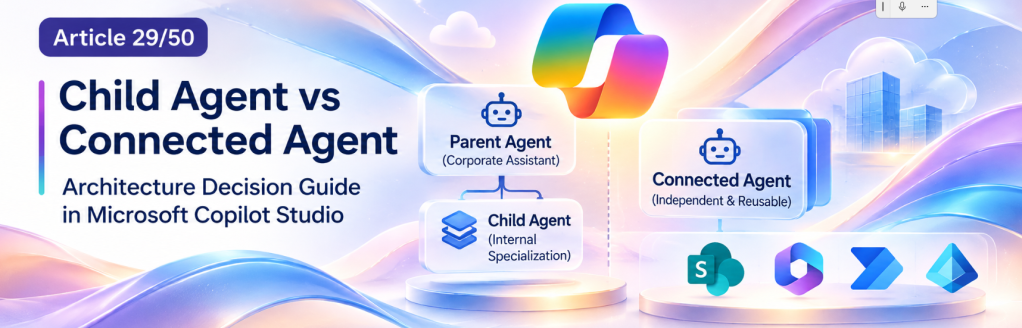
Microsoft Copilot Studio & Enterprise AI Agents — A 50-Article Technical Learning Journey
Article 29 of 50 | Multi-Agent Architecture | Enterprise Solution Design
1. Introduction
As organizations move from experimental AI assistants to enterprise-grade solutions, agent architecture becomes increasingly important.
A single Microsoft Copilot Studio agent can combine Instructions, Knowledge Sources, Topics, Tools, and Actions to support sophisticated business scenarios. However, expanding a single agent indefinitely can introduce problems involving complexity, orchestration, maintainability, governance, and security.
Multi-agent architectures provide an alternative: divide responsibilities among specialized agents that collaborate to complete business tasks.
Microsoft Copilot Studio supports two important approaches to this architectural decomposition:
- Child Agents, also described as inline agents, which operate within the context of a parent agent.
- Connected Agents, which are independently configured agents that another agent can invoke.
Although both approaches support specialization, they solve different architectural problems.
This article examines their differences, implementation considerations, security boundaries, governance implications, and practical applications in enterprise Microsoft 365 environments.
Our objective is not simply to explain how to configure these components. It is to establish a reliable framework for deciding when to use each approach—and when a multi-agent architecture is unnecessary.
2. The Architectural Problem: Agent Complexity
Consider an enterprise assistant responsible for answering questions about:
- SharePoint Online documentation.
- Human Resources policies.
- IT support procedures.
- Employee onboarding.
- Internal purchasing processes.
- Compliance documentation.
- Business application support.
Initially, all these responsibilities might be implemented in one Copilot Studio agent.
The agent could contain multiple Knowledge Sources, Tools, Topics, and detailed Instructions.
This design may work well for a limited number of scenarios. However, as the solution grows, several challenges emerge.
2.1 Instruction complexity
Instructions covering unrelated business domains can become difficult to maintain.
A rule appropriate for an HR policy assistant might conflict with instructions intended for an IT troubleshooting assistant.
2.2 Knowledge specialization
Different business domains often require different Knowledge Sources.
HR documentation may reside in restricted SharePoint sites, while IT procedures might be stored in technical documentation libraries.
2.3 Tool selection
An agent with many Tools must determine which capabilities are relevant to each request.
Poorly defined tool descriptions and overlapping responsibilities can produce unpredictable orchestration.
2.4 Governance
Different business departments may require independent ownership, approval processes, release schedules, and access controls.
2.5 Testing
Changes to one business capability can affect unrelated scenarios when all capabilities are tightly coupled.
These challenges motivate architectural decomposition.
However, decomposition introduces its own complexity. The solution architect must determine whether a capability belongs inside the existing agent or should become an independent agent.
3. Understanding the Parent Agent
A Parent Agent is the primary agent responsible for receiving requests and coordinating their execution.
In a multi-agent architecture, the Parent Agent may:
- Interpret the user’s request.
- Identify the relevant business domain.
- Select an appropriate Child Agent or Connected Agent.
- Delegate the required task.
- Receive outputs from the specialized agent.
- Continue the workflow or provide a final response.
The Parent Agent acts as an orchestration layer.
For example, an employee asks:
“Where can I find our remote working policy, and what equipment am I allowed to request?”
The request potentially involves two distinct domains:
- HR policies.
- IT equipment provisioning.
The Parent Agent must determine whether it can answer directly, use a specialized internal capability, or delegate to another independently managed agent.
Importantly, the Parent Agent does not automatically need a separate agent for every question.
Simple requests may be handled using its own Knowledge Sources or Tools.
4. What Is a Child Agent?
A Child Agent is a lightweight agent that exists within the context of a main Copilot Studio agent.
Microsoft documentation also uses the term inline agent.
Child Agents provide a way to logically organize specialized Instructions, Knowledge, and Tools without creating a fully independent agent.
They are particularly useful for tasks with a narrow responsibility.
Examples include:
- Classifying a document.
- Identifying a document category.
- Evaluating whether a request contains required information.
- Retrieving a specific type of business guidance.
- Preparing structured information for a subsequent workflow.
- Supporting a particular intent within a larger conversation.
A Child Agent can have its own orchestration and focused configuration while remaining part of the parent solution.
4.1 Conceptual architecture
Corporate Assistant│├── Instructions├── Knowledge Sources├── Tools│├── Child Agent: Document Classification│ ├── Instructions│ ├── Knowledge│ └── Tools│├── Child Agent: Policy Lookup│ ├── Instructions│ └── Knowledge│└── Child Agent: Request Validation ├── Instructions └── Tools
All Child Agents belong to the same overall agent solution.
4.2 Main architectural characteristic
A Child Agent represents internal decomposition.
It is appropriate when the specialized capability does not require independent ownership, publication, authentication configuration, or application lifecycle management.
5. How Child Agents Work
When a Child Agent is invoked, it executes its specialized responsibility within the parent agent’s context.
The parent and child share conversational context, simplifying the exchange of information.
For example:
User request:
“Classify this document as a policy, procedure, or technical guide.”
The Parent Agent can invoke a Document Classification Child Agent.
The Child Agent evaluates the document using its instructions and available capabilities.
It might return:
{ "documentType": "Technical Guide", "confidence": "High", "reason": "The document contains implementation procedures and configuration instructions."}
This JSON is an illustrative output contract, not a mandatory Copilot Studio response schema.
The Parent Agent can use the result to continue processing.
5.1 Outputs and completion behavior
In the Standard harness, Child Agents can expose output values to the Parent Agent.
Their configuration also supports controlling how the parent behaves after the Child Agent completes.
For example, the parent can continue orchestration without immediately responding, or generate a response using the Child Agent’s outputs.
This is important when designing workflows containing multiple steps.
6. When Should You Use a Child Agent?
A Child Agent is generally appropriate when:
- The capability has a clearly defined responsibility.
- The capability belongs exclusively to the parent solution.
- The same development team maintains the functionality.
- Independent publication is unnecessary.
- The task benefits from specialized Instructions or Tools.
- Shared conversational context is useful.
- A separate agent would introduce unnecessary administrative overhead.
Example: SharePoint Document Classification
Imagine an internal SharePoint assistant that helps employees locate and understand corporate documents.
One responsibility is to determine whether a document is:
- A corporate policy.
- An operational procedure.
- A technical reference.
- A training resource.
This classification capability may not need its own deployment or audience.
A Child Agent is a reasonable choice because document classification is a small, bounded task within the larger document-assistance experience.
7. What Is a Connected Agent?
A Connected Agent is an independently configured agent that another agent can invoke.
Unlike a Child Agent, a Connected Agent maintains its own identity as an agent solution.
It can have:
- Its own Instructions.
- Its own Knowledge Sources.
- Its own Tools.
- Its own orchestration.
- Its own configuration.
- Its own publication lifecycle.
- Its own governance requirements.
- Its own access and authentication considerations.
A Connected Agent can be designed as a reusable enterprise capability.
For example, an organization might create an HR Policy Agent that specializes in employment policies and internal HR documentation.
That agent could be used by:
- A Corporate Assistant.
- An Employee Onboarding Assistant.
- A Manager Support Assistant.
Instead of implementing HR policy interpretation three times, the organization maintains one specialized agent.
7.1 Conceptual architecture
Corporate Assistant │ ├───────────┐ │ │ ▼ ▼ HR Agent IT Agent │ │ ▼ ▼ HR SharePoint IT SharePoint Sites Sites
The Parent Agent delegates requests to specialized agents.
Each Connected Agent is responsible for its own domain.
8. How Connected Agents Work
A Connected Agent is invoked through the orchestration capabilities of the primary agent.
Conceptually, the process is:
- The user submits a request.
- The Parent Agent interprets the request.
- Orchestration identifies a relevant Connected Agent.
- The Parent Agent delegates the task.
- The Connected Agent processes the request using its own configuration.
- The result returns to the orchestration process.
- The interaction continues according to the configured behavior.
Consider the request:
“What is our current parental leave policy?”
The Corporate Assistant recognizes that the request belongs to the HR domain.
It delegates the question to the HR Policy Agent.
The HR Policy Agent retrieves relevant information from its configured Knowledge Sources, subject to the applicable access and authentication model.
The resulting answer can be returned to the Corporate Assistant.
The primary architectural benefit is the separation between general orchestration and specialized domain expertise.
9. Child Agent vs Connected Agent: Technical Comparison
| Architectural dimension | Child Agent | Connected Agent |
|---|---|---|
| Deployment model | Internal to parent agent | Independently configured agent |
| Primary purpose | Internal task decomposition | Domain specialization and reuse |
| Ownership | Typically shared with parent | Can belong to another team |
| Knowledge Sources | Specialized within parent solution | Independently configured |
| Tools | Specialized tools | Independent tool configuration |
| Instructions | Task-specific | Domain-specific |
| Orchestration | Internal specialized orchestration | Separate agent orchestration |
| Conversation context | Shares parent context | Context transfer is configurable |
| Reusability | Primarily within parent | Can serve multiple parent agents |
| Publication | Part of parent solution | Independently published |
| ALM | Generally follows parent | Can follow independent lifecycle |
| Governance | More centralized | Potentially distributed |
| Authentication | Governed by parent architecture and tool connections | Must evaluate connected agent’s configuration |
| Latency | Adds orchestration overhead | Adds inter-agent orchestration overhead |
| Complexity | Lower operational separation | Greater operational independence |
These are architectural tendencies, not guarantees that every capability or security behavior is identical across Copilot Studio harnesses.
10. The Most Important Difference: Architectural Independence
The central distinction is not whether an agent can use Knowledge or Tools.
Both Child Agents and Connected Agents can specialize in particular responsibilities.
The decisive question is:
Does the capability need to exist independently of the Parent Agent?
If the answer is no, a Child Agent may be sufficient.
If the answer is yes, a Connected Agent becomes more attractive.
Independence matters when different teams must maintain, publish, secure, monitor, or reuse the capability.
11. Reusability Across Enterprise Solutions
Reusability is one of the strongest arguments for Connected Agents.
Consider three corporate assistants:
Employee AssistantManager AssistantOnboarding Assistant
All three require access to the same HR policy expertise.
Without a reusable agent, each solution might implement its own policy retrieval logic and instructions.
That creates duplicated maintenance.
A Connected Agent allows the HR team to maintain a dedicated HR Policy Agent that can serve multiple primary agents.
Employee Assistant ───┐ │Manager Assistant ────┼──► HR Policy Agent │Onboarding Assistant ─┘
This resembles service-oriented architecture.
The HR Policy Agent becomes a reusable domain capability rather than an implementation detail of one assistant.
However, reuse also introduces dependencies.
Changes to the HR Policy Agent may affect multiple consuming agents.
Consequently, version management, regression testing, and release communication become important.
12. Ownership and Organizational Boundaries
Enterprise architecture must account for organizational responsibilities.
A large organization may have separate teams responsible for:
- Human Resources.
- Information Technology.
- Finance.
- Procurement.
- Compliance.
- Corporate Communications.
Each department may own its documentation, processes, and authorization policies.
A Connected Agent allows those teams to maintain their own AI capabilities while participating in a broader multi-agent solution.
For example:
| Agent | Business owner | Technical owner |
|---|---|---|
| Corporate Assistant | Digital Workplace | Microsoft 365 Team |
| HR Policy Agent | Human Resources | HR Automation Team |
| IT Support Agent | IT Operations | Service Management Team |
| Procurement Agent | Procurement | Power Platform Team |
This is a proposed governance model rather than a mandatory Microsoft configuration.
A Child Agent is usually more appropriate when the responsibility remains within a single solution and ownership structure.
13. Knowledge Sources and Domain Separation
Knowledge architecture is another important consideration.
A Child Agent can use specialized Knowledge Sources while remaining part of its parent solution.
A Connected Agent maintains its own Knowledge configuration.
For example:
HR Policy Agent│├── Employee Handbook├── Benefits Documentation├── Leave Policies└── HR Procedures
Meanwhile:
IT Support Agent│├── Device Configuration Guides├── SharePoint Support Documentation├── Microsoft 365 Troubleshooting└── IT Service Procedures
This separation improves clarity.
Each agent can be instructed to answer questions within a well-defined knowledge domain.
However, domain separation does not automatically establish a security boundary.
The effective permissions depend on the configured identity, authentication, connectors, Knowledge Sources, and runtime execution context.
14. Knowledge Is Not an Action
An important principle remains unchanged in multi-agent architectures:
Knowledge provides information. Actions perform operations.
An HR Policy Agent that answers questions about leave policies is primarily a knowledge-based agent.
An HR Operations Agent that creates a leave request in a SharePoint list performs an action.
These capabilities have different risk profiles.
For example:
| Capability | Type | Primary concern |
|---|---|---|
| Explain remote working policy | Knowledge | Accuracy and authorized access |
| Find a technical procedure | Knowledge | Grounding and document permissions |
| Create a SharePoint request | Action | Identity and write authorization |
| Update an employee record | Action | Sensitive data and approvals |
| Submit an approval request | Action | Business process integrity |
Architectural decomposition must not obscure these distinctions.
Connecting an agent that performs sensitive actions requires stronger governance than connecting a read-only informational agent.
15. Orchestration and Delegation
Orchestration determines which capabilities are invoked and in what sequence.
In a multi-agent solution, this includes selecting the appropriate specialized agent.
For example:
User: “I need help understanding our laptop replacement policy.”
The Parent Agent should recognize the IT policy domain.
It should not delegate the request to the HR Policy Agent merely because both agents contain corporate policies.
This makes agent descriptions particularly important.
A useful Connected Agent description might be:
Handles employee questions about IT equipment policies, laptop replacement procedures, approved devices, and technical support documentation. Does not handle HR benefits, payroll, or employment policies.
A good description establishes both responsibilities and boundaries.
Overlapping descriptions can increase orchestration ambiguity.
16. Defining Delegation Contracts
For enterprise systems, it is useful to define explicit contracts between agents.
A contract specifies:
- What responsibility the agent owns.
- What information it expects.
- What information it returns.
- What it must not do.
- What happens when it cannot complete the request.
Consider an HR Policy Agent.
Example input contract
{ "question": "What is the remote working policy?", "requestedLanguage": "en-US", "businessDomain": "HR"}
Example output contract
{ "status": "answered", "answer": "Policy summary based on authorized documentation.", "sourceReferences": [ "Corporate Remote Working Policy" ], "requiresHumanReview": false}
These structures illustrate an architectural contract. They do not imply that Copilot Studio automatically enforces this JSON schema for every Connected Agent invocation.
Where strict machine-readable contracts are required, architects should evaluate whether a Tool, Flow, API, or other deterministic integration is more appropriate.
17. Conversation Context and Data Handoff
Conversation context is a critical distinction.
Child Agents operate within the Parent Agent’s conversational context.
Connected Agents can receive context according to their connection configuration.
For Copilot Studio Connected Agents in the Standard harness, Microsoft documents the Pass conversation history to this agent option.
Disabling that option limits the transfer of conversation history, although the explicit delegated task still contains information necessary for execution.
This is important for privacy and data minimization.
Consider a Corporate Assistant that has discussed an employee’s personal circumstances.
The employee subsequently asks a technical question about SharePoint permissions.
The IT Support Agent may not need the entire preceding conversation.
Passing unnecessary context increases the amount of information shared between components.
Architectural recommendation: transfer only the information required to complete the delegated task.
18. Authentication Is Not the Same as Authorization
Authentication establishes identity.
Authorization determines what that identity can access or perform.
This distinction becomes particularly important when connecting independent agents.
A user may successfully authenticate to the Corporate Assistant without automatically receiving access to every Connected Agent or its underlying resources.
For Copilot Studio agents, Microsoft documents that Connected Agents may need to be shared with the Parent Agent’s end users, depending on the authentication configuration.
Therefore, connecting an agent is not equivalent to granting users access to all its data.
The architecture must evaluate:
- The identity of the user.
- The identity used by the agent.
- The identity used by each Tool or Connector.
- The authorization model of the target resource.
- The permissions required for each operation.
19. SharePoint Online Security Considerations
SharePoint Online is an excellent example of why access control must be evaluated explicitly.
Suppose an HR Policy Agent uses documents stored in:
/sites/HR-Policies
An IT Support Agent uses documentation stored in:
/sites/IT-Knowledge
A user may have permission to access the IT site but not the HR site.
The fact that both agents are connected to the same Corporate Assistant must not be treated as authorization to retrieve both sets of documents.
The effective behavior depends on the Knowledge integration and identity model.
For permission-trimmed SharePoint retrieval, access should reflect the authorized user’s permissions where the integration supports and is configured for that behavior.
If a Tool or automation executes using a privileged connection, that execution context must be examined separately.
A service connection with broad permissions can create risks even when the conversational interface appears to be user-specific.
Security rule: never assume that an agent-to-agent connection automatically preserves every downstream authorization boundary.
20. Delegated and Application Permissions
When Microsoft Graph or custom APIs are involved, the distinction between Delegated and Application permissions becomes relevant.
Delegated permissions operate in a signed-in user context and are constrained by the applicable delegated scopes and resource authorization.
Application permissions allow an application to act without a signed-in user, subject to its granted application roles and resource restrictions.
These concepts should not be confused with the broader act of delegating a task from one agent to another.
Agent delegation is an orchestration concept.
Delegated permissions are an identity and authorization concept.
A Connected Agent does not automatically imply Microsoft Graph Delegated permissions.
For most basic SharePoint knowledge scenarios, native Copilot Studio capabilities should be evaluated before introducing Microsoft Graph.
21. Independent Publication and Lifecycle Management
Connected Agents are independently published.
This creates an important lifecycle distinction.
Suppose the HR team updates its HR Policy Agent.
The team can test and publish changes to that agent without rebuilding the Corporate Assistant itself.
However, this independence introduces integration considerations.
A published change can affect the behavior of consuming agents.
Microsoft also documents that the Connected Agent’s description, as configured in the parent, does not automatically synchronize when the connected agent’s own description changes.
Therefore, release procedures should include reviewing both the specialized agent and its consuming agents.
For Child Agents, the deployment lifecycle is more closely coupled to the parent solution.
22. Application Lifecycle Management
Application Lifecycle Management (ALM) becomes increasingly important as agents move into production.
A Child Agent generally belongs to the same solution lifecycle as its Parent Agent.
A Connected Agent may have its own development, testing, and production lifecycle.
Consider:
Corporate Assistant │ ├── HR Policy Agent ├── IT Support Agent └── Procurement Agent
Each agent may have different release schedules.
This creates questions involving:
- Solution dependencies.
- Environment configuration.
- Deployment sequencing.
- Connection references.
- Authentication configuration.
- Regression testing.
- Rollback procedures.
- Ownership and change approvals.
For production environments, these responsibilities should be documented before deployment.
23. Environment Constraints
Connected Agent architecture must account for platform-specific connection requirements.
For example, Microsoft documents that connecting one Copilot Studio agent to another through the Standard harness requires the target agent to:
- Exist in the same Power Platform environment.
- Be published.
- Allow connections from other agents.
- Be owned by or shared with the maker configuring the connection.
Runtime access can also depend on the authentication and sharing configuration.
These constraints matter when designing development, test, and production environments.
Architects should not assume that independently managed agents can be connected across arbitrary environments without additional integration mechanisms.
24. Standard Harness vs GitHub Copilot Harness
Copilot Studio has evolved beyond a single agent authoring experience.
Microsoft documentation distinguishes between different agent harnesses, including the Standard harness and GitHub Copilot harness.
The distinction matters because not every capability is implemented or exposed in the same way.
Standard harness
The Standard harness supports Child Agents as internal specialized components.
It also supports connecting to independently configured agents.
GitHub Copilot harness
The GitHub Copilot harness provides a different development experience, including Skills for reusable internal capabilities and Connected Agents for agent-to-agent collaboration.
Consequently, a design guide must not assume that the same Child Agent authoring interface exists across all harnesses.
Before implementing a proposed architecture, verify the selected harness and its current supported features.
25. Performance and Latency
Multi-agent systems introduce orchestration overhead.
A Parent Agent may need to:
- Interpret a request.
- Select another agent.
- Transfer relevant context.
- Wait for the specialized agent.
- Process the returned information.
- Produce the final response.
A Connected Agent can perform additional orchestration of its own.
Consequently, a multi-agent solution may take longer than a direct response from a single agent.
Child Agents also introduce an additional orchestration layer, although their internal integration is simpler.
Performance should be measured rather than assumed.
Useful metrics include:
- End-to-end response time.
- Agent invocation count.
- Tool invocation count.
- Retrieval duration.
- Failure rate.
- Escalation frequency.
- Resource consumption.
The best architecture is not necessarily the one with the greatest number of agents.
26. Cost and Resource Consumption
Agent decomposition can influence operational consumption.
Additional orchestration and agent invocations may increase the resources required to process a request.
However, the actual billing behavior depends on the selected Copilot Studio experience, licensing configuration, applicable metering rules, and the capabilities invoked.
The GitHub Copilot harness documentation explicitly describes usage-based billing and possible Copilot Credits consumption during building, testing, evaluation, and execution.
Because pricing and metering rules evolve, architects should verify current Microsoft licensing documentation before producing financial estimates.
A meaningful cost comparison should measure a representative workload rather than assume that one architecture is always cheaper.
27. Reliability and Failure Handling
Connected Agents introduce additional operational dependencies.
Suppose the Corporate Assistant depends on the HR Policy Agent.
If the HR Policy Agent is unavailable, misconfigured, or unable to access its Knowledge Sources, the parent must handle that failure.
Possible responses include:
- Explaining that the requested capability is temporarily unavailable.
- Offering a supported alternative.
- Returning a partial result with clear limitations.
- Requesting human assistance.
- Avoiding unsupported or fabricated answers.
For sensitive business domains, the Parent Agent should not invent policy information merely because the specialist agent failed.
Failure handling is an architectural responsibility, not simply an error-message concern.
28. Observability and Monitoring
Troubleshooting becomes more complex when multiple agents participate in one request.
A single user interaction may involve:
User ↓Corporate Assistant ↓HR Policy Agent ↓Knowledge Retrieval ↓HR Policy Agent ↓Corporate Assistant ↓User
The architecture should support investigating:
- Which agent received the request.
- Which agent was selected for delegation.
- What information was transferred.
- Which Tools or Knowledge Sources were used.
- Whether retrieval succeeded.
- What result was returned.
- Where errors occurred.
Microsoft’s multi-agent guidance emphasizes auditing and correlating parent and connected-agent sessions.
The implementation of telemetry and monitoring must follow the capabilities and policies available in the selected environment.
29. Governance and Accountability
Independent agents require clear ownership.
For every Connected Agent, an enterprise should identify:
| Governance element | Required decision |
|---|---|
| Business owner | Who owns the business responsibility? |
| Technical owner | Who maintains the agent? |
| Knowledge owner | Who validates the information sources? |
| Security owner | Who approves permissions and integrations? |
| Release owner | Who authorizes production deployment? |
| Support owner | Who investigates failures? |
| Data classification | What information may be processed? |
| Change management | How are consuming agents notified? |
These responsibilities may be combined in smaller organizations.
The important principle is accountability.
An independently maintained agent should not become an unowned dependency inside a larger corporate assistant.
30. Avoiding Excessive Agent Fragmentation
A common architectural mistake is to create a separate agent for every small operation.
For example:
Corporate Assistant │ ├── Read Document Agent ├── Find Title Agent ├── Extract Date Agent ├── Format Response Agent ├── Validate Text Agent └── Summarize Paragraph Agent
This structure may introduce more complexity than value.
Some of these capabilities could be implemented through:
- Instructions.
- Topics.
- Tools.
- Power Automate.
- A single Child Agent.
- Traditional deterministic application logic.
A separate agent should represent a meaningful responsibility, not merely a small function.
Microsoft’s architectural guidance similarly recommends starting with one agent and splitting responsibilities only when there is a clear need.
31. When a Traditional Tool Is Better Than Another Agent
Not every operation requires AI reasoning.
Consider the requirement:
“Create a SharePoint list item containing the employee’s request.”
If the input fields are already known, a Power Automate flow or SharePoint connector action may be more appropriate than a separate Connected Agent.
The task is deterministic.
Similarly, calculating a value, validating a required field, or retrieving a record by ID may not justify an additional agent.
A useful decision principle is:
Use agents for responsibilities that benefit from language understanding, contextual reasoning, or specialized knowledge. Use deterministic tools for predictable operations.
This distinction improves reliability and reduces unnecessary orchestration complexity.
32. Enterprise Scenario: Corporate Knowledge Assistant
Consider an organization building a corporate knowledge assistant based on SharePoint Online.
The initial solution has three responsibilities:
- Answer questions about corporate documents.
- Classify documents by category.
- Explain HR policies.
The first two responsibilities are closely related.
The third belongs to a separate business domain.
A reasonable architecture might be:
Corporate Knowledge Assistant│├── SharePoint Knowledge Sources│├── Child Agent│ └── Document Classification│└── Connected Agent └── HR Policy Specialist └── HR SharePoint Knowledge
The Child Agent handles a bounded internal task.
The Connected Agent represents a reusable business capability.
This architecture illustrates how both patterns can coexist.
33. Step-by-Step Architectural Reasoning
Before selecting a pattern, ask the following questions.
Question 1: Is the capability a distinct business domain?
If not, an internal capability may be sufficient.
Question 2: Does it require independent ownership?
If yes, consider a Connected Agent.
Question 3: Will other agents reuse it?
If yes, a Connected Agent may reduce duplication.
Question 4: Does it require separate publication or configuration?
If yes, a Connected Agent becomes more appropriate.
Question 5: Does it merely execute a small task inside the current solution?
If yes, consider a Child Agent or a conventional Tool.
Question 6: Does the complexity justify another orchestration layer?
If not, retain the simpler architecture.
These questions establish a repeatable decision process.
34. Architecture Decision Matrix
| Scenario | Preferred starting approach | Reason |
|---|---|---|
| Classify documents inside one assistant | Child Agent | Narrow internal responsibility |
| Validate structured request information | Tool or Child Agent | Limited task; deterministic logic may suffice |
| Reusable HR policy specialist | Connected Agent | Independent domain and reuse |
| Reusable IT support specialist | Connected Agent | Separate expertise and ownership |
| Create a SharePoint list item | Tool / Power Automate | Deterministic operation |
| Retrieve a document by known ID | Native Tool / Connector | No independent agent required |
| Summarize a document within one workflow | Parent or Child Agent | Contextual internal capability |
| Enterprise procurement assistant | Connected Agent | Separate domain, lifecycle, and governance |
| Calculate an approval threshold | Deterministic logic | Predictable business rule |
| Coordinate multiple business domains | Parent with Connected Agents | Cross-domain orchestration |
This matrix is an architectural recommendation, not a platform-enforced selection rule.
35. Anti-Pattern: The Monolithic Agent
A monolithic agent attempts to perform every business responsibility within one configuration.
Potential consequences include:
- Extensive Instructions.
- Overlapping Knowledge Sources.
- Ambiguous Tool selection.
- Difficult regression testing.
- Unclear ownership.
- Complicated release management.
A monolithic design is not automatically wrong.
For small solutions, a single agent may be the most efficient architecture.
The problem arises when unrelated responsibilities become too complex to manage reliably.
The solution is selective decomposition, not decomposition for its own sake.
36. Anti-Pattern: The Agent Explosion
The opposite mistake is creating too many independent agents.
Potential consequences include:
- Excessive delegation.
- Increased latency.
- Complex access management.
- Multiple publication dependencies.
- Difficult troubleshooting.
- Duplicated Instructions.
- Higher governance overhead.
The architecture should minimize unnecessary boundaries.
An independent agent should have a clear reason to exist.
37. Anti-Pattern: Undefined Agent Responsibilities
Suppose an organization has:
- Corporate Policy Agent.
- HR Policy Agent.
- Employee Policy Agent.
- Compliance Policy Agent.
If their descriptions overlap, orchestration may struggle to select the correct agent.
The solution is not necessarily more sophisticated prompting.
First, clarify responsibility boundaries.
For example:
| Agent | Responsibility |
|---|---|
| HR Policy Agent | Employment and employee benefit policies |
| Compliance Agent | Regulatory and internal compliance requirements |
| IT Policy Agent | Technology usage and IT security procedures |
| Corporate Assistant | Routing and cross-domain coordination |
Clear boundaries improve both architecture and orchestration.
38. Anti-Pattern: Assuming Security Inheritance
A dangerous assumption is that a Connected Agent automatically inherits the Parent Agent’s security model.
This is not a safe architectural assumption.
Each Connected Agent may use different:
- Knowledge Sources.
- Authentication settings.
- Tools.
- Connections.
- Permissions.
- External services.
Security must be reviewed end to end.
For sensitive operations, additional authorization checks and human approval may be required.
39. Anti-Pattern: Uncontrolled Context Sharing
Passing entire conversations between agents can expose unnecessary information.
For example, an IT agent answering a printer configuration question should not automatically require an employee’s previous HR conversation.
Data minimization should be a default design consideration.
When context-sharing controls are available, configure them according to the delegated task’s actual requirements.
40. Testing Strategy
A multi-agent architecture should be tested at several levels.
Component testing
Verify that each specialized agent can perform its responsibility.
Routing testing
Verify that the Parent Agent selects the correct specialist.
Context testing
Verify that the receiving agent obtains the information it needs without unnecessary sensitive context.
Security testing
Verify behavior for users with different permissions.
Integration testing
Verify the complete parent-to-specialist interaction.
Regression testing
Verify that changes to one agent do not unexpectedly affect consuming agents.
Failure testing
Verify behavior when a specialist is unavailable or returns an incomplete result.
These tests should be repeated before production releases.
41. Practical Test Cases
For the SharePoint-based Corporate Knowledge Assistant, consider:
| Test | Expected behavior |
|---|---|
| “Classify this technical document.” | Document Classification Child Agent is selected |
| “What is our parental leave policy?” | HR Policy Connected Agent is selected |
| “How do I configure SharePoint permissions?” | IT knowledge capability is used |
| “Show me restricted HR documents.” | Access restrictions are enforced |
| “Create a request for new equipment.” | Authorized action workflow is invoked |
| HR specialist unavailable | Controlled failure response |
| Ambiguous policy question | Clarification or appropriate routing |
| User lacks access to target agent | Access is denied or handled appropriately |
The exact results depend on the implementation and should be validated in the target environment.
42. Recommended Implementation Sequence
For an enterprise project, begin with the simplest useful architecture.
Phase 1 — Single Agent
Create one focused agent with a small number of Knowledge Sources and clearly defined Instructions.
Phase 2 — Internal Decomposition
Introduce a Child Agent when an internal task becomes sufficiently distinct to justify separate orchestration.
Phase 3 — Domain Separation
Create a Connected Agent when independent ownership, reuse, or deployment becomes necessary.
Phase 4 — Governance
Formalize permissions, dependencies, publication processes, monitoring, and operational responsibilities.
Phase 5 — Optimization
Measure routing quality, latency, failures, and consumption before introducing additional agents.
This progression helps prevent premature architectural complexity.
43. A Practical Decision Checklist
Before creating a new Connected Agent, verify:
- The capability has a clearly defined business responsibility.
- Independent ownership or reuse provides measurable value.
- The capability needs separate configuration or lifecycle management.
- The security and authentication model is understood.
- The Knowledge Sources and Tools are appropriately scoped.
- The parent-to-agent delegation contract is clear.
- Context-sharing requirements are documented.
- Failure handling has been designed.
- Regression testing is feasible.
- Operational ownership is assigned.
If most of these conditions are not applicable, a Child Agent, Tool, Topic, or single-agent design may be more appropriate.
44. Final Architecture Recommendations
For Microsoft Copilot Studio enterprise solutions, the following principles provide a practical foundation.
First, begin with one agent. Avoid multi-agent architectures until responsibilities justify decomposition.
Second, use Child Agents for internal specialization. They are well suited to narrow tasks that belong to the parent solution.
Third, use Connected Agents for independent business capabilities. They become valuable when reuse, ownership, governance, and lifecycle independence matter.
Fourth, maintain clear Knowledge and Action boundaries. Retrieving information and performing business operations require different controls.
Fifth, treat agent-to-agent communication as a security-sensitive integration. Review identity, permissions, context sharing, and downstream connections.
Sixth, prefer deterministic Tools for deterministic operations. Additional agents should contribute meaningful reasoning or domain specialization.
Seventh, measure the operational impact. Multi-agent designs should demonstrate benefits in maintainability, reuse, governance, or capability—not merely architectural sophistication.
45. Conclusion
Child Agents and Connected Agents are complementary architectural mechanisms in Microsoft Copilot Studio.
A Child Agent provides internal specialization within a larger agent.
A Connected Agent provides independently managed specialization that can be reused across multiple solutions.
The choice should be driven by business responsibilities, reuse requirements, ownership, security boundaries, deployment needs, and operational complexity.
For organizations building AI solutions on Microsoft 365 and SharePoint Online, this distinction is particularly valuable.
A document classification task may belong inside an existing assistant, while an enterprise HR policy specialist may justify its own independently governed agent.
Ultimately, successful multi-agent architecture is not about maximizing the number of agents.
It is about establishing the right boundaries between responsibilities.
The best architecture is the simplest one that satisfies the organization’s functional, security, governance, and operational requirements.
Official Microsoft Documentation
The following Microsoft Learn resources provide additional technical guidance.
- Multi-agent orchestration patterns and best practices
https://learn.microsoft.com/en-us/microsoft-copilot-studio/guidance/multi-agent-patterns - Add a child agent
https://learn.microsoft.com/en-us/microsoft-copilot-studio/add-agent-child-agent - Connect to an existing Copilot Studio agent
https://learn.microsoft.com/en-us/microsoft-copilot-studio/add-agent-copilot-studio-agent - Multi-agent patterns — Architecture guidance
https://learn.microsoft.com/en-us/microsoft-copilot-studio/guidance/architecture/multi-agent-patterns - Connected agents overview — GitHub Copilot harness
https://learn.microsoft.com/en-us/microsoft-copilot-studio/agents-experience/authoring-add-other-agents - Configure user authentication in Copilot Studio
https://learn.microsoft.com/en-us/microsoft-copilot-studio/configuration-end-user-authentication - Design Multi-Agent Solutions in Microsoft Copilot Studio — Microsoft Learn training
https://learn.microsoft.com/en-us/training/modules/design-multi-agent-solutions-copilot-studio/ - Define your solution architecture
https://learn.microsoft.com/en-us/microsoft-copilot-studio/guidance/architecture-overview
Learning Journey Progress
Microsoft Copilot Studio & Enterprise AI Agents — 50-Article Technical Series
Completed in this article: Architectural decision-making between Child Agents and Connected Agents, including specialization, delegation, security, reuse, SharePoint Online integration, governance, ALM, testing, and enterprise design tradeoffs.
Next article: Article 30/50 — Multi-Agent Architecture in Microsoft Copilot Studio
The next article will expand from individual agent relationships to the design of complete multi-agent systems, examining orchestration patterns, domain boundaries, collaboration, and enterprise implementation strategies.
Article 29 of 50 — Microsoft Copilot Studio & Enterprise AI Agents Technical Learning Journey.


